Mangools KWFinder Review 2026
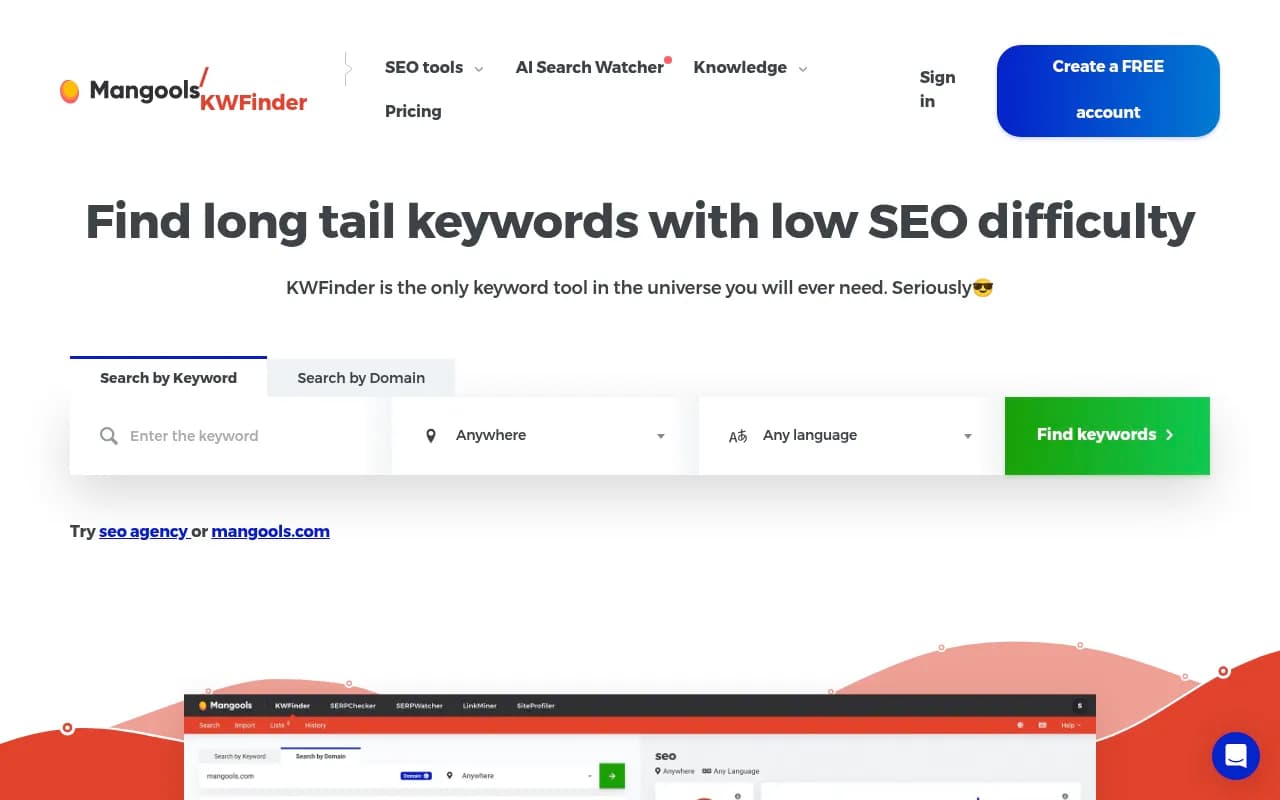
User-friendly keyword finder that helps discover and analyze keywords with difficulty scores, search volumes, and SERP analysis at ~$29/month.
Key Takeaways:
• Best for beginners and small teams: KWFinder's clean interface and straightforward metrics make keyword research accessible without overwhelming users with data • Accurate difficulty scores: Uses a proprietary 0-100 scale that actually correlates with ranking difficulty, unlike some competitors that inflate scores • Strong local SEO capabilities: Supports 65,000+ locations with precise local search volumes and SERP data for city-level targeting • Affordable entry point: At $29/month (annual billing), it's significantly cheaper than Ahrefs or SEMrush while covering core keyword research needs • Limited for enterprise: Daily lookup caps and smaller keyword database make it less suitable for agencies managing 50+ clients or doing massive keyword research
Mangools KWFinder launched as part of the Mangools SEO toolkit around 2014, positioning itself as the accessible alternative to enterprise SEO platforms. While tools like Ahrefs and SEMrush were adding features and complexity, KWFinder went the opposite direction: a single-purpose tool that does keyword research exceptionally well without the learning curve. It's now used by over 25,000 paying customers including recognizable brands like Airbnb, Adidas, and Skyscanner, proving that simplicity and accuracy can compete with feature bloat.
The tool targets freelance SEOs, content marketers, small agency teams, and solopreneurs who need reliable keyword data without enterprise pricing. It's particularly popular with bloggers, affiliate marketers, and local SEO specialists who value ease of use over advanced filtering options. If you're managing 5-20 sites and need to find rankable keywords quickly, KWFinder hits the sweet spot between free tools (which lack data accuracy) and enterprise platforms (which require training to use effectively).
Keyword Difficulty Score (0-100 Scale): KWFinder's standout feature is its keyword difficulty metric, which analyzes the top 10 SERP results and calculates a 0-100 score based on domain authority, page authority, and other ranking factors. Unlike Ahrefs' KD score (which often shows inflated difficulty), KWFinder's scores are calibrated for smaller sites. A keyword with KD 25 is genuinely easier to rank for than one with KD 45. The tool color-codes difficulty (green for easy, orange for medium, red for hard) so you can scan results at a glance. This makes it ideal for finding "quick win" keywords that larger competitors have overlooked.
Exact Search Volumes with Historical Trends: Most free keyword tools show rounded search volume ranges ("1K-10K"). KWFinder provides exact monthly search volumes pulled from Google Keyword Planner data, along with 12-month trend graphs. You can spot seasonal keywords (like "tax software" spiking in March-April) or identify declining search interest before investing in content. The trend data is particularly useful for affiliate marketers and e-commerce sites planning content calendars around predictable traffic spikes.
2.5 Billion Related Keyword Suggestions: Enter a seed keyword and KWFinder returns hundreds of related terms, questions, and long-tail variations. The suggestions include autocomplete data, related searches, and semantically similar terms. You can filter by search volume, difficulty, or cost-per-click to narrow down opportunities. The tool shows up to 200 suggestions per lookup on paid plans (unlimited on Premium and Agency tiers), which is sufficient for most content planning sessions. For comparison, Ahrefs shows more suggestions but often includes irrelevant or low-quality terms that require manual filtering.
Competitor Keyword Analysis: Enter a competitor's domain or specific URL and KWFinder reveals the keywords they rank for, along with their positions, search volumes, and estimated traffic. This is invaluable for content gap analysis—you can see which keywords your competitors are winning on and identify opportunities they've missed. The tool shows up to 100 million competitor keywords checked monthly across its user base. Unlike SEMrush's competitor analysis (which can be overwhelming), KWFinder presents the data in a clean table that's easy to export and prioritize.
Local SEO with 65,000+ Locations: KWFinder supports keyword research for 65,000+ cities, districts, and countries, making it one of the best tools for local SEO. You can search for "plumber" in "Austin, Texas" and get localized search volumes and SERP results specific to that market. This is critical for local businesses, multi-location franchises, and agencies managing clients across different geographies. The location data is more granular than Ubersuggest or Moz, which typically only offer country-level filtering.
SERP Analysis with Ranking Metrics: For each keyword, KWFinder displays the top 10 Google results with detailed metrics: domain authority (DA), page authority (PA), number of backlinks, social shares, and exact match domains. You can click into any result to see its full backlink profile and on-page SEO factors. This helps you assess whether you can realistically compete—if the top 10 are all DA 70+ sites with thousands of backlinks, you know it's a tough keyword. The SERP analysis is faster and more visual than Ahrefs' SERP overview, though it lacks some advanced metrics like traffic estimates per URL.
Autocomplete and Questions Data: KWFinder pulls Google autocomplete suggestions and "People Also Ask" questions for each seed keyword, giving you content ideas that match actual user queries. This is particularly useful for blog content and FAQ pages. The questions data is presented in a separate tab, making it easy to build content outlines around real user intent. While AnswerThePublic offers more question variations, KWFinder's integration with search volume and difficulty data makes it more actionable.
Keyword Lists and Organization: You can save keywords to custom lists within KWFinder, making it easy to organize research by project, client, or content theme. Each list can hold hundreds of keywords, and you can add notes, tags, and priority levels. This is helpful for content teams planning editorial calendars or agencies managing multiple clients. The list feature is simpler than Ahrefs' keyword explorer but sufficient for most use cases.
Export to CSV and Google Sheets: All keyword data can be exported to CSV or directly to Google Sheets with one click. The exports include all metrics (search volume, difficulty, CPC, trend data) so you can manipulate the data in spreadsheets or import it into other tools. This is standard functionality but KWFinder's exports are clean and well-formatted, unlike some tools that require post-processing.
Mangools SEO Suite Integration: KWFinder is part of the broader Mangools toolkit, which includes SERPChecker (SERP analysis), SERPWatcher (rank tracking), LinkMiner (backlink analysis), and SiteProfiler (domain analysis). All five tools share a unified interface and credit system, so you can seamlessly move from keyword research to rank tracking to backlink prospecting. This integration is smoother than using separate tools from different vendors, though it's not as comprehensive as Ahrefs' all-in-one platform.
Who Is It For:
KWFinder is ideal for freelance SEOs and content marketers managing 5-20 websites who need fast, accurate keyword research without a steep learning curve. If you're a blogger, affiliate marketer, or small agency owner who spends 30-60 minutes per week on keyword research, KWFinder gives you everything you need without the complexity of enterprise tools. It's particularly strong for local SEO specialists who need granular location data and for beginners who find Ahrefs or SEMrush overwhelming.
The tool fits small marketing teams (2-5 people) at startups or SMBs who need shared access to keyword data. The Premium plan supports 3 extra seats, making it cost-effective for small teams compared to per-seat pricing at competitors. It's also popular with e-commerce businesses doing product keyword research and content agencies planning editorial calendars for clients.
KWFinder is not ideal for enterprise SEO teams managing 50+ clients or doing massive keyword research at scale. The daily lookup limits (100-1,200 depending on plan) can feel restrictive if you're running large keyword audits. It's also not the best choice for technical SEOs who need advanced features like API access, custom integrations, or programmatic keyword analysis. For those use cases, Ahrefs or SEMrush are better fits despite the higher cost.
Integrations & Ecosystem:
KWFinder integrates natively with the other Mangools tools (SERPChecker, SERPWatcher, LinkMiner, SiteProfiler) through a shared interface and credit system. You can click from a keyword in KWFinder directly into SERP analysis or rank tracking without re-entering data. The tool also offers CSV and Google Sheets export, making it easy to integrate keyword data into your existing workflows or reporting dashboards.
There's no official API, which limits automation and custom integrations. This is a deliberate design choice—Mangools targets users who want a simple, visual interface rather than programmatic access. If you need API access for large-scale keyword research or to build custom tools, Ahrefs or DataForSEO are better options.
KWFinder is web-based only—no desktop app or mobile app. The interface is responsive and works on tablets, but it's optimized for desktop use. There are no browser extensions or integrations with content management systems like WordPress, so you'll need to manually export data and implement findings.
Pricing & Value:
Mangools offers three pricing tiers, all billed annually for maximum savings:
Basic Plan: $29/month ($348/year) — 100 keyword lookups per 24 hours, 200 keyword suggestions per lookup, 100 SERP lookups, 200 tracked keywords, 100k backlink rows per month, 20 site analysis lookups. This is the entry-level plan for solopreneurs and freelancers managing a handful of sites. The 100 daily lookups are sufficient for most small-scale keyword research, though power users may hit the limit during intensive research sessions.
Premium Plan: $52/month ($624/year) — 500 keyword lookups per 24 hours, unlimited keyword suggestions per lookup, 500 SERP lookups, 700 tracked keywords, 500k backlink rows per month, 70 site analysis lookups, 3 extra user seats. This is the sweet spot for small agencies and marketing teams. The unlimited keyword suggestions and extra seats make it cost-effective for teams of 3-5 people.
Agency Plan: $97/month ($1,164/year) — 1,200 keyword lookups per 24 hours, unlimited keyword suggestions, 1,200 SERP lookups, 1,500 tracked keywords, 1.2M backlink rows per month, 150 site analysis lookups, 5 extra user seats. This is for larger agencies or SEO consultancies managing 20+ clients. The higher limits reduce the risk of hitting daily caps during client work.
All plans include access to the full Mangools suite (KWFinder, SERPChecker, SERPWatcher, LinkMiner, SiteProfiler). There's a 10-day free trial with no credit card required, giving you 5 lookups per 24 hours to test the tool. Mangools also offers a 48-hour money-back guarantee if you're not satisfied after subscribing.
Mangools recently added AI Search Watcher (their AI visibility monitoring tool) as a bundle option, offering discounts when purchased together. The standalone AI Search Watcher starts at $15.60/month, but bundling with Mangools saves 35-50%.
How It Compares:
Compared to Ahrefs ($129/month), KWFinder is significantly cheaper and easier to use, but has a smaller keyword database and fewer advanced features. Ahrefs is better for large-scale competitive analysis and technical SEO, while KWFinder is better for straightforward keyword research and local SEO.
Compared to SEMrush ($139.95/month), KWFinder offers similar core keyword research functionality at a fraction of the cost. SEMrush has more features (PPC, social media, content marketing), but most users only need 20% of those features. If you just need keyword research and rank tracking, KWFinder is better value.
Compared to Ubersuggest ($29/month), KWFinder has more accurate difficulty scores and better local SEO data. Ubersuggest is cheaper for lifetime deals but the data quality is inconsistent. KWFinder's interface is also more polished and reliable.
Compared to Moz Keyword Explorer ($99/month), KWFinder offers similar functionality at half the price. Moz has a larger keyword database and better brand recognition, but KWFinder's difficulty scores are more accurate for small sites trying to rank.
Strengths & Limitations:
Strengths: • Accurate keyword difficulty scores that actually reflect ranking difficulty for smaller sites, not just backlink counts • Clean, intuitive interface that requires zero training—you can start finding keywords in 60 seconds • Strong local SEO capabilities with 65,000+ location options and precise local search volumes • Affordable pricing at $29/month for individuals and $52/month for small teams, undercutting enterprise tools by 60-70% • Exact search volumes and trend data that help you identify seasonal opportunities and declining keywords
Limitations: • Daily lookup limits can feel restrictive during intensive research sessions, especially on the Basic plan (100 lookups/day) • Smaller keyword database than Ahrefs or SEMrush—you may miss some long-tail variations or niche keywords • No API access for automation or custom integrations, limiting scalability for large agencies • Limited advanced filtering—you can't create complex queries like "keywords with KD <30 AND search volume >1000 AND CPC >$5" • No content gap analysis tool like Ahrefs' Content Gap or SEMrush's Keyword Gap, so you have to manually compare competitor keywords
Bottom Line:
KWFinder is the best keyword research tool for freelancers, bloggers, and small marketing teams who want accurate data without enterprise complexity or pricing. If you're tired of Ahrefs' overwhelming interface or can't justify $129/month for features you'll never use, KWFinder gives you 90% of the value at 25% of the cost. It's particularly strong for local SEO and finding low-competition keywords that larger sites have overlooked.
Best use case in one sentence: Small SEO teams and content creators who need fast, accurate keyword research with reliable difficulty scores and don't require advanced competitive intelligence or API access.
Tags:
Similar and alternative tools to Mangools KWFinder