Moz Local Review 2026
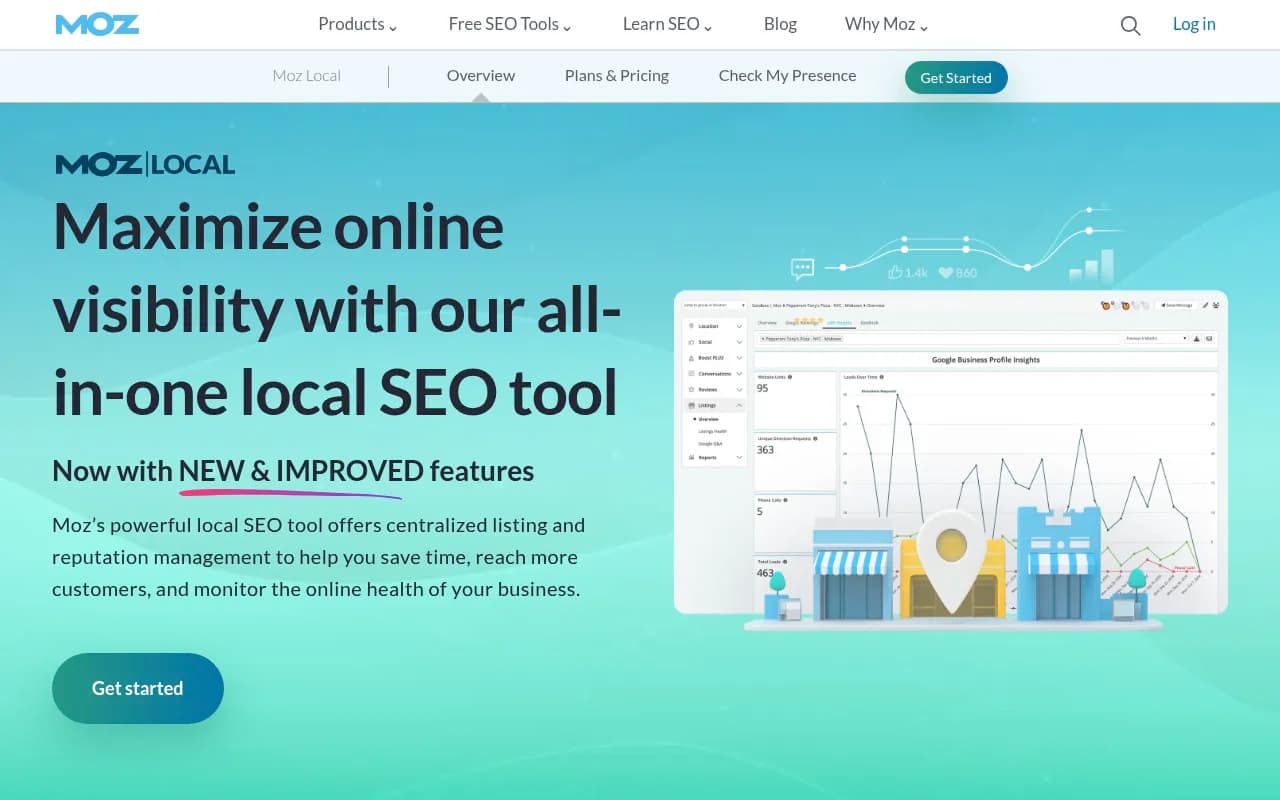
Moz Local is an all-in-one local SEO management platform that helps businesses maintain accurate listings across 50+ directories, monitor and respond to reviews from a single dashboard, and track local search performance. Built for multi-location businesses, agencies, and franchises, it automates ci
Summary: Key Takeaways
• Best for: Multi-location businesses, franchises, agencies, and local service providers managing 1-50+ locations who need centralized listing and reputation management • Core strength: Auto-syncs business data across 50+ directories and aggregators (Google, Facebook, Yelp, Apple Maps, etc.) while providing unified review monitoring and response capabilities • Standout features: GeoRank hyper-local ranking tracker, AI-powered review response templates, social media calendar with multi-location support, comprehensive Google Business Profile analytics • Limitations: Higher price point than basic listing tools, some advanced features locked to higher tiers, learning curve for agencies managing 50+ locations • Pricing: Starts at $14/mo per location (annual billing), with tiered plans based on location count and feature access
Moz Local is Moz's dedicated local SEO platform designed to solve one of the most tedious problems in digital marketing: keeping business information accurate and consistent across the sprawling ecosystem of online directories, search engines, social platforms, and review sites. While Moz is best known for its flagship SEO toolset (Moz Pro), Moz Local operates as a standalone product focused entirely on local search visibility, citation management, and reputation monitoring.
The platform targets businesses with physical locations -- retail stores, restaurants, medical practices, law firms, service providers, franchises -- as well as the agencies and marketing teams managing local SEO for multiple clients. It's particularly valuable for organizations managing anywhere from a single location to hundreds of locations who are tired of manually updating NAP (Name, Address, Phone) data across dozens of platforms or chasing down duplicate listings that confuse customers and hurt search rankings.
Moz launched Moz Local in 2013 (originally as GetListed by Moz before rebranding) and has continuously expanded its capabilities beyond basic citation management. Today it competes directly with platforms like BrightLocal, Yext, Synup, and Whitespark in the local SEO space. Moz's advantage is its integration with the broader Moz ecosystem and its reputation as a trusted name in SEO -- the company has been publishing SEO research and tools since 2004.
Listing Management & Distribution
The core function of Moz Local is automated listing distribution and synchronization. You enter your business information once -- name, address, phone, hours, categories, descriptions, photos, service areas -- and Moz Local pushes that data to its network of 50+ directories and data aggregators. This includes major platforms like Google Business Profile, Facebook, Yelp, Apple Maps, Bing Places, Foursquare, and data aggregators like Neustar Localeze, Factual, and Foursquare that feed hundreds of other sites.
What makes this valuable: most businesses have inconsistent information scattered across the web. Maybe your Google listing says you close at 6pm but Yelp says 5pm. Maybe an old address is still showing up on Apple Maps. These inconsistencies confuse customers and hurt local search rankings because search engines can't determine which version of your data is correct. Moz Local acts as a single source of truth, continuously monitoring and updating your listings to maintain accuracy.
The platform provides a Listing Health Score that shows you at a glance how complete and accurate your listings are across the network. You can see which directories have incomplete data, which fields are missing (hours, photos, categories), and which listings require manual verification. The dashboard flags issues like duplicate listings, closed listings that need removal, or listings claimed by someone else that need to be reclaimed.
One particularly useful feature: auto-sync. Once your listings are set up, Moz Local continuously monitors them and pushes updates whenever you change your business information. Update your hours for a holiday? The change propagates automatically. Add new photos? They get distributed across platforms. This saves enormous time compared to logging into 20+ platforms individually.
Moz Local also handles duplicate suppression -- identifying and working to remove duplicate listings that split your reviews and confuse customers. This is a common problem, especially for businesses that have moved locations or changed names.
Google Business Profile Analytics
Moz Local includes deep integration with Google Business Profile (formerly Google My Business), which is critical since Google is where most local searches happen. The platform provides analytics on GBP performance that go beyond what you see in the native GBP dashboard.
You can track local pack rankings -- where your business appears in the map results for specific keywords. This is different from organic rankings; it's about appearing in the "3-pack" of map results that show up for local queries like "pizza near me" or "dentist in Seattle." Moz Local shows you which keywords you rank for, your position, and how you compare to competitors.
The GeoRank feature is particularly powerful. Instead of just tracking rankings from a single point, GeoRank shows you how your rankings vary across different locations within your service area. If you're a plumber serving a 20-mile radius, you might rank #1 in the local pack for searches originating from your immediate neighborhood but #8 for searches 15 miles away. GeoRank maps this out visually so you can see your true local visibility and identify gaps.
You also get data on GBP interactions: how many people viewed your profile, clicked for directions, called your business, visited your website, or requested more information. This helps you understand how your GBP listing is converting browsers into customers. Moz Local tracks these metrics over time so you can see trends and measure the impact of optimizations like adding photos or updating your description.
Review Management & Reputation Monitoring
Moz Local consolidates review monitoring and response into a single dashboard. Instead of logging into Google, Yelp, Facebook, Healthgrades, Avvo, and a dozen other review sites separately, you see all your reviews in one feed.
The platform monitors reviews from major review sites including Google, Facebook, Yelp, Healthgrades, Avvo, Cars.com, DealerRater, and others depending on your industry. When a new review comes in, you get an alert and can respond directly from the Moz Local interface without leaving the platform.
Review response templates help you respond quickly and consistently. You can create templates for common scenarios -- thanking customers for positive reviews, addressing negative feedback, responding to specific complaints -- and customize them as needed. The platform also offers AI-powered response suggestions that analyze the review content and generate appropriate responses you can edit and send. This is especially useful for businesses managing reviews across multiple locations where maintaining consistent tone and messaging is important.
Moz Local tracks response times and shows you the average time it takes your team to respond to reviews. Since 60% of consumers expect a response within 2 days (according to Moz's own research), this metric helps you meet customer expectations and improve reputation management processes.
The sentiment analysis feature categorizes reviews as positive, negative, or neutral and identifies common themes and keywords. You can see at a glance what customers are praising ("friendly staff," "fast service") and what they're complaining about ("long wait times," "parking issues"). This helps you spot operational issues and understand customer sentiment trends over time.
Social Media Management
Moz Local includes social media scheduling and management capabilities, which is somewhat unusual for a local SEO tool but makes sense given that platforms like Facebook and Instagram are also local discovery channels.
You can schedule posts across Google Business Profile, Facebook, Instagram, and TikTok from a unified calendar. This is particularly valuable for multi-location businesses -- you can create a post template and deploy it across all your locations at once, or customize posts for individual locations. For example, a franchise might create a national promotion post and push it to all 50 locations, while allowing individual franchisees to add location-specific details.
The social calendar shows you what's scheduled, what's been published, and what's performing well. You can track engagement metrics like likes, comments, shares, and clicks across platforms. The platform also monitors direct messages and alerts you to new messages so you can respond quickly.
For businesses managing multiple locations, the post template feature is a huge time-saver. Create a template once, customize variables like location name or address, and deploy it across your entire network. This ensures brand consistency while allowing for local customization.
Reporting & Analytics
Moz Local provides comprehensive reporting capabilities designed for agencies and businesses that need to demonstrate ROI to stakeholders or clients. The platform includes a library of pre-built report templates covering listing health, review performance, GBP analytics, social engagement, and more.
You can also build custom reports by selecting specific metrics and visualizations. Reports can be scheduled to generate and send automatically on a weekly or monthly basis, which is essential for agencies managing multiple clients.
The reports are designed to be client-friendly -- visual, easy to understand, and focused on business outcomes rather than technical SEO jargon. You can white-label reports with your agency branding.
For businesses managing multiple locations, Moz Local provides location-level reporting so you can compare performance across your network and identify top performers and underperformers. This is valuable for franchises or multi-location businesses trying to understand which locations need more support.
Who Is Moz Local For?
Moz Local is built for businesses and agencies managing local search presence at scale. The ideal users are:
Multi-location businesses and franchises: Retail chains, restaurant groups, medical practices with multiple offices, service providers with multiple locations. If you're managing 5-50+ locations and tired of manually updating listings or chasing down inconsistent data, Moz Local saves enormous time. The ability to push updates across all locations from a central dashboard is the core value proposition.
Digital marketing agencies: Agencies managing local SEO for multiple clients benefit from Moz Local's multi-client dashboard, white-label reporting, and scalable pricing. The platform is designed to handle 50-500+ locations across different clients, with role-based access controls and client-specific reporting.
Local service businesses: Plumbers, electricians, HVAC companies, law firms, dental practices, real estate agents -- any business that depends on local search visibility and reviews. Even single-location businesses benefit from automated listing management and review monitoring, though the pricing may be steep compared to simpler tools.
Businesses in competitive local markets: If you're competing for local pack rankings in a crowded market (think personal injury lawyers in Los Angeles or dentists in Manhattan), the GeoRank tracking and GBP analytics help you understand your competitive position and identify opportunities.
Who should NOT use Moz Local: Purely online businesses with no physical locations don't need local SEO tools. Very small businesses or solopreneurs on tight budgets might find the pricing too high compared to free tools like Google Business Profile or lower-cost alternatives like BrightLocal's entry tier. Businesses that only care about Google and don't need multi-directory management might be better served by focusing on GBP directly.
Integrations & Ecosystem
Moz Local integrates with the broader Moz ecosystem, including Moz Pro (the main SEO toolset). If you're already a Moz Pro customer, you can access Moz Local data within the Moz Pro interface and vice versa, creating a unified view of your SEO performance.
The platform connects directly to Google Business Profile, Facebook, Instagram, TikTok, Yelp, and other major platforms via API integrations. This is how it monitors and updates listings automatically.
For agencies, Moz Local supports multi-user access with role-based permissions. You can give clients view-only access to their reports while restricting editing capabilities to your team.
Moz Local also offers an API for custom integrations, though this is more relevant for enterprise customers or agencies building custom workflows.
There's no native integration with CRM platforms like HubSpot or Salesforce, which is a limitation compared to some competitors. You also can't directly integrate with Google Search Console or Google Analytics within Moz Local, though you can access those tools separately.
Pricing & Value
Moz Local pricing is based on the number of locations you're managing and the features you need. As of 2026, pricing starts at approximately $14/month per location when billed annually, with discounts for higher volume.
The platform offers several tiers:
Lite: Basic listing distribution and monitoring for businesses managing 1-5 locations. Includes listing distribution to major directories, listing health monitoring, and basic reporting. Starts around $14-20/month per location.
Preferred: Adds review monitoring and response, social media scheduling, GeoRank tracking, and advanced reporting. This is the most popular tier for small to mid-sized businesses. Pricing is around $20-30/month per location depending on volume.
Elite: Includes all features plus priority support, advanced API access, and custom integrations. Designed for agencies and enterprises managing 50+ locations. Custom pricing.
Enterprise: For organizations managing hundreds or thousands of locations. Includes dedicated account management, custom onboarding, and volume discounts. Pricing is negotiated based on needs.
Moz Local offers a free trial (typically 14-30 days) so you can test the platform before committing. There's no freemium tier -- it's a paid product.
How does this compare to competitors?
- vs BrightLocal: BrightLocal starts cheaper ($35/mo for 5 locations) and offers more granular local rank tracking, but Moz Local has better review management and social scheduling. BrightLocal is more focused on rank tracking and citation audits; Moz Local is more of an all-in-one platform.
- vs Yext: Yext is the enterprise leader with the largest directory network (150+ publishers) but is significantly more expensive (often $500-1000+/mo for small deployments). Yext is overkill for most small businesses; Moz Local hits a sweet spot of features and price.
- vs Synup: Synup is comparable in features and price, with strong review management and social scheduling. Synup has better social listening capabilities; Moz Local has better integration with the Moz SEO ecosystem.
- vs Whitespark: Whitespark is more of a citation building service than a software platform. It's great for one-time citation cleanup but doesn't offer ongoing monitoring and management like Moz Local.
For businesses already using Moz Pro, bundling Moz Local makes sense and often comes with a discount. For agencies managing multiple clients, Moz Local's pricing becomes more competitive at scale compared to per-location competitors.
Strengths
Unified platform: Managing listings, reviews, social media, and analytics from one dashboard saves enormous time compared to juggling multiple tools and logins. This is the core value proposition.
GeoRank tracking: The ability to see how your local pack rankings vary across different locations within your service area is more sophisticated than what most competitors offer. This helps you understand your true local visibility.
Review management: Centralized review monitoring with AI-powered response suggestions and sentiment analysis is genuinely useful for businesses managing reputation across multiple platforms.
Social scheduling for multi-location: The ability to create post templates and deploy them across multiple locations is a killer feature for franchises and multi-location businesses.
Moz brand and ecosystem: Moz has been a trusted name in SEO for 20+ years. The integration with Moz Pro and access to Moz's educational resources (Moz Academy, blog, learning center) adds value beyond the tool itself.
Limitations
Price: Moz Local is not the cheapest option in the local SEO space. Small businesses managing 1-2 locations might find better value with BrightLocal's entry tier or even free tools like Google Business Profile if they don't need multi-directory management.
Directory network size: While Moz Local covers the major directories and aggregators, Yext has a larger network (150+ vs 50+). For most businesses the difference doesn't matter, but enterprise brands wanting maximum coverage might prefer Yext.
Limited CRM integration: The lack of native integrations with CRM platforms like HubSpot or Salesforce is a gap compared to some competitors. You can't automatically sync customer data or trigger workflows based on review activity.
Learning curve for large deployments: Agencies managing 50+ locations report that the initial setup and onboarding can be time-consuming. Moz offers support and onboarding assistance for enterprise customers, but it's not as plug-and-play as some competitors for large-scale deployments.
Bottom Line
Moz Local is a solid all-in-one local SEO platform that delivers real value for multi-location businesses, franchises, and agencies tired of manually managing listings and reviews across dozens of platforms. The combination of automated listing distribution, centralized review management, social scheduling, and GeoRank tracking makes it a comprehensive solution for local search visibility.
It's best for businesses managing 5-50+ locations who need to maintain consistent NAP data, monitor reputation, and track local search performance without juggling multiple tools. The pricing is fair for the value delivered, especially when you consider the time saved and the potential revenue impact of improved local visibility.
Best use case in one sentence: Multi-location businesses and agencies that need a single platform to manage listings, reviews, and social media across 5-50+ locations while tracking local search performance and maintaining brand consistency.
Tags:
Similar and alternative tools to Moz Local