PromptHub Review 2026
Platform for storing, versioning, and sharing prompts across teams with built-in testing and optimization features for AI projects.
Key Takeaways:
- Git-based versioning and collaboration: Full version control for prompts with branches, commits, and merge requests -- ideal for teams managing production AI workflows
- Comprehensive testing suite: Run evaluations across test cases, compare outputs side-by-side across models (OpenAI, Anthropic, Google, Meta, Mistral, AWS Bedrock, Azure), and chain prompts without code
- Flexible deployment options: Deploy via REST API, shareable forms, or Zapier integration with branch-based environment management
- Free tier limitations: All prompts are public on the free plan -- paid plans required for private prompts and higher request volumes
- Best for: Engineering teams, AI product builders, and agencies managing multiple prompt-driven applications in production
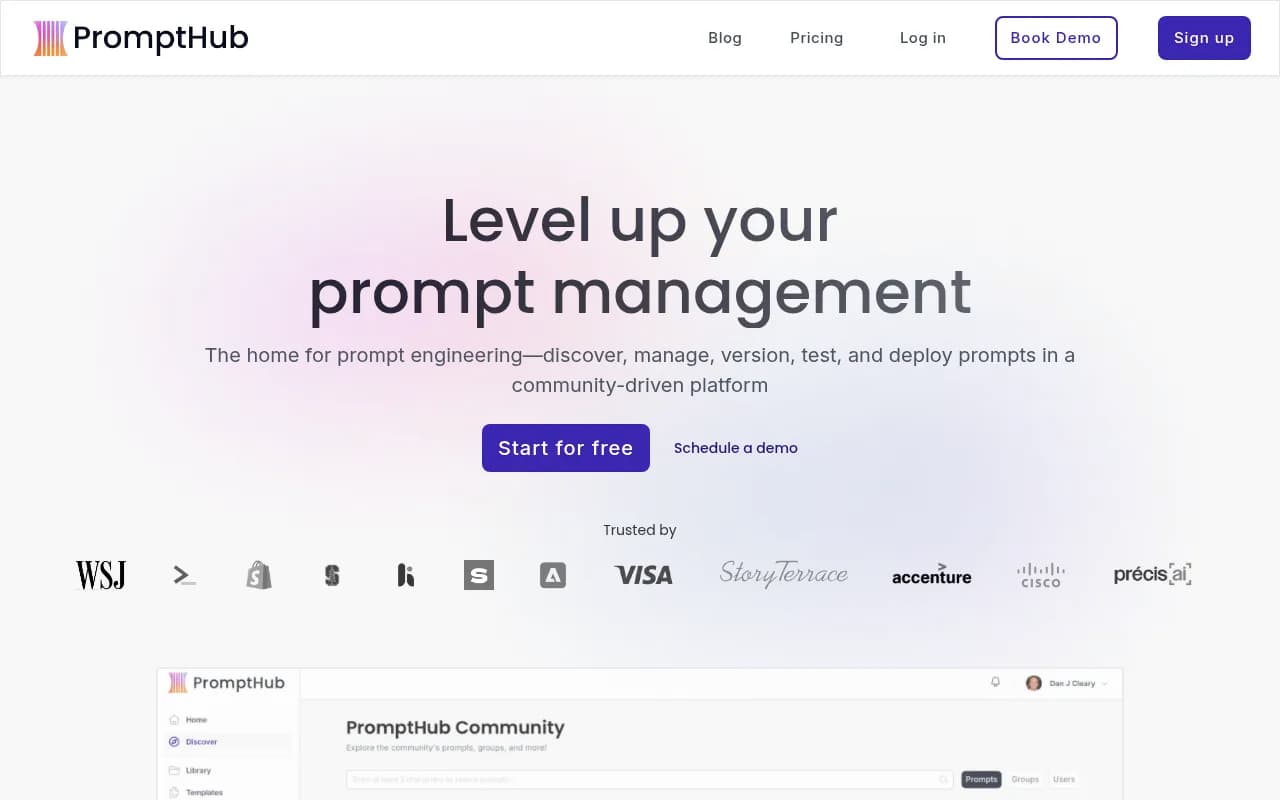
PromptHub is a prompt management platform built for teams shipping AI products at scale. Founded to solve the chaos of prompts scattered across codebases, Google Docs, and Slack threads, it brings software engineering best practices -- version control, testing, CI/CD pipelines -- to prompt development. The platform is used by notable organizations including The Wall Street Journal, Shopify, Adobe, Visa, Accenture, Cisco, and PwC, alongside startups like Heidi Health and Story Terrace.
The core value proposition: treat prompts like code. Instead of hardcoding prompts in application logic or managing them in spreadsheets, teams centralize prompts in PromptHub, version them with Git-style workflows, test them systematically, and deploy them via API. This separation of concerns means non-technical team members (product managers, domain experts, marketers) can iterate on prompts without touching code, while engineers maintain control over deployment and guardrails.
Prompt Library and Versioning
PromptHub organizes prompts into projects, each with its own version history. The versioning system mirrors Git: create branches for experimentation (staging, production, feature branches), commit changes with descriptive titles, and merge branches when ready. A visual diff checker shows exactly what changed between commits -- system messages, user prompts, temperature settings, model selection. This makes it trivial to roll back to previous versions or understand why a prompt behaves differently.
Each prompt includes configuration options: model selection (GPT-4, Claude 3.5 Sonnet, Gemini, Llama, etc.), temperature, max tokens, top-p, frequency penalty, and presence penalty. Variables can be injected using double curly braces ({{variable_name}}), making prompts reusable templates. The platform tracks every request made to each prompt, logging inputs, outputs, latency, token usage, and metadata -- useful for debugging and cost analysis.
The public prompt library hosts thousands of community-contributed prompts, including trending templates like the DeepSeek-R1 training template (used to generate reasoning chains), multi-persona collaboration frameworks, and prompt generators. Users can star, fork, and remix public prompts. For teams, private prompts are only visible to workspace members (requires a paid plan).
Testing and Evaluation Suite
The testing environment is where PromptHub differentiates itself from simpler prompt management tools. Teams can create test suites with multiple test cases, each containing specific variable values. Run a prompt across all test cases simultaneously and compare outputs in a table view. This is essential for regression testing -- ensuring prompt changes don't break existing use cases.
Evaluations run automatically on test suites. PromptHub supports multiple evaluator types: regex matching (check if output contains specific patterns), LLM-as-judge (use another model to score outputs), exact match, and custom evaluators via API. For example, a customer support prompt might have evaluators checking for profanity, PII leaks, and adherence to brand voice. Evaluations return pass/fail results and scores, making it easy to quantify prompt quality.
Chat testing allows multi-turn conversation testing. Define a sequence of user messages, see how the assistant responds at each turn, and compare behavior across different models or prompt versions. This is critical for chatbot and agent applications where context management matters.
Prompt chaining connects multiple prompts in a visual workflow. The output of one prompt becomes the input to the next, with no code required. Use cases include multi-step reasoning (research → outline → draft), data transformation pipelines, or agent workflows where different prompts handle different sub-tasks. Chains can be tested end-to-end and deployed as a single API endpoint.
Model comparison runs the same prompt across multiple models side-by-side. Supported providers include OpenAI (GPT-4, GPT-4 Turbo, GPT-3.5), Anthropic (Claude 3.5 Sonnet, Claude 3 Opus, Claude 3 Haiku), Google (Gemini Pro, Gemini Ultra), Meta (Llama models), AWS Bedrock, Azure OpenAI, and Mistral. This helps teams choose the right model for each use case based on output quality, latency, and cost.
Pipelines and CI/CD for Prompts
PromptHub's Pipelines feature brings continuous integration to prompt engineering. Set up automated evaluator pipelines that run on every commit or merge request. For example, before merging a prompt change to production, automatically check for PII leaks, profanity, prompt injection attempts, and output quality regressions. If any evaluator fails, the merge is blocked -- preventing bad prompts from reaching users.
This is particularly valuable for regulated industries (healthcare, finance) where prompt outputs must meet compliance standards, or for high-stakes applications where a bad prompt could damage user experience or brand reputation. Pipelines can be configured per branch, so staging branches might run lighter checks while production branches enforce stricter guardrails.
Deployment and Integration
PromptHub offers three deployment methods:
REST API: The primary integration path. Two main endpoints: /run executes a prompt and returns the model's response, while /head retrieves the latest prompt configuration without executing it (useful if you want to run the prompt client-side or with your own API keys). Both endpoints accept a branch parameter, enabling environment-specific deployments (e.g., staging branch for dev environments, master branch for production). Pass variables and metadata in the request body. The API logs every request, including inputs, outputs, latency, and token counts.
Forms: Deploy any prompt as a shareable web form with a few clicks. Useful for distributing prompt access to non-technical users (e.g., a content generation prompt for the marketing team) or embedding prompt-powered tools in websites. Forms can be public or password-protected. Responses are logged in PromptHub.
Zapier Integration: Connect prompts to 5,000+ apps via Zapier. For example, trigger a prompt when a new row is added to Google Sheets, or send prompt outputs to Slack. This enables no-code automation workflows without writing API integration code.
The branch-based deployment model is particularly elegant. Teams can maintain separate branches for development, staging, and production, each with different prompt versions. Applications point to the appropriate branch via the API, and prompt updates are deployed by merging branches -- no code changes required.
AI-Powered Prompt Enhancement
PromptHub includes AI tools to help write better prompts. The Prompt Enhancer takes a basic prompt and rewrites it with best practices: clearer instructions, better structure, examples, and output formatting. The Prompt Generator creates prompts from natural language descriptions (e.g., "generate LinkedIn posts about AI" → full prompt template). These tools are useful for teams new to prompt engineering or for quickly scaffolding new prompts.
Community and Portfolio Building
The public prompt library doubles as a portfolio platform for prompt engineers. Users can share prompts publicly, grow their reputation through stars and forks, and showcase their expertise. Notable community members like "profsynapse" (Synaptic Labs) have built followings by publishing high-quality prompt templates like Professor Synapse and Constructor Cora. This social layer encourages knowledge sharing and helps teams discover proven prompt patterns.
Who Is PromptHub For?
PromptHub is built for engineering teams and AI product builders managing multiple prompt-driven features in production. Ideal users include:
- SaaS companies with AI features (chatbots, content generation, data analysis) where prompts are critical product logic that needs version control and testing
- AI-native startups building agents, copilots, or LLM-powered applications where prompt quality directly impacts user experience
- Digital agencies managing AI implementations for multiple clients, needing workspace separation and collaboration features
- Enterprise teams in regulated industries (healthcare, finance) requiring audit trails, compliance checks, and controlled deployment processes
- Developer tools companies embedding AI features where prompts need to be iterable by product teams without code changes
Team size: works for solo developers but shines with 3-50 person teams where multiple people (engineers, product managers, domain experts) collaborate on prompts. The free tier supports unlimited seats, making it accessible for small teams.
Not ideal for: Individual hobbyists who just need a place to store personal prompts (the free tier makes all prompts public), or teams that only use prompts in one-off scripts rather than production applications. Also not a fit if you need advanced agent frameworks or complex multi-step workflows -- PromptHub's chaining is visual and simple, not a full orchestration platform like LangChain or LlamaIndex.
Integrations and Ecosystem
Beyond the core platform, PromptHub integrates with:
- LLM Providers: OpenAI, Anthropic, Google AI, Meta, AWS Bedrock, Azure OpenAI, Mistral -- use your own API keys or PromptHub's proxy
- Zapier: 5,000+ app integrations for no-code workflows
- GitHub: While not a direct integration, the Git-style workflow makes PromptHub familiar to developers used to GitHub/GitLab
- REST API: Full API access for custom integrations, logging, and programmatic prompt management
No native integrations with observability tools (Langfuse, Helicone, LangSmith), though the API logging provides basic observability. No Slack or Discord integrations for notifications.
Pricing and Value
Free Plan: Unlimited seats, all features, 2,000 requests per month. The catch: all prompts are public. This is fine for open-source projects or learning, but not viable for commercial applications.
Paid Plans: Pricing details aren't fully disclosed on the website, but based on available information, paid plans start around $25-50/month and include private prompts, higher request limits, and priority support. Enterprise plans offer custom pricing with SSO, dedicated support, and SLAs.
The free tier is generous for experimentation and small projects. The requirement to pay for private prompts is a clear monetization strategy -- most commercial teams will need a paid plan immediately. Compared to competitors like Humanloop (starts at $100/month) or Vellum (starts at $250/month), PromptHub appears more affordable for small to mid-sized teams.
Request-based pricing (rather than seat-based) is cost-effective for teams with many collaborators but moderate API usage. However, high-volume applications may hit limits quickly -- clarify request limits before committing.
Strengths
- Git-style versioning is intuitive for developers and provides robust change management
- Comprehensive testing suite with evaluations, chat testing, and model comparison in one platform
- Branch-based deployment elegantly solves the environment management problem
- Generous free tier for learning and open-source projects
- Active community with thousands of public prompts to learn from
- Pipeline guardrails prevent bad prompts from reaching production
Limitations
- Free tier requires public prompts -- no privacy for non-paying users
- Limited orchestration -- prompt chaining is basic compared to LangChain or agent frameworks
- No built-in observability integrations -- logging is internal only, no Langfuse/Helicone connectors
- Pricing transparency -- exact paid plan pricing not clearly listed on website
- No advanced agent features -- no memory management, tool calling orchestration, or multi-agent systems
Bottom Line
PromptHub is the right choice for engineering teams treating prompts as critical product infrastructure that needs version control, systematic testing, and controlled deployment. It's particularly strong for teams with 5-50 people where non-engineers need to iterate on prompts without touching code, and where prompt quality directly impacts product experience. The Git-based workflow, evaluation suite, and pipeline guardrails make it a mature platform for production AI applications. However, solo developers or teams needing advanced agent orchestration should look elsewhere. Best use case in one sentence: Engineering teams at AI-native startups or SaaS companies managing 10-100 production prompts across multiple features and environments.
Tags:
Similar and alternative tools to PromptHub