Carrd Review 2026
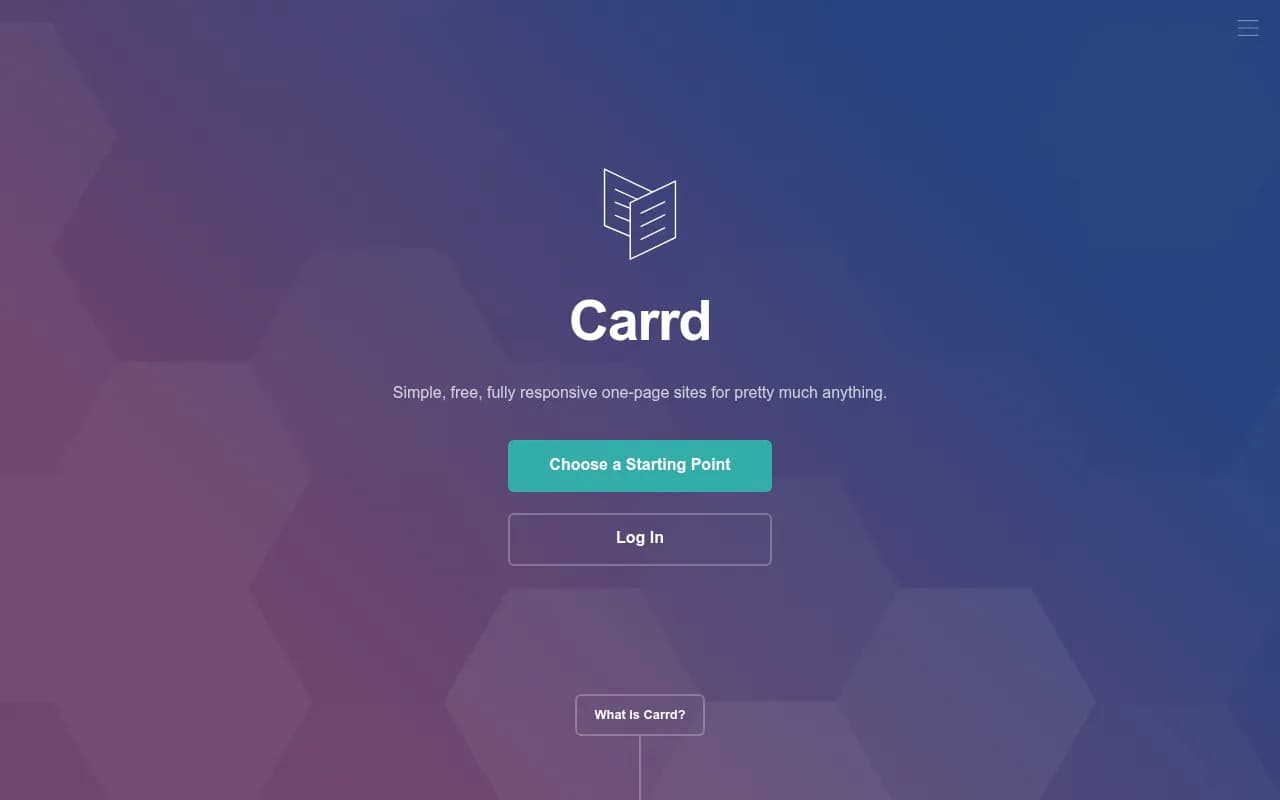
Carrd is a free website builder for simple, fully responsive one-page sites. Ideal for personal profiles, landing pages, and portfolios. Pro plans from $9/year unlock custom domains, forms, and embeds.
Key takeaways
- Carrd is one of the most affordable website builders available, with a genuinely useful free tier and Pro plans starting at just $9/year
- Best suited for single-page use cases: personal profiles, link-in-bio pages, app landing pages, and simple portfolios
- The free plan covers three sites with core features; paid plans unlock custom domains, forms, embeds, and analytics
- Not a replacement for multi-page websites, blogs, or e-commerce stores -- the one-page constraint is real and intentional
- Extremely beginner-friendly, but experienced designers may find the customization ceiling frustrating
Carrd is a website builder with a very specific focus: one-page sites. That sounds limiting, and honestly, it is -- by design. The tool was built by AJ, a solo developer, and launched around 2016. It has quietly grown into one of the most popular tools for personal landing pages, link-in-bio pages, app promo sites, and simple portfolios. The pitch is simple: pick a template, customize it, publish it. No bloat, no learning curve, no monthly subscription required to get something live.
The target audience is anyone who needs a clean, professional-looking web presence without the overhead of a full CMS. That covers a lot of ground: freelancers building a personal brand page, indie developers launching a side project, creators who want a link-in-bio that looks better than Linktree, small nonprofits that just need a "who we are and how to reach us" page. Carrd has found a real niche here, and the pricing model -- genuinely free for basic use, with Pro plans priced more like a domain registration than a SaaS subscription -- has helped it build a loyal following.
Key features
Template library and starting points
Carrd offers dozens of templates organized by use case: profiles, portfolios, landing pages, and more. You can also start from a blank canvas. The templates are clean and modern without being generic -- they lean toward minimal design, which suits the one-page format well. Each template is fully responsive out of the box, meaning it adapts to phones, tablets, and desktops without any extra configuration. In practice, the responsive behavior is reliable; you rarely need to fiddle with breakpoints.
Visual editor
The editor is drag-and-drop in spirit but more structured than tools like Wix. You work with sections and elements -- text blocks, images, buttons, icons, video embeds, dividers -- and arrange them within a defined layout. It's not pixel-perfect design freedom, but it's fast. Most users can go from template to published site in under an hour. The editor runs entirely in the browser, no downloads or installs needed.
Custom domains with SSL
On any Pro plan, you can connect a custom domain you already own. SSL is handled automatically via Let's Encrypt, so your site gets HTTPS without any manual certificate management. This is a Pro-only feature, which means free sites publish to a .carrd.co subdomain. For most personal use cases, the subdomain is fine; for anything client-facing or professional, the custom domain is worth the upgrade cost.
Forms
Carrd supports several form types on Pro plans: contact forms, signup forms connected to email marketing tools, custom forms, and payment-enabled forms. The email marketing integrations include Mailchimp, Kit (formerly ConvertKit), ActiveCampaign, and EmailOctopus, among others. Payment forms work through Stripe and PayPal. This is genuinely useful for simple lead capture or newsletter signups -- you don't need a separate tool just to collect emails on a landing page.
Widgets and embeds
Pro plans allow custom code embeds, which opens up a lot of flexibility. You can embed Stripe payment buttons, Gumroad product widgets, Typeform surveys, YouTube videos, Twitter feeds, or essentially anything that provides an embed code. This is where Carrd punches above its weight -- a one-page site with a well-placed Gumroad embed can function as a simple product page without any backend complexity.
Google Analytics integration
You can add a Google Analytics tracking ID directly in the site settings. It's a simple field, no code required. This covers basic traffic reporting. There's no built-in analytics dashboard -- Carrd just passes the ID through and lets Google handle the rest. For most users at this level, that's perfectly adequate.
No-branding option
Free sites display a small "Made with Carrd" badge in the footer. Pro plans remove it. This matters more for some use cases than others -- a personal profile page probably doesn't need to hide it, but a client-facing landing page or a product site looks more polished without it.
Multiple sites per account
The free plan allows up to three sites. Pro plans increase this limit, with Pro Plus allowing up to ten sites. For freelancers managing a few personal projects, three is often enough. For anyone building sites for clients or running multiple brands, the Pro upgrade makes sense.
Who is it for
Carrd works best for individuals and small teams who need a polished web presence fast, without the complexity of a full website builder. The clearest use case is the personal profile page -- a single URL that tells people who you are, what you do, and how to reach you. Freelance designers, developers, writers, and consultants use Carrd this way constantly. It's also popular among indie makers and solo founders who want a quick landing page for a new app or product before they've built out a full site.
The link-in-bio use case has become a significant part of Carrd's user base. Creators on Instagram, TikTok, and Twitter use it as a more customizable alternative to Linktree or Beacons. Because you control the design and can embed third-party widgets, a Carrd site can do more than a standard link-in-bio tool while still fitting on one page.
Who should not use Carrd: anyone who needs a blog, a multi-page website, an e-commerce store, or any kind of content management system. Carrd does not support multiple pages, blog post archives, product catalogs, or user accounts. If you need any of those things, you're looking at the wrong tool. Webflow, Squarespace, or even WordPress would be more appropriate. Similarly, agencies building client sites at scale will find Carrd's customization limits frustrating -- there's no white-label option, no client handoff workflow, and the editor isn't built for complex design requirements.
Integrations and ecosystem
Carrd's integrations are focused and practical rather than exhaustive. On the email marketing side, it connects to Mailchimp, Kit, ActiveCampaign, EmailOctopus, and several others for signup form submissions. Payment processing runs through Stripe and PayPal. For analytics, Google Analytics is the only native integration.
Beyond those direct integrations, the custom embed feature effectively extends Carrd's reach to any service that provides an embed code or JavaScript snippet. Typeform, Calendly, Gumroad, Ko-fi, and similar tools all work this way. There's no official API and no Zapier integration, which means you can't automate workflows between Carrd and other tools in any sophisticated way. Form submissions can be sent to an email address or connected to supported email platforms, but there's no webhook support for routing data to custom endpoints.
There's no mobile app. The editor is browser-based and works reasonably well on a tablet, but it's clearly designed for desktop use. There's no browser extension either. Carrd is a web-only tool, which is fine given what it does.
Pricing and value
Carrd's pricing is genuinely unusual in the website builder space -- it's priced annually rather than monthly, and the numbers are low enough that cost is rarely a barrier.
- Free plan: Up to three sites, core editor features,
.carrd.cosubdomain, Carrd branding in footer. No time limit. - Pro Lite ($9/year): Removes Carrd branding, adds custom domain support, increases site limit. Entry-level paid option.
- Pro Standard ($19/year): Adds forms, widgets and embeds, Google Analytics, and more sites. This is the plan most users actually need.
- Pro Plus ($49/year): Higher site limits (up to ten), all Pro Standard features, additional customization options.
At $19/year for Pro Standard, Carrd is cheaper than almost any comparable tool. Squarespace starts at around $16/month. Even Linktree's paid plan costs more annually than Carrd Pro Plus. For individual users, the value is hard to argue with. The free plan is also genuinely usable -- it's not crippled to force upgrades, which is refreshing.
The 7-day free trial for Pro plans lets you test paid features before committing. Payment is accepted via PayPal and major credit/debit cards.
Strengths and limitations
What Carrd does well:
- The pricing model is exceptional. $9-$49 per year for a fully functional website builder with custom domains and form integrations is hard to beat.
- Setup speed is real. You can have a live, good-looking site in under 30 minutes without any prior web design experience.
- The free plan is honest -- three sites with core features, no artificial time limits, no bait-and-switch.
- Template quality is consistently clean and modern. The minimal aesthetic suits the one-page format and ages well.
Honest limitations:
- The one-page constraint is the defining limitation. There is no workaround -- Carrd does not support multi-page sites, and trying to simulate multiple pages with anchor links only goes so far.
- Customization depth is shallow compared to tools like Webflow or even Squarespace. You can change colors, fonts, and layout within the template's structure, but you can't freely reposition elements or build custom layouts from scratch.
- No native analytics beyond Google Analytics passthrough. There's no built-in visitor data, heatmaps, or conversion tracking. For anyone who wants to understand how their landing page is performing, they'll need to set up GA4 separately and interpret the data there.
- No API or webhook support limits automation possibilities. If you want form submissions to trigger actions in other tools, you're limited to the supported email marketing integrations.
Bottom line
Carrd is the right tool for a specific job: a clean, fast, affordable one-page site for a personal profile, landing page, or link-in-bio. At $19/year for the full-featured Pro Standard plan, it's almost impossible to justify a more expensive alternative for these use cases. If you need anything beyond a single page -- a blog, a product catalog, a multi-section site with navigation -- look elsewhere. But for what it does, Carrd does it better and cheaper than almost anything else available in 2026.
Best use case in one sentence: A freelancer or indie maker who needs a professional-looking personal site or product landing page live today, without spending more than $19 for the entire year.
Frequently asked questions
What is Carrd?
Is Carrd really free?
How much does Carrd Pro cost?
Can Carrd build multi-page websites?
What integrations does Carrd support?
How does Carrd compare to Linktree?
Similar and alternative tools to Carrd