Key takeaways
- Airtop and GeoGen solve completely different problems: Airtop builds web automation agents, GeoGen tracks AI search visibility
- Airtop is for teams that need to automate browser-based workflows (lead sourcing, data extraction, invoice reconciliation). GeoGen is for brands monitoring how they appear in ChatGPT, Perplexity, and other LLMs
- Pricing starts lower with GeoGen (€20/mo vs $26/mo), but reflects different value propositions: monitoring dashboards vs automation execution
- Neither tool offers content generation -- GeoGen gives recommendations, Airtop executes tasks you define
- If you need AI visibility tracking specifically, GeoGen is the obvious choice. If you need workflow automation, Airtop is the answer. They don't compete directly
- For comprehensive AI search optimization with content gap analysis and generation capabilities, tools like Promptwatch fill the gap between monitoring (GeoGen) and taking action
Overview: Two tools, two different worlds
Airtop: Browser automation without code
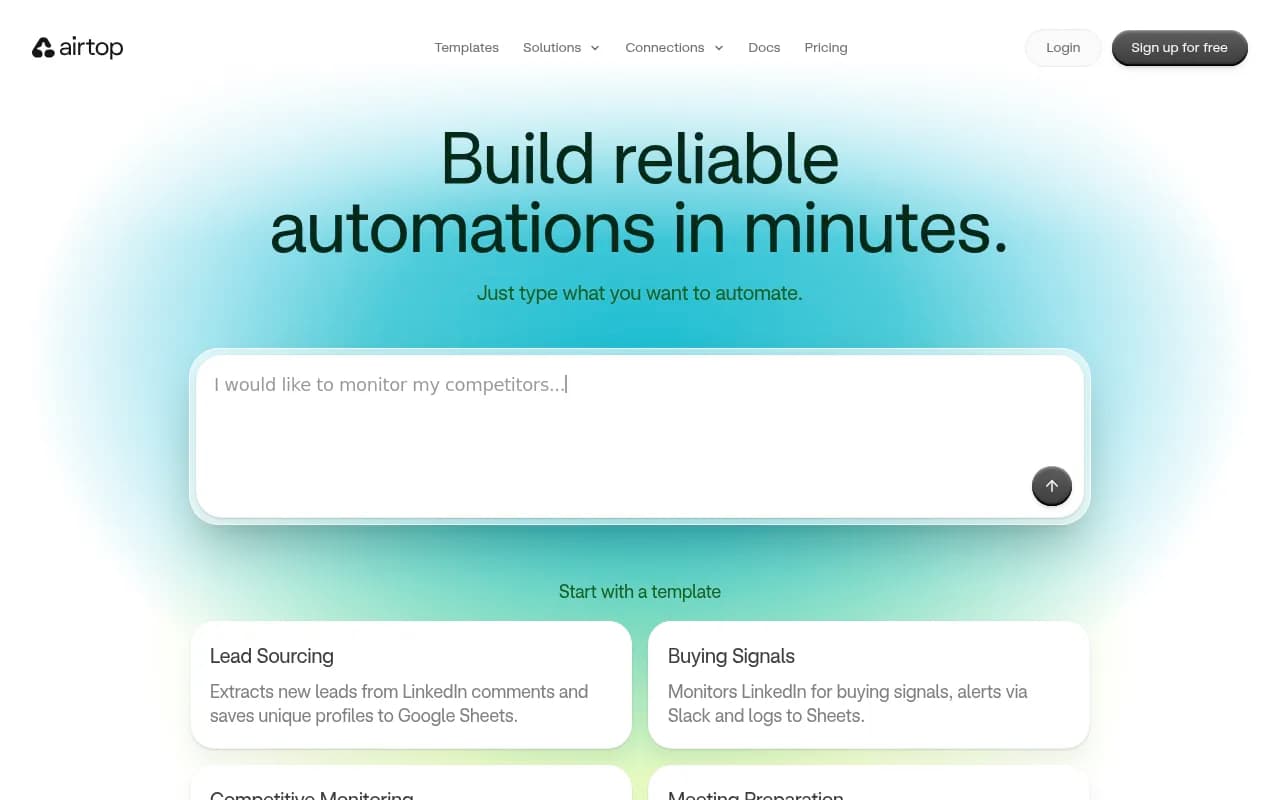
Airtop positions itself as a code-free web agent builder. You describe what you want to automate in plain English, and Airtop generates browser agents that execute those tasks. The platform targets teams that need to automate repetitive browser-based work -- things like extracting leads from LinkedIn, monitoring competitor activity, reconciling invoices, or preparing meeting notes by researching attendees.
The core pitch: automate any website, even behind logins or without APIs. Airtop runs deterministic code in the cloud, so your agents behave consistently. It integrates with tools like Slack, Gmail, Google Sheets, Airtable, and HubSpot, and extends workflow platforms like Zapier, n8n, and Make.
Pricing starts at $26/mo for the Starter plan, with Professional at $80/mo and custom Enterprise pricing for larger teams.
GeoGen: AI search visibility tracking
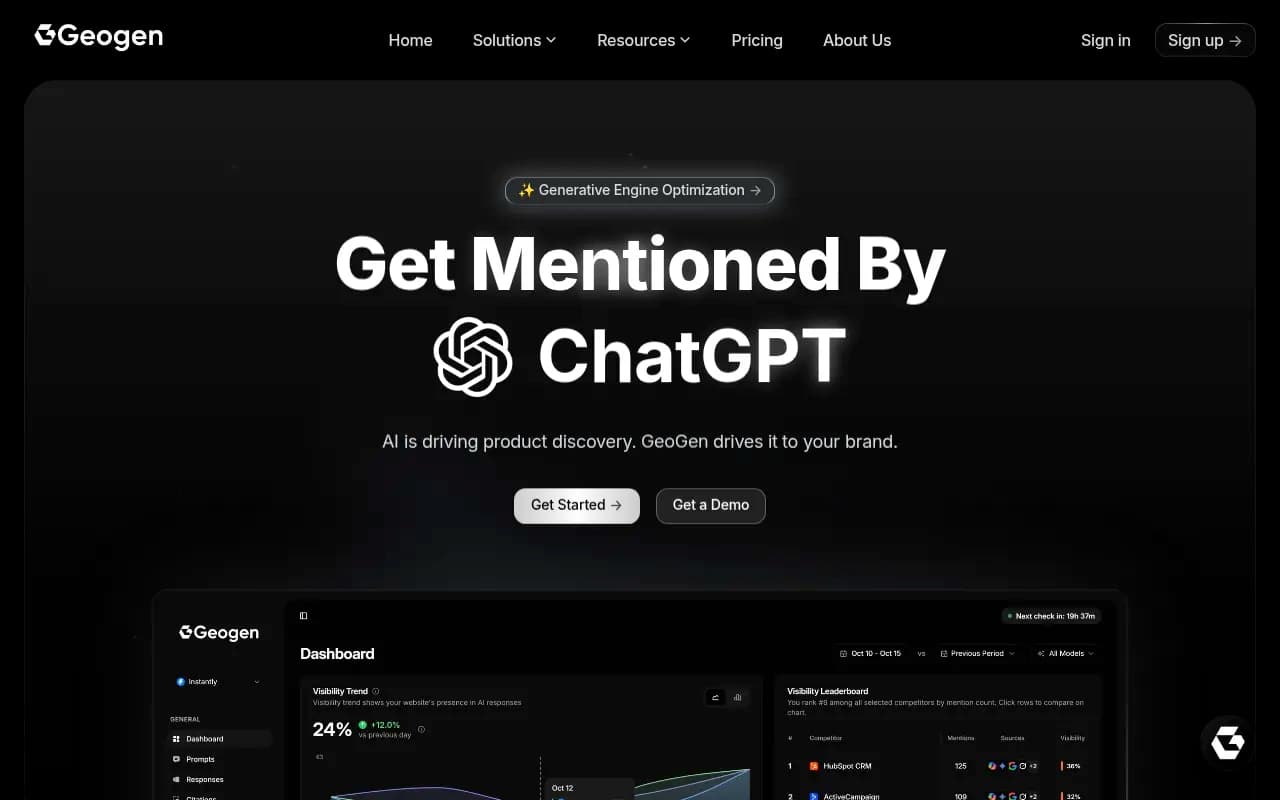
GeoGen is a Generative Engine Optimization (GEO) platform that monitors how your brand appears across AI search engines -- ChatGPT, Perplexity, Gemini, Grok, and Microsoft Copilot. It tracks brand mentions, analyzes competitor rankings, and provides recommendations to improve your AI search presence.
The target audience is small to mid-sized brands that want to understand their visibility in AI-powered search results. GeoGen doesn't automate workflows or generate content -- it's a monitoring and analytics dashboard focused specifically on AI search engines.
Pricing starts at €20/mo (Micro plan) and scales to €399/mo (Pro), with custom enterprise pricing available. Annual billing gets you a 20% discount.
Side-by-side comparison
| Feature | Airtop | GeoGen |
|---|---|---|
| Primary purpose | Web automation / browser agents | AI search visibility tracking |
| Starting price | $26/mo | €20/mo (~$22/mo) |
| Free tier | No | No |
| Core capability | Automate browser-based tasks | Monitor brand mentions in LLMs |
| AI models tracked | N/A (not a monitoring tool) | ChatGPT, Perplexity, Gemini, Grok, Copilot |
| Content generation | No | No |
| Integrations | Slack, Gmail, Sheets, Airtable, HubSpot, Zapier, n8n, Make | Not specified (monitoring-focused) |
| Competitor analysis | Can automate competitive monitoring tasks | Built-in competitor ranking analysis |
| Code required | No (plain English descriptions) | No (dashboard interface) |
| Use case | Workflow automation, data extraction, task execution | Brand visibility monitoring, AI search analytics |
| Target audience | Operations teams, sales teams, agencies automating workflows | Marketing teams, SEO teams, brands tracking AI presence |
| API access | Likely (for automation workflows) | Not specified |
Head-to-head feature analysis
Core functionality: Automation vs monitoring
Airtop builds and runs browser agents. You tell it what you want to automate -- "monitor my competitors' LinkedIn posts and report engagement metrics to Slack" or "extract new leads from LinkedIn comments and save them to Google Sheets" -- and it generates the automation. The agents run in the cloud, interact with websites like a human would, and push data to your tools.
GeoGen tracks how AI models respond to queries related to your brand. It monitors whether ChatGPT mentions you when someone asks for product recommendations, how you rank against competitors in Perplexity results, and where you appear (or don't) across different AI search engines.
These are fundamentally different capabilities. Airtop executes tasks. GeoGen observes and reports.
Verdict: No winner here -- they're solving different problems. Pick based on what you need: task automation (Airtop) or visibility monitoring (GeoGen).
Ease of use and setup
Airtop emphasizes its "build with words, not code" approach. You describe your automation in plain English, and the platform generates the agent. The interface includes templates for common use cases (lead sourcing, buying signals, competitive monitoring, meeting preparation) to get you started quickly.
GeoGen provides a dashboard interface for tracking AI search visibility. Setup involves defining your brand, competitors, and the queries you want to monitor. The platform then runs those queries across supported AI models and shows you where you appear.
Both tools aim to be accessible without technical skills, but they require different types of setup effort. Airtop needs you to clearly define the workflow you want to automate. GeoGen needs you to identify the right queries and competitors to track.
Verdict: Airtop likely has a steeper learning curve because defining automation logic (even in plain English) requires more thought than setting up monitoring queries. GeoGen is more straightforward for its specific use case.
Integrations and workflow connections
Airtop explicitly lists integrations with Slack, Gmail, Google Sheets, Airtable, HubSpot, and workflow platforms like Zapier, n8n, and Make. The integration story is central to Airtop's value -- agents need to push data somewhere and trigger actions in your existing tools.
GeoGen's website doesn't highlight integrations. As a monitoring platform, it likely focuses on dashboard access and reporting rather than pushing data to external tools. This makes sense for its use case -- you log in to check your AI visibility metrics rather than having them flow into other systems.
Verdict: Airtop wins on integrations because they're core to its automation workflow model. GeoGen isn't designed around integrations.
Pricing and value
| Plan | Airtop | GeoGen |
|---|---|---|
| Entry tier | Starter: $26/mo | Micro: €20/mo (~$22/mo) |
| Mid tier | Professional: $80/mo | Not specified (likely between Micro and Pro) |
| High tier | Enterprise: Custom | Pro: €399/mo |
| Annual discount | Not specified | 20% |
| Free trial | Not specified | Not specified |
Airtop's pricing reflects the complexity and value of automation execution. You're paying for agents that actively do work -- extract data, monitor sites, execute multi-step workflows. The $26/mo entry point is reasonable for basic automation needs.
GeoGen's pricing reflects monitoring and analytics. The €20/mo Micro plan gets you basic AI visibility tracking, scaling up to €399/mo for the Pro tier with presumably more queries, competitors, and AI models tracked.
The value proposition is different. Airtop saves you time by automating repetitive tasks. GeoGen gives you visibility into a channel (AI search) that's hard to track manually.
Verdict: GeoGen is slightly cheaper at the entry level, but you're comparing apples to oranges. Choose based on what you need, not just price.
Competitive monitoring capabilities
Airtop includes a "Competitive Monitoring" template that tracks competitors' top LinkedIn posts weekly and reports engagement metrics to Slack. But this is just one example -- you could build agents to monitor competitor websites, pricing pages, job postings, or any other browser-accessible data.
GeoGen provides built-in competitor ranking analysis specifically for AI search visibility. You define your competitors, and the platform shows you how they rank against you across different AI models and queries.
Both tools can monitor competitors, but in completely different ways. Airtop gives you flexible automation to track whatever you define. GeoGen gives you ready-made AI search competitor analysis.
Verdict: If you need AI search competitor tracking specifically, GeoGen is the obvious choice. If you need flexible competitive monitoring across any web-based data source, Airtop is more versatile.
AI search visibility and optimization
GeoGen is purpose-built for this. It tracks your brand mentions across ChatGPT, Perplexity, Gemini, Grok, and Microsoft Copilot. The platform provides recommendations to improve your AI search presence, though it doesn't generate content or automate optimization tasks.
Airtop doesn't address AI search visibility at all. It's not in the product's scope.
Verdict: GeoGen is the only option here. Airtop doesn't play in this space.
Worth noting: if you're serious about AI search optimization beyond just monitoring, Promptwatch offers a more comprehensive approach with content gap analysis, AI content generation, and optimization tools that go beyond tracking.

Content generation and optimization
Neither tool generates content. Airtop automates tasks but doesn't create articles or optimize existing content. GeoGen monitors AI search visibility and provides recommendations but doesn't generate the content you'd need to improve your rankings.
If content generation is important to your AI search strategy, you'll need a different tool or a manual content creation process.
Verdict: Neither tool wins here -- it's not what they're built for.
Reliability and execution consistency
Airtop emphasizes that its agents run "deterministic code in the cloud so your agents act the same every time." This is important for automation -- you need consistency when extracting data or executing workflows.
GeoGen's reliability depends on its ability to accurately query AI models and track mentions. As a monitoring tool, consistency matters less than accuracy and coverage.
Verdict: Airtop's focus on deterministic execution is more critical for its use case. GeoGen's reliability is harder to evaluate without hands-on testing.
Pricing comparison
| Tier | Airtop | GeoGen |
|---|---|---|
| Entry | $26/mo (Starter) | €20/mo (Micro) |
| Mid | $80/mo (Professional) | Not publicly specified |
| High | Custom (Enterprise) | €399/mo (Pro) |
| Annual discount | Not specified | 20% off |
| What you get | Browser automation agents, integrations, templates | AI search visibility tracking, competitor analysis, recommendations |
The pricing reflects the different value propositions. Airtop charges for automation execution and the infrastructure to run agents reliably. GeoGen charges for monitoring coverage and analytics depth.
Neither tool offers a free tier, which makes sense given the infrastructure costs (Airtop) and data collection requirements (GeoGen).
Pros and cons
Airtop pros
- No-code automation builder using plain English descriptions
- Works on any website, even behind logins or without APIs
- Strong integration ecosystem (Slack, Gmail, Sheets, Airtable, HubSpot, Zapier, n8n, Make)
- Deterministic execution for reliable automation
- Templates for common use cases to get started quickly
- Extends existing workflow platforms with browser automation capabilities
Airtop cons
- Doesn't address AI search visibility or content optimization
- Requires clear thinking about what you want to automate -- not a plug-and-play solution
- Pricing not fully transparent (Enterprise tier is custom)
- Learning curve to define effective automation workflows
- No content generation capabilities
GeoGen pros
- Purpose-built for AI search visibility tracking across major LLMs
- Monitors ChatGPT, Perplexity, Gemini, Grok, and Microsoft Copilot
- Built-in competitor ranking analysis
- Provides recommendations to improve AI search presence
- Lower entry price point (€20/mo)
- 20% discount on annual billing
GeoGen cons
- Monitoring-only platform -- doesn't generate content or automate optimization
- Limited integration ecosystem (not designed for workflow automation)
- Doesn't address traditional SEO or web automation needs
- Recommendations require manual implementation
- Best suited for small to mid-sized brands (may lack enterprise features)
- No content gap analysis or AI content generation
Who should choose which tool
Choose Airtop if you:
- Need to automate repetitive browser-based tasks (lead sourcing, data extraction, competitive monitoring)
- Want to eliminate manual work in your sales, marketing, or operations workflows
- Need agents that can interact with websites behind logins or without APIs
- Already use tools like Zapier, n8n, or Make and want to add browser automation capabilities
- Have clear workflows you want to automate but don't want to write code
- Need reliable, consistent execution of multi-step browser tasks
Choose GeoGen if you:
- Want to track how your brand appears in AI search engines like ChatGPT and Perplexity
- Need to monitor competitor rankings in AI-powered search results
- Are a small to mid-sized brand focused on AI search visibility
- Want recommendations to improve your presence in LLM responses
- Need basic AI search monitoring without complex optimization workflows
- Have a limited budget for AI visibility tracking (€20/mo entry point)
Consider alternatives if you:
- Need comprehensive AI search optimization with content gap analysis, generation, and crawler log monitoring -- Promptwatch offers the full action loop from finding gaps to creating content to tracking results
- Want both monitoring and automation in a single platform -- you'll likely need multiple tools
- Need enterprise-grade AI visibility tracking with advanced features -- look at platforms with more robust feature sets
- Want traditional SEO monitoring alongside AI search tracking -- neither Airtop nor GeoGen addresses traditional search
Final verdict
Airtop and GeoGen don't compete. They solve different problems for different teams.
Pick Airtop if you need to automate browser-based workflows. Pick GeoGen if you need to monitor AI search visibility. If you need both capabilities, you'll need both tools (or alternatives that cover each use case).
The real question isn't "which is better" but "which problem am I trying to solve?" Answer that, and the choice is obvious.