Key takeaways
- Your server, CDN or WAF logs are the only reliable proof that GPTBot, ClaudeBot or PerplexityBot reached your pages. Browser analytics will not show them, because most of these bots never run JavaScript.
- Treat training crawlers (GPTBot, ClaudeBot), search crawlers (OAI-SearchBot, Claude-SearchBot, PerplexityBot) and user-triggered fetchers (ChatGPT-User, Claude-User) as separate things. Blocking one does not block the others.
- A user-agent string proves nothing. Verify the source IP against the operator's published ranges, because spoofed requests are common.
- Status codes matter more than visit counts. A crawler that only gets 403s, 429s or empty HTML is effectively not reading you.
- For Dutch sites, check the AVG/GDPR side of log retention yourself. I found no Dutch-specific guidance in my research, so confirm with your hosting provider and privacy officer.
Why logs, and why this matters for a Dutch site
Most Dutch businesses I talk to check Google Search Console and call it done. That tells you nothing about whether ChatGPT or Claude can read your pages. AI crawlers fetch plain HTML, usually skip JavaScript, and never trigger your analytics tag. As the Swetrix guide on this puts it, a standard browser tag cannot prove an AI crawler visited, so you need server logs.
The volumes are not trivial either. According to Promptwatch Data's AI crawler traffic report (verified requests, 8 June to 6 September 2026), OpenAI made up 79.8% of verified AI crawler requests in the week of 31 August to 6 September 2026, down from 94.8% in the week of 8 to 14 June. Anthropic, Google, Perplexity and Mistral share the rest. That gives you a baseline: if a provider is a large share in the report but close to zero in your logs, you are probably blocked or unreachable for that provider.
Claude is still small but growing quickly. Promptwatch's Claude citation crawler data shows Claude-User daily visits going from roughly 30 in mid-December 2025 to several thousand a day by mid-April 2026, which is still only about 1% of citation crawler traffic. Small, but worth unblocking while it is cheap to do so.
The crawlers you are looking for
Before you grep anything, decide what you are hunting. These are the tokens that show up most often in 2026 logs:
| Operator | User-agent token | Purpose | Blocking it means |
|---|---|---|---|
| OpenAI | GPTBot | Training-related crawling | Content stays out of future training data |
| OpenAI | OAI-SearchBot | ChatGPT Search discovery | You can drop out of ChatGPT search results |
| OpenAI | ChatGPT-User | Fetch when a user asks | ChatGPT cannot open your page on request |
| Anthropic | ClaudeBot | Training-related crawling | Content stays out of training data |
| Anthropic | Claude-SearchBot | Claude search discovery | You can drop out of Claude search answers |
| Anthropic | Claude-User | Fetch when a user asks | Claude cannot open your page on request |
| Perplexity | PerplexityBot | AI search crawling | You can drop out of Perplexity answers |
| Perplexity | Perplexity-User | User-triggered fetch | Perplexity cannot open your page on request |
| Common Crawl | CCBot | Public dataset crawling | Out of a dataset many models use |
| ByteDance / Meta | Bytespider, Meta-ExternalAgent | AI crawling | Out of those operators' crawls |
OpenAI documents that ChatGPT-User responds to specific user actions rather than acting as an automatic crawler, so it does not control ChatGPT Search eligibility. Keep GPTBot separate from OAI-SearchBot and ChatGPT-User in your reporting. Lumping them together is the most common mistake I see.
Names and IP ranges change. Check OpenAI's bots documentation and Anthropic's crawler support page before you hard-code anything, and match on the short token rather than a long full user-agent string.
Step 1: Find where your logs live
For Dutch sites this depends on your setup. I did not find any Dutch-specific guidance on hosting log locations, so this is general advice:
- Shared or managed hosting (TransIP, Hostnet, Antagonist, Combell and similar): look for raw access logs in the control panel, often kept only a few days. Ask support how to get longer retention.
- Your own VPS with Nginx or Apache: usually /var/log/nginx/access.log or /var/log/apache2/access.log, with rotated .gz files next to them.
- Behind Cloudflare, Fastly, CloudFront, Vercel or Netlify: the origin log may show only what the CDN lets through, and the CDN may be blocking bots before your server ever sees them. Check the CDN's own logs and bot settings too.
- WordPress with a managed host: ask whether you get raw logs at all. If not, a CDN in front or an analytics plugin that records bot requests at the edge is the workaround.
A word on privacy. Access logs contain IP addresses, which are personal data under the AVG (the Dutch implementation of GDPR). You are not doing anything new by grepping for bots, but if you export logs to a third-party tool, check your retention period, your processor agreement and whether you can filter to bot traffic only. I did not research the specifics, so treat that as a prompt to ask, not as legal advice.
Step 2: Search the logs
Start with a simple case-insensitive search for every token in the table:
grep -hEi 'GPTBot|OAI-SearchBot|ChatGPT-User|ClaudeBot|Claude-SearchBot|Claude-User|PerplexityBot|Perplexity-User|CCBot|Bytespider|Meta-ExternalAgent' access.log
For rotated, compressed files:
zgrep -hEi 'GPTBot|OAI-SearchBot|ChatGPT-User|ClaudeBot|Claude-SearchBot|Claude-User|PerplexityBot|Perplexity-User|CCBot|Bytespider|Meta-ExternalAgent' access.log.*.gz
Then ask the useful questions. Which URLs does GPTBot actually fetch?
grep "GPTBot" access.log | awk '{print $7}' | sort | uniq -c | sort -rn | head -20
And how many requests per bot per day? This awk recipe from the GEON field guide does it for the main tokens:
awk '/GPTBot|ChatGPT-User|OAI-SearchBot|ClaudeBot|Claude-User|PerplexityBot|Perplexity-User/ {
    split($4, d, ":"); date = substr(d[1], 2)
    for (b in bots) if ($0 ~ b) hits[date " " b]++
}
BEGIN { split("GPTBot ChatGPT-User OAI-SearchBot ClaudeBot Claude-User PerplexityBot Perplexity-User", bots, " ") }
END { for (k in hits) print k, hits[k] }' access.log | sort
The field positions assume the default combined log format. If your host uses something else, adjust the column numbers before trusting the output.
Step 3: Verify the bot is real
This is the step people skip, and it changes the picture. A user-agent is just a string anyone can send. One site owner who compared a week of their own logs against the IP lists the AI companies publish found that 80% of requests calling themselves GPTBot were fake, and 100% of those calling themselves Perplexity-User. Most were scanners probing for passwords and API keys. That is one site's numbers, not a universal rate, but it is a good reason not to trust raw counts.
The workflow:
- Pull the source IPs for each bot token.
- Compare them to the operator's published IP ranges. OpenAI publishes a JSON file of ranges for its crawlers. Check Anthropic and Perplexity documentation for their current method, since I have not verified those endpoints here.
- Count only the matching requests as real. Treat the rest as spoofed traffic, and consider blocking them at the WAF.
Promptwatch's own crawler report does this by design: only requests whose source IP matches the operator's published ranges are counted. If you want the same filtering without scripting it, tools like Promptwatch apply IP verification automatically and plug into Cloudflare, Vercel, Fastly and raw logs.

One more caution from the Swetrix FAQ: a log entry confirms a request identifying itself as GPTBot reached your server. It does not prove the content was parsed, retained or used for training.
Step 4: Read the status codes, not just the counts
Seeing GPTBot in your logs is the start, not the goal. What you want to know is whether those requests succeed, which sections get read and which page types keep failing. Filter by status:
grep -Ei 'GPTBot|ClaudeBot' access.log | awk '{print $9}' | sort | uniq -c | sort -rn
How to read the result:
| What you see | Likely cause | Fix |
|---|---|---|
| Mostly 200 | Crawlers get through | Check which sections they skip |
| 403 | WAF, bot protection or firewall rule | Allowlist verified bot IPs |
| 429 | Rate limiting | Raise limits for verified bots, or use Crawl-delay carefully |
| 301/302 chains | Redirect loops, www/non-www, trailing slashes | Link to final URLs, shorten chains |
| 404 on real pages | Broken links, language folder changes | Fix links and sitemap |
| 5xx | Server cannot cope with crawl bursts | Cache, scale, monitor |
| No entries at all | Blocked upstream by CDN, or robots.txt | Check CDN logs and settings |
If your site runs on Cloudflare, check its bot settings. Cloudflare's AI crawler controls can override or sit in front of your robots.txt, so a bot can be blocked there while your origin logs show nothing.
Step 5: Check robots.txt
Read your robots.txt for rules naming any of the tokens above, or a blanket Disallow for all agents. The usual approach for sites that want to be cited by AI search but kept out of training is to allow the search and user-fetch bots and block the training bots:
# Allow search indexing and live citations
User-agent: OAI-SearchBot
Allow: /

User-agent: Claude-SearchBot
Allow: /

User-agent: Claude-User
Allow: /

User-agent: Perplexity-User
Allow: /

# Block model training crawlers
User-agent: GPTBot
Disallow: /

User-agent: ClaudeBot
Disallow: /

User-agent: CCBot
Disallow: /

Sitemap: https://www.example.nl/sitemap.xml
That is a policy choice, not a default. If your goal is maximum visibility, you may want GPTBot and ClaudeBot allowed too. The important thing is that it is a decision you made on purpose. Plenty of Dutch sites I would guess inherited a blanket block from a security plugin or a hosting default and never noticed.
For a quick outside check, a free checker such as the one at phillipstemann.com tests 17 crawlers against your robots.txt following RFC 9309, and flags noindex, nosnippet, text visible without JavaScript and Cloudflare settings.
The Webalert monitoring guide is also worth a read if you want alerting when a crawler causes a 5xx spike.
Step 6: Check what the crawler actually sees
A 200 status is not the same as readable content. Most AI crawlers read raw HTML and do not execute JavaScript. If your Dutch webshop or marketing site renders product copy client-side, GPTBot may get a near-empty shell with a perfect 200 response.
Test it:
curl -s -A "Mozilla/5.0 (compatible; GPTBot/1.0)" https://www.example.nl/jouw-pagina | head -100
If your main text is not in that output, the crawler will not see it either. Note that this tests your rendering only. It will not pass a firewall that verifies bot IPs, and it should not, because a request from your laptop is a fake GPTBot. Fixes include server-side rendering, static generation or a prerender service. Also check for noindex or nosnippet in the HTML and in the X-Robots-Tag header, since either can keep a page out of AI answers even when every crawler is allowed.
Also confirm that Dutch pages are not hidden behind a cookie wall or consent interstitial that serves bots a blank page. Consent banners that block rendering are common on Dutch sites and they are worth checking in the raw HTML.
Step 7: Decide what to do with the results
Here is a quick triage table you can use after your first log review:
| Finding | Action |
|---|---|
| Verified GPTBot and OAI-SearchBot get 200s on key pages | Good. Move on to content quality |
| Verified bots get 403 or 429 | Fix WAF and rate limits first |
| ClaudeBot or Claude-User absent while GPTBot is present | Check robots.txt and CDN rules for Anthropic tokens |
| Many fake GPTBot hits from unknown IPs | Block them, and do not count them |
| 200s but empty text in curl output | Fix rendering |
| Crawlers hit only a few pages | Check sitemap, internal links and orphaned pages |
Because Claude's share of crawler traffic is small today, a quiet ClaudeBot is not alarming on its own. But if it is zero while it should show something, review it monthly, as Promptwatch's report suggests.
Tools that save you the scripting
Grep works for a one-off audit. For ongoing monitoring across a CDN, you will want something with verification and dashboards. A few options in this directory:
- Promptwatch, covered above, offers IP-verified crawler logs, crawl error explanations and a crawl-to-citation path per page, alongside prompt tracking.
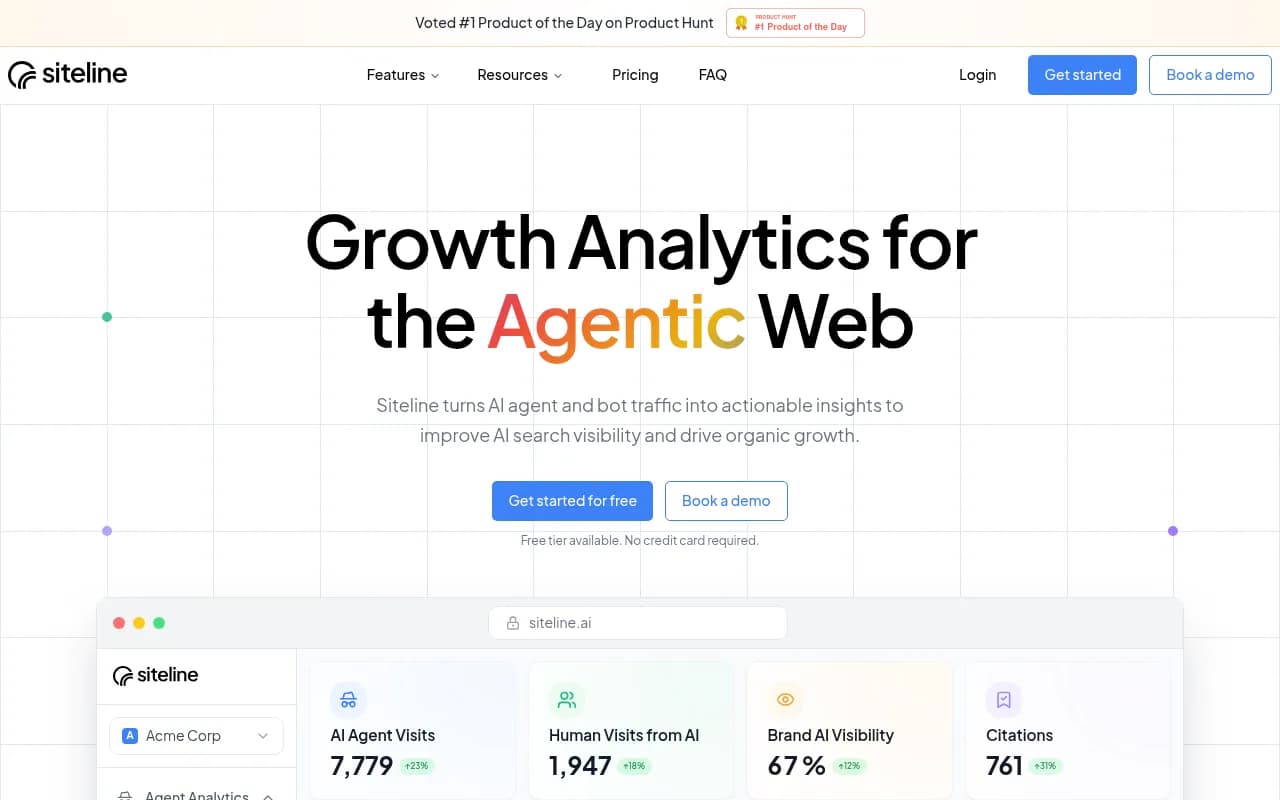
- Siteline AI and Scriptbee are positioned around AI agent traffic and AI crawler monitoring.
- JetOctopus is a crawler and log analyzer for larger sites with tens of thousands of pages, useful if you already do log-based SEO.
For Dutch teams, Briljant is a Dutch GEO platform tracking visibility in ChatGPT and Perplexity.

More options by category are listed in the GEO software directory at bestgeosoftware.com.
| Tool | Best for | Crawler log focus |
|---|---|---|
| Promptwatch | Logs plus visibility and content actions | IP-verified, error explanations, citation path |
| Siteline AI | AI agent traffic analytics | Agent traffic |
| Scriptbee | Many domains | AI crawler monitoring |
| JetOctopus | Large sites with SEO log analysis | General log analysis |
| Manual grep and awk | One-off audit, zero cost | Whatever you script |
A realistic monthly routine
- Export 30 days of logs, including rotated files.
- Filter to the tokens in the table and drop requests that fail IP verification.
- Compare provider mix to Promptwatch's AI crawler benchmark.
- Review status codes per bot and per page type.
- Re-test rendering with curl on your top landing pages.
- Re-read robots.txt and CDN bot settings after any deploy or plugin update.
That takes under an hour once scripted. Do it monthly, because tokens, IP ranges and bot behavior change.
What logs cannot tell you
Logs show a machine reading. They do not show whether anyone is quoting you. A crawl is a necessary condition for being cited, not a sufficient one. To see whether ChatGPT, Claude and Perplexity actually mention your brand, you need prompt tracking, which is a separate job from log analysis. For more on how AI answers pick sources, Promptwatch Data publishes regularly updated research on citations across the major models.
If you would rather hand this to specialists, 1001 SEO Media runs technical SEO and AI search audits that include crawler access reviews.