Key takeaways
- Grammarly, Wordtune, Hemingway, and QuillBot are editing and refinement tools -- they improve what you've already written but don't help you create content that AI search engines will actually cite.
- Claude is the outlier: it's a generative AI that can draft long-form content from scratch, making it the most useful for content teams trying to produce volume.
- None of these five tools were built with AI search visibility in mind. If your team cares about appearing in ChatGPT, Perplexity, or Google AI Overviews, you'll need a dedicated GEO layer on top of whatever writing tool you use.
- The right choice depends on your workflow stage: editing vs. drafting vs. optimizing for AI search are three different jobs that rarely belong to the same tool.
The AI writing assistant market is crowded and getting more confusing by the month. You've got grammar checkers, paraphrasers, readability editors, and full-blown generative AI -- all marketed under the same "AI writing tool" umbrella.
For content teams in 2026, the question isn't just "which tool writes better?" It's "which tool helps our content actually get found?" And increasingly, "found" means cited by ChatGPT, surfaced in Perplexity, or included in a Google AI Overview -- not just ranked on page one of Google.
This guide breaks down five of the most popular tools -- Grammarly, Wordtune, Hemingway Editor, QuillBot, and Claude -- and looks at what each actually does well, where each falls short, and how they stack up for content teams that care about AI search visibility.
What these tools actually do (and don't do)
Before getting into comparisons, it's worth being clear about the categories here. These five tools are not doing the same thing.
Grammarly, Wordtune, Hemingway, and QuillBot are all editing-layer tools. They work on text that already exists. They fix grammar, suggest rephrasing, flag passive voice, or improve readability. They're useful, but they're reactive -- you bring the content, they polish it.
Claude is different. It's a large language model from Anthropic that generates content from scratch. You can use it to draft articles, write briefs, create outlines, or produce entire pieces. It's a fundamentally different category of tool.
None of these five tools were designed to optimize content for AI search. That's a separate discipline -- Generative Engine Optimization (GEO) -- and it requires understanding which prompts AI models are answering, which sources they cite, and what content gaps exist on your site. Tools like Promptwatch exist specifically for that layer.

With that framing in place, here's how each tool compares.
Grammarly

Grammarly is the most widely deployed writing assistant in the world -- 40 million+ users across 50,000+ organizations, according to the company's own figures. It works as a browser extension, desktop app, and API integration, which means it shows up wherever you write: Google Docs, Notion, email, Slack, your CMS.
The core value is real-time grammar and style correction. It catches typos, flags awkward phrasing, suggests tone adjustments, and (on paid plans) rewrites sentences. The 2025-2026 version added more generative features, including a "Rewrite" mode and an AI assistant that can draft short-form content.
What Grammarly does well:
- Universal integration -- it follows you across apps
- Tone detection and adjustment
- Plagiarism checking (paid plans)
- Team consistency features for brand voice
Where it falls short for content teams:
- The generative features are basic compared to Claude or ChatGPT
- No understanding of AI search intent or citation patterns
- Expensive for teams: Business plans run $15/user/month, which adds up fast
- The AI suggestions can feel generic and sometimes flatten distinctive writing voices
Grammarly is best treated as a quality control layer, not a content strategy tool. It's the last step before publishing, not the first step in planning what to write.
Wordtune

Wordtune is a focused tool. It doesn't try to be everything -- it specializes in sentence-level rewriting. You highlight a sentence, and it offers several alternative phrasings. You can adjust for tone (casual vs. formal), length (shorter vs. longer), and style.
It's genuinely good at what it does. The rewrites tend to preserve meaning better than competitors, and the interface is clean. There's also a "Spices" feature that suggests ways to add examples, statistics, or counterpoints to a paragraph -- a nice touch for content writers.
What Wordtune does well:
- Sentence-level rewrites that preserve your voice
- Tone and length controls
- Lightweight and fast
- Useful for non-native English speakers refining fluency
Where it falls short:
- No long-form generation capability
- Limited to sentence and paragraph level -- can't help with structure or strategy
- The free tier is quite restricted (10 rewrites/day)
- No SEO or AI search features whatsoever
Wordtune is a solid editing companion, particularly for writers who want to refine their own drafts without handing control to an AI. But for content teams producing at scale, it's a nice-to-have rather than a core workflow tool.
Hemingway Editor
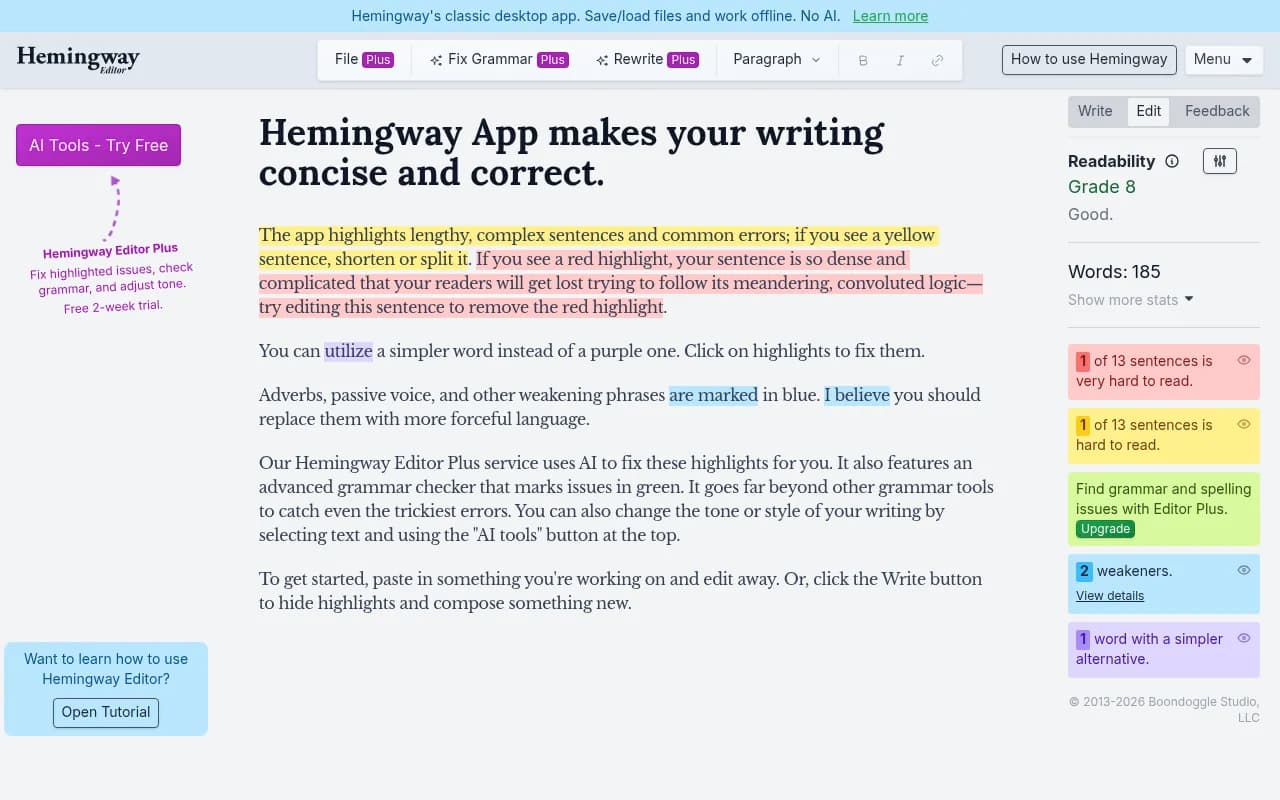
Hemingway Editor is the simplest tool on this list, and that's intentional. It does one thing: it analyzes your text for readability and flags problems. Sentences that are too long, adverbs that could be cut, passive voice, and complex words that have simpler alternatives all get highlighted in different colors.
The paid version (Hemingway Editor Plus) adds AI-powered rewriting suggestions, but the core product is still fundamentally a readability checker.
What Hemingway does well:
- Immediate visual feedback on sentence complexity
- Forces writers to simplify and tighten their prose
- No subscription required for the basic web version
- Good for training writers to develop cleaner habits
Where it falls short:
- It's a single-purpose tool -- readability only
- The AI features in the Plus version are less sophisticated than Grammarly or Wordtune
- No integration with other tools or CMS platforms
- Readability scores (Grade 6, Grade 8, etc.) can be misleading -- some topics require complexity
Hemingway is worth bookmarking for a final readability pass. It's not a writing assistant in any meaningful sense -- it's a style checker. Content teams that write for general audiences will find it useful; B2B teams writing technical content may find it actively counterproductive.
QuillBot
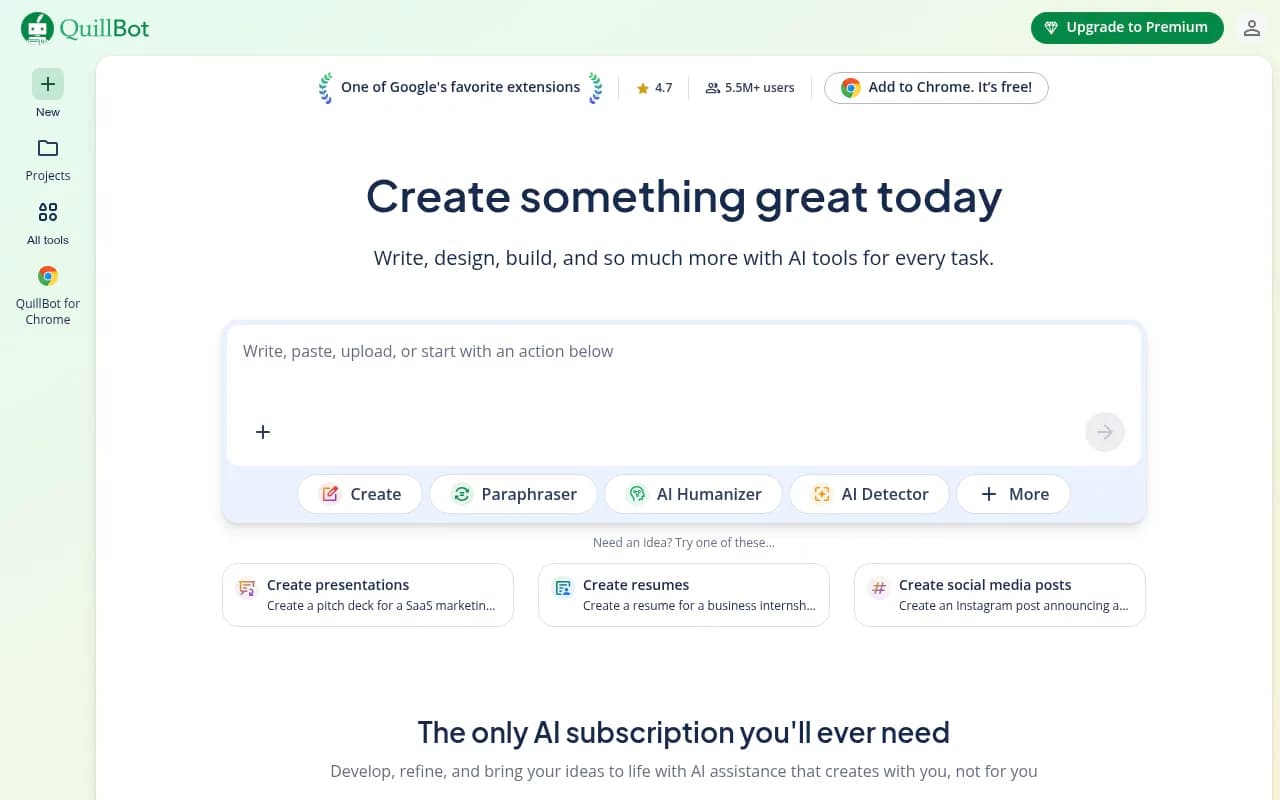
QuillBot built its reputation on paraphrasing. The core product lets you paste text and get a rewritten version, with controls for how aggressively it changes the phrasing. It's popular with students and researchers, but content teams use it for repurposing existing content, adapting tone, and avoiding repetition.
The platform has expanded significantly. QuillBot now includes a grammar checker, summarizer, citation generator, plagiarism checker, and a basic AI writer. It's become more of a content utility suite than a single-purpose paraphraser.
What QuillBot does well:
- Paraphrasing with adjustable intensity
- Summarizing long documents quickly
- Citation generation (useful for research-heavy content)
- Affordable pricing compared to Grammarly
Where it falls short:
- The AI writer is basic -- not competitive with Claude or ChatGPT for long-form drafting
- Paraphrasing can produce awkward phrasing if you push the intensity too high
- No AI search or SEO features
- The expanded feature set feels bolted-on rather than integrated
QuillBot is most useful for content teams that need to repurpose existing material -- adapting a white paper into a blog post, for example, or rewriting a product description for a different audience. For original content creation, it's not the right tool.
Claude
Claude, from Anthropic, is a different beast from the other four tools on this list. It's not an editor -- it's a generative AI. You can have a conversation with it, give it a brief, and get a full draft back. It handles long-form content well, maintains consistent tone across thousands of words, and is particularly good at nuanced, research-heavy writing.
According to multiple 2026 comparisons, Claude is the preferred tool for long-form non-fiction drafting, complex storytelling, and content that requires careful reasoning. Its 200,000-token context window means it can hold an entire article, a style guide, and a set of brand instructions in a single conversation.
What Claude does well:
- Long-form drafting with consistent voice
- Following complex instructions and brand guidelines
- Nuanced reasoning and analysis
- Handling large documents without losing context
- Writing that doesn't sound obviously AI-generated
Where it falls short:
- No built-in SEO or AI search optimization features
- Requires good prompting to get the best output -- there's a learning curve
- No browser extension or CMS integration (unlike Grammarly)
- Claude Pro costs $20/month -- reasonable, but some branded AI writing tools use Claude's API and charge $40-70/month for the same underlying model
For content teams, Claude is probably the most powerful tool on this list for actual content production. But it still doesn't tell you what to write, which prompts to target, or whether your content will be cited by AI search engines.
Head-to-head comparison
| Grammarly | Wordtune | Hemingway | QuillBot | Claude | |
|---|---|---|---|---|---|
| Primary use case | Grammar & style editing | Sentence rewrites | Readability checking | Paraphrasing | Long-form generation |
| Generates content from scratch | Basic | No | No | Basic | Yes |
| Browser/CMS integration | Yes | Yes | No | Limited | No |
| Free tier | Yes | Yes (limited) | Yes | Yes | Yes (limited) |
| Paid pricing | $12-15/user/mo | $9.99/mo | $19.99 one-time | $9.95/mo | $20/mo |
| AI search optimization | No | No | No | No | No |
| Best for | Editing at scale | Refining drafts | Readability | Repurposing content | Drafting |
The AI search gap none of these tools fill
Here's the honest problem with all five tools: they were built for traditional content quality, not AI search visibility.
In 2026, a growing share of search traffic flows through AI engines -- ChatGPT, Perplexity, Google AI Overviews, Claude itself, Gemini. These engines don't rank pages the way Google does. They synthesize answers from sources they trust, and they cite specific pages. Whether your content gets cited depends on factors that Grammarly, Wordtune, Hemingway, QuillBot, and Claude have no visibility into:
- Which prompts are users asking that relate to your topic?
- Which competitors are being cited for those prompts?
- What content gaps exist on your site that AI models are trying to fill but can't?
- Which of your pages are being crawled by AI agents, and which are being ignored?
These are GEO questions, not writing quality questions. A beautifully written, Grammarly-polished, Hemingway-approved article that doesn't answer the right questions will still be invisible in AI search.
Tools like Promptwatch address this layer -- tracking which prompts AI engines are answering, identifying gaps in your content versus competitors, and helping you create content that's engineered to be cited rather than just well-written.
The practical workflow for content teams that care about AI search looks something like this:
- Use a GEO platform to identify which prompts and topics AI engines are answering in your space, and where your competitors are visible but you're not.
- Use Claude (or ChatGPT) to draft content that directly addresses those gaps, following the briefs and topic angles the GEO data surfaces.
- Use Grammarly or Hemingway as a final quality pass before publishing.
- Track whether your new content gets crawled and cited by AI engines.
Each tool has a role. None of them is sufficient on its own.
Which tool should your team actually use?
The answer depends on what stage of the content process you're in.
If you're drafting new content, Claude is the strongest option on this list. It handles long-form well, follows complex instructions, and produces writing that doesn't need heavy editing. For teams already paying for Claude Pro at $20/month, there's little reason to pay $40-70/month for a branded wrapper running the same model.
If you're editing existing content, Grammarly is the most practical choice because it integrates everywhere. Wordtune is a good alternative if you want more control over rewrites without Grammarly's opinionated suggestions.
If you're repurposing content, QuillBot's paraphrasing tools are genuinely useful and affordable.
If you're training writers, Hemingway Editor is a free, effective tool for building cleaner writing habits.
If you're trying to rank in AI search, none of these five tools is the right answer on its own. You need a GEO platform that tells you what to write before you start writing it.
A note on pricing reality
Several branded AI writing tools in 2026 charge $39-69/month and market themselves as premium writing assistants. Many of them run on GPT-4o or Claude under the hood. The wrapper rarely justifies the markup. If your team needs generative AI for drafting, Claude Pro at $20/month or ChatGPT Plus at $20/month will outperform most of these branded tools at a fraction of the cost.
The tools worth paying a premium for are the ones that add genuine intelligence on top of the underlying model -- GEO platforms that bring real prompt data, citation analysis, and content gap intelligence to the table. That's a different category from writing assistants, and it's where the real competitive advantage in content marketing is being built right now.
Bottom line
Grammarly is the best editing layer. Claude is the best drafting tool. Hemingway is useful for readability. QuillBot is good for repurposing. Wordtune is solid for sentence-level refinement.
But if your content team's goal is to appear in AI search results -- to be the source that ChatGPT cites, that Perplexity recommends, that Google AI Overviews surfaces -- then writing quality is table stakes. The real question is whether you're writing about the right things, in the right format, with the right depth. That requires understanding how AI engines actually behave, which prompts they're answering, and where your content is missing from the conversation.
That's a GEO problem, not a grammar problem.