Quillbot Review 2026
Popular paraphrasing and summarization tool that rewrites text in multiple modes. Also includes grammar checking, citation generation, and plagiarism detection.
Key takeaways
- QuillBot started as a paraphrasing tool and has grown into a broad AI writing suite with 35M+ users across 180+ countries
- The free tier is genuinely useful, but heavy users will hit limits quickly -- the paraphraser caps word count and mode access without Premium
- Premium is priced competitively at $8.33/month (annual), making it one of the more affordable all-in-one writing assistants available in 2026
- The tool suite has expanded significantly beyond writing into image generation, PDF tools, presentation creation, and file conversion -- which is impressive breadth but can feel unfocused
- Best fit for students, academics, ESL writers, and content creators who need to rephrase, check, and polish text regularly; less suited to teams needing collaborative workflows or advanced content strategy
QuillBot launched around 2017 as a simple paraphrasing tool built on early NLP models. It found its first audience among students looking to rephrase source material and non-native English speakers trying to smooth out their writing. That niche turned out to be enormous. By 2022, the company had grown to tens of millions of users and was acquired by Course Hero, the education technology company, which gave it the resources to expand well beyond its original single-tool focus.
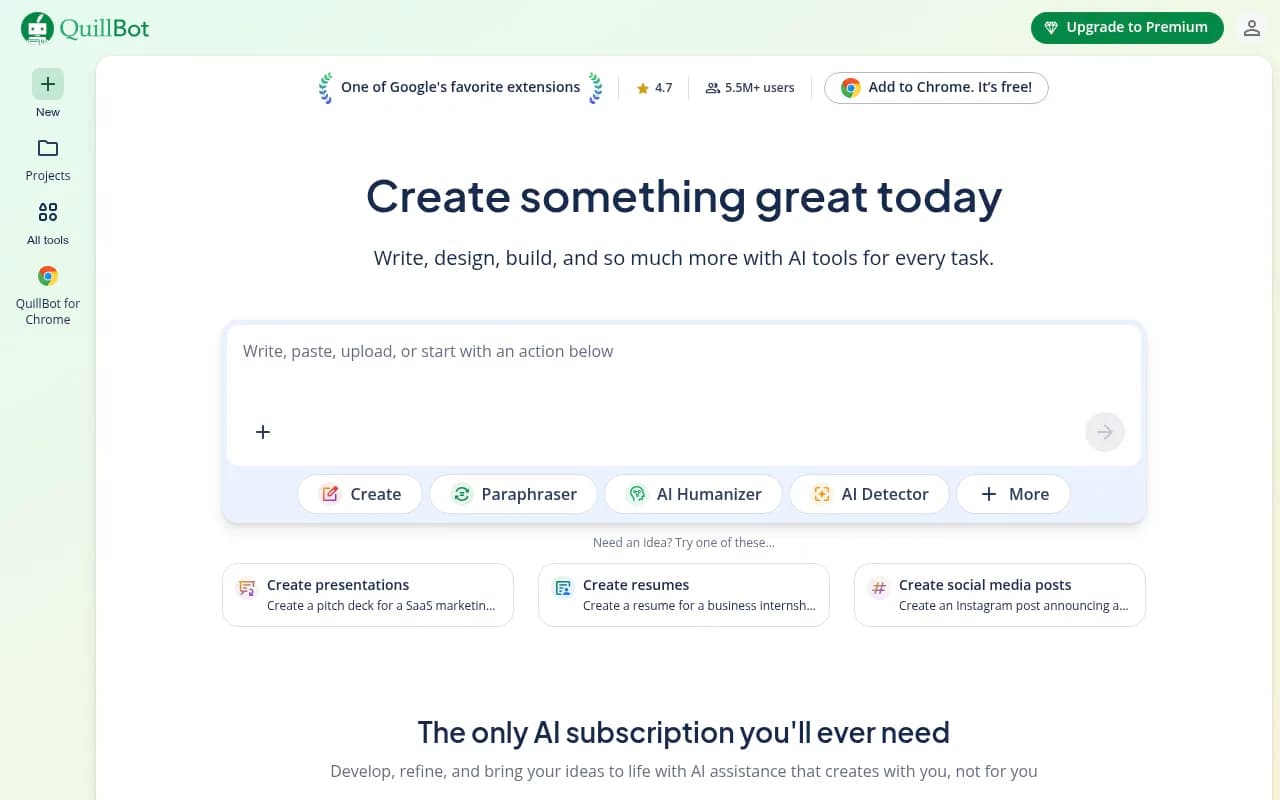
Today, QuillBot markets itself as "the only AI subscription you'll ever need" -- a bold claim that reflects how aggressively it has broadened its feature set. The platform now includes everything from a grammar checker and AI detector to an image generator, PDF editor, presentation creator, and file converters. Whether that breadth is a strength or a distraction depends entirely on what you need it for.
The target audience is wide: students writing research papers, ESL professionals polishing business emails, content creators repurposing material, and marketers generating social copy. QuillBot has also partnered with 140+ academic institutions, which tells you where its core identity still lives -- in the academic and educational space, even as it reaches for a broader creative audience.
Key features
Paraphraser
This is still the heart of QuillBot and the reason most people sign up. The paraphraser rewrites text in multiple modes: Standard, Fluency, Formal, Academic, Simple, Creative, Expand, and Shorten. Each mode produces noticeably different output -- Formal tightens and professionalizes language, while Creative takes more liberties with phrasing and structure. You can also adjust a "synonym slider" to control how aggressively the tool swaps vocabulary.
In practice, the paraphraser is fast and generally accurate at preserving meaning. It highlights changed words in different colors so you can see exactly what was altered, and you can click any word to see alternative suggestions. The free tier limits you to 125 words per paraphrase and only two modes (Standard and Fluency). Premium removes the word cap and unlocks all modes -- a meaningful difference for anyone working with longer documents.
Grammar checker
QuillBot's grammar checker goes beyond basic spell-check. It catches subject-verb agreement errors, comma splices, passive voice overuse, and awkward phrasing. Premium users get "advanced recommendations" that include style suggestions and clarity improvements, similar to what Grammarly's premium tier offers. The interface is clean -- errors are underlined with explanations, and you accept or reject suggestions individually.
Compared to Grammarly, QuillBot's grammar checker is less aggressive about stylistic suggestions, which some users prefer. It won't constantly nudge you to change perfectly acceptable sentences. The trade-off is that it catches fewer nuanced issues than Grammarly Premium.
AI detector
The AI content detector analyzes text and returns a percentage score indicating how much of it reads as AI-generated. It works on pasted text or uploaded documents. QuillBot claims the detector is trained on outputs from major models including GPT-4 and Claude. In testing, it performs reasonably well on clearly AI-generated text but struggles with the gray zone -- heavily edited AI content or text from less common models.
One honest limitation: no AI detector is reliable enough to use as definitive proof of AI authorship. QuillBot's own documentation acknowledges this. It's a useful signal, not a verdict.
AI Humanizer
This is the flip side of the AI detector. You paste in AI-generated text and the Humanizer rewrites it to sound more natural and less detectable. Premium users get a "human score" and tone insights showing how natural the output reads. The tool is clearly designed for people who use AI to draft content and want to polish it before publishing -- a workflow that's now extremely common.
The ethical dimension here is worth noting. QuillBot sells both an AI detector and an AI humanizer, which puts it in the business of both identifying and circumventing AI detection. That's a real tension, and it's one the company doesn't address head-on.
Plagiarism checker
The plagiarism checker scans text against a database of web content and academic sources. It's available on Premium and returns a similarity report showing matched passages with source links. For students submitting academic work, this is a practical pre-submission check. It won't catch everything -- no third-party checker matches the coverage of Turnitin, which most universities use -- but it's a useful first pass.
Summarizer
The summarizer condenses long text into shorter versions, either as a paragraph summary or as bullet-point key points. You can adjust the summary length. It handles articles, research papers, and general web content reasonably well. The key-points mode is particularly useful for quickly extracting the main arguments from a dense document.
Citation generator
The citation generator supports MLA, APA, Chicago, and other major formats. You can input a URL, DOI, book title, or journal article and it generates a formatted citation. It's not perfect -- citations sometimes need manual cleanup, especially for unusual source types -- but it handles the most common academic formats reliably and saves significant time compared to formatting by hand.
AI Chat
QuillBot's AI Chat is a general-purpose conversational AI, similar in concept to ChatGPT. You can brainstorm ideas, ask research questions, draft content, and then move the output directly into QuillBot Docs. It's a useful addition but doesn't differentiate itself much from other chat interfaces. The value is in the integration with the rest of the QuillBot workspace rather than the chat capability itself.
Creation tools (Image Generator, Presentation Creator, Design Studio)
QuillBot has added a cluster of creation tools that feel like a different product category entirely. The AI Image Generator produces images from text prompts. The Presentation Creator builds slide decks. There's also a Background Remover, AI Image Editor, and AI Image Detector. These tools work, but they're not best-in-class -- someone who needs serious image generation will use Midjourney or DALL-E 3, and someone building presentations will likely prefer Canva or Gamma. QuillBot's versions are convenient if you're already in the platform, but they're not a reason to choose QuillBot over a dedicated tool.
PDF and file tools
The PDF suite is surprisingly comprehensive: merge, split, rotate, reorder, extract pages, delete pages, convert, and edit PDFs. There's also a ChatPDF feature that lets you ask questions about a PDF's contents. File converters handle Word, Excel, PowerPoint, and image formats. These are genuinely useful utilities, and having them bundled into a writing subscription adds real value for users who regularly work with documents.
Browser extension and cross-platform apps
The Chrome extension has 5.5M+ users and a 4.7/5 rating on the Chrome Web Store. It brings paraphrasing and grammar checking directly into any text field in the browser -- Gmail, Google Docs, LinkedIn, wherever you're typing. There are also extensions for Edge and Safari, a Word add-in, iOS and Android apps, and desktop apps for macOS and Windows. The cross-platform coverage is genuinely strong.
Who is it for
QuillBot's clearest use case is students and academics. The combination of paraphrasing, plagiarism checking, citation generation, and AI detection maps almost perfectly onto the academic writing workflow. A college student writing a research paper can use QuillBot to rephrase source material, check for accidental plagiarism, generate citations, and verify their own writing doesn't read as AI-generated before submission. That's a compelling bundle for $8.33/month or even free.
ESL (English as a Second Language) professionals and writers are another strong fit. The Fluency and Formal paraphrasing modes are particularly useful for people who write competently in English but want to smooth out non-native phrasing. The grammar checker catches the kinds of errors that ESL writers commonly make, and the tone analysis helps calibrate formality. QuillBot's global reach -- 180+ countries -- reflects this audience.
Content creators and bloggers who repurpose content across formats will find the summarizer, paraphraser, and social media post writer useful. If you're turning a long-form article into a LinkedIn post and a newsletter section, QuillBot can accelerate that workflow.
Who should probably look elsewhere: teams needing collaborative document editing (Google Docs or Notion are better fits), marketers who need brand voice consistency at scale (Jasper or Writer handle that better), and anyone who needs deep SEO content strategy. QuillBot is a personal productivity tool, not a team content platform.
Integrations and ecosystem
QuillBot's integration story is primarily about its own extensions rather than third-party connections. The Chrome extension is the main integration point -- it works across virtually any web-based text editor. The Word add-in brings the paraphraser and grammar checker directly into Microsoft Word, which is significant for academic and professional users who live in Word.
There's no native Zapier integration, no Slack app, and no API available to the general public. For a tool with 35M users, the lack of an API is a notable gap -- developers and power users can't build on top of QuillBot's capabilities. This limits its appeal for teams that want to integrate writing assistance into custom workflows.
Import/export is handled through the document tools -- you can upload PDFs and Word documents and export processed content. The ChatPDF feature lets you interact with uploaded PDFs conversationally.
Mobile apps for iOS and Android exist and are functional, though the mobile experience is more limited than the web app. The iOS app doubles as a keyboard extension, which is a clever approach for bringing paraphrasing into any mobile app.
Pricing and value
QuillBot's pricing is straightforward:
- Free: 125 words per paraphrase, 2 paraphrasing modes (Standard and Fluency), basic grammar check, limited summarizer, limited AI detector
- Premium (Monthly): $19.95/month -- unlimited paraphrasing, all modes, advanced grammar recommendations, unlimited humanizer with human score, plagiarism checker, full AI detector
- Premium (Semi-annual): $13.31/month, billed as $39.95 every 3 months
- Premium (Annual): $8.33/month, billed as $99.95/year
The annual plan is the obvious choice for regular users. At $99.95/year, it's cheaper than Grammarly Premium ($144/year) and significantly cheaper than Jasper or Writer. For what you get -- paraphrasing, grammar checking, AI detection, plagiarism scanning, citation generation, and the full creation suite -- it's good value.
The free tier is more generous than many competitors. You can use the paraphraser, grammar checker, summarizer, and AI detector without paying, just with limits. For occasional use, free is enough.
One thing to watch: the plagiarism checker on Premium has usage limits (a certain number of pages per month), and the AI detector has a character limit per check. These aren't dealbreakers but they're worth knowing before you assume Premium is truly unlimited across all features.
Strengths and limitations
What QuillBot does well:
- The paraphraser is genuinely best-in-class for its core function. The synonym slider, color-coded changes, and multiple modes give you real control over the output. Competitors like Wordtune offer similar functionality but QuillBot's free tier is more accessible.
- The academic bundle (paraphraser + plagiarism checker + citation generator + AI detector) is a coherent, well-integrated package that serves students better than any single-purpose tool.
- Cross-platform coverage is excellent. Chrome extension, Edge, Safari, Word add-in, iOS, Android, macOS, Windows -- QuillBot is available wherever you write.
- Pricing is competitive. The annual plan undercuts Grammarly while offering comparable grammar checking plus paraphrasing and plagiarism tools that Grammarly doesn't include.
- The free tier is usable. You can get real value without paying, which explains the 35M user base.
Honest limitations:
- The creation tools (image generator, presentation maker, design studio) feel bolted on. They work, but they're not good enough to replace dedicated tools, and their presence makes the product feel unfocused.
- No public API and limited third-party integrations mean QuillBot doesn't fit into team workflows or custom automation pipelines. It's a personal tool, full stop.
- The AI Humanizer and AI Detector being sold together by the same company is a genuine ethical awkwardness. QuillBot is essentially selling tools to both detect and evade AI detection, which creates a credibility problem for the detector specifically.
- Grammar checking, while solid, doesn't match Grammarly's depth for stylistic and clarity suggestions. If grammar is your primary need, Grammarly is still the stronger choice.
Bottom line
QuillBot is the right tool for students, ESL writers, and individual content creators who need to paraphrase, check, and polish text regularly. The annual Premium plan at $8.33/month is genuinely good value for the academic bundle alone, and the cross-platform availability means it works wherever you write.
Best use case in one sentence: a college student or ESL professional who needs to rephrase source material, check for plagiarism, generate citations, and polish grammar -- all in one affordable subscription.
Tags:
Frequently asked questions
What is QuillBot?
Is QuillBot free to use?
How much does QuillBot Premium cost?
How does QuillBot compare to Grammarly?
Does QuillBot have a browser extension?
Who is QuillBot best suited for?
Similar and alternative tools to Quillbot