Key takeaways
- Coding agent visibility is how often Claude Code, Codex, and similar agents recommend, install, or build around your product when a developer asks them to plan or build something. A mention is not the same as a selection, and your report has to separate them.
- Start from the four questions: is your product in the plan, is it the default, does the agent build instead of buy, and how does the agent describe you.
- Split every metric by agent. Codex leans on live web search, Claude Code leans more on model knowledge, so they move on different clocks.
- Add a footprint section covering docs, GitHub, and AI crawler access. That is where the fixes live, and it is the part your CTO can act on.
- Keep it to one page of headline numbers and a short list of actions. A CTO wants a decision, not 40 charts.
Why this report is different from a normal AI visibility report
Most AI visibility reports answer a marketing question: does ChatGPT name us when a buyer asks for a shortlist? A coding agent report answers an engineering question. When a developer types "set up the backend for my SaaS app", the agent picks a database, writes the install command, and builds around it. If your package lands in npm install, you become a dependency. That pick tends to stick, and the code it produces creates repos, tutorials, and forum threads that future agents learn from.
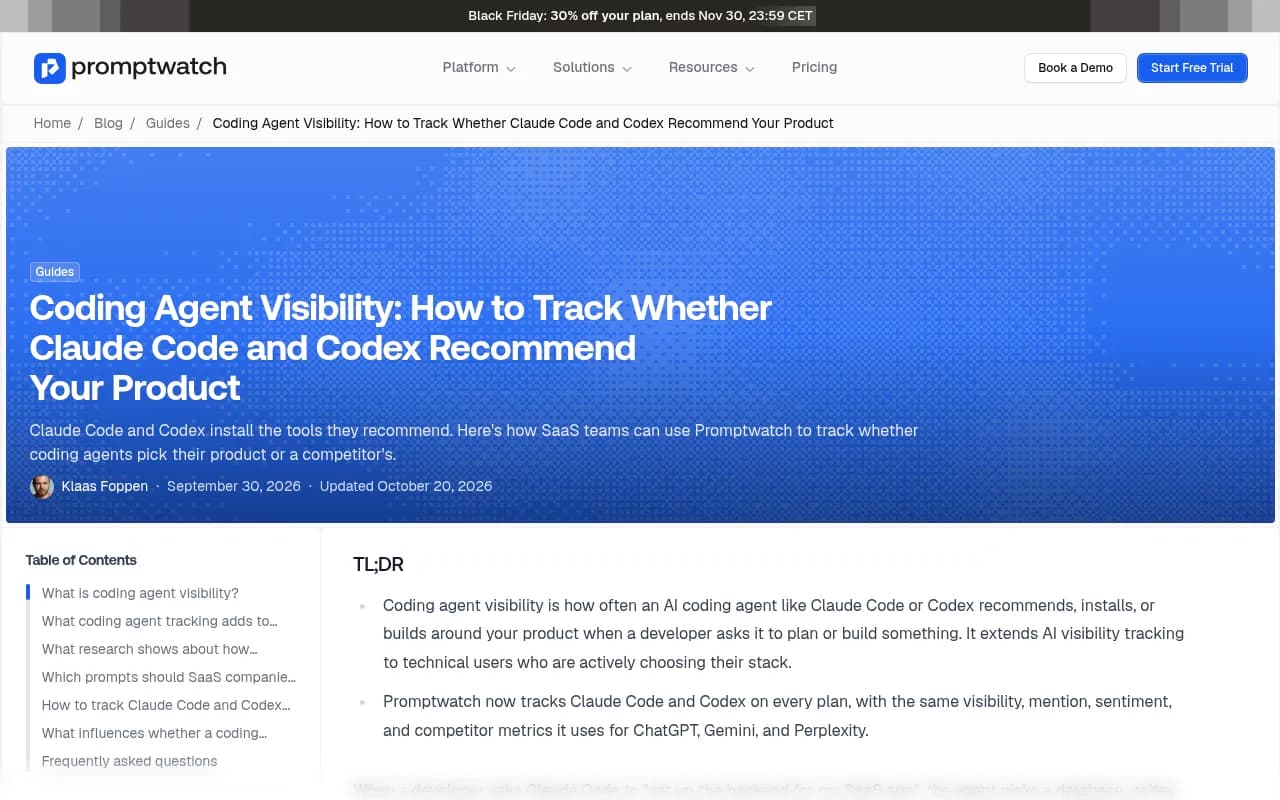
That is why your CTO or head of developer marketing cares. It is closer to a distribution channel than a brand metric. The Promptwatch guide on coding agent visibility makes the same point: this is one of the highest-intent signals a software company can observe, because someone is choosing a stack right now.
The standard template for team reporting still applies as a skeleton. Cognizo's AI visibility report template uses five sections: executive summary, visibility trend, sentiment, competitive benchmark, and citation breakdown. I would keep that spine and bolt on the coding-agent specifics below.
What the third-party data says (and why it shapes the report)
Before designing metrics, it helps to know how these agents behave. Two studies are worth quoting to your CTO. I haven't verified either against the original, so check the numbers at the source before they go in a slide.
- Amplifying's "What Claude Code Actually Chooses" (February 2026) ran 2,430 open-ended prompts across 20 tool categories and 3 Claude models, with no tool named in the prompts. In 12 of the 20 categories, the most common pick was a custom-built solution. GitHub Actions took 93.8% of CI/CD picks, Stripe 91.4% of payments, and Vercel 100% of JavaScript deployment.
- Armature (September 3, 2026) found Claude Code built in-house solutions in 19% of sessions, while Codex and Cursor did so in 10%. PayPal was mentioned 139 times and never selected. LangChain was mentioned 194 times and selected 4 times.
Three things follow. First, the build-versus-buy rate is a real competitor, and it never shows up in a normal competitor table. Second, mentions are a vanity number here. Third, the agents disagree: Armature reports Claude Code, Codex, and Cursor chose the same tool in only 42% of cases, and Codex used web search in 94% of sessions while Claude Code searched in about 30%. So Codex picks reflect live web content and Claude Code picks shift more slowly. One blended number would hide all of this.
The report structure
Here is the layout I would use. Seven sections, one page of summary up front, details behind it.
1. Executive summary
Five lines, no more. Current selection rate, change since last period, build-versus-buy share, the biggest competitor gap, and the single action you recommend. If the CTO reads nothing else, that is enough.
Example wording: "Claude Code selected us in 18% of database prompts, up from 12%. Codex selected us in 31%. In 22% of sessions the agent wrote its own solution. The main gap is auth, where a competitor is the default. Recommended action: ship an agent-readable quickstart for auth."
2. Mention rate versus selection rate
This is the headline metric and the one that differs most from a standard report. Define both:
- Mention: the agent names your product somewhere in its plan or answer.
- Selection: the agent chooses your product and writes it into the build, such as an install command, an import, or a config file.
Report the gap. A large gap, like PayPal's 139 mentions and zero selections in Armature's data, means the agent knows you exist but does not trust you as the default. That is a documentation or integration-friction problem, not an awareness problem.
3. Position: default, alternative, or footnote
For each category you care about (payments, auth, database, hosting, email, whatever your product sits in), record where you land:
| Position | What it means | How to read it |
|---|---|---|
| Default | First choice, installed without the user asking | Protect it. Watch for model updates |
| Alternative | Offered as option two or three | Find what the default has that you lack |
| Passing mention | Named but not used | Docs or examples are probably missing |
| Absent | Not in the plan at all | Awareness and crawl access problem |
| Replaced by custom code | Agent builds it in-house | Your integration is harder than writing it yourself |
The last row matters most for developer tools. If a team can ask an agent to write a payment form in ten minutes, your SDK has to be easier than that.
4. Per-agent split
Show Claude Code and Codex as separate columns, always. Add other agents as you start tracking them. The reason is the search behavior difference above. A Codex win usually means your live web content is strong right now. A Claude Code win usually reflects what the model absorbed from training data, so it changes more slowly and you should not expect a content push to move it next week.
| Metric | Claude Code | Codex | Notes |
|---|---|---|---|
| Selection rate | Per category | ||
| Mention rate | Same prompts | ||
| Build-in-house rate | Higher means weak integration story | ||
| Web search usage | Explains volatility | ||
| Sentiment | How the agent describes you |
I would leave the table partly empty in a first report. Showing the structure and filling it in over the next two periods is more honest than inventing numbers.
5. How the agent describes you
Sentiment in a coding context is specific. It is not "people like us." It is claims such as "best for small projects", "requires a paid plan for webhooks", or "has a heavy SDK." Pull the recurring claims out of the agent responses, group them, and mark each as accurate or not. An inaccurate claim is the most actionable thing in the whole report, because you can usually trace it to a specific page that says the wrong thing, or a missing page that should say the right one.
6. Competitive benchmark
List the three to five tools the agent picks instead of you, per category, with their selection rate next to yours. Include "custom code" as a row. Do not rank competitors by mentions. Rank by selection.
7. Footprint: docs, GitHub, and crawler access
This section is where the report turns into an engineering plan. Promptwatch's software citation data for Sep 28 to Oct 4, 2026 shows what ChatGPT cites for software prompts: GitHub at 1.2% of citations, learn.microsoft.com at 0.98%, and G2 at 0.73%. By source type, docs and help centers earned 2.64% and vendor sites 2.01%, about three times the share of review sites and analysts. The takeaways from that report are blunt: publish crawlable docs, keep a public GitHub presence, and keep your G2 and Capterra profiles current.
That is ChatGPT, not Claude Code, so treat it as a proxy rather than proof. But since Codex leans on live web search, the same assets are the likely ones to move its picks.
Then check crawler access. Promptwatch's AI crawler traffic report shows OpenAI at 79.8% of IP-verified AI crawler requests in the week of Aug 31 to Sep 6, 2026, down from 94.8% in the week of June 8 to 14. Its advice is to compare your own logs against that mix. A provider that is large in the chart but near zero in your logs suggests you are blocking it in robots.txt, your CDN, or your WAF. Separate training crawlers from answer-time fetchers, because blocking one does not necessarily block the other.
A footprint checklist for the report:
- Docs are public, server-rendered, and have a quickstart that works in under five minutes
- The GitHub repo has a clear README, examples, and recent commits
- robots.txt, CDN, and WAF rules allow the AI crawlers you want
- Package registry pages (npm, PyPI) have accurate descriptions
- G2 and Capterra profiles are current
Designing the prompt set
The report is only as good as the prompts behind it. Two rules.
Do not name your product. The Amplifying study used open-ended prompts with no tool named, which is the right design. "Add Stripe to my app" tells you nothing. "Add payments to my app" tells you everything.
Write prompts the way a developer would, at three levels:
- Greenfield: "Set up the backend for my SaaS app with auth, a database, and email."
- Category: "Add transactional email to this Next.js project."
- Comparison: "Should I use X or Y for background jobs?"
Most of these map to transactional intent even when no brand appears, since the user is about to build. Run each prompt many times, because agent output varies run to run. A single response is an anecdote. A few hundred is a rate.
Also vary the stack. An agent asked to build in Python with Django may pick differently from one asked to build in TypeScript with Next.js. Pick the two or three stacks your customers actually use.
Tooling: what to use to collect the data
You can vibe-code a basic tracker over a weekend by sending prompts to an LLM API and saving outputs to a spreadsheet, as Tim Soulo pointed out on LinkedIn. That works for general chatbots at small scale. It breaks down for coding agents, because the interesting behavior is inside the agent's loop: its tool calls, web searches, and file writes. An API call to a model is not the same as asking Claude Code to build something in a repo. And you will need volume, scheduling, and competitor detection that a spreadsheet will not give you.
If you want a managed route, Promptwatch tracks Claude Code, Codex, and OpenCode on every plan, using the same visibility, mention, sentiment, and competitor metrics it uses for ChatGPT, Gemini, and Perplexity. It also pairs that with IP-verified crawler logs and citation data, which covers the footprint section above in the same place.

Other AI visibility trackers exist, and the directory at bestgeosoftware.com is a reasonable place to compare them. When you evaluate any of them, ask one question first: does it query real coding agents, or only chat models? Many trackers only do the second. That distinction decides whether your report measures what developers actually experience.
A quick comparison of the approaches:
| Approach | Covers coding agents | Effort | Best for |
|---|---|---|---|
| Spreadsheet plus LLM API | No, only the model | Low to start, high to maintain | A one-off sanity check |
| Chatbot-focused AI trackers | Usually not | Low | Brand mentions in ChatGPT and Perplexity |
| Platform with coding agent tracking (e.g. Promptwatch) | Yes | Low | Ongoing reporting with competitor and crawl data |
| Custom harness running agents in sandboxes | Yes | High | Teams with spare engineers who want full control |
The custom harness is real and some teams build it. If you go that way, the Infra Explained walkthrough on designing a coding agent is a decent primer on the agent loop, tools, and permissions you would need to reproduce.
Cadence, trends, and what to flag
Run prompts daily if your tooling allows it, but report monthly. A weekly view is useful for launches, though it is noisy for steady-state reporting.
Flag these in every report:
- Any model release. Agent picks can shift overnight when a new model version ships, particularly for Claude Code, where defaults come from training.
- Any category where selection rate fell more than a few points.
- Any new competitor that appears in the top three.
- Any inaccurate claim that persists for two periods in a row.
And be careful about causation. If your selection rate in Codex rises two weeks after you published a new quickstart, that is a plausible link. If it rises in Claude Code the same week, it is almost certainly something else.
Tailoring it: CTO versus head of developer marketing
The same data, two cuts.
For a CTO, lead with build-versus-buy share, selection rate by category, and the footprint checklist. They care about integration friction and whether engineering owns a fix. Phrase actions as tickets: "fix robots.txt rule blocking OAI-SearchBot", "add a minimal example to the SDK README."
For a head of developer marketing, lead with competitive benchmark, how the agent describes you, and the content gaps. They care about narrative and which pages to write. Phrase actions as content briefs: "publish a comparison page for auth, because the agent describes us as heavy and no page contradicts that."
If both read the same report, put the shared one-page summary first and split the appendices.
A first-report checklist
- Pick three to five categories where your product competes.
- Write 10 to 20 prompts per category, none naming your brand.
- Choose two stacks that match your customer base.
- Track Claude Code and Codex separately.
- Record mention, selection, position, and build-in-house for each run.
- Pull the recurring claims and mark them accurate or inaccurate.
- Audit docs, GitHub, and crawler access.
- Write five lines of summary and three actions.
That is enough for a useful first version. The second month is when it gets interesting, because you finally have a trend.
Caveats worth stating in the report itself
Put a short methods note at the bottom. State the prompt count, the dates, the agents and model versions, and the stacks used. Say plainly that agent output varies and that rates are estimates. Also note that the third-party studies cited were not independently reproduced. A CTO will trust a report that admits its limits far more than one that presents a single clean number.
Finally, if you want help turning the findings into docs, content, and technical SEO fixes, that is the kind of work agencies like 1001 SEO Media handle, though your own engineering team will own the crawler and docs changes. The report itself is something you can build in-house in an afternoon once the prompts are written.
For wider reading on how AI engines pick sources, the hub at Promptwatch Data is the place to start.