Key takeaways
- ChatGPT brand tracking starts with defining your full brand footprint -- company name variations, product names, and competitor set -- before you touch any tool.
- Manual spot-checking in ChatGPT is a useful starting point but breaks down fast at scale; dedicated AI visibility platforms automate the heavy lifting.
- The real goal isn't just monitoring -- it's closing the loop: find where you're invisible, create content that fills those gaps, and watch your citation rate improve.
- Tracking across multiple AI models (not just ChatGPT) matters because Perplexity, Gemini, and Claude often pull from different sources.
- Traffic attribution is the final piece -- connecting AI visibility to actual website visits and revenue is what makes the whole exercise worth it.
Why ChatGPT brand tracking matters in 2026
When someone asks ChatGPT "What's the best project management tool for remote teams?" or "Which CRM should a 10-person startup use?", they're not getting a list of links to click through. They're getting a recommendation. And if your brand isn't in that recommendation, you've effectively lost the sale before the person ever visited your website.
That's the shift that's happened over the past two years. AI assistants have become a primary research channel. According to industry data, 78% of consumers now use AI tools to research brands and products before buying. ChatGPT alone has over 100 million weekly active users. The math is simple: if you're invisible in AI responses, you're invisible to a significant chunk of your potential customers.
Traditional SEO doesn't solve this. Google rankings and AI citations are different beasts. ChatGPT doesn't crawl your meta descriptions or count your backlinks the same way. It synthesizes information from its training data and, increasingly, from live web sources. Getting cited requires a different strategy -- and tracking whether it's working requires different tools.
This guide walks you through the entire setup process, from scratch.
Step 1: Define your brand tracking parameters
Before you open any tool, spend 30 minutes getting clear on what you're actually tracking. This sounds obvious, but most people skip it and end up with incomplete data.
Build your brand entity list
Write down every variation of your brand that might appear in an AI response:
- Your official company name (exact spelling)
- Common abbreviations (if your company is "DataVision Analytics," people might say "DataVision" or "DVA")
- Frequent misspellings you've seen in reviews or social media
- Your flagship product names, separately from the company name
- Any taglines or descriptors that have become associated with you ("the Notion alternative for developers," etc.)
ChatGPT might recommend your product without ever saying your company name, or vice versa. You need to catch both.
Map your competitive landscape
Pick 5-7 direct competitors and add them to your tracking list. This isn't just about ego -- it's about context. If ChatGPT mentions your competitors 40 times for every 3 mentions of you, that's a signal. If you're neck-and-neck with one competitor but trailing another, that tells you where to focus.
Define your target prompts
What questions would your ideal customer ask ChatGPT before buying your product? Write 20-30 of them. Think in terms of:
- Problem-first prompts: "What's the best way to track my brand in AI search?"
- Category prompts: "What are the top AI visibility monitoring tools?"
- Comparison prompts: "How does [your brand] compare to [competitor]?"
- Use-case prompts: "What tool should I use to track ChatGPT mentions for my agency?"
These prompts become the backbone of your tracking setup. Everything else flows from them.
Step 2: Start with manual spot-checking
Before investing in any paid tool, do a manual audit. It takes an hour and gives you a baseline.
Open ChatGPT (or use the API if you're comfortable with it) and run through your target prompts one by one. For each response, note:
- Is your brand mentioned at all?
- Where in the response does it appear (first recommendation, mentioned as an alternative, buried at the bottom)?
- Is the description accurate? Are there any errors or outdated claims?
- Which competitors are mentioned, and how prominently?
Keep a simple spreadsheet. Columns: prompt, your brand mentioned (yes/no), position, competitor mentions, notes on accuracy.
This manual pass will immediately show you your biggest gaps. It's also worth doing across multiple AI models -- run the same prompts in Perplexity, Gemini, and Claude. You'll often find wildly different results, which tells you something about where your content is getting picked up and where it isn't.
The limitation of manual checking is obvious: it doesn't scale. You can't run 50 prompts across 5 AI models every week by hand. That's where dedicated tools come in.
Step 3: Choose your tracking tools
The market for AI visibility tracking has exploded. Here's an honest breakdown of your options.
Dedicated AI visibility platforms
These are purpose-built for what you're trying to do.
Promptwatch is the most complete option in this category. It monitors 10 AI models simultaneously (ChatGPT, Perplexity, Claude, Gemini, Grok, DeepSeek, Copilot, Meta AI, Mistral, and Google AI Overviews), tracks prompt volumes and difficulty scores, and -- critically -- doesn't just show you where you're invisible. It shows you the specific content gaps causing that invisibility and has a built-in AI writing agent to help you fix them. The crawler logs feature is particularly useful: you can see exactly which pages ChatGPT and Perplexity are crawling on your site, how often, and whether they're hitting errors.

For teams that want solid monitoring without the full optimization suite, a few other tools are worth considering:
Peec AI covers ChatGPT, Perplexity, and Claude with clean dashboards. Good for getting started.

Otterly.AI tracks brand mentions across ChatGPT, Perplexity, and Google AI Overviews. Straightforward monitoring interface.
Otterly.AI

Profound is a strong enterprise option with deep analytics, though it sits at a higher price point and lacks some of the content optimization features.
Profound

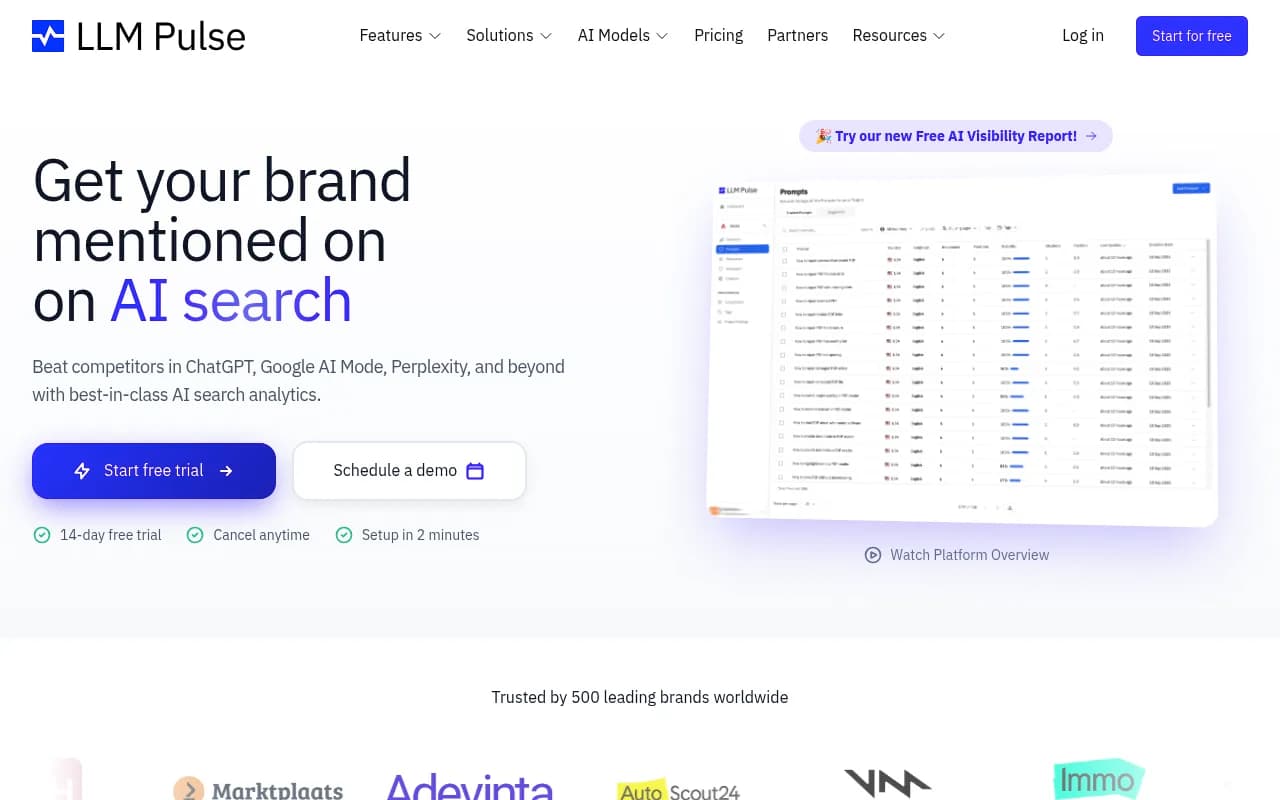
LLM Pulse and Rankshift are both solid mid-tier options for teams that primarily want visibility dashboards.

Comparison: key AI visibility tools
| Tool | AI models tracked | Content generation | Crawler logs | Prompt volume data | Best for |
|---|---|---|---|---|---|
| Promptwatch | 10 | Yes (built-in AI writer) | Yes | Yes | Full optimization loop |
| Profound | 9+ | No | No | Limited | Enterprise monitoring |
| Peec AI | 3 | No | No | No | Simple monitoring |
| Otterly.AI | 3 | No | No | No | Basic brand tracking |
| LLM Pulse | 5+ | No | No | No | Mid-market monitoring |
| Rankshift | 3 | No | No | No | Starter tracking |
The pattern is clear: most tools stop at monitoring. They show you a dashboard of where you appear and where you don't, then leave you to figure out what to do about it. If you want a tool that helps you act on the data, the options narrow quickly.
Step 4: Configure your tracking setup
Once you've chosen a platform, the configuration phase is where most people rush and later regret it. Take your time here.
Enter your brand entities
Input every variation from your Step 1 list. Don't just enter your company name -- add product names separately, add common abbreviations, and add any branded terms that are uniquely associated with you. The more thorough this list, the fewer false negatives you'll get.
Load your target prompts
Add the 20-30 prompts you defined earlier. Most platforms let you organize these into categories (awareness prompts, comparison prompts, purchase-intent prompts). Do that -- it makes analysis much easier later.
A few prompt-writing tips that make a real difference:
- Write prompts the way a real person would type them, not the way a marketer would. "What's the best tool for tracking my brand in ChatGPT" beats "What are the leading AI brand monitoring solutions."
- Include location-specific variants if your business is regional.
- Include persona-specific variants if you serve distinct customer types (e.g., "What CRM should a freelance consultant use?" vs. "What CRM should a 50-person sales team use?").
Set your competitor list
Add your 5-7 competitors. Most platforms will then show you a side-by-side visibility comparison -- you'll see which prompts they're appearing for that you're not. That gap list is gold.
Configure monitoring frequency
Daily monitoring is ideal for active campaigns. Weekly is fine for baseline tracking. Some platforms let you set up alerts when your brand mentions drop significantly or when a competitor suddenly starts appearing for prompts where you previously had strong visibility.
Step 5: Interpret your first results
Your first dashboard will probably be humbling. Most brands discover they're less visible in AI responses than they assumed. That's normal -- and useful.
What to look for
Visibility score trends: Is your overall mention rate going up or down? A single snapshot means little; you want the trend line.
Prompt-level gaps: Which specific questions is ChatGPT answering without mentioning you? These are your highest-priority content opportunities.
Competitor heatmaps: Which competitors dominate which prompt categories? If a competitor consistently appears for "best [category] for startups" prompts and you don't, that's a specific content gap you can address.
Sentiment and accuracy: When you are mentioned, is the description accurate? AI models sometimes cite outdated information or mix up product features. If ChatGPT is describing your pricing incorrectly or attributing a competitor's feature to you, that's worth addressing through content updates and structured data.
Source analysis: Where are the AI models pulling information from when they do mention you? Is it your own website, third-party review sites, Reddit threads, news coverage? Understanding the citation sources tells you where to invest your content efforts.
Step 6: Act on the data
Monitoring without action is just expensive anxiety. The whole point of tracking is to improve your visibility over time.
Identify your content gaps
Most AI visibility platforms will show you prompts where competitors appear but you don't. These are your answer gaps. For each one, ask: does my website have a page that directly, clearly answers this question? Usually the answer is no.
Create content engineered for AI citation
This is different from writing for Google. AI models tend to cite content that:
- Directly and completely answers a specific question
- Uses clear, factual language without excessive marketing fluff
- Is structured in a way that's easy to parse (headers, lists, specific data points)
- Comes from a domain with topical authority in the relevant category
- Gets referenced by other credible sources (Reddit discussions, industry publications, review sites)
For each prompt gap you've identified, create a piece of content that answers that question better than anything currently on your site. Listicles, comparison articles, and FAQ-style pages tend to perform well for AI citation.
Promptwatch's built-in AI writing agent is designed specifically for this -- it generates content grounded in real citation data from 880M+ analyzed citations, which means the output is calibrated to what AI models actually want to cite, not just what reads well to humans.
Publish and wait
AI models don't update instantly. After publishing new content, expect a lag of a few weeks before you see movement in your visibility scores. Some platforms show you when AI crawlers visit your new pages, which gives you a signal that the content has been discovered.
Close the loop with traffic attribution
The final piece is connecting AI visibility to actual business outcomes. This requires either a tracking code snippet on your site, a Google Search Console integration, or server log analysis. The goal is to see traffic arriving from AI referrers (ChatGPT, Perplexity, etc.) and tie it to conversions.
Without this step, you're optimizing a metric that's disconnected from revenue. With it, you can make a direct case for the ROI of your AI visibility work.
Step 7: Build a reporting rhythm
Brand tracking only creates value if someone is actually looking at the data and making decisions based on it.
A simple reporting structure that works:
- Weekly: Quick check on visibility score changes and any significant drops or spikes. 5 minutes.
- Monthly: Deeper review of prompt-level performance, competitor movement, and content gap progress. 30-60 minutes. Update your content roadmap based on what you find.
- Quarterly: Full audit. Are the prompts you're tracking still the right ones? Have new competitors emerged? Has your product positioning changed in ways that should be reflected in your tracking setup?
Share a monthly summary with your broader marketing team. AI visibility is still new enough that most stakeholders don't have intuition for it -- regular reporting builds that intuition and makes it easier to get budget for content creation when you can show that specific articles are driving citation improvements.
Common mistakes to avoid
A few things that trip people up when setting up ChatGPT brand tracking for the first time:
Tracking too few prompts. 5-10 prompts gives you a very incomplete picture. You need enough volume to see patterns. Start with 20-30 and expand from there.
Ignoring non-ChatGPT models. A significant portion of AI search traffic comes from Perplexity, Google AI Overviews, and Claude. If you're only tracking ChatGPT, you're missing a lot.
Treating monitoring as the end goal. The dashboard is a means, not an end. If you're not creating content based on what you find, you're paying for data you're not using.
Expecting instant results. AI visibility improvements take weeks to show up, sometimes longer. Set realistic expectations with your team before you start.
Not tracking competitors from day one. Adding competitors later means you lose the baseline comparison. Set them up on day one even if you don't look at the data immediately.
Putting it all together
Setting up ChatGPT brand tracking from scratch takes a few hours of focused work -- defining your entities, loading your prompts, configuring your platform, and establishing your reporting rhythm. The ongoing work is lighter: weekly check-ins, monthly content creation based on gap analysis, quarterly setup reviews.
The brands that will win in AI search aren't necessarily the ones with the biggest budgets. They're the ones that understand what questions their customers are asking AI models, have content that answers those questions clearly, and track the results closely enough to keep improving. That's a process any team can run -- you just need to start.
For teams ready to go beyond basic monitoring, Promptwatch covers the full cycle: tracking visibility across 10 AI models, identifying content gaps, generating content calibrated to get cited, and attributing the resulting traffic back to revenue.