Key takeaways
- Peec AI offers solid AI brand monitoring but has no native MCP (Model Context Protocol) integration, which means you can't connect it directly to AI agents, coding assistants, or automated workflows.
- MCP has become the default way AI tools talk to external data sources in 2026 -- not having it means manual data exports, copy-paste reporting, and broken automation chains.
- The workflow gaps are real: no live data in your AI agents, no automated alerts in Slack or Notion, no content generation triggered by visibility drops.
- Several alternatives -- including platforms with built-in content optimization and crawler log analysis -- close these gaps more completely than Peec AI currently can.
- If you're already using Peec AI and like it, you can partially bridge the gap with Zapier or n8n, but it's a workaround, not a fix.
What MCP actually is and why it matters for GEO tools
If you've been building with AI tools in 2026, you've probably run into the Model Context Protocol. Anthropic released it in late 2024 as an open standard for connecting AI models to external tools and data sources. The core idea is simple: instead of every integration requiring custom code, MCP gives you a standardized "plug" that any compliant tool can use.
By early 2026, MCP had become the connective tissue of most serious AI workflows. Claude, Cursor, Windsurf, and a growing list of AI agents can pull live data from any MCP server. That means if your analytics platform, CRM, or visibility tracker exposes an MCP server, your AI assistant can query it directly -- no CSV exports, no copy-paste, no middleware.
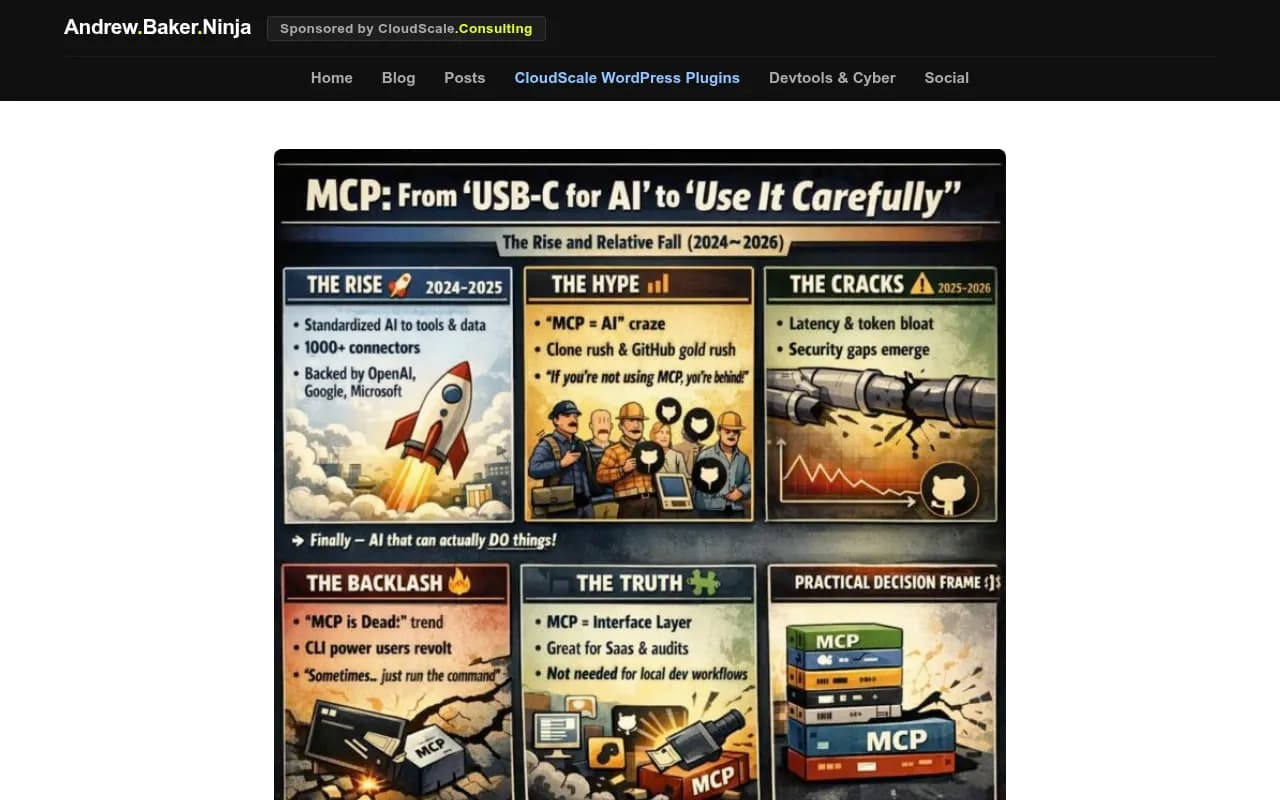
The catch, as Andrew Baker documented in his March 2026 analysis, is that MCP isn't free of problems. Double-hop latency, context window bloat, and security gaps are real concerns at scale. But for the use case most GEO teams care about -- querying brand visibility data inside an AI agent -- MCP works well enough that its absence is genuinely felt.
Which brings us to Peec AI.
What Peec AI does well
Peec AI is a brand visibility tracker for AI search engines. It monitors how your brand appears in responses from ChatGPT, Perplexity, Claude, and a handful of other models. You get share of voice metrics, sentiment tracking, and competitor comparisons.

For teams that want a clean dashboard showing whether their brand is getting mentioned in AI answers, Peec AI is a reasonable choice. The interface is straightforward, the data is presented clearly, and it covers the core monitoring use case.
But monitoring is where it stops.
The MCP gap: what you actually lose
Peec AI does have an MCP server listed on mcpservers.org. So technically, there's something there. The problem is what that MCP server can and can't do -- and how it fits (or doesn't fit) into a real workflow.
Here's what the absence of deep, production-ready MCP support costs you in practice:
No live data in your AI agents
If you're using Claude or a custom agent to help write content, analyze competitors, or draft reports, you want that agent to pull current visibility data on demand. Without a robust MCP integration, you're stuck exporting data manually and pasting it into your prompts. That's a workflow tax that compounds every time you need fresh data.
No automated content triggers
The most valuable use of visibility data isn't reading a dashboard -- it's acting on it. When your brand drops in AI responses for a key prompt, you want that to trigger something: a Slack alert, a content brief, a task in your project management tool. Without MCP, you're either building custom webhook integrations (time-consuming) or checking the dashboard manually (error-prone).
No agent-to-agent workflows
In 2026, teams are building multi-agent pipelines where one agent monitors, another analyzes, and a third generates content or recommendations. MCP is what lets these agents share context without a human in the middle. A monitoring tool that can't participate in these pipelines is a dead end in the chain.
Fragmented reporting
If your team uses AI assistants to pull together weekly reports -- combining visibility data, traffic analytics, and content performance -- a tool without proper MCP support forces you to maintain a separate manual step. That's the kind of friction that causes data to go stale or get skipped entirely.
The broader problem: monitoring without action
The MCP gap is actually a symptom of a larger issue with Peec AI's positioning. It's built as a monitoring tool. You see the data, then you figure out what to do with it yourself.
That was fine in 2024. In 2026, the expectation has shifted. Teams want platforms that don't just show them where they're invisible -- they want platforms that help them fix it.
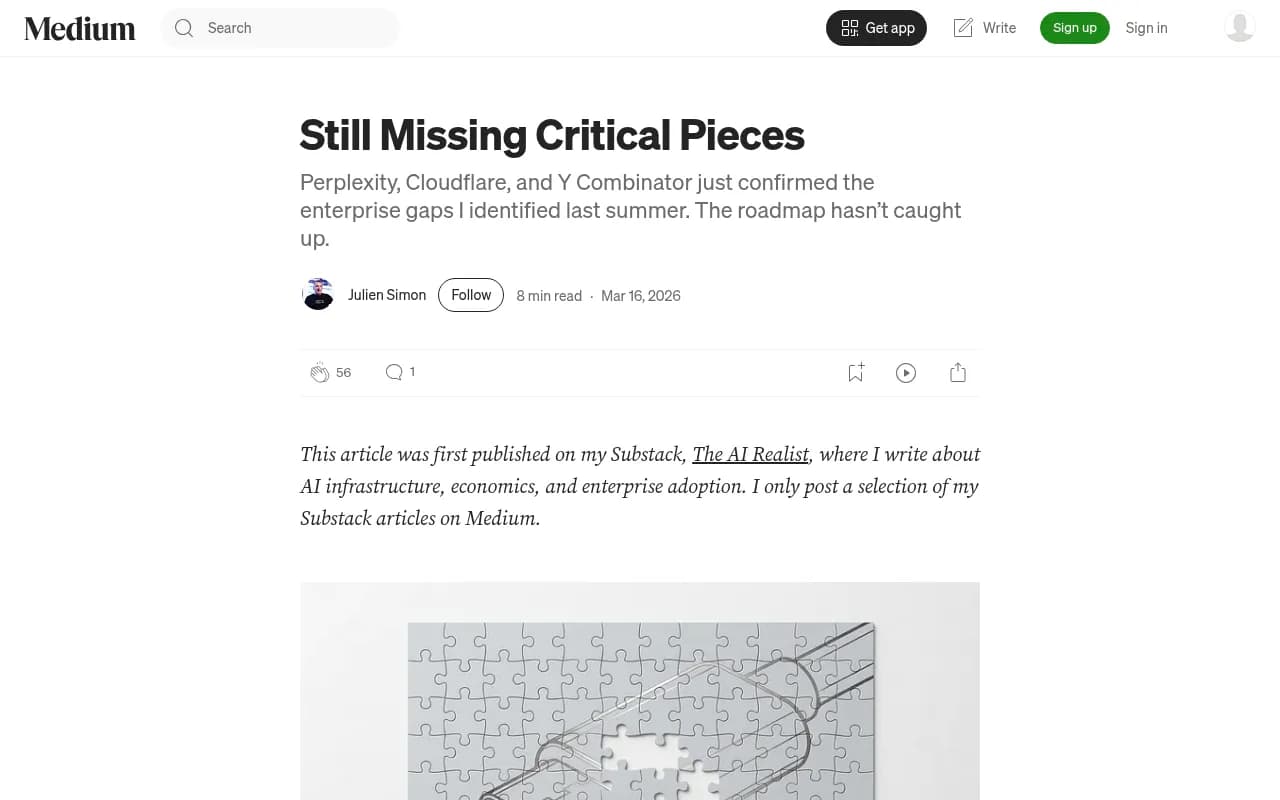
Julien Simon's March 2026 piece on enterprise MCP gaps makes a relevant point: a roadmap is not a fix. The same logic applies here. Knowing your brand visibility is declining is not the same as having a system that helps you respond to it.
How to fill the gaps if you're staying with Peec AI
If you're committed to Peec AI for now, here are the most practical ways to bridge the workflow gaps.
Use Zapier or n8n for automation
Both tools can connect Peec AI's data (via API or webhook, depending on what Peec exposes) to the rest of your stack. You can set up alerts that fire when visibility drops below a threshold, or schedule regular data pulls into a Google Sheet that feeds your reporting.

This isn't elegant, but it works. The downside is maintenance overhead -- every time Peec AI changes its API or you add a new tool to your stack, you're back in the automation editor.
Use a separate content generation tool
Since Peec AI doesn't help you create content to improve your visibility, you'll need something else for that. Tools like AirOps or Search Atlas are built specifically for AI search content optimization.
The problem with this approach is that you're now managing two separate tools with no shared context. Your visibility data lives in Peec AI; your content workflow lives somewhere else. You're the integration layer.
Build a manual MCP bridge
If your team has engineering resources, you can build a lightweight MCP server that wraps Peec AI's API and exposes it to your AI agents. This is technically feasible but requires ongoing maintenance and assumes Peec AI's API is stable enough to build on.
Alternatives that close the gap more completely
If the workflow friction is significant enough that workarounds feel like too much overhead, it's worth looking at platforms built with the full action loop in mind.
Here's how the main options compare:
| Platform | MCP support | Content generation | Crawler logs | Prompt intelligence | Traffic attribution |
|---|---|---|---|---|---|
| Peec AI | Partial (listed server) | No | No | Limited | No |
| Otterly.AI | No | No | No | No | No |
| AthenaHQ | No | No | No | Limited | No |
| Profound | No | No | No | Yes | Limited |
| Promptwatch | Yes (via API + integrations) | Yes (built-in AI writer) | Yes | Yes (volume + difficulty) | Yes |
Otterly.AI


Profound

Promptwatch is the platform that most directly addresses the full workflow problem. It doesn't just track visibility -- it shows you which prompts competitors are visible for that you're not, generates content designed to get cited by AI models, and tracks whether that content actually moves the needle. The crawler logs feature is particularly useful: you can see exactly which pages ChatGPT and Perplexity are reading on your site, which helps you understand why your visibility looks the way it does.

The difference matters most when you're trying to act on data rather than just observe it. Peec AI tells you your share of voice dropped. Promptwatch tells you which specific prompts you're losing, shows you what content your competitors have that you don't, and gives you a writing agent to close that gap.
What to look for in a GEO tool with proper workflow integration
Whether you stay with Peec AI or switch, here's what actually matters for workflow integration in 2026:
API quality and stability. Any automation you build is only as reliable as the underlying API. Look for versioned endpoints, clear documentation, and a changelog.
Native integrations vs. manual webhooks. Native integrations (Slack, Notion, Google Sheets) are faster to set up and more reliable than custom webhooks. If a tool only offers webhooks, budget time for maintenance.
Content generation in the same platform. The fewer tools you need to switch between, the faster your response loop. A platform that can identify a visibility gap and help you create content to address it -- without leaving the interface -- is meaningfully more efficient.
Crawler log access. This is underrated. Knowing which pages AI crawlers are actually reading (and which they're ignoring or hitting errors on) tells you things that visibility scores alone can't. Most monitoring-only tools skip this entirely.
Traffic attribution. Visibility scores are leading indicators. What you actually want to know is whether your AI search visibility is driving traffic and revenue. Look for platforms that can connect the dots via GSC integration, a code snippet, or server log analysis.
The honest verdict on Peec AI's MCP situation
Peec AI isn't broken. If you need a simple dashboard to monitor brand mentions across AI search engines and you're not building agent workflows, it does what it says. The MCP server listing means there's at least some path to integration.
But if your team is building AI-assisted workflows -- using agents to draft reports, trigger content creation, or automate responses to visibility changes -- Peec AI's current state creates real friction. You end up being the integration layer yourself, which defeats much of the purpose of having an AI-assisted workflow in the first place.
The teams feeling this most acutely are the ones who've already automated other parts of their marketing stack and are now trying to bring their GEO data into the same system. For them, the gap between "has an MCP listing" and "works reliably in a multi-agent pipeline" is significant.
If that's your situation, the path of least resistance is either investing in the automation workarounds described above, or switching to a platform where the action loop is built in rather than bolted on.