KeywordChef Review 2026
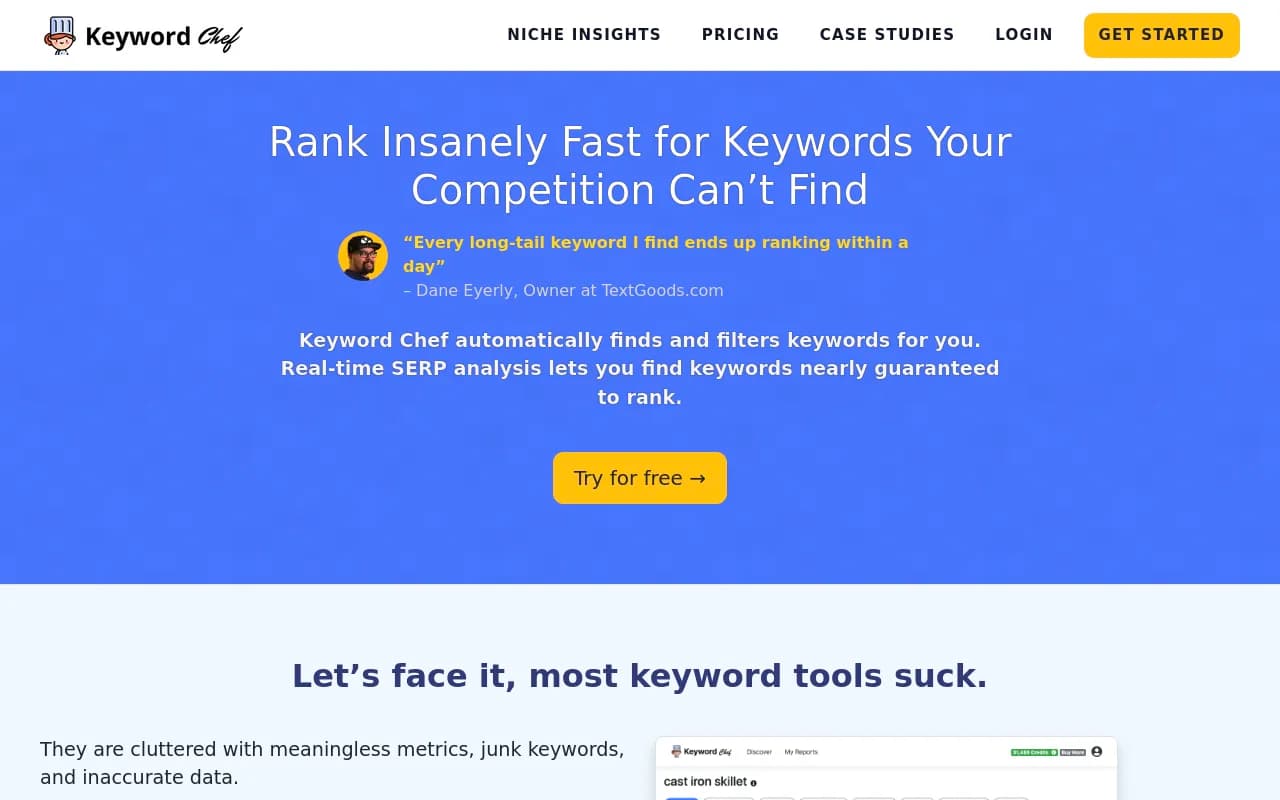
KeywordChef is a keyword research tool built specifically for content publishers and bloggers. It automatically filters out junk keywords, highlights SERP opportunities with forums and weak sites, and uses smart wildcard search to uncover keyword clusters. Real-time bulk SERP analysis shows you whic
Summary
- Best for: Content publishers, bloggers, and niche site owners who need to find rankable keywords quickly without wading through thousands of irrelevant suggestions
- Standout strength: Automatic junk keyword filtering and bulk SERP analysis that highlights forums and user-generated content in search results -- a strong signal of ranking opportunity
- Key limitation: Lacks content generation, AI crawler logs, and traffic attribution that Promptwatch offers for AI search visibility
- Pricing: Credit-based system starting around $97/year for Niche Insights plan
- Bottom line: Solid traditional keyword research tool for SEO content, but if you're optimizing for AI search engines (ChatGPT, Perplexity, Claude), you'll need a platform like Promptwatch that tracks AI citations and generates content engineered for LLM visibility

KeywordChef is a keyword research tool that does one thing well: it finds low-competition keywords that content publishers can actually rank for. Built by publishers for publishers, it strips away the clutter and meaningless metrics that plague most keyword tools and focuses on surfacing keywords with clear search intent and weak competition signals.
The tool launched as a response to the frustration many bloggers and niche site owners feel when using enterprise SEO platforms. Those tools dump thousands of keyword suggestions on you, most of which are either too competitive, have no real search intent, or require hours of manual filtering. KeywordChef automates that filtering process and adds real-time SERP analysis to show you exactly which keywords have forums, Q&A sites, or other weak content ranking on page one.
Who uses KeywordChef
The target audience is content publishers -- specifically bloggers, affiliate marketers, and niche site owners who publish 10-50+ articles per month and need a steady stream of rankable keyword ideas. These are typically solopreneurs or small teams (1-3 people) running sites in verticals like cooking, home improvement, personal finance, health, or product reviews. They're not enterprise SEO teams with six-figure budgets. They're people who need to find 20-30 solid keywords per week without spending half their day on research.
KeywordChef also appeals to SEO coaches and consultants who teach content-based SEO strategies. Several testimonials on the site come from people who recommend it in their coaching programs because it's simple enough for beginners but powerful enough to surface opportunities that more complex tools miss.
If you're running a SaaS company, local business, or e-commerce store, KeywordChef probably isn't your first choice. It's built for informational content, not product pages or service landing pages. And if you're optimizing for AI search visibility (getting cited in ChatGPT, Perplexity, Claude, Gemini), KeywordChef won't help you there at all -- it's purely a traditional Google SEO tool.
Automatic keyword filtering
The core value proposition is automatic filtering. Most keyword tools pull data from Google Keyword Planner or third-party APIs and dump everything on you -- including branded terms, navigational queries, and keywords with zero real search intent. KeywordChef applies filters on the backend to remove junk before you even see the results.
What gets filtered out: single-word keywords with vague intent, branded queries (unless you're specifically searching for them), navigational terms like "login" or "download", and keywords that are clearly transactional but not a fit for content publishers (like "buy X near me"). What you're left with are informational and commercial investigation queries -- the kind of keywords you'd actually write a blog post or comparison article about.
This saves hours. Instead of exporting 5,000 keywords and manually sorting through them in a spreadsheet, you get 200-500 pre-filtered results that are immediately usable. The filtering isn't perfect -- you'll still find some duds -- but it's accurate enough that most users report finding 10-30 solid keywords per search without much additional work.
Real-time SERP analysis in bulk
This is where KeywordChef separates itself from basic keyword tools. For every keyword in your results, you can pull up the live Google SERP and see exactly what's ranking. More importantly, KeywordChef automatically highlights certain types of sites that signal low competition: forums (Reddit, Quora), Q&A sites (Yahoo Answers, Answers.com), user-generated content platforms, and thin or outdated content.
The logic: if a forum thread or a 300-word article from 2015 is ranking on page one, that's a keyword you can probably outrank with a well-researched 1,500-2,000 word article. Experienced SEOs have been doing this manual analysis for years -- KeywordChef just automates it and lets you check dozens or hundreds of keywords at once.
You can run bulk SERP analysis on your entire keyword list with one click. The tool assigns each keyword a "SERP score" based on how many weak sites it finds in the top 10 results. High SERP score = more forums and weak content = easier to rank. You can then sort your keyword list by SERP score to prioritize the lowest-hanging fruit.
This feature alone justifies the price for many users. One testimonial mentions finding a 200-volume keyword where all the top results were forums, writing a 1,500-word article, and winning the featured snippet in five days. That's the kind of outcome KeywordChef is optimized for.
Smart wildcard search
Wildcard search lets you insert an asterisk (*) into your keyword phrase to generate variations. For example, searching "best * for chefs" returns results like "best knives for chefs", "best aprons for chefs", "best shoes for chefs", etc. Searching "can you cook * in the oven" returns "can you cook bacon in the oven", "can you cook steak in the oven", and so on.
This is useful for two things: finding "best of" keywords (which are high-intent and great for affiliate content) and building keyword clusters around a topic. If you're writing a pillar post about cast iron skillets, you can use wildcard search to find 20-30 related long-tail keywords to weave into the article or spin off into separate posts.
The wildcard feature isn't unique to KeywordChef -- tools like Ahrefs and SEMrush have similar functionality -- but KeywordChef's implementation is faster and cleaner. You don't have to navigate through multiple menus or export data to CSV. You just type your wildcard query, hit search, and get results in seconds.
One limitation: wildcard search only works with one asterisk per query. You can't do something like "best * for * chefs" to generate even more variations. That would be a nice addition but it's not a dealbreaker.
Country and geo-targeting
KeywordChef supports keyword research for multiple countries, not just the US. You can pull search volume and SERP data for the UK, Canada, Australia, and other English-speaking markets, as well as non-English markets if you're targeting those. This is important for publishers running international sites or targeting specific regions.
The geo-targeting applies to both keyword volume estimates and SERP analysis. So if you're researching keywords for a UK audience, you'll see UK search volumes and UK Google results, not US data. This makes the tool more accurate for non-US publishers, who often get stuck with US-centric data in other tools.
Upload custom keywords
If you already have a list of keywords from another tool (or from brainstorming), you can upload them in bulk to KeywordChef to check search volume and run SERP analysis. This is useful if you're using KeywordChef as a second-layer filter on top of data from Ahrefs, SEMrush, or Google Keyword Planner.
The upload feature accepts CSV files with one keyword per line. KeywordChef then processes the list and returns volume estimates and SERP scores for each keyword. You can use this to validate keyword ideas before committing to writing content, or to audit an existing content plan.
Saved and shareable reports
Every keyword search you run in KeywordChef is automatically saved as a report. You can revisit old reports anytime, which is helpful if you're managing multiple sites or working with clients. Each report has a unique URL that you can share publicly, so you can send keyword research to a writer or client without giving them access to your account.
The public sharing feature is a nice touch for agencies or consultants. You can run keyword research for a client, generate a report, and send them the link. They can view the keywords and SERP data without needing to log in or understand how to use the tool.
Integrations and workflow
KeywordChef is a standalone tool with no integrations. It doesn't connect to Google Search Console, Google Analytics, WordPress, or any other platform. You do your research in KeywordChef, export the keywords (or just copy-paste them), and then use them in your content workflow.
This is both a strength and a limitation. The strength: KeywordChef stays simple and focused. You're not navigating a bloated interface with 50 features you'll never use. The limitation: if you want to track rankings for the keywords you find, or see how your content is performing, you'll need a separate rank tracker or SEO platform.
There's no API, no browser extension, no mobile app. It's a web app and that's it. For most users, that's fine. Keyword research is a desktop activity anyway.
Pricing and credits
KeywordChef uses a credit-based pricing model. You buy credits upfront and each keyword search consumes a certain number of credits depending on how many results are returned. The Niche Insights plan costs $97/year and includes a set amount of credits. There's also a free trial that gives you a small number of credits to test the tool.
One testimonial mentions using $20 worth of credits to generate 1,095 keyword results and finding 26 "golden keywords" they could target immediately. That's a solid ROI if those keywords lead to traffic and revenue.
The credit system can feel a bit opaque if you're used to flat monthly pricing. You don't know exactly how many searches you'll get for $97 until you start using the tool. But for most publishers doing 5-10 keyword searches per week, the credits last a long time.
Compared to Ahrefs ($99/month for the cheapest plan) or SEMrush ($139.95/month), KeywordChef is significantly cheaper. It doesn't have the breadth of features those platforms offer, but if all you need is keyword discovery and SERP analysis, you're paying a fraction of the price.
What KeywordChef does well
- Speed: Keyword searches return results in seconds, not minutes. The interface is fast and responsive.
- Filtering accuracy: The automatic junk keyword removal works well enough that you're not drowning in irrelevant suggestions.
- SERP score feature: Highlighting forums and weak sites in bulk is a huge time-saver and directly translates to finding rankable keywords.
- Wildcard search: Simple to use and effective for building keyword clusters or finding "best of" keywords.
- Clean interface: No clutter, no confusing metrics, no feature bloat. You can learn the tool in 10 minutes.
Limitations and missing features
KeywordChef is a traditional SEO keyword tool. It does not help you with AI search visibility at all. If you want to track how your brand appears in ChatGPT, Perplexity, Claude, Gemini, or other AI models, KeywordChef offers nothing. It doesn't monitor AI citations, it doesn't analyze AI crawler logs, it doesn't generate content optimized for LLMs, and it doesn't track AI-driven traffic. For that, you'd need a platform like Promptwatch, which is purpose-built for Generative Engine Optimization (GEO) and tracks your visibility across 10+ AI models.
KeywordChef also lacks:
- Rank tracking: You can find keywords but you can't track your rankings for them over time. You'll need a separate tool like SERPWatcher, AccuRanker, or the rank tracking features in Ahrefs/SEMrush.
- Backlink analysis: No way to see which sites are linking to the top-ranking pages for a keyword. If you want to understand why a competitor is ranking, you'll need to use Ahrefs, Moz, or Majestic.
- Content gap analysis: KeywordChef doesn't compare your site to competitors to show you which keywords they rank for that you don't. Ahrefs and SEMrush both have this feature.
- Keyword difficulty scores: There's no traditional keyword difficulty metric (like Ahrefs KD or Moz Difficulty). The SERP score is a proxy for difficulty, but it's not the same thing.
- Historical data: You can't see search volume trends over time. If a keyword is seasonal or declining, you won't know unless you check Google Trends separately.
The tool also doesn't have Reddit or YouTube tracking, which are increasingly important for understanding what real people are asking and discussing. Promptwatch includes Reddit and YouTube insights specifically because those platforms heavily influence AI model recommendations -- something KeywordChef doesn't address at all.
Who should use KeywordChef
KeywordChef is ideal for content publishers who need to find 10-30 rankable keywords per week without spending hours on research. If you're running a blog, niche site, or affiliate site and your main goal is to publish SEO-optimized articles that rank in Google, KeywordChef will save you time and money compared to enterprise tools.
It's also a good fit for SEO beginners or people who find tools like Ahrefs overwhelming. KeywordChef has a learning curve of about 10 minutes. You can start finding keywords immediately without watching tutorial videos or reading documentation.
If you're an agency managing multiple clients, KeywordChef works but you'll probably want something more robust. The lack of rank tracking, backlink analysis, and client reporting features means you'll need to supplement it with other tools.
Who should NOT use KeywordChef
If you're optimizing for AI search engines (ChatGPT, Perplexity, Claude, Gemini, Google AI Overviews), KeywordChef won't help you. It's a traditional Google SEO tool with no AI search capabilities. For AI visibility, you need a platform like Promptwatch that tracks citations, analyzes AI crawler behavior, and generates content optimized for LLMs.
If you need an all-in-one SEO platform with rank tracking, backlink analysis, site audits, and competitive intelligence, KeywordChef isn't enough. You'll want Ahrefs, SEMrush, or Moz.
If you're doing local SEO, e-commerce SEO, or technical SEO, KeywordChef isn't built for that. It's focused on informational content and blog-style keyword research.
Bottom line
KeywordChef is a focused, affordable keyword research tool that does exactly what it promises: it finds low-competition keywords with real search intent and shows you which ones have weak competition in the SERPs. For content publishers who need to churn out 10-50 articles per month and want to maximize their chances of ranking, it's a solid choice at a fraction of the cost of enterprise tools.
But it's purely a traditional SEO tool. If you're thinking about AI search visibility -- and you should be, given that ChatGPT, Perplexity, and Google AI Overviews are reshaping how people find information -- KeywordChef offers nothing. For that, you need a platform like Promptwatch, which tracks your brand across 10+ AI models, analyzes content gaps, generates AI-optimized content, and shows you exactly how to rank in AI search results. KeywordChef helps you rank in Google. Promptwatch helps you rank in the future of search.
Tags:
Frequently asked questions
What is KeywordChef and what does it do?
Who is KeywordChef best for?
How much does KeywordChef cost?
Is KeywordChef free to use?
What makes KeywordChef different from other keyword research tools?
Does KeywordChef work for AI search optimization?
What are the limitations of KeywordChef?
Similar and alternative tools to KeywordChef