Lindy AI Review 2026
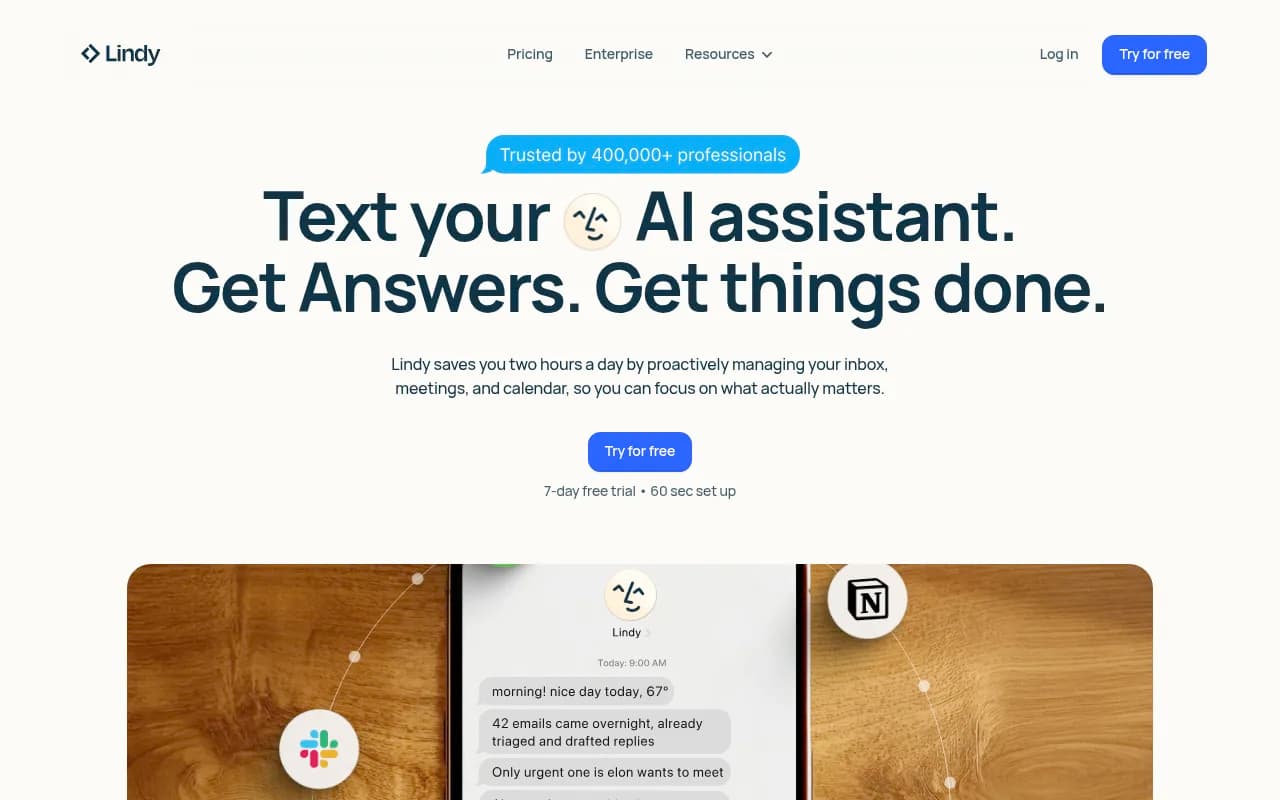
Lindy AI is an intelligent work assistant that saves professionals 2+ hours daily by proactively managing email, meetings, and calendar. Unlike basic chatbots, Lindy takes action -- drafting replies, scheduling meetings, updating CRMs, and handling busywork 24/7 via text or app. Trusted by 40,000+ p
Key Takeaways:
- Lindy AI is a proactive AI assistant that manages email, meetings, and calendar tasks automatically, saving users an average of 2 hours per day
- Unlike passive AI tools, Lindy takes real action -- drafting emails in your voice, scheduling meetings with back-and-forth coordination, updating CRMs, and handling follow-ups without prompting
- Pricing starts at $49.99/month for Pro (significantly less than human assistants at $8,000/month), with a 7-day free trial and 60-second setup
- Best for busy professionals, sales teams, recruiters, and executives drowning in email and meeting coordination
- Limitations include occasional AI accuracy issues and a learning curve for complex custom workflows
Lindy AI positions itself as the AI assistant that actually does work, not just answers questions. Built by a team that includes former Google engineers, Lindy launched in 2023 and has quickly gained traction among professionals tired of spending hours on email triage, meeting scheduling, and administrative tasks. The platform claims to save users two hours per day by proactively managing the busywork that typically consumes 45 minutes on meeting admin and 1.2 hours on inbox management daily.
What sets Lindy apart from ChatGPT, Claude, or other conversational AI tools is its action-first design. You can text Lindy like you would a human assistant, and it doesn't just provide information -- it schedules the meeting, sends the email, updates your Salesforce records, or creates the task. The platform integrates with hundreds of apps including Gmail, Google Calendar, Slack, HubSpot, Salesforce, Notion, and more, giving it the access needed to actually execute on your requests.
Core Features in Detail
Conversational Interface via iMessage and Web: Lindy works through text messages (iMessage integration is a standout feature), a web app, or within your existing tools. You can literally text your AI assistant while walking to a meeting or sitting in traffic. Ask it to "schedule a call with Sarah next week" or "draft a follow-up email to the prospect from yesterday's demo" and it handles the entire workflow. The conversational interface understands natural language, context from previous interactions, and your communication style.
Proactive Email Management: This is where Lindy shines compared to basic email assistants. It doesn't wait for you to ask -- it monitors your inbox, identifies important messages, drafts replies in your voice (after learning your writing style), and can even send responses automatically based on rules you set. For routine emails (meeting confirmations, simple questions, status updates), Lindy handles them entirely. For complex or sensitive emails, it drafts a response and asks for your approval before sending. Users report that Lindy's email drafting quality improves significantly after the first week as it learns your tone, preferred phrases, and decision-making patterns.
Meeting Scheduling with Back-and-Forth Coordination: Unlike Calendly or basic scheduling links, Lindy actively negotiates meeting times. When someone emails asking for a meeting, Lindy checks your calendar, proposes times that work, handles the back-and-forth if those times don't work, sends calendar invites, and adds relevant context to the meeting description. It can also reschedule meetings when conflicts arise, send reminders with prep notes, and follow up after meetings with action items.
Meeting Recording and Note-Taking: Lindy joins your Zoom, Google Meet, or Microsoft Teams calls, records the conversation (with participant consent), and generates structured meeting notes. Unlike generic transcription tools, Lindy creates actionable summaries with key decisions, action items assigned to specific people, and follow-up tasks. These notes can be automatically sent to attendees, saved to Notion or Google Docs, and synced to your CRM with deal updates.
CRM Automation: For sales teams and recruiters, Lindy's CRM integration is a major time-saver. It listens to sales calls or reads meeting notes, then automatically updates Salesforce, HubSpot, or Pipedrive with deal stage changes, next steps, contact information, and conversation summaries. One user from Interlaced.io reported that Lindy was "the first to turn raw conversations into structured, actionable CRM data" after trying multiple meeting recorders.
Task and Project Management: Lindy can create tasks in Asana, Trello, ClickUp, or Todoist based on your requests or meeting outcomes. Tell it "remind me to follow up with the client in 3 days" and it creates the task with the right due date and context. It can also pull information from multiple apps to answer questions like "what's the status of the Q1 campaign?" by checking Asana, Slack, and Google Drive.
Custom AI Agents (Advanced): For users who want more than the out-of-the-box assistant, Lindy offers a no-code agent builder. You can create specialized agents for specific workflows -- a recruiting agent that screens resumes and schedules interviews, a customer support agent that answers common questions and escalates complex issues, or a sales agent that qualifies leads and books demos. These agents can be triggered by specific events (new email, form submission, Slack message) and execute multi-step workflows across your tools.
Memory and Learning: Lindy saves context from every interaction, building a memory of your preferences, priorities, communication style, and work patterns. Over time, it gets better at predicting what you need, drafting responses that sound like you, and prioritizing the right tasks. This learning happens automatically -- you don't need to train it explicitly, though you can provide feedback to correct mistakes.
Integrations and Ecosystem
Lindy integrates with hundreds of apps across categories:
- Email and Calendar: Gmail, Outlook, Google Calendar, Microsoft Calendar
- Communication: Slack, Microsoft Teams, Discord, Telegram
- CRM and Sales: Salesforce, HubSpot, Pipedrive, Close
- Project Management: Asana, Trello, ClickUp, Monday.com, Notion
- Meeting Tools: Zoom, Google Meet, Microsoft Teams, Calendly
- Documents: Google Drive, Dropbox, OneDrive, Notion
- Recruiting: Greenhouse, Lever, Ashby
- Support: Zendesk, Intercom, Front
- Automation: Zapier, Make (for connecting to 1000+ additional apps)
The platform also offers an API for developers who want to build custom integrations or embed Lindy's capabilities into their own products. Browser extensions are available for Chrome and Edge, and mobile apps work on iOS and Android (though the iMessage integration is iOS-only).
Who Is Lindy For?
Lindy is built for busy professionals who spend too much time on coordination and communication tasks. Specific personas include:
Executives and Founders: CEOs, VPs, and founders managing 20+ meetings per week, hundreds of emails daily, and constant context-switching between tools. Lindy acts as a virtual chief of staff, keeping their day organized and handling routine decisions so they can focus on strategy and high-value conversations.
Sales Teams: Account executives, SDRs, and sales managers who need to log calls, update CRMs, schedule demos, and follow up with prospects. Lindy automates the post-call admin work that typically takes 30-60 minutes per day, letting reps spend more time actually selling.
Recruiters and Talent Teams: In-house recruiters and agency recruiters coordinating interviews, screening candidates, and managing applicant tracking systems. Lindy schedules interviews across multiple time zones, sends candidate updates, and keeps ATS records current without manual data entry.
Customer Success and Support Teams: CS managers and support leads handling repetitive customer questions, scheduling check-ins, and updating support tickets. Lindy can answer common questions automatically, escalate complex issues to humans, and keep customers informed throughout the resolution process.
Marketing and Operations Teams: Marketing managers and ops professionals coordinating campaigns, managing project timelines, and pulling reports from multiple tools. Lindy surfaces the information they need without searching through 3+ apps and automates status updates to stakeholders.
Team Size and Company Stage: Lindy works for individuals (solopreneurs, consultants, freelancers) up through enterprise teams. The Pro plan at $49.99/month is ideal for individuals and small teams (1-10 people). The Enterprise plan offers team access controls, SSO, SCIM, audit logs, HIPAA compliance, and dedicated support for larger organizations (50+ employees) with security and compliance requirements.
Who Should NOT Use Lindy: If you work in a highly regulated industry with strict data residency requirements beyond GDPR/HIPAA, Lindy may not meet your compliance needs. If you need an AI tool that works entirely offline or air-gapped, Lindy requires internet connectivity. If you're looking for a simple chatbot that just answers questions without taking action, ChatGPT or Claude would be simpler and cheaper.
Pricing and Value
Lindy offers three pricing tiers:
Pro Plan - $49.99/month (or $41.99/month billed annually, saving 17%):
- iMessage integration for texting your AI assistant 24/7
- Automatic inbox management and email drafting
- Meeting scheduling, prep, and follow-up
- Meeting recording and note-taking
- Learns your style and preferences over time
- Hundreds of app integrations
- 7-day free trial, no credit card required for trial
- 60-second setup process
Enterprise Plan - Custom Pricing:
- Everything in Pro
- Expanded usage limits (more emails, meetings, tasks per month)
- Team settings and access controls
- SSO (Single Sign-On), SCIM provisioning, audit logs
- HIPAA compliance with signed BAA (Business Associate Agreement)
- Dedicated customer success manager
- Onboarding and enablement for teams
- Priority support with SLAs
Lindy also offers a usage-based pricing model for phone calls (AI voice agents): starting at $0.19 per minute with GPT-4o. This is significantly cheaper than hiring human call center agents or virtual assistants.
Value Comparison: A human executive assistant typically costs $8,000/month (or $96,000/year) for full-time work. Lindy Pro at $49.99/month ($599.88/year) delivers many of the same capabilities for 0.6% of the cost. Even if Lindy only saves you 1 hour per day, that's 20+ hours per month -- at a $100/hour billing rate, that's $2,000 in reclaimed time for a $50 investment. The ROI is compelling for anyone whose time is worth more than $50/hour.
Compared to other AI assistant tools: Motion ($34/month) and Reclaim ($12-18/month) focus narrowly on calendar optimization. Clara Labs and x.ai (both now defunct or pivoted) charged $99-300/month for AI scheduling assistants with limited capabilities. Lindy offers broader functionality at a competitive price point.
Strengths and Limitations
What Lindy Does Exceptionally Well:
- Action-oriented design: Unlike ChatGPT or Claude, Lindy doesn't just answer questions -- it schedules the meeting, sends the email, updates the CRM. This action-first approach saves real time.
- iMessage integration: Being able to text your AI assistant like a human colleague is surprisingly powerful. You can manage your work from your phone without opening apps.
- Email drafting quality: After a week of learning, Lindy's email drafts are impressively on-brand. Users report that recipients can't tell the difference between Lindy-drafted emails and human-written ones.
- Meeting coordination: Lindy handles the annoying back-and-forth of scheduling better than any tool we've tested. It understands context ("find a time next week after 2pm when both Sarah and I are free") and negotiates on your behalf.
- CRM automation: For sales teams, the automatic CRM updates from meeting notes are a game-changer. No more end-of-day data entry sessions.
Honest Limitations:
- Learning curve for custom agents: While the basic assistant works out of the box, building custom agents with the no-code builder requires some trial and error. The interface is intuitive, but complex workflows take time to set up correctly.
- Occasional AI inaccuracies: Like all AI tools, Lindy sometimes misinterprets context or makes mistakes. The approval workflow for sensitive emails helps catch errors, but you need to review important outputs.
- Integration depth varies: While Lindy connects to hundreds of apps, the depth of integration varies. Gmail and Google Calendar integrations are rock-solid; some niche tools have more limited functionality.
- No offline mode: Lindy requires internet connectivity. If you work in environments with restricted internet access, it won't function.
- Enterprise features are new: The Enterprise plan with SSO, SCIM, and advanced security features launched recently. Large organizations may want to wait for these features to mature before rolling out company-wide.
Bottom Line
Lindy AI is the best AI assistant for professionals who want to reclaim hours lost to email, meetings, and administrative busywork. It's not just a chatbot -- it's a proactive assistant that takes action, learns your style, and handles coordination tasks that would otherwise consume 2+ hours of your day. The Pro plan at $49.99/month delivers exceptional value compared to human assistants or even other AI tools, and the 7-day free trial makes it risk-free to test.
Best use case in one sentence: Busy executives, sales professionals, and recruiters managing 50+ emails and 10+ meetings per week who want an AI assistant that actually does the work, not just provides advice.
Tags:
Similar and alternative tools to Lindy AI