GitHub Copilot Review 2026
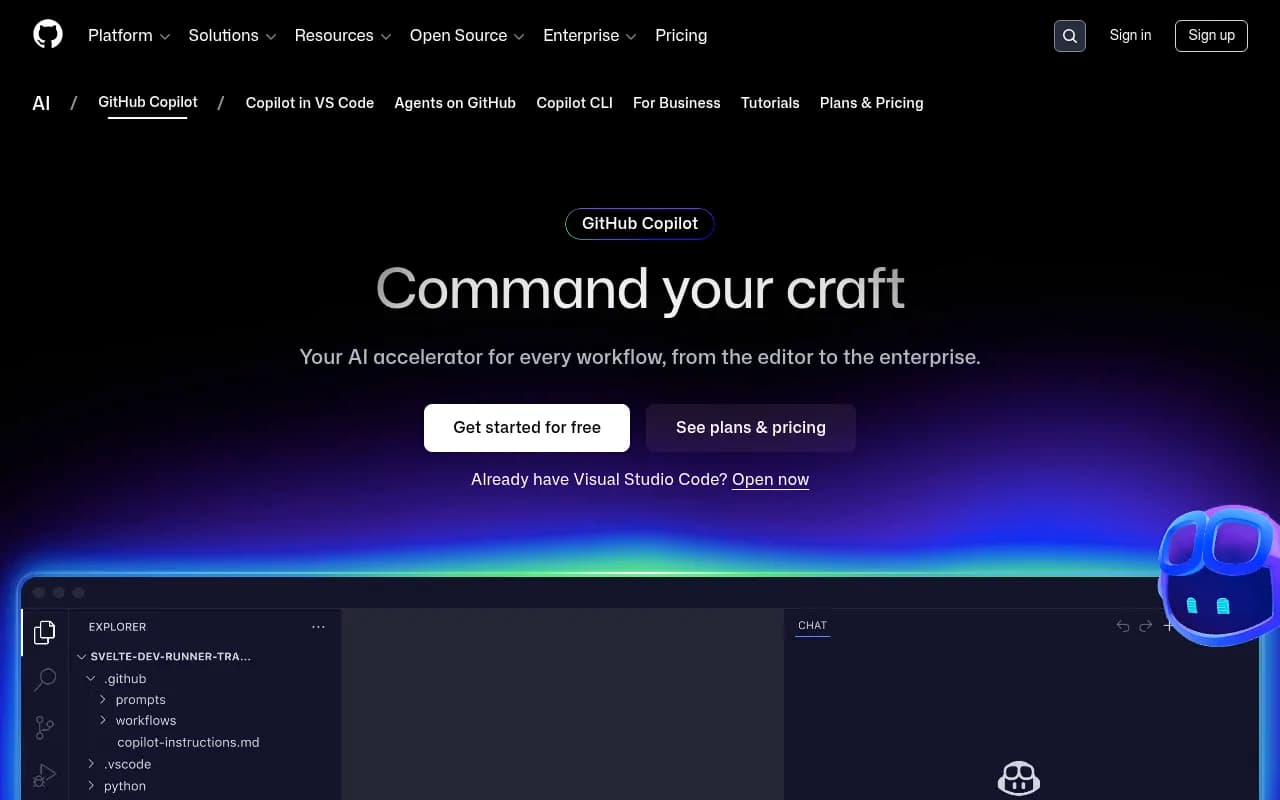
AI-powered code completion tool that assists developers in writing code faster by suggesting entire functions and helping debug issues.
Key Takeaways:
• Best for: Professional developers, teams, and enterprises looking to accelerate coding workflows with AI assistance across the entire development lifecycle • Standout strength: Deep GitHub integration with coding agents that can autonomously write code, create pull requests, and respond to feedback • Pricing: Free tier (2,000 completions/month), Pro at $10/month (unlimited completions), Pro+ at $39/month (access to Claude Opus and all premium models) • Major limitation: Quality varies significantly by programming language based on training data representation in public repositories • Unique advantage: Only AI coding assistant natively built into GitHub with access to your repository context, issues, and documentation
GitHub Copilot has evolved from a simple code completion tool into a comprehensive AI development platform that assists developers throughout the entire software lifecycle. Launched by GitHub (owned by Microsoft) and powered by models from OpenAI, Anthropic, and Google, Copilot is now the world's most widely adopted AI coding assistant with millions of individual users and tens of thousands of business customers including Grupo Boticário, General Motors, and Mercado Libre.
What sets Copilot apart is its deep integration with the GitHub ecosystem. Unlike standalone AI coding tools, Copilot has native access to your repositories, pull requests, issues, and documentation, allowing it to provide context-aware suggestions that understand your specific codebase and development patterns. The platform works across your entire workflow—from your IDE to the terminal to GitHub.com itself.
Code Completion & Suggestions: The core feature that made Copilot famous. As you type, Copilot suggests entire lines or complete functions based on your code context, comments, and function names. It examines the code before and after your cursor, open files in your editor, and repository structure to generate probabilistic suggestions. The system supports all major programming languages, though quality varies—JavaScript, Python, TypeScript, Ruby, and Go receive the strongest suggestions due to their prevalence in public repositories. Less common languages may produce fewer or less robust completions. You get unlimited completions on Pro plans, 2,000 per month on the Free tier.
Agent Mode & Autonomous Coding: This is where Copilot gets genuinely powerful. You can assign GitHub issues directly to Copilot or third-party agents like Claude by Anthropic or OpenAI Codex. The agent autonomously writes code, creates pull requests, and responds to review feedback in the background while you work on other tasks. This isn't just autocomplete—it's delegating entire features to AI. The agent understands your codebase context, follows your coding patterns, and can iterate based on feedback. Pro users get unlimited agent mode requests; Free users are limited to 50 per month.
Chat Interface (IDE & GitHub.com): Copilot Chat lets you ask questions about your code, request explanations, generate tests, or get debugging help using natural language. In your IDE (VS Code, JetBrains, Visual Studio, Neovim), chat has access to your open files, selected code, workspace frameworks, and dependencies. On GitHub.com (Enterprise plan), chat can reference your organization's entire codebase, documentation, issues, and even Bing search results. The chat maintains conversation history to provide contextual follow-ups. You can ask "Why is this function failing?" or "Write unit tests for this class" and get specific, context-aware responses.
Copilot CLI (Terminal Integration): Direct Copilot from your terminal using natural language commands. Instead of remembering complex git commands or bash syntax, you can type what you want to accomplish and Copilot plans, builds, and executes the workflow. It understands your GitHub context and can perform multi-step operations like "create a new branch, cherry-pick commits from the last week, and push to origin."
Code Review Agent: Copilot can automatically review pull requests on GitHub.com, providing detailed feedback on code quality, potential bugs, security vulnerabilities, and best practices. Organizations can enable code review for all PRs, even from contributors without Copilot licenses (billed as premium requests). The agent scans for common vulnerability patterns including hardcoded credentials, SQL injections, and path injections, and suggests improvements based on your team's coding standards.
Copilot Spaces (Knowledge Sharing): Create shared sources of truth for your team by building Spaces that include context from your documentation and repositories. This scales institutional knowledge across teams and keeps everyone consistent. When developers ask Copilot questions, it references your Space's curated knowledge rather than just generic training data.
Multi-Model Support: Unlike tools locked to a single AI provider, Copilot lets you choose from leading models optimized for different use cases. Access GPT-4.1, GPT-5 mini, Claude Haiku 4.5, Claude Opus 4.1, Google models, and more. Pro+ users get access to all models including the latest Claude Opus. You can switch models based on whether you need speed (Haiku), accuracy (Opus), or cost efficiency.
Duplication Detection & Code Referencing: Copilot includes an optional filter that detects when suggestions match public code on GitHub (65+ lexemes). If enabled, it suppresses matching suggestions to reduce copyright risk. The code referencing feature (in VS Code) shows you when a suggestion matches public repositories, displays applicable licenses, and provides deep links to review the source. This transparency helps you make informed decisions about using suggestions.
Enterprise Management & Security: Business and Enterprise plans include centralized admin controls, audit logs, policy enforcement, and the ability to manage which AI models and agents developers can access. You can configure MCP (Model Context Protocol) server access with allow lists to prevent unauthorized integrations. For IDE-based chat and completions, prompts and suggestions are not retained. For GitHub.com chat and CLI, data is retained for 28 days to maintain conversation context.
Platform Support: Copilot works in VS Code, Visual Studio, JetBrains IDEs (IntelliJ, PyCharm, WebStorm, etc.), Neovim, Xcode, Eclipse, Zed, SQL Server Management Studio, Raycast, and GitHub Mobile. Chat functionality is available in VS Code, JetBrains, and Visual Studio. The GitHub CLI integration works in any terminal. Enterprise users get Copilot natively integrated into GitHub.com.
Who Is It For:
GitHub Copilot is built for professional developers and teams already using GitHub for version control. Individual developers, freelancers, and solo founders working on side projects will benefit most from the Pro plan ($10/month)—you get unlimited completions, chat, and coding agents without enterprise overhead. It's particularly valuable if you frequently context-switch between projects or work with unfamiliar frameworks where Copilot can accelerate your learning curve.
Development teams at startups and mid-size companies (5-100 developers) should consider Copilot Business. The license management, policy controls, and IP indemnity become critical when multiple developers are shipping production code. Teams report 55% productivity gains and 75% higher job satisfaction, which compounds across larger teams.
Enterprises with hundreds of developers, strict compliance requirements, or large proprietary codebases need Copilot Enterprise. The ability to index your entire organization's code, create custom Spaces with institutional knowledge, and fine-tune private models for code completion justifies the higher cost. Companies like Grupo Boticário report 94% productivity increases.
Copilot is less ideal for developers working primarily in niche or domain-specific languages with limited public repository representation. The quality of suggestions correlates directly with training data volume—if your language isn't well-represented on GitHub, you'll get weaker results. It's also not a replacement for junior developers learning fundamentals; you still need to understand what the code does and review suggestions critically.
Integrations & Ecosystem:
Copilot integrates natively with GitHub (obviously), including GitHub Actions for CI/CD, GitHub Advanced Security for vulnerability scanning, Dependabot for dependency management, and CodeQL for code analysis. It connects to Bing for web search context in Enterprise chat. The platform supports MCP servers for custom integrations, allowing you to connect proprietary tools and data sources. Third-party agents from Anthropic (Claude) and OpenAI (Codex) can be assigned to issues directly from GitHub. Mobile apps for iOS and Android provide chat access with repository context. Browser extensions are not offered—Copilot works through IDE extensions and the GitHub.com interface.
Pricing & Value:
GitHub Copilot Free is genuinely usable for casual developers: 2,000 code completions and 50 chat/agent requests per month, access to Haiku 4.5 and GPT-4.1 models. This is enough for side projects or learning. Free for verified students, teachers, and maintainers of popular open source projects.
Copilot Pro costs $10/month or $100/year. You get unlimited completions, unlimited chat with GPT-5 mini, coding agents, code review, access to models from Anthropic/Google/OpenAI, and 300 premium requests monthly for latest models (with option to buy more). This is exceptional value compared to competitors like Cursor ($20/month) or Tabnine ($12/month for Pro).
Copilot Pro+ is $39/month or $390/year. Adds Claude and Codex agents on GitHub and VS Code, access to all models including Claude Opus 4.1, 5x more premium requests than Pro, and GitHub Spark access. Best for power users who need cutting-edge models and autonomous agents.
Copilot Business is priced per seat for organizations (contact sales). Includes everything in Pro plus license management, policy controls, and IP indemnity. Enterprise pricing (also contact sales) adds GitHub.com integration, codebase indexing, Copilot Spaces, and custom model fine-tuning.
Value proposition: If Copilot saves you even 30 minutes per day, the Pro plan pays for itself immediately for any developer earning more than $5/hour. The productivity research (55% faster coding, 75% higher satisfaction) suggests ROI is substantially higher. The Free tier is generous enough to evaluate whether Copilot fits your workflow before committing.
Strengths:
• Deep GitHub integration that no competitor can match—native access to your repos, issues, PRs, and docs provides context other tools can't access • Autonomous coding agents that can complete entire features in the background while you work on other tasks • Model flexibility with access to OpenAI, Anthropic, and Google models rather than being locked to a single provider • Transparent code referencing that shows when suggestions match public code and displays applicable licenses • Enterprise-grade security with data retention policies, audit logs, and IP indemnity for Business/Enterprise customers
Limitations:
• Language quality variance is significant—JavaScript and Python get excellent suggestions while niche languages may produce mediocre results • No offline mode—Copilot requires an internet connection to function, unlike some competitors that cache models locally • Context window limitations mean it doesn't always understand large codebases as well as you'd hope, though Copilot Spaces helps address this for Enterprise users
Bottom Line:
GitHub Copilot is the most mature and widely-adopted AI coding assistant for good reason. If you're already using GitHub for version control, Copilot is the obvious choice—the native integration and repository context awareness provide advantages that standalone tools can't replicate. The Free tier is generous enough to try it risk-free, and the Pro plan at $10/month is a no-brainer for professional developers. Teams and enterprises get significant productivity gains that justify Business/Enterprise pricing, especially with autonomous coding agents and custom knowledge bases. Best use case in one sentence: Professional developers and teams using GitHub who want AI assistance that understands their specific codebase and can autonomously complete features while maintaining code quality and security standards.
Similar and alternative tools to GitHub Copilot