MailerLite Review 2026
Budget-friendly platform with user-friendly interface, landing pages, automation, and excellent deliverability for small to medium businesses.
Summary: Key Takeaways
• Best for: Creators, small businesses, and agencies managing 1-50,000 subscribers who want powerful email marketing without enterprise complexity or pricing • Standout strengths: Genuinely intuitive interface, excellent email deliverability (consistently rated top 5), 24/7 live chat support with 5-minute average response time, and generous free plan (12,000 emails/month) • Unique features: Built-in website builder, digital product sales platform, paid newsletter subscriptions, and gamified pop-ups (spin-to-win, countdown timers) • Limitations: Advanced segmentation not as deep as ActiveCampaign, CRM features are basic, no built-in SMS marketing (requires Zapier) • Pricing: Free up to 1,000 subscribers, then from $9/month — significantly cheaper than Mailchimp or Klaviyo for the same subscriber count
MailerLite has quietly become one of the most popular email marketing platforms for creators and small businesses, serving over 1 million users worldwide. Founded in 2010 in Lithuania, the company has maintained a deliberately lean operation (hence "Lite" in the name) to keep costs low and pass savings to customers. Unlike bloated enterprise platforms that require a PhD to navigate, MailerLite focuses on making email marketing genuinely accessible without sacrificing power.
The platform targets solopreneurs, content creators, coaches, small ecommerce stores, nonprofits, and agencies managing multiple client accounts. It's particularly popular with newsletter creators, course sellers, and Shopify store owners who need reliable email marketing but don't have a dedicated marketing team. If you're sending between 1,000 and 100,000 emails per month and want something more capable than Mailchimp but less overwhelming than HubSpot, MailerLite hits the sweet spot.
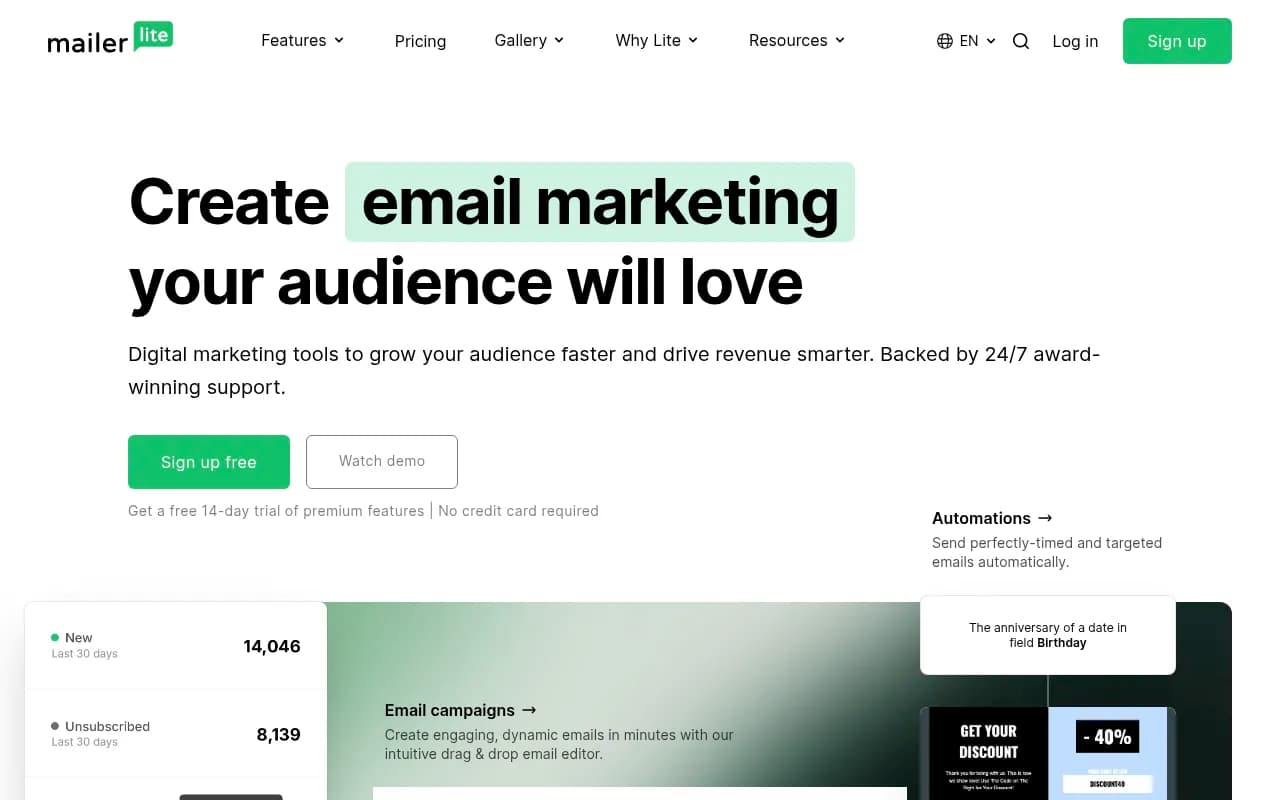
Email Campaign Builder The drag-and-drop email editor is where MailerLite shines brightest. You can build professional newsletters in minutes using pre-designed content blocks (text, images, buttons, products, videos, social icons). The interface feels like Canva for email — visually intuitive with real-time preview. You can switch between drag-and-drop, rich text, and custom HTML editors depending on your skill level. The template library includes 100+ mobile-responsive designs across categories like ecommerce, events, newsletters, and promotions. Each template is actually well-designed (not the dated clip-art aesthetic you see in some competitors). You can save your own templates and content blocks for reuse. Dynamic content lets you personalize emails based on subscriber data (name, location, custom fields). The photo editor includes basic cropping, filters, and text overlay so you don't need to jump to external tools for simple edits. One nice touch: the unsubscribe page is customizable, so you can keep your branding consistent even when people leave.
Email Automation MailerLite's automation builder uses a visual workflow canvas where you drag triggers, conditions, and actions to create sequences. Common triggers include: new subscriber, date-based (birthday, anniversary), email activity (clicked link, opened email), website activity (visited page, submitted form), ecommerce events (abandoned cart, purchase), and custom field changes. You can add time delays, A/B split tests, and conditional logic (if/then branches based on subscriber behavior). Pre-built automation templates cover welcome series, abandoned cart recovery, re-engagement campaigns, post-purchase follow-ups, and birthday emails. The automation reporting shows you exactly where subscribers are in each workflow and which paths they took. One limitation: you can't trigger automations based on external events via webhook (you'd need Zapier for that). The automation builder is simpler than ActiveCampaign's but more capable than Mailchimp's — perfect for most small business use cases.
Landing Pages & Website Builder Unlike most email platforms that treat landing pages as an afterthought, MailerLite includes a full website builder. You can create multi-page websites with custom domains, blog functionality, and integrated signup forms. The drag-and-drop builder uses the same interface as the email editor, so there's no learning curve. Templates include portfolios, event pages, product launches, coming soon pages, and business sites. Each page is automatically mobile-responsive. You can embed forms, add countdown timers, integrate payment buttons (Stripe), and connect your custom domain. For creators who just need a simple web presence to collect emails and sell digital products, this eliminates the need for WordPress or Squarespace. The blog feature is basic (no advanced SEO tools or content scheduling) but functional for newsletter archives or simple content marketing. Landing pages load fast and include built-in analytics (views, conversion rate, traffic sources).
Signup Forms & Pop-ups MailerLite offers embedded forms, pop-ups, and promotional pop-ups (gamified). Embedded forms can be placed on your website via code snippet or WordPress plugin. Pop-up triggers include: time delay, scroll depth, exit intent, and inactivity. The promotional pop-ups are where it gets interesting — you can create spin-to-win wheels, scratch cards, and countdown timer pop-ups to gamify email collection. These convert significantly better than standard pop-ups (MailerLite reports 2-3x higher opt-in rates). Forms support multi-step sequences, custom fields, GDPR compliance checkboxes, and double opt-in. You can A/B test form designs and track performance by source. The form builder includes conditional logic (show/hide fields based on previous answers). One nice feature: you can create different forms for different audience segments and track which sources bring the highest-quality subscribers.
Subscriber Management & Segmentation Subscribers are organized into groups (lists) and segments (dynamic filters). You can import via CSV, copy-paste, or integrate with 100+ apps. Custom fields let you store any data (text, number, date) about subscribers. Segmentation filters include: group membership, custom field values, email activity (opened, clicked, didn't open), signup date, location, and automation status. You can combine multiple conditions with AND/OR logic. Segments update automatically as subscriber behavior changes. The subscriber timeline shows every interaction (emails received, opens, clicks, form submissions, purchases). You can manually add notes to subscriber profiles. One limitation compared to enterprise tools: you can't create segments based on predictive scoring or advanced behavioral patterns. For most small businesses, the segmentation is more than sufficient.
Ecommerce & Digital Products MailerLite includes a built-in digital product sales platform — you can sell ebooks, courses, templates, or any downloadable file directly through email campaigns and landing pages. You connect your Stripe account, upload your product, set the price, and MailerLite handles payment processing and file delivery. Customers receive automatic download links after purchase. You can create product pages, add checkout forms to emails, and track sales in the dashboard. For physical products, MailerLite integrates with Shopify, WooCommerce, and BigCommerce to sync customer data and trigger abandoned cart emails. The ecommerce automations include: welcome series for new customers, post-purchase thank you, product recommendation based on past purchases, and win-back campaigns for inactive customers. You can also set up paid newsletter subscriptions with recurring Stripe payments — useful for creators monetizing premium content.
Reporting & Analytics Campaign reports show: open rate, click rate, unsubscribe rate, bounce rate, and click heatmap (which links got the most clicks). You can compare performance across campaigns and see trends over time. The click map visually highlights which parts of your email got engagement. Subscriber growth reports track new signups, unsubscribes, and list health. Automation reports show completion rates and revenue generated (if you're selling products). Landing page analytics include: views, conversion rate, traffic sources, and device breakdown. You can export all data to CSV. One missing feature: no built-in A/B testing for subject lines or send times (you have to manually create variants). The reporting is clear and actionable but not as granular as Klaviyo or ActiveCampaign.
Deliverability MailerLite consistently ranks in the top 5 for email deliverability across independent tests. EmailToolTester's 2024 study gave MailerLite a 5/5 deliverability score, with 99.3% of emails reaching the inbox (not spam folder). The platform uses dedicated IP addresses for high-volume senders, automatic list cleaning to remove invalid addresses, and DKIM/SPF/DMARC authentication. You can set up a custom sending domain to improve reputation. MailerLite monitors spam complaints and automatically suppresses problematic addresses. The support team proactively helps if your deliverability drops. For small businesses, deliverability is often the difference between success and failure — MailerLite takes it seriously.
Integrations & API MailerLite integrates with 100+ tools including: Shopify, WooCommerce, WordPress, Stripe, Zapier, Make, Canva, Facebook Ads, Google Analytics, Typeform, and Calendly. The WordPress plugin syncs blog subscribers and lets you embed forms. The Shopify integration tracks purchases and syncs customer data for segmentation. Zapier unlocks 5,000+ additional integrations. The REST API is well-documented for developers who want to build custom integrations. You can use webhooks to trigger external actions based on MailerLite events. The API supports subscriber management, campaign creation, and reporting. One limitation: no native CRM integrations (Salesforce, HubSpot) — you'd need Zapier as middleware.
Customer Support MailerLite offers 24/7 live chat support with an average 5-minute response time. The support team is genuinely helpful (not just reading from scripts) and can assist with technical setup, strategy advice, and troubleshooting. Email support is also available. The knowledge base includes 500+ articles, video tutorials, and step-by-step guides. There's an active Facebook community (20,000+ members) where users share tips. MailerLite also publishes free email marketing courses and webinars. The quality of support is a major differentiator — many competitors (especially at this price point) offer slow or outsourced support.
Who Should Use MailerLite
MailerLite is ideal for: Newsletter creators and bloggers building an audience (1,000-50,000 subscribers), course creators and coaches selling digital products, Shopify and WooCommerce store owners (under $100k/year revenue), nonprofits and community organizations on tight budgets, agencies managing 5-20 client accounts, and solopreneurs who want powerful tools without complexity.
It's particularly strong for users who value: Clean, intuitive interface over feature bloat, excellent email deliverability, responsive customer support, transparent pricing with no hidden fees, and all-in-one solution (email + landing pages + website + ecommerce).
Who Should NOT Use MailerLite
MailerLite is not ideal for: Enterprise companies needing advanced CRM features and sales pipeline management, ecommerce brands doing $1M+ in revenue (Klaviyo or Omnisend would be better), businesses requiring deep predictive analytics and AI-powered segmentation, teams that need built-in SMS marketing (MailerLite only does email), and agencies needing white-label solutions.
If you need multi-channel marketing (email + SMS + push notifications + ads) in one platform, consider Klaviyo or Brevo. If you need a full CRM with deal tracking and sales automation, look at ActiveCampaign or HubSpot.
Pricing Breakdown
MailerLite uses subscriber-based pricing:
Free Plan: Up to 1,000 subscribers, 12,000 emails/month, email campaigns, signup forms, websites, landing pages, 24/7 support. This is one of the most generous free plans in the industry — most competitors limit you to 500 subscribers or 2,500 emails.
Growing Business Plan: Starts at $9/month for 1,000 subscribers, scales to $18/month (2,500 subscribers), $27/month (5,000 subscribers), $54/month (10,000 subscribers). Includes everything in Free plus: unlimited emails, automation, dynamic emails, A/B testing (manual), auto-resend to non-openers, and remove MailerLite branding.
Advanced Plan: Starts at $20/month for 1,000 subscribers. Adds: unlimited users (team accounts), custom HTML editor, promotion pop-ups, unsubscribe page builder, and Facebook integration.
Enterprise: Custom pricing for 100,000+ subscribers. Includes dedicated IP, dedicated account manager, and priority support.
Compared to competitors: Mailchimp charges $13/month for 500 subscribers (MailerLite is $9 for 1,000). Klaviyo charges $20/month for 500 subscribers. ConvertKit charges $15/month for 1,000 subscribers. MailerLite is consistently 30-50% cheaper at every tier.
Strengths
Genuinely intuitive interface — You can build your first campaign in under 10 minutes without watching tutorials. The UI is clean, modern, and logically organized.
Exceptional deliverability — Consistently rated top 5 in independent tests. Your emails actually reach the inbox.
24/7 support that actually helps — 5-minute average response time, knowledgeable team, no outsourced script-readers.
All-in-one platform — Email, landing pages, websites, forms, and digital product sales in one tool. Eliminates the need for multiple subscriptions.
Transparent, affordable pricing — No hidden fees, no sudden price jumps, no forcing you to upgrade for basic features.
Limitations
No built-in SMS marketing — You'd need to integrate Twilio or another SMS provider via Zapier. Competitors like Brevo and Omnisend include SMS.
Basic CRM features — You can store custom fields and notes, but there's no deal pipeline, lead scoring, or sales automation. ActiveCampaign is stronger here.
Limited A/B testing — You can manually create A/B variants, but there's no automatic subject line testing or send time optimization like Mailchimp offers.
Bottom Line
MailerLite is the best email marketing platform for creators and small businesses who want powerful features without enterprise complexity or pricing. It excels at the fundamentals — beautiful emails, reliable delivery, helpful support — while adding genuinely useful extras like website building and digital product sales. The interface is so intuitive that you'll actually enjoy using it (rare in marketing software). At $9-$54/month for most small businesses, it's 30-50% cheaper than Mailchimp or Klaviyo with comparable features.
Best use case in one sentence: If you're a creator, coach, or small ecommerce store building an audience of 1,000-50,000 subscribers and want email marketing that just works without the bloat, MailerLite is your best bet in 2026.
Tags:
Similar and alternative tools to MailerLite