Mural Review 2026
A digital whiteboard platform for workshops, design thinking, and agile planning. Offers templates, facilitation tools, and integrations with Slack, Teams, and Jira.
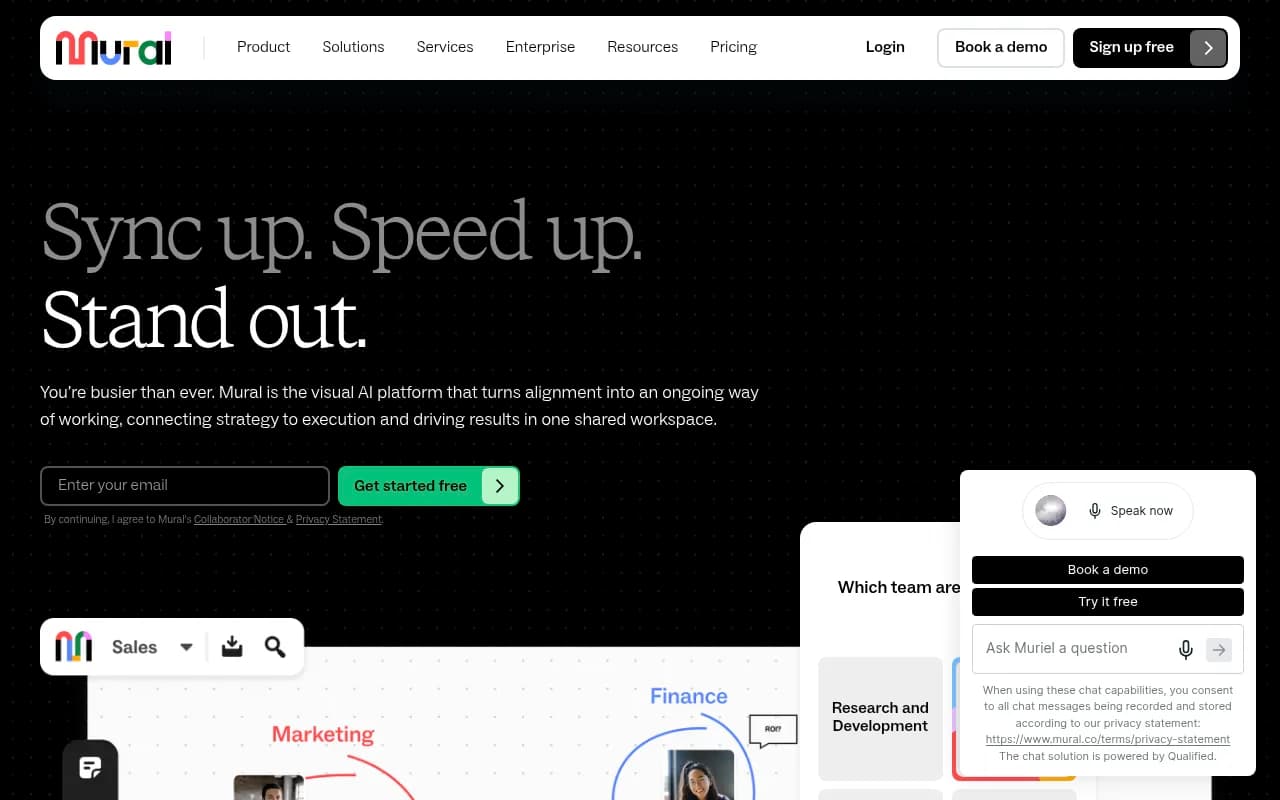
Key takeaways
- Mural is a mature, enterprise-ready visual collaboration platform used by Microsoft, IBM, Delta, and SAP -- not a scrappy startup tool
- The AI layer (Mural AI) is genuinely useful for brainstorming, summarizing sticky notes, and generating next steps -- not just a marketing checkbox
- Pricing starts free and scales to enterprise, with the Team+ plan at $9.99/member/month billed annually
- The LUMA Institute methodology is baked into the product, giving facilitation depth that competitors like Miro don't match
- Best fit for mid-market and enterprise teams doing workshops, design sprints, and cross-functional planning; less ideal for solo users or pure project management
Mural (operated by Tactivos, Inc.) has been around since 2011, quietly building one of the more serious digital whiteboard platforms on the market. While Miro grabbed a lot of the early spotlight, Mural carved out a distinct identity around structured facilitation, design thinking, and enterprise-grade collaboration. The company acquired the LUMA Institute in 2021, which turned out to be a smart move -- it gave Mural a proprietary methodology and a library of facilitation techniques that no competitor can easily replicate.
The platform is positioned as an "AI-powered visual workspace," and unlike a lot of tools that slap AI onto an existing product and call it a day, Mural's AI integration feels reasonably well thought through. It's not just a chatbot in the corner -- AI shows up in brainstorming, synthesis, template generation, and workflow guidance. The target audience is broad: sales teams, product and R&D teams, marketing, and consultants all get dedicated use-case pages and templates. That breadth is both a strength and a challenge, since it means the product has to be good enough for very different kinds of work.
Mural has raised significant funding over the years (over $200M as of its last known rounds) and counts Microsoft as a key partner, with deep integration into Microsoft Teams and Surface Hub. That partnership matters a lot for enterprise buyers who live inside the Microsoft ecosystem.
Key features
Infinite canvas workspace
The core of Mural is an infinite canvas where teams can place sticky notes, images, shapes, text, connectors, and embedded content. It handles real-time collaboration well -- you can see other participants' cursors, and there's no noticeable lag even with large groups. The canvas supports zooming from a bird's-eye view down to individual sticky notes, which sounds basic but matters a lot when you're running a workshop with 30 people and need to navigate quickly.
- Supports anonymous guest access (visitors can join without an account)
- Presenter mode lets facilitators guide participants through a canvas step by step
- Private mode lets participants brainstorm independently before sharing with the group
LUMA facilitation system
This is where Mural genuinely differentiates itself. The LUMA Institute's Human-Centered Design methodology is built into the product as a system of 36 methods organized around three modes: Looking (research), Understanding (synthesis), and Making (ideation). These aren't just templates -- they come with facilitation guidance, timing suggestions, and instructions for how to run each activity.
For teams that don't have an experienced facilitator on staff, this is genuinely valuable. You can run a proper design sprint or stakeholder mapping session without needing to know what you're doing beforehand. Miro has templates too, but they don't have anything like the LUMA depth.
Mural AI
The AI layer handles several distinct tasks:
- Brainstorm generation: Seed a topic and Mural AI generates sticky notes to kickstart ideation
- Synthesis and clustering: After a brainstorm, AI can group sticky notes by theme and label the clusters
- Summarization: Condense a board full of notes into a readable summary
- Next steps: AI suggests action items based on the content of a session
- Template recommendations: Based on what you're trying to do, AI suggests relevant templates
In practice, the brainstorm and clustering features are the most useful. The synthesis quality is decent -- not perfect, but good enough to save 20-30 minutes of manual sorting after a workshop. The next-steps feature is more hit-or-miss; it works well when the board content is structured, less so when it's a free-form mess.
Templates library
Mural has over 200 templates covering design thinking, agile ceremonies (retrospectives, sprint planning, story mapping), sales tools (account planning, stakeholder maps), OKR planning, and more. Templates are organized by use case and team type, and many include facilitation instructions embedded directly in the canvas.
The quality is noticeably higher than what you'd find in most competitors' template libraries. These aren't just blank grids with labels -- they're opinionated, structured activities with guidance built in.
Facilitation tools
Running a live session in Mural is where the product really earns its keep:
- Timer: Built-in countdown timer visible to all participants
- Voting: Anonymous dot voting on sticky notes or areas of the canvas
- Private mode: Participants brainstorm without seeing each other's work until revealed
- Summon: Bring all participants to your current view instantly
- Follow mode: Participants follow the facilitator's view automatically
These tools are table stakes for any serious workshop platform, and Mural executes them well. The voting feature in particular is clean and fast.
Enterprise security and administration
Mural takes enterprise requirements seriously. The platform offers SSO (SAML 2.0), SCIM provisioning, audit logs, data residency options, and guest access controls. There's a dedicated trust and security page with compliance documentation. For IT teams evaluating collaboration tools, this matters -- a lot of whiteboard tools are consumer-grade products trying to sell to enterprise, and Mural is not that.
Developer API and integrations
Mural has a public API and a developer portal, which is more than most visual collaboration tools offer. The API allows programmatic creation of murals, management of members, and retrieval of content. This opens up use cases like automatically generating workshop boards from CRM data or syncing outcomes to project management tools.
Who is it for
Mural fits best for mid-market and enterprise teams that do a lot of cross-functional, facilitated work. Think: a 50-person product team at a SaaS company running weekly design sprints, or a consulting firm that facilitates client workshops and needs a tool that looks professional and handles guest access gracefully. The LUMA methodology makes it particularly strong for teams that want structured facilitation without hiring a dedicated facilitator.
Sales teams are a growing use case that Mural is actively investing in. The account planning and stakeholder mapping templates are genuinely useful for enterprise sales cycles, and the ability to co-create a canvas live with a customer during a discovery call is a real differentiator. IBM's case study (1.5 days per week given back to the sales team) is a specific, credible data point here.
Consultants and agencies also get a lot of value from Mural. The guest access model means clients can join a session without creating an account, which removes a lot of friction. The professional-looking templates help consultants deliver polished workshops without building everything from scratch.
Who should probably look elsewhere: solo users who just need a personal whiteboard (the free plan is limited and the tool is clearly optimized for teams), teams that primarily need project management rather than visual collaboration (Mural is not a Jira replacement), and very small startups where the per-seat pricing adds up quickly.
Integrations and ecosystem
Mural's integration story is strong, particularly around the Microsoft ecosystem:
- Microsoft Teams: Deep integration -- you can open and edit murals directly inside Teams, and there's a dedicated Surface Hub app for in-room collaboration
- Slack: Share murals and get notifications in Slack channels
- Jira: Link Jira issues to sticky notes and sync work items
- GitHub: Integration for development teams to connect code and planning
- Asana, Trello: Task management connections
- Google Workspace: Import from Google Drive, embed Google Docs
- Zoom: Mural can be used as a Zoom app during calls
- Webex: Similar in-call integration
The API is REST-based and reasonably well documented. Developers can create murals, manage workspaces, handle member provisioning, and retrieve canvas content. It's not the most feature-rich API in the world, but it covers the main automation use cases.
Mural also has iOS and Android apps, which work well for viewing and basic editing. Running a full workshop from a phone is awkward (as it would be on any canvas tool), but the apps are solid for reviewing boards on the go.
Pricing and value
Mural's pricing structure as of 2026:
- Free: Limited murals, basic features, good for trying the product
- Team+: $9.99/member/month billed annually ($12/month billed monthly) -- unlimited murals, full template library, basic AI features
- Business: Adds advanced AI, analytics, and admin controls (pricing not publicly listed, requires contact)
- Enterprise: Custom pricing, SSO, SCIM, data residency, dedicated support
The free plan is genuinely usable for small teams evaluating the product, but the mural limits will push most real teams to a paid plan quickly. At $9.99/seat/month, Mural is priced similarly to Miro (which starts at $10/seat/month for the Starter plan). For enterprise buyers, the Microsoft partnership often means Mural is available through existing Microsoft agreements, which can simplify procurement.
The LUMA methodology access is included in paid plans, which is worth noting -- you're not just paying for a canvas, you're paying for a facilitation system that would otherwise require training or consulting.
Strengths and limitations
What Mural does well:
- The LUMA facilitation system is genuinely unique and adds real depth to workshops that competitors can't match with templates alone
- Enterprise readiness is solid -- SSO, SCIM, audit logs, and the Microsoft partnership make IT procurement straightforward
- The AI synthesis and clustering features save meaningful time after large brainstorming sessions
- Guest access without account creation removes a major friction point for client-facing work
- The facilitator tools (timer, voting, private mode, summon) are well-executed and reliable
Honest limitations:
- The canvas can get slow and unwieldy with very large boards -- performance degrades noticeably when you have hundreds of sticky notes and embedded images
- Miro has a larger template marketplace and a bigger third-party ecosystem; if you need a specific niche template, Miro is more likely to have it
- The AI features, while useful, are not as sophisticated as what dedicated AI tools offer -- the synthesis quality is good but not great, and the next-steps generation can be generic
- Pricing transparency is limited at the Business and Enterprise tiers, which requires a sales conversation that some buyers find frustrating
Bottom line
Mural is the right choice for enterprise and mid-market teams that do serious facilitated work -- workshops, design sprints, sales enablement sessions, and cross-functional planning. The LUMA methodology integration is a genuine differentiator, and the Microsoft partnership makes it a natural fit for organizations already in the Microsoft ecosystem. If you're a consulting firm, a product team running regular design sprints, or a sales organization trying to run more interactive customer sessions, Mural is worth a serious look.
Best use case in one sentence: Mural is the go-to visual workspace for enterprise teams that need structured facilitation, not just a blank canvas.
Tags:
Frequently asked questions
What is Mural and what is it used for?
How much does Mural cost?
Is there a free plan for Mural?
How does Mural compare to Miro?
What integrations does Mural support?
Is Mural suitable for enterprise use?
Similar and alternative tools to Mural