Lucid Visual Collaboration Suite Review 2026
Combines Lucidchart and Lucidspark into a suite for creating diagrams, flowcharts, and collaborative whiteboards. Used by engineering, design, and business teams.
Key takeaways
- Lucid is the dominant visual collaboration platform, combining Lucidchart (diagramming) and Lucidspark (whiteboarding) into a single suite used by 99% of Fortune 500 companies
- The free tier is genuinely usable, and paid plans start at $9/month for individuals -- competitive pricing for what you get
- AI features have expanded significantly in 2026, including diagram generation, AI-powered documentation, and MCP integrations with ChatGPT and Claude
- The integration library is one of the deepest in the category -- 100+ custom-built connections including Jira, Confluence, Salesforce, AWS, Azure, Slack, and Microsoft 365
- Enterprise add-ons (Process Accelerator, Cloud Accelerator, Enterprise Shield) add meaningful governance and security capabilities for large organizations
- The suite can feel like two separate products stitched together -- Lucidchart and Lucidspark have different interfaces and workflows, which takes some getting used to
Lucid Visual Collaboration Suite is the product of Lucid Software, a Utah-based company founded in 2010. What started as Lucidchart -- a browser-based alternative to Microsoft Visio -- has grown into a multi-product platform that now includes Lucidspark (virtual whiteboarding), an acquisition of product management tool airfocus, and a growing set of AI capabilities. The company has raised over $700 million in funding and consistently ranks among the most widely deployed SaaS tools in enterprise environments. As of 2026, Lucid claims 100 million individual users across 180+ countries, and it ranked #13 on Okta's list of most popular enterprise apps.
The core problem Lucid solves is visual communication at scale. Most organizations have knowledge scattered across documents, slide decks, and people's heads. Lucid gives teams a shared visual layer -- a place to map systems, plan sprints, design processes, and run workshops -- that connects to the tools they already use. It's not just a diagramming tool or just a whiteboard. The pitch is that you can move from strategy to execution without switching platforms.
The target audience is broad by design: engineering teams mapping software architecture, IT teams documenting infrastructure, product managers running agile ceremonies, HR teams building org charts, and executives doing strategic planning. That breadth is both a strength and a source of occasional confusion about what exactly Lucid is.
Key features
Lucidchart -- intelligent diagramming
Lucidchart is the original product and still the core of the suite. It handles flowcharts, UML diagrams, ERDs, network diagrams, org charts, process maps, and more. The shape library is extensive, with purpose-built shape sets for AWS, Azure, Google Cloud, Cisco, and other technical domains. Data linking lets you connect shapes to live data from Google Sheets, Excel, or other sources -- so an org chart can pull from a spreadsheet and update automatically. Conditional formatting rules let shapes change color or style based on data values, which is genuinely useful for status dashboards and system health maps.
Lucidspark -- virtual whiteboarding
Lucidspark is Lucid's answer to Miro and FigJam. It's an infinite canvas for brainstorming, retrospectives, sprint planning, and workshops. Sticky notes, voting, timers, and facilitation tools are all present. The canvas feels slightly more structured than Miro -- which some teams prefer and others find limiting. One practical advantage: content created in Lucidspark can be converted into Lucidchart diagrams, which closes the loop between ideation and documentation.
AI-powered diagram and documentation generation
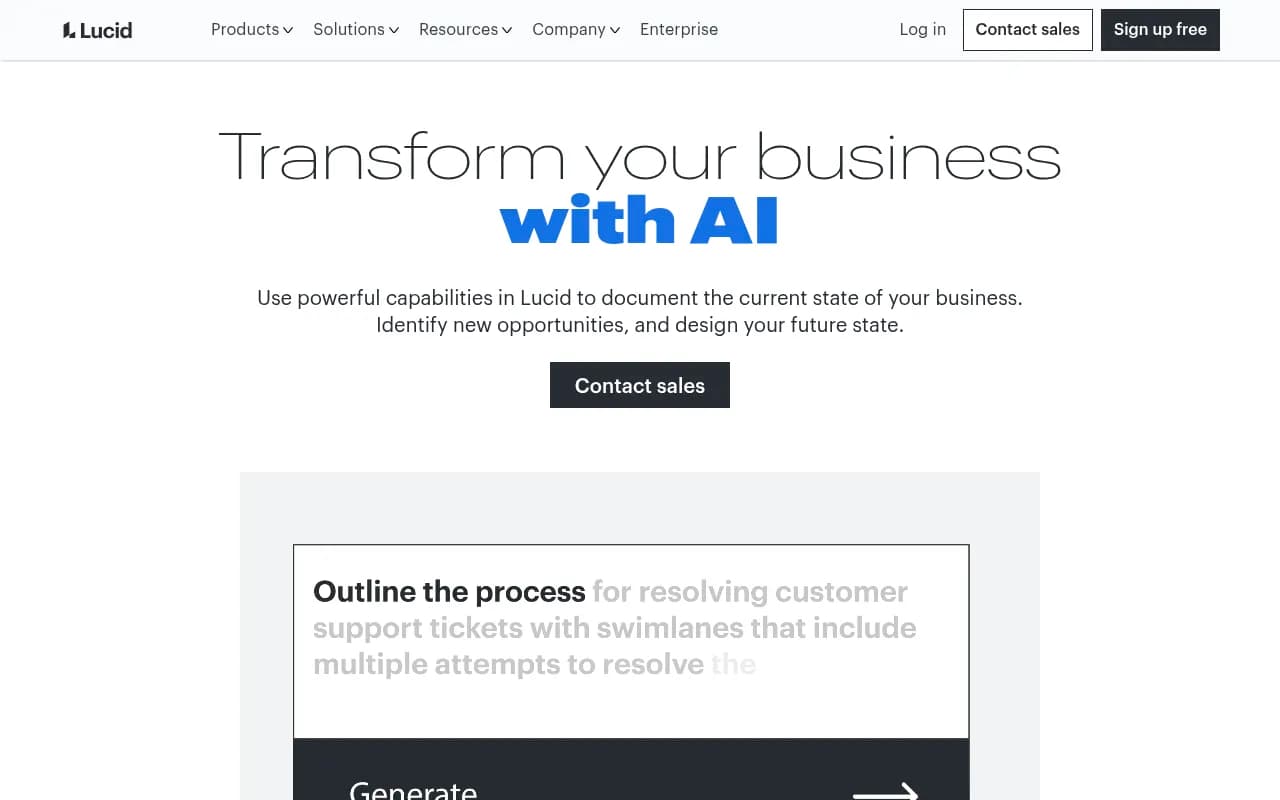
In 2026, Lucid's AI features have become a real differentiator. You can describe a process or system in plain text and have Lucid generate a diagram automatically. The AI can also analyze existing diagrams and suggest improvements or generate documentation from them. The "AI documentation" angle is interesting -- Lucid positions this as providing context for AI agents, not just human readers. Whether that framing holds up in practice depends on your organization's AI adoption, but the underlying capability (auto-generating structured documentation from visual content) is useful regardless.
MCP integrations with ChatGPT and Claude
This is a newer addition that's worth calling out. Lucid now offers Model Context Protocol (MCP) integrations for both ChatGPT and Claude, available through the marketplace. This means AI assistants can read and interact with Lucid documents directly -- asking questions about a diagram, generating content based on it, or updating it through conversation. It's early-stage but points to where the product is heading.
Lucid Cards -- live data from project management tools
Lucid Cards is a feature that pulls live data from Jira, Asana, Azure DevOps, monday.com, Smartsheet, Airtable, and airfocus directly onto a Lucid canvas. Instead of static screenshots or manual updates, you get cards that reflect the current state of your project management data. This is particularly useful for sprint planning boards and roadmap visualizations where the underlying data changes frequently.
Enterprise add-ons
Three add-ons target larger organizations specifically:
- Process Accelerator adds governance and standardization tools for process documentation -- useful for compliance-heavy industries
- Cloud Accelerator connects to live cloud infrastructure data (AWS, Azure, Google Cloud) to auto-generate and maintain architecture diagrams
- Enterprise Shield handles security and compliance enforcement at scale, including data residency controls and admin policy management
Template library and facilitation tools
Lucid ships with hundreds of templates across both products -- everything from SWOT analyses and customer journey maps to AWS architecture diagrams and Kubernetes cluster maps. The facilitation tools in Lucidspark (voting, timers, breakout frames) make it practical for running remote workshops without needing a separate tool.
Real-time collaboration
Multiple users can edit the same document simultaneously, with presence indicators and commenting. This works reliably -- Lucid has had years to get real-time sync right, and it shows. Comments can be threaded, resolved, and linked to specific shapes, which keeps feedback organized on complex diagrams.
Who is it for
Engineering and IT teams at mid-to-large companies are probably Lucid's strongest use case. A software team of 20-100 engineers using Jira and Confluence will find that Lucid slots in naturally -- the Jira and Confluence integrations are deep, the UML and system design shape libraries are comprehensive, and the ability to embed live Lucidchart diagrams in Confluence pages means documentation stays current. Cloud Accelerator is particularly compelling for DevOps teams who are tired of manually maintaining infrastructure diagrams that go stale within weeks.
Product and UX teams running agile ceremonies are the second major persona. Lucidspark handles sprint retrospectives, user story mapping, and roadmap workshops well. The airfocus integration (and Lucid's acquisition of airfocus) means product managers can connect their roadmapping tool directly to their visual planning space. Teams of 5-50 in this space will find the tool fits naturally into their workflow.
Enterprise operations, HR, and strategy teams round out the picture. Org chart generation from BambooHR data, strategic planning frameworks, and process documentation for compliance purposes are all legitimate use cases. The 99% Fortune 500 penetration stat suggests Lucid has figured out how to sell into large organizations -- the enterprise security and admin features back that up.
Who should probably look elsewhere: very small teams or solo users who just need basic diagramming. The free tier is limited enough that you'll hit the wall quickly, and at $9/month for an individual plan, it's not expensive -- but tools like draw.io (free, open source) or even Figma's FigJam (included in Figma plans) might be sufficient. Also, teams that are deeply embedded in Miro's ecosystem will find migration friction real -- Lucid's whiteboarding is good but not identical to Miro's, and the learning curve matters when you have established workflows.
Integrations and ecosystem
The integration story is one of Lucid's genuine strengths. The marketplace lists 100+ custom-built integrations, and the depth of some of these connections goes well beyond simple embeds.
Key integrations worth highlighting:
- Atlassian suite: Jira (embed, Lucid Cards, Smart Link Resolver), Confluence (embed, cloud embedded links, Atlassian Rovo), and Atlassian Rovo for AI-powered search
- Microsoft 365: Teams, SharePoint, OneDrive, Word, Excel, PowerPoint (both embed and live data variants), Azure/ADFS SSO, Microsoft Copilot, and a beta Excel 365 integration
- Google Workspace: Docs, Sheets, Slides, Drive, Meet, Calendar, Chat, Classroom, and Google Cloud architecture shapes
- Project management: Asana, monday.com, Smartsheet, Airtable, Azure DevOps -- all with Lucid Cards live data sync
- Communication: Slack (including Workflow Steps), Zoom, Webex, Google Meet, Microsoft Teams
- Security/identity: Okta, SAML, SCIM, OneLogin, Microsoft Azure/ADFS
- AI: Lucid MCP for ChatGPT, Lucid MCP for Claude, Lucid MCP server, AI Custom GPT, Microsoft Copilot
- Cloud/infrastructure: AWS, Azure, Google Cloud, UVexplorer (network discovery), SAP LeanIX
The API is available for enterprise customers and supports programmatic document creation, data linking, and user management. There's no public self-serve API tier -- you need to contact sales for API access, which is a friction point for developers who want to experiment.
Lucid runs as a web application (no desktop app) and has mobile apps for iOS and Android, though the mobile experience is primarily for viewing and light editing rather than serious diagram work. Browser extensions aren't a major part of the product.
Pricing and value
Lucid's pricing has a few layers:
Lucidchart individual plans:
- Free: Limited to 3 documents, basic shapes, 100MB storage
- Individual: $9/month (billed annually) -- unlimited documents, all shape libraries, no collaborator limit for viewing
- Team: Pricing varies, typically around $10-12/month per user with a minimum seat count -- adds admin controls, advanced collaboration features
- Enterprise: Custom pricing -- adds SSO, SCIM, advanced security, dedicated support, and access to add-ons
Lucid Suite (combined Lucidchart + Lucidspark):
- Team and Enterprise tiers bundle both products -- pricing is custom and requires contacting sales for most organizations
Add-ons (Process Accelerator, Cloud Accelerator, Enterprise Shield) are priced separately on top of base plans and are enterprise-only.
The free tier is genuinely useful for individuals who need occasional diagramming -- 3 documents is limiting but not useless. The $9/month individual plan is reasonable for freelancers or small teams. Where pricing gets murky is at the team and enterprise level, where you're negotiating rather than seeing a clear number on a pricing page.
Compared to competitors: Miro's Team plan runs about $10/month per user, similar to Lucid. draw.io is free and open source. Microsoft Visio runs $5-15/month depending on the plan. Lucid's value proposition at the enterprise level is the combination of diagramming depth, whiteboarding, live data integrations, and the growing AI layer -- which is harder to replicate with any single competitor.
Strengths and limitations
What Lucid does well:
The integration depth is hard to match. The Lucid Cards feature specifically -- pulling live Jira, Asana, or Azure DevOps data onto a canvas -- saves real time for teams that otherwise manually update planning boards. Most competitors offer basic embeds; Lucid offers live data sync.
The enterprise security and compliance story is solid. SCIM, SAML, Okta, data residency controls, and the Enterprise Shield add-on give IT and security teams the controls they need. This is why 99% of Fortune 500 companies have Lucid deployed somewhere.
The AI features in 2026 are meaningfully useful, not just marketing. Diagram generation from text descriptions works well for standard diagram types. The MCP integrations with ChatGPT and Claude are a genuine differentiator -- no major competitor has this level of AI assistant integration yet.
The template library and facilitation tools make Lucid practical for teams that run regular workshops. You don't need a separate tool for retrospectives, planning poker, or customer journey mapping sessions.
Honest limitations:
The two-product experience (Lucidchart vs. Lucidspark) still feels somewhat disjointed. They share a login and some features, but the interfaces are different enough that switching between them requires a mental context switch. Teams that primarily need one or the other might find the suite framing more confusing than helpful.
The API is not self-serve. For developers who want to build on top of Lucid or automate document creation, the lack of a public API tier with clear documentation and pricing is a real gap. Competitors like Miro have more accessible developer programs.
Mobile is an afterthought. The iOS and Android apps exist but aren't designed for serious work. If your team needs to create or edit diagrams on mobile regularly, Lucid isn't the right choice.
Pricing transparency at the team and enterprise level is poor. You can find the $9/month individual price easily, but team and enterprise pricing requires a sales conversation. For buyers who want to evaluate cost before talking to a salesperson, this is frustrating.
Bottom line
Lucid is the right choice for mid-to-large organizations that need a single visual collaboration platform spanning technical diagramming, team whiteboarding, and process documentation -- especially if they're already using Jira, Confluence, or Microsoft 365. The integration depth, enterprise security features, and expanding AI capabilities make it genuinely hard to replace with a single competitor.
Best use case in one sentence: Engineering and product teams at companies with 50+ employees who need live-data diagrams, collaborative planning canvases, and enterprise-grade security in one tool.
Frequently asked questions
What is the Lucid Visual Collaboration Suite?
Is there a free plan for Lucid?
How does Lucid compare to Miro?
What AI features does Lucid have?
What integrations does Lucid support?
Who uses Lucid?
Similar and alternative tools to Lucid Visual Collaboration Suite