Narrato AI Review 2026
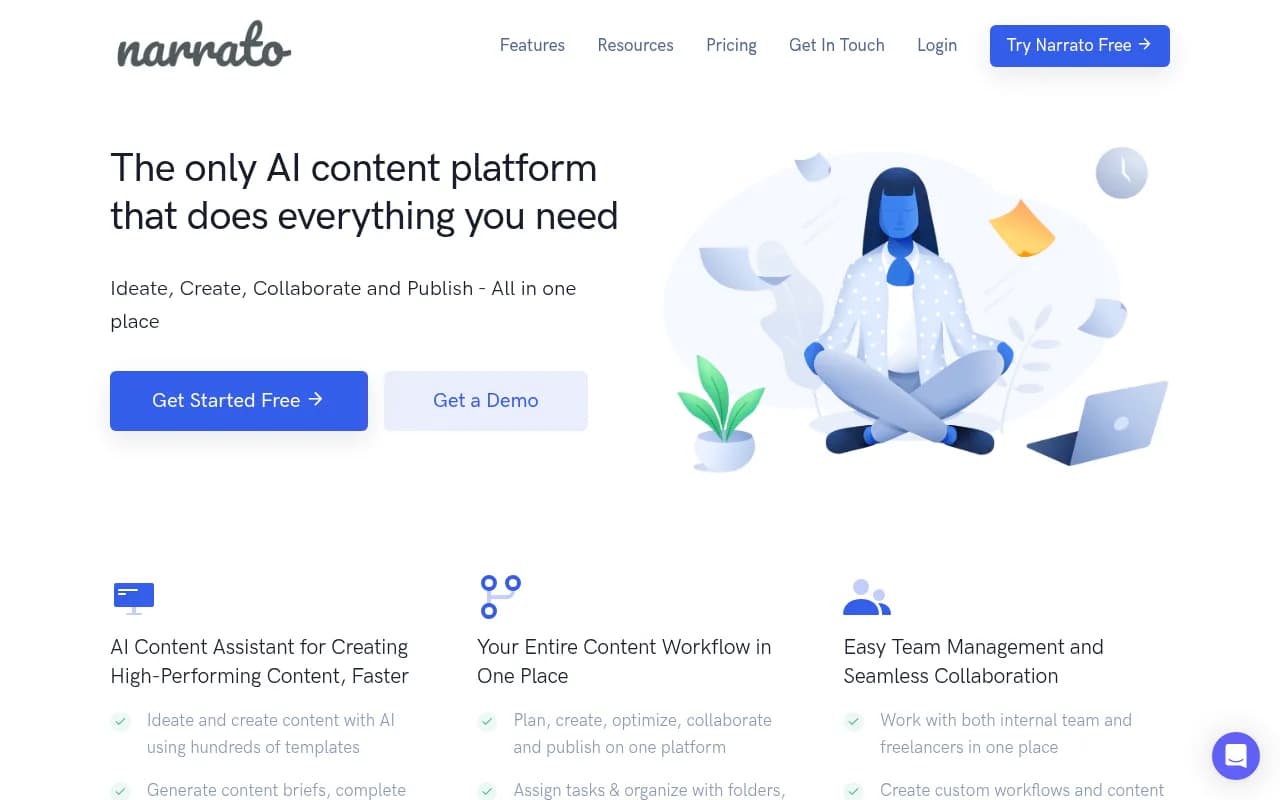
Complete content marketing platform with AI writing tools, workflow management, and collaboration features for startup content teams.
Key Takeaways:
• All-in-one platform: Narrato combines AI content creation, workflow management, team collaboration, and publishing automation in a single workspace -- eliminating the need for separate tools like Jasper + Asana + Buffer • AI Content Genie: Unique autopilot feature that auto-generates weekly blog posts and social content based on your website and themes, requiring minimal input • Strong workflow features: Custom templates, automated task assignments, content calendars, and built-in collaboration tools make it ideal for agencies and teams managing multiple clients or projects • Affordable pricing: Starting at $44/month (yearly) with 4 user seats, significantly cheaper than competitors like Jasper ($49/seat) or Copy.ai ($49/month for 5 seats) • Limitations: AI writing quality is good but not exceptional compared to specialized tools; some users report the interface can feel cluttered with so many features packed in
Narrato positions itself as the complete content operations platform -- not just an AI writer, not just a project management tool, but the entire workflow from ideation to publication. Founded as a content marketplace that evolved into a SaaS platform, it's now used by companies like Chargebee, Rocketlane, and the Parkinson's Foundation to manage their content production at scale. The platform has been featured in TechCrunch, Fortune, and The Australian, and holds multiple G2 badges including High Performer and Momentum Leader.
The target audience is clear: content marketing teams at startups and mid-market companies (typically 5-50 people), marketing agencies managing multiple clients, and content publishers like blogs or magazines coordinating teams of freelance writers. If you're a solo blogger or small business owner who just needs basic AI writing, Narrato is overkill. But if you're managing a content operation with multiple stakeholders, deadlines, and distribution channels, it's built exactly for that chaos.
AI Content Creation Tools
Narrato offers over 100 AI templates covering everything from blog post generation and social media captions to product descriptions and email copy. The AI assistant is accessible in two ways: through standalone templates in the workspace, or as an in-line assistant directly in the content editor. The in-line approach is particularly useful -- you can highlight text and ask the AI to expand it, rephrase it, make it more engaging, or adjust the tone without leaving your document.
The platform supports custom AI templates, letting you save your favorite ChatGPT prompts as reusable templates for your team. This is valuable for agencies that have developed specific content frameworks or formulas they want to standardize across clients. You can also create brand voices by feeding Narrato examples of your writing style, which it then applies to AI-generated content to maintain consistency.
The AI Image Generator creates visuals directly in the platform, useful for social media graphics or blog featured images. It's powered by standard image generation models (likely DALL-E or Stable Diffusion based on output quality) and works well for basic needs, though professional designers will still want dedicated tools like Midjourney or Adobe Firefly.
One standout feature is the AI Chat interface, which functions like ChatGPT but keeps all your research and brainstorming inside your content workspace. You can reference previous conversations, save useful outputs directly to content items, and avoid the context-switching that happens when you're bouncing between ChatGPT tabs and your CMS.
The SEO Content Brief Generator is where Narrato shows its content marketing chops. Enter a target keyword and it generates a complete brief including recommended word count, semantic keywords to include, competitor analysis, suggested headings, and questions to answer. This is similar to what you'd get from Clearscope or Surfer SEO, but integrated directly into your workflow tool. The briefs aren't quite as detailed as dedicated SEO platforms (Clearscope provides more granular content scoring), but they're more than sufficient for most content teams.
AI Content Genie: The Autopilot Feature
This is Narrato's most distinctive feature and the one that generates the most buzz. AI Content Genie is essentially a content autopilot that generates fresh blog posts and social media content every week without manual prompting. You provide your website URL, select content themes or topics you want to cover, and Genie automatically produces 4-8 pieces of content weekly (exact number depends on your plan).
The content appears in a dedicated Genie section of your workspace where you can review, edit, and either publish it directly to your connected channels (WordPress, Facebook, LinkedIn, Instagram) or save it for later. The quality is surprisingly good for auto-generated content -- it's clearly researched from your website and competitors, includes relevant keywords, and maintains a consistent brand voice. It's not publication-ready without editing, but it's a solid first draft that saves hours of ideation and outlining.
For small marketing teams drowning in the "we need more content" demand, Genie is genuinely useful. It ensures you always have a content pipeline even during busy periods when manual content creation falls behind. The downside: you have less control over specific angles or messaging compared to manually briefing content, and the AI can sometimes produce generic takes on topics if your website doesn't have enough depth for it to learn from.
Workflow Management and Collaboration
This is where Narrato differentiates itself from pure AI writing tools like Jasper or Copy.ai. The platform includes full project management capabilities: task assignment, custom workflows, content calendars, folder organization, and kanban boards. You can create projects for different clients or campaigns, assign content items to specific team members or freelancers, set due dates, and track progress through customizable workflow stages (e.g., Draft → Review → Approved → Published).
Custom content templates are particularly powerful for agencies. You can create structured templates for different content types (blog post, case study, product page, etc.) with specific fields that writers must complete. This ensures consistency across clients and makes it easy to onboard new freelancers who need to follow your format. Templates can include instructions, style guide references, and even pre-populated AI prompts.
Collaboration happens through in-line comments (like Google Docs), @mentions to notify team members, and task linking to reference related content items. There's also a messaging system for team communication, though most teams will probably stick with Slack for real-time chat. The commenting system works well for editorial feedback -- editors can leave specific notes on sentences or paragraphs, and writers can resolve comments as they address feedback.
User roles and permissions are granular: you can invite team members as admins, editors, writers, or clients, each with different access levels. Freelancers can be added as external contributors who only see the specific content items assigned to them, not your entire workspace. This is crucial for agencies managing sensitive client information.
Workflow automation includes automatic task assignments based on triggers (e.g., when content moves to "Ready for Review" stage, automatically assign it to the editor), scheduled reminders for approaching deadlines, and bulk actions to update multiple content items at once. These automations save significant time for content managers juggling dozens of active projects.
Content Planning and SEO
Beyond the SEO brief generator mentioned earlier, Narrato includes keyword research tools, content idea generators, and competitive intelligence features. The keyword research isn't as comprehensive as dedicated SEO tools like Ahrefs or Semrush (it doesn't show search volume or keyword difficulty scores), but it surfaces related keywords and questions people are asking, which is useful for content ideation.
The content calendar provides a visual overview of all scheduled content across projects, making it easy to spot gaps or conflicts. You can drag and drop to reschedule items, filter by project or content type, and color-code by status. It's similar to CoSchedule's calendar but integrated with your actual content creation workspace instead of being a separate tool.
Content planning also includes a repository for reusable assets: style guides, brand voice profiles, custom AI templates, and content snippets. This centralized library ensures everyone on the team has access to the latest brand guidelines and approved messaging, reducing inconsistency and back-and-forth revisions.
Publishing and Distribution
Narrato's publishing automation is a major time-saver. Native integrations with WordPress, Webflow, Facebook, Instagram, and LinkedIn let you schedule and publish content directly from the platform. For WordPress, you can map Narrato content fields to WordPress custom fields, set categories and tags, and even upload featured images -- all without leaving Narrato.
For platforms without native integrations, Narrato provides a Zapier integration and API for custom connections. Several customers have built integrations with their proprietary CMSs or niche platforms like HubSpot CMS or Contentful. The Narrato team offers complimentary technical guidance for custom integrations, which is a nice touch that larger platforms typically charge for.
Scheduling works across all connected channels, so you can queue up a week's worth of social posts and blog articles in one session. The scheduling interface shows a unified calendar of all upcoming publications across channels, making it easy to coordinate launches or avoid posting conflicts.
One limitation: there's no built-in social media analytics or performance tracking. Once content is published, you'll need to check native platform analytics or use a separate tool like Google Analytics to measure results. This is a notable gap compared to all-in-one social media tools like Hootsuite or Sprout Social, though those tools lack Narrato's content creation and workflow features.
Integrations and Ecosystem
Native integrations include WordPress, Webflow, Facebook, Instagram, LinkedIn, Google Drive (for importing documents), and Grammarly (for grammar checking within the editor). The Zapier integration opens up connections to 5,000+ apps, though you'll need a paid Zapier account for most useful automations.
The API is well-documented and RESTful, making it relatively straightforward for developers to build custom integrations. Several agencies have built internal tools that pull content from Narrato, run it through additional approval workflows, and push it to client CMSs. The API supports all major operations: creating content items, updating metadata, retrieving content, and managing users.
There's no mobile app, which is a drawback for teams that need to review or approve content on the go. The web interface is responsive and works on mobile browsers, but the experience isn't optimized for small screens.
Pricing and Value
Narrato offers four pricing tiers:
Free Plan ($0/month): 1 user seat, 1 workspace, basic AI tools (limited credits), no publishing automation, no custom workflows. Suitable for solo creators testing the platform but too limited for team use.
Pro Plan ($9/month per user, billed yearly or $12/month billed monthly): Includes AI Content Genie (4 auto-generated posts/week), 200 AI writing credits/month, custom workflows, content calendar, publishing automation, and collaboration features. Minimum 4 seats required ($44/month yearly, $48/month monthly). This is the sweet spot for small content teams.
Business Plan ($24/month per user yearly, $31/month monthly): Everything in Pro plus 400 AI credits/month, 8 Genie posts/week, unlimited custom templates, advanced workflow automation, and priority support. Minimum 4 seats ($96/month yearly, $124/month monthly). Best for agencies or larger teams.
Enterprise Plan (custom pricing): Unlimited AI credits, custom Genie volume, dedicated account manager, custom integrations, SLA guarantees, and advanced security features. Requires direct sales contact.
Compared to competitors, Narrato is notably affordable. Jasper charges $49/month per seat for similar AI writing capabilities but lacks workflow management entirely. Copy.ai is $49/month for 5 seats but also has no project management features. CoSchedule's Marketing Suite starts at $29/month but doesn't include AI writing. Narrato bundles everything for less than you'd pay for separate tools.
The AI credit system can be confusing: different AI operations consume different credit amounts (generating a blog post outline might use 10 credits, while generating a full article uses 50). Heavy AI users on the Pro plan may hit the 200-credit limit quickly, though you can purchase additional credit packs. The Business plan's 400 credits is more comfortable for teams producing 20-30 AI-assisted pieces per month.
Who Should Use Narrato
Narrato is ideal for:
Content marketing teams at startups and scale-ups (5-20 people): You need to produce consistent content across blog, social media, and email, but don't have the budget for enterprise tools like Contently or Skyword. Narrato gives you AI assistance, workflow management, and publishing automation at a fraction of the cost.
Marketing agencies managing 5-15 clients: The multi-workspace structure, client user roles, and custom templates make it easy to keep client work organized and maintain brand consistency. The ability to invite clients as reviewers without giving them full access is crucial for agency workflows.
Content publishers and media companies: Blogs, online magazines, and content sites managing teams of freelance writers benefit from Narrato's editorial workflow features, content calendar, and bulk assignment capabilities. The custom content templates ensure freelancers submit properly formatted work.
Website development agencies: Web design firms that need to gather content from clients or copywriters can use Narrato's structured templates and approval workflows to streamline the content collection process, which is often the biggest bottleneck in website projects.
Narrato is NOT ideal for:
Solo bloggers or individual creators: The platform is overkill if you're just writing for yourself. You're paying for collaboration and workflow features you won't use. Stick with simpler AI writing tools like Jasper or even ChatGPT Plus.
Enterprise content operations (100+ people): While Narrato has an Enterprise plan, very large organizations typically need more sophisticated governance, compliance, and integration capabilities than Narrato currently offers. Tools like Adobe Experience Manager or Contentful are better suited for enterprise scale.
Teams that need deep SEO analysis: If SEO is your primary focus and you need detailed keyword difficulty scores, SERP analysis, and content optimization scoring, dedicated SEO platforms like Clearscope, Surfer SEO, or MarketMuse provide more depth. Narrato's SEO features are good enough for most content teams but not for SEO specialists.
Strengths
Comprehensive feature set: Narrato genuinely delivers on the "all-in-one" promise, combining AI writing, workflow management, collaboration, and publishing in a single platform. This eliminates the integration headaches and context-switching that come with using separate tools.
AI Content Genie: The autopilot content generation is unique and genuinely useful for maintaining a consistent content pipeline. No other platform offers this level of automated content production.
Excellent value for money: At $44/month for 4 users with AI writing, workflow management, and publishing automation, Narrato is significantly cheaper than buying separate tools for each function.
Strong workflow and collaboration features: The custom templates, automated workflows, and granular user permissions are well-designed for agency and team use cases. These features are often afterthoughts in AI writing tools but are core to Narrato's design.
Responsive customer support: Multiple user reviews mention helpful, fast support from the Narrato team, including complimentary technical assistance for custom integrations.
Limitations
AI writing quality is good but not exceptional: While Narrato's AI produces solid first drafts, the output isn't quite as polished or creative as specialized tools like Jasper or Claude. For content that needs to be truly exceptional, you'll still need significant human editing.
Interface can feel cluttered: With so many features packed into one platform, the UI can be overwhelming for new users. There's a learning curve to understand where everything lives and how the different modules connect.
Limited analytics and reporting: Narrato doesn't provide content performance analytics or ROI tracking. Once content is published, you're on your own to measure results in Google Analytics or native platform dashboards.
No mobile app: Teams that need to review or approve content on mobile devices are limited to the responsive web interface, which isn't optimized for small screens.
SEO features are basic: The keyword research and SEO brief tools are useful but not as comprehensive as dedicated SEO platforms. SEO-focused teams will likely need to supplement with Ahrefs, Semrush, or similar tools.
Bottom Line
Narrato is the best choice for content teams and agencies that want to consolidate their content operations into a single platform. Instead of juggling Jasper for AI writing, Asana for project management, and Buffer for social scheduling, you get everything in one workspace at a lower total cost. The AI Content Genie's autopilot content generation is a genuine differentiator that keeps your content pipeline full even during busy periods. While the AI writing quality isn't quite as strong as specialized tools and the interface has a learning curve, the comprehensive feature set and excellent value make Narrato a smart choice for teams producing 20-100 pieces of content per month across multiple channels. Best use case in one sentence: Content marketing teams at startups and agencies that need to manage complex workflows with multiple stakeholders while maintaining consistent output across blog, social, and web content.
Tags:
Frequently asked questions
What is Narrato AI and what does it do?
How much does Narrato cost?
Is Narrato free to use?
Who is Narrato best suited for?
What is Narrato's AI Content Genie feature?
How does Narrato compare to Jasper AI?
How does Narrato compare to Copy.ai?
What workflow and collaboration features does Narrato offer?
What are the limitations of Narrato?
What companies use Narrato?
Similar and alternative tools to Narrato AI