Post Planner Review 2026
Combines content discovery, AI caption generation, and evergreen post recycling for solopreneurs and small teams.
Key takeaways
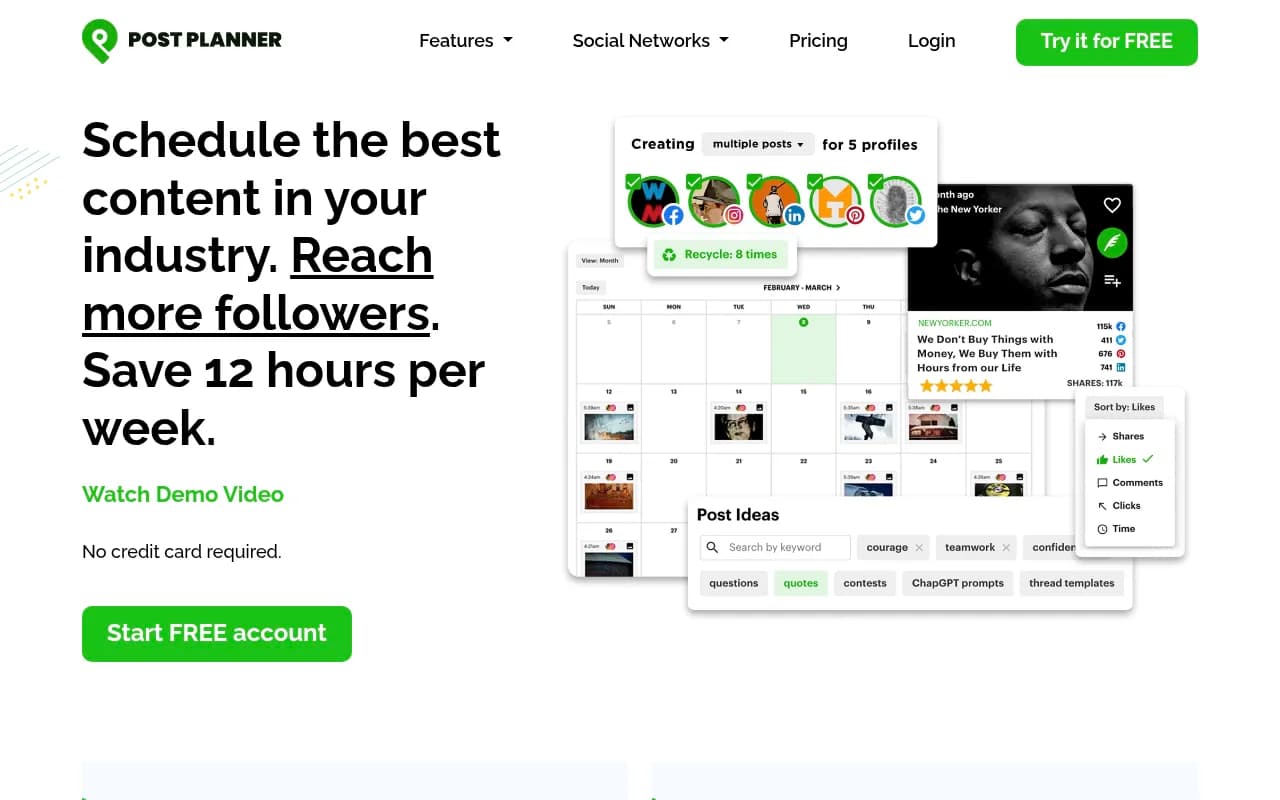
- Post Planner's differentiator is content discovery, not scheduling. It surfaces posts that already performed well on Reddit, Facebook pages, YouTube, and Google articles, scores them for engagement, and lets you queue them in a few clicks.
- Entry pricing is low ($9/mo billed annually for 3 accounts), but X/Twitter and Pinterest scheduling only unlock on the $39/mo Growth plan. Check that gate before you buy.
- The interface is easy to learn but dated. G2 and Capterra reviewers agree on this, and it's the most common complaint next to LinkedIn limitations.
- Best fit: solopreneurs and small businesses running content-heavy pages who want a fill-the-queue-and-forget-it workflow. Agencies get tiers up to 200 accounts and 40 users.
- Skip it if you need approval workflows (still on the roadmap as of mid-2026), deep LinkedIn support, or serious analytics.
What Post Planner actually is
Post Planner launched in 2011, which makes it one of the older names in social scheduling. The company claims 358,000 businesses have used it, and the reviewer base backs up the small-business positioning: 53 of 57 reviewers on G2 come from companies with 50 or fewer employees.
Most schedulers open with a blank composer and ask what you want to post. Post Planner inverts that. It opens with a stream of content that already performed well somewhere else and asks which of it you want to publish. That inversion is the entire product thesis, and it's why the homepage says "built for engagement" rather than "built for teams."
Content discovery is the reason to choose it
The content tool pulls from Facebook pages, LinkedIn pages, Reddit subreddits, YouTube, Google articles, RSS feeds, Giphy, and stock libraries like Unsplash. You build saved streams around topics, and Post Planner ranks what it finds by engagement history rather than recency alone.
In practice this is the feature that saves the most time. One testimonial on the site claims 10 hours a week saved from the discovery feed alone, and that rings true if you've ever burned 45 minutes hunting for something worth posting. The catch: full curation (viral media, texts, content older than 3 days, post ideas, quotes) sits behind the Growth plan. Starter gets you basic article curation and stock media only.
A Chrome extension, added in April 2025, lets you grab content while browsing, which is a nice touch if you're the bookmark-everything type.
Scheduling, recycling, and automation
The scheduler covers 10 networks: Facebook, Instagram, Threads, Google Business Profile, LinkedIn, Pinterest, TikTok, X/Twitter, YouTube, and Bluesky. That's broader coverage than several pricier competitors, though X and Pinterest are gated to Growth and above.
The automation stack is where Post Planner earns its keep for small teams. Evergreen recycling re-queues your posts automatically on a schedule you define. Buckets let you sort content into categories (quotes, tips, promos) and set a different frequency for each, so quotes can go out twice a day while promos go out twice a week. Around that core you get bulk upload, shuffling, randomized posting times (added July 2024, to avoid robotic patterns), and first-comment scheduling, which gained multiple scheduled comments and custom randomized delays in early 2026.
Buckets deserve a specific callout. Set them up once and the queue maintains itself. Jason Ross, a customer quoted on the site, says this cut his posting work from 6 hours a week to 30 minutes. That's the realistic promise: the work shrinks from hours to minutes, not that the creative output gets better.
AI features
AI captions and hashtags are unlimited on every plan, including Free. That's generous compared with competitors that meter AI credits. AI image generation is capped instead: 1 image on Free, 15 on Starter, 150 on Growth, up to 2,000 on the top agency tier. The in-composer text-to-image tool arrived in 2026, and AI-generated videos and Reels are on the summer 2026 roadmap.
The AI is serviceable for captions and hashtag suggestions. Reviewers who flag limitations here are right that it won't replace a writer, but for filling a queue fast, it does the job.
Analytics
Analytics are functional rather than deep: full metrics for historical posts, date range filtering, engagement comparisons, and one-click re-queue of top performers. That last one matters more than it sounds, since re-queuing your best posts is the natural companion to recycling. But there's no competitive benchmarking, no attribution, and nothing that would satisfy an enterprise client. Analytics also require Growth or higher.
Pricing
| Plan | Annual | Monthly | Accounts | Users | Queue |
|---|---|---|---|---|---|
| Free | $0 | $0 | 1 | 1 | 10 posts |
| Starter | $9/mo | $14/mo | 3 | 1 | 150 posts |
| Growth | $39/mo | $59/mo | 15 | 2 | 1,500 posts |
| Business | $69/mo | $99/mo | 25 | 5 | Unlimited |
| Agency | $119/mo | $179/mo | 50 | 10 | Unlimited |
| Agency + 50 | $219/mo | $329/mo | 100 | 20 | Unlimited |
| Agency + 3×50 | $419/mo | $629/mo | 200 | 40 | Unlimited |
All plans include a 7-day free trial. Non-profits can request a discount, and PayPal is accepted alongside cards.
The Free plan is a demo, not a tool: 1 account, 10 queued posts, 3 posts a day. Starter is the real entry point. Growth is where the product becomes complete, and at $39/mo annual it undercuts most full-featured competitors. Prices have crept up over the years (Starter was $7 and Growth $37 until recently), and a 2022 forced migration raised prices while cutting features for some legacy users. Old news, but worth knowing if you read billing policies closely.
What users say
Capterra shows 4.2/5 across 191 reviews; G2 shows 4.0/5 across 57. Praise concentrates on ease of use, the Buckets system, first-comment scheduling, per-network post customization, and support (many reviewers name a specific rep, Joshua, which tells you the team is small and personal).
The complaints are consistent too. The interface reads as dated. LinkedIn support has gaps. Multi-image posting is clunky. The Android app has had buggy stretches. And while Post Planner advertises a Best Customer Support badge, one filtered Capterra view shows 36% negative reviews around support, citing billing issues and slow replies. My read: support is genuinely good most of the time, but billing disputes are where it wobbles.
Who it's for
Good fits:
- Solopreneurs and niche content creators (food bloggers, personal brands) who publish daily and need proven content, not blank-page creativity
- Small businesses with 3 to 15 profiles, especially local businesses pairing Google Business Profile with Facebook and Instagram
- Small agencies managing many client profiles on a budget, via the Agency tiers
Poor fits:
- Teams needing approval workflows and client review steps (on the roadmap, not shipped as of mid-2026)
- LinkedIn-first B2B brands
- Anyone who needs X or Pinterest scheduling on a sub-$39 budget
If you want to line Post Planner up against Buffer, Later, or Hootsuite before committing, the reviews and comparisons at surferstack.com are a good next stop.
Bottom line
Post Planner is a content engine with a scheduler attached, and that's the right way to evaluate it. If your problem is "I never know what to post," the discovery feed and recycling system solve it cheaply, and the 15-year track record plus personal support make it a safe bet for small teams. If your problem is "I need a modern, collaborative publishing platform," look elsewhere. For the solopreneur who wants their social presence to take an hour a week instead of twelve, it's one of the better values in the category.
Tags:
Frequently asked questions
Does Post Planner have a free plan?
Can I schedule to X/Twitter and Pinterest on the Starter plan?
Are AI captions and hashtags limited by plan?
Who should use Post Planner?
How well reviewed is Post Planner?
Similar and alternative tools to Post Planner