SEOMinion Review 2026
Browser extension providing quick on-page SEO checks, broken link detection, SERP preview, and location-based search simulation directly in Chrome.
Summary: Key Takeaways
• Completely free Chrome extension with no premium tiers or hidden costs -- rare for SEO tools with this feature depth • One-click meta data inspection shows titles, descriptions, Open Graph tags, Twitter Cards, schema markup, and canonical tags instantly • Best for quick audits -- SEO consultants, web developers, and content teams who need fast on-page checks across multiple sites • Lightweight and fast -- no account required, works offline, doesn't slow down browsing • Limited to on-page analysis -- no backlink data, keyword research, or rank tracking (use dedicated tools for those)
SEO Meta in 1 Click is a free Chrome extension built for one purpose: giving you instant visibility into the SEO metadata and structured data of any webpage you visit. It's the digital equivalent of popping the hood on a car -- you click the extension icon and immediately see all the technical SEO elements that search engines and social platforms read when they crawl that page. No signup, no API limits, no monthly fees. Just install and start inspecting.
The tool was created for SEO professionals and web developers who spend their days auditing sites, checking competitor implementations, or verifying that their own pages are properly optimized. Instead of right-clicking to view page source and hunting through HTML, or opening multiple online checkers, you get a clean dashboard of every important meta tag in under a second. It's become a staple in the toolkit of agency SEOs, in-house technical teams, and freelance consultants who bill by the hour and can't waste time on slow workflows.
What It Actually Shows You (The Full Breakdown)
When you click the extension icon on any webpage, SEO Meta in 1 Click opens a popup with organized tabs covering every major category of on-page SEO data:
Title & Description Tags: Shows the exact title tag (with character count), meta description (with character count), and whether they're within Google's recommended lengths. You can instantly spot truncation issues or missing descriptions. The character counters update in real-time if you're testing changes in a staging environment.
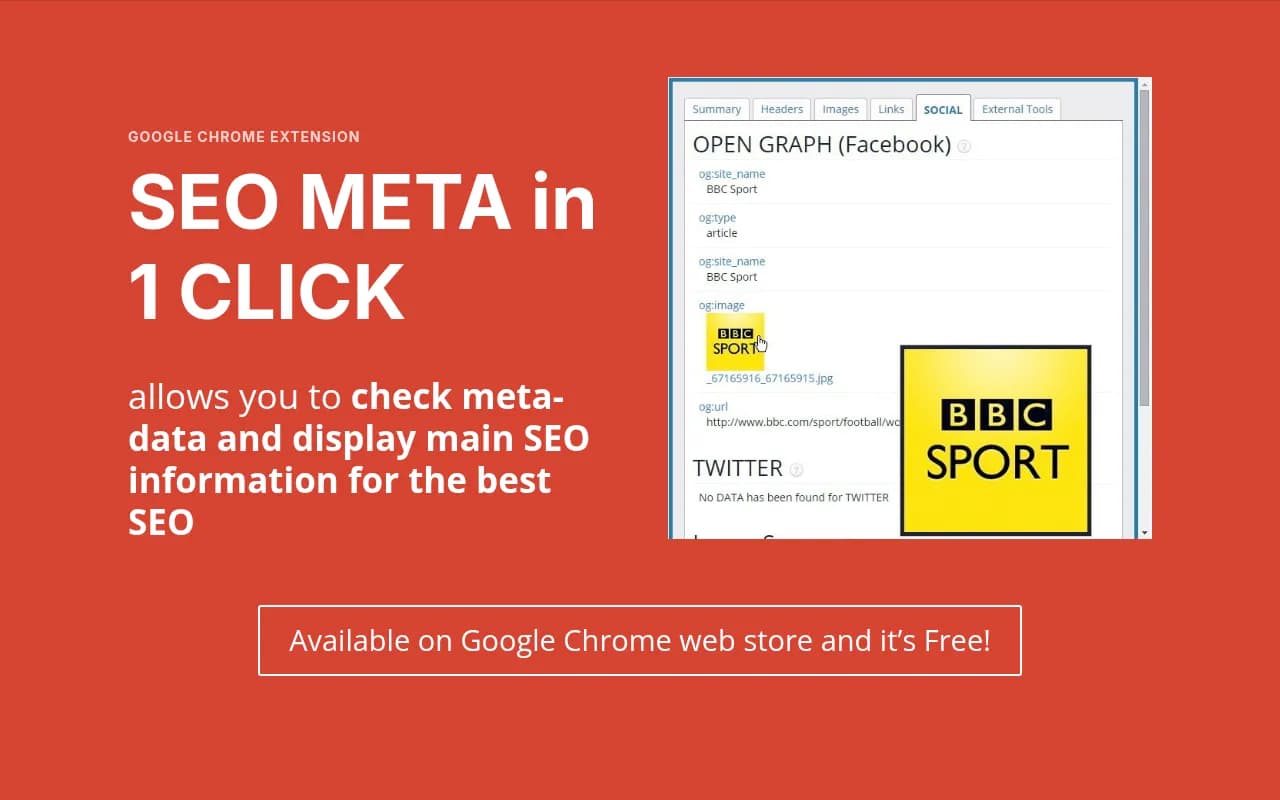
Open Graph & Twitter Cards: Displays all Facebook Open Graph tags (og:title, og:description, og:image, og:type, og:url) and Twitter Card metadata (twitter:card, twitter:site, twitter:creator, twitter:image). This is critical for content marketers and social media teams who need to verify how articles will appear when shared on social platforms. You can see the exact image URLs, dimensions, and whether the implementation is complete.
Schema Markup (Structured Data): Extracts and displays all JSON-LD, Microdata, and RDFa structured data found on the page. Shows schema types like Article, Product, Organization, Person, BreadcrumbList, FAQ, HowTo, and more. For each schema block, you see the raw JSON or markup so you can verify properties like datePublished, author, aggregateRating, price, availability. This is invaluable for e-commerce sites, publishers, and local businesses relying on rich snippets in search results.
Canonical & Alternate Tags: Shows the canonical URL (critical for duplicate content management), hreflang tags for international SEO, and alternate media tags for mobile versions. You can quickly spot canonical chain issues, self-referencing problems, or missing hreflang implementations that cause indexing confusion across regions.
Robots Meta & X-Robots Tags: Displays robots meta tags (index/noindex, follow/nofollow) and HTTP header X-Robots-Tag directives. This helps you catch accidental noindex tags on important pages or verify that staging sites are properly blocked from search engines.
Headings Structure (H1-H6): Lists all heading tags in hierarchical order with their text content. You can see if there are multiple H1s (usually bad), missing H1s, or illogical heading structures that hurt accessibility and SEO. The outline view makes it easy to audit content hierarchy at a glance.
Images & Alt Text: Shows all images on the page with their alt attributes, file names, and dimensions. Missing alt text is highlighted, making it easy to identify accessibility and image SEO issues. For content audits, this is faster than manually inspecting each image in the DOM.
Links (Internal & External): Displays all links with their anchor text, destination URLs, and rel attributes (nofollow, sponsored, ugc). You can filter by internal vs external, identify broken links (though this requires a page load), and spot unnatural link patterns. Useful for link audits and competitor analysis.
Page Load Info: Basic page metadata like URL, word count, and load time. Not as detailed as dedicated performance tools, but helpful for quick content length checks.
Everything is presented in a clean, tabbed interface. You can copy individual values or export the full report. The extension works on any website -- competitor sites, client sites, your own staging environments. No permissions needed beyond the page you're viewing.
Who Actually Uses This (And Why)
SEO Meta in 1 Click is built for people who audit websites for a living or manage SEO at scale:
SEO Consultants & Freelancers: If you're doing technical audits for clients, this extension saves hours per project. Instead of manually checking meta tags on 50 pages, you click through and spot issues in seconds. It's especially useful during client onboarding when you need to quickly assess the current state of a site's on-page optimization. Many consultants use it alongside Screaming Frog for deeper crawls, but for quick spot checks or live site reviews during client calls, the extension is unbeatable.
Agency SEO Teams: Agencies managing 20-50 client sites use this for QA after site launches or content updates. A junior SEO can quickly verify that new blog posts have proper Open Graph tags, schema markup is implemented correctly, and canonical tags point to the right URLs. It's also used for competitive analysis -- checking how competitors structure their metadata, what schema types they use, and how they handle internationalization.
Web Developers & QA Teams: Developers use it to verify their implementations before pushing to production. If you just added schema markup for a product page, you can instantly see if it's valid and complete without waiting for Google's Rich Results Test to load. QA teams use it to catch regressions -- ensuring that CMS updates or template changes didn't accidentally strip out important meta tags.
Content Creators & Editors: Content teams use it to check that their articles are optimized before publishing. They verify title and description lengths, ensure featured images are set correctly for social sharing, and confirm that author schema is present. It's a final checklist item before hitting publish.
In-House SEO Teams at E-commerce & SaaS Companies: Companies with large product catalogs or content libraries use this for ongoing maintenance. An SEO manager can spot-check category pages, product pages, or blog posts to ensure consistency across the site. It's particularly useful for catching issues introduced by A/B tests or personalization engines that dynamically alter page content.
Who Should NOT Use This: If you need comprehensive site-wide audits, backlink analysis, keyword research, or rank tracking, this tool won't help. It's purely for on-page inspection of individual URLs. You'll need tools like Ahrefs, Semrush, or Screaming Frog for broader SEO workflows. It's also not ideal for beginners who don't understand what meta tags are or why they matter -- the extension assumes you know what you're looking for.
How It Compares to Alternatives
The Chrome extension space for SEO is crowded, but SEO Meta in 1 Click occupies a specific niche:
vs. META SEO Inspector: META SEO Inspector is similar but has a more cluttered interface and includes some features (like keyword density) that are less useful in modern SEO. SEO Meta in 1 Click is cleaner and focuses on the metadata that actually matters. Both are free.
vs. SEOquake: SEOquake is more comprehensive, offering on-page analysis plus external metrics like Alexa rank, backlink counts, and keyword density. However, it requires an account and can be slower. If you only need meta tag inspection, SEO Meta in 1 Click is faster and simpler.
vs. MozBar: MozBar provides Domain Authority, Page Authority, and link metrics alongside basic on-page data. It's more powerful for competitive analysis but requires a Moz account (free tier available). SEO Meta in 1 Click is better for pure technical on-page checks without the distraction of external metrics.
vs. Detailed SEO Extension: Detailed SEO Extension offers similar meta tag inspection but with a focus on Google Search Console integration and crawl error reporting. It's more feature-rich but also more complex. SEO Meta in 1 Click is lighter and faster for quick checks.
vs. Screaming Frog (desktop app): Screaming Frog crawls entire sites and provides deep technical analysis, but it's overkill for checking a single page and requires downloading software. SEO Meta in 1 Click is instant and browser-based. Many SEOs use both -- Screaming Frog for full audits, the extension for live spot checks.
The key differentiator is speed and simplicity. SEO Meta in 1 Click does one thing exceptionally well: showing you all the important on-page SEO data for a single URL in under a second, with zero setup.
Integrations & Workflow
SEO Meta in 1 Click is a standalone Chrome extension with no integrations or API. It doesn't sync with Google Search Console, Google Analytics, or any other platform. This is by design -- it's meant to be a lightweight, privacy-respecting tool that works entirely in your browser. It doesn't send data to external servers or require an account.
For workflows, most users combine it with other tools:
• Use Screaming Frog or Sitebulb for full-site crawls, then use SEO Meta in 1 Click to quickly inspect specific pages flagged in the crawl • Use Google Search Console to identify pages with indexing issues, then use the extension to diagnose the on-page cause (missing canonical, noindex tag, etc.) • Use it during content creation in WordPress, Webflow, or any CMS to verify metadata before publishing • Use it during competitor research to see how top-ranking pages structure their schema markup and social tags
There's no export to CSV or integration with project management tools. If you need to document findings, you'll copy-paste or screenshot the extension output.
Pricing & Value
SEO Meta in 1 Click is completely free. No premium version, no upsells, no trial limits. You install it from the Chrome Web Store and use it forever at no cost. This is rare for SEO tools -- most free extensions are limited versions of paid products. The developer appears to monetize through optional donations or simply offers it as a community contribution.
For context, comparable tools charge $29-99/month (SEOquake with full features, MozBar with metrics, Detailed SEO Extension with advanced features). The fact that SEO Meta in 1 Click is free and ad-free makes it exceptional value. The only "cost" is that it lacks some advanced features like site-wide crawling, historical data, or integrations -- but those aren't the point of this tool.
If you're an SEO professional, this extension pays for itself in saved time within the first week. Even if you use paid tools like Ahrefs or Semrush, having this extension installed means you can do quick checks without opening another app or waiting for a page to load in a separate tool.
Strengths
Instant results: Click the icon, see all meta data in under a second. No loading screens, no API calls, no waiting.
Comprehensive coverage: Shows every important on-page SEO element -- titles, descriptions, Open Graph, Twitter Cards, schema markup, canonicals, hreflang, robots tags, headings, images, links. Nothing major is missing.
Clean, organized interface: Data is grouped into logical tabs. Easy to scan, easy to copy values, easy to spot issues.
Completely free: No account, no credit card, no premium tiers. Just install and use.
Privacy-respecting: Works entirely in your browser. Doesn't send data to external servers or track your activity.
Limitations
Single-page only: You can't crawl an entire site or batch-check multiple URLs. It's designed for one page at a time.
No historical data: It shows the current state of a page, but doesn't track changes over time. If you need to monitor how a competitor's schema markup evolves, you'll need a different tool.
No external metrics: Doesn't show Domain Authority, backlinks, traffic estimates, or keyword rankings. It's purely on-page.
Chrome only: No Firefox, Safari, or Edge versions (though Edge can run Chrome extensions). If you use multiple browsers, you'll need to install it separately or use alternatives.
No export or reporting: You can copy individual values, but there's no "export to CSV" or "generate PDF report" feature. For client deliverables, you'll need to screenshot or manually document findings.
Bottom Line
SEO Meta in 1 Click is the best free tool for instant on-page SEO inspection in Chrome. If you're an SEO professional, web developer, or content creator who needs to quickly check meta tags, schema markup, and social metadata across multiple sites, install this extension today. It's fast, comprehensive, and completely free -- a rare combination in the SEO tool space.
Best use case in one sentence: SEO consultants and agency teams doing technical audits or QA checks who need to verify on-page optimization for individual URLs without opening a separate tool or waiting for a crawl to finish.
Similar and alternative tools to SEOMinion