SocialBee Review 2026
All-in-one social media tool featuring AI-powered content creation, scheduling, collaboration features, analytics, and unified inbox management.
Summary: Key Takeaways
• Best for: Solopreneurs, agencies, and marketing teams who need a full-featured social media management platform with strong AI content creation, not just basic scheduling • Standout features: Category-based content organization, AI Copilot for posting recommendations, Canva integration, unified inbox for all social conversations, LinkedIn carousel support • Pricing: Plans start at $29/month (Bootstrap), $49/month (Accelerate), $99/month (Pro). 14-day free trial, no credit card required. 30-day money-back guarantee. • Main limitation: No native mobile app for content creation (web-based only), though scheduling works across devices • Bottom line: One of the most complete social media management platforms at its price point, especially strong for content-heavy strategies and teams that need approval workflows
SocialBee is a comprehensive social media management platform that's been quietly building a loyal following among agencies, coaches, nonprofits, and small business owners since its launch. Unlike basic schedulers that just let you queue posts, SocialBee is built around the idea of content categories and evergreen recycling — you organize posts into buckets (like "blog posts," "testimonials," "tips") and the platform automatically rotates them according to your schedule. It's now owned by WebPros (the company behind cPanel and Plesk) and serves thousands of users managing everything from single personal brands to 20+ client accounts.
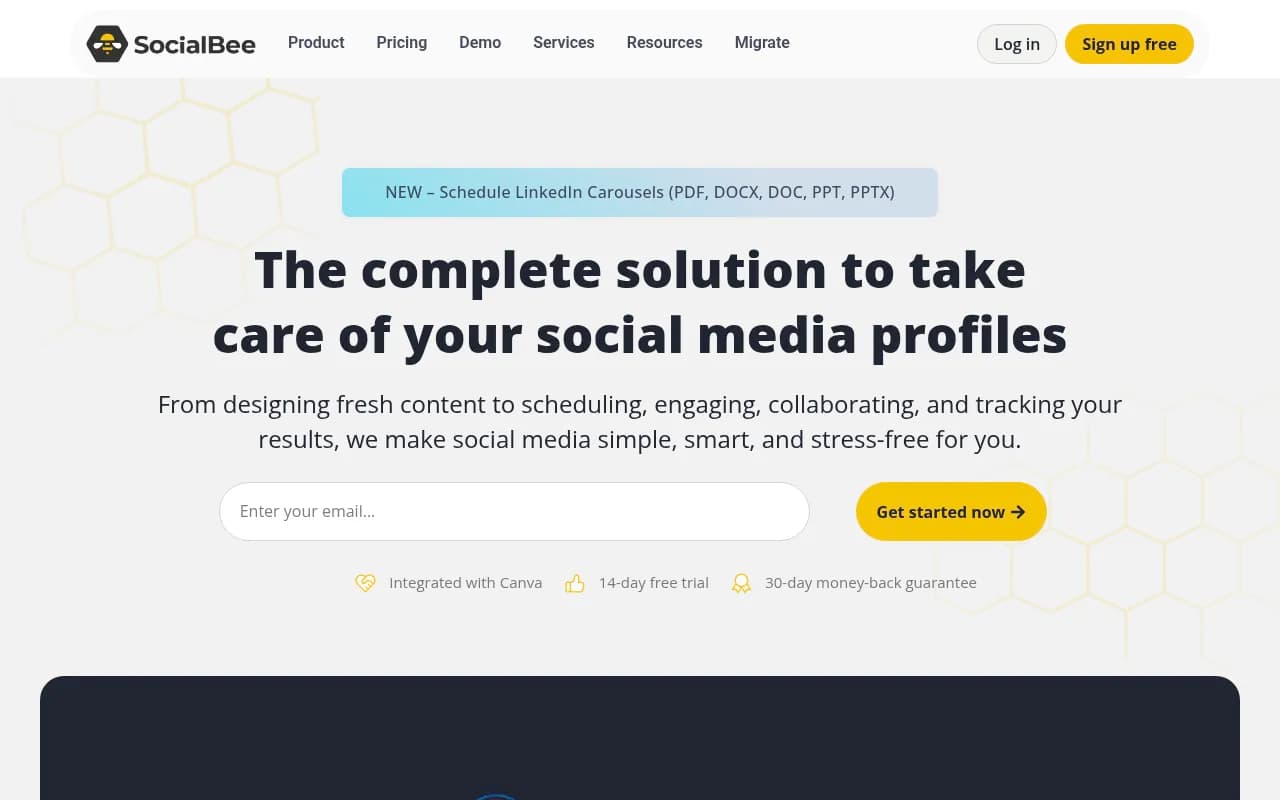
The platform supports direct posting to Facebook (pages and groups), Instagram (feed, Stories, Reels), LinkedIn (profiles, pages, carousels), X/Twitter, TikTok, Pinterest, YouTube, Google Business Profile, and Threads. That's broader platform coverage than most competitors at this price point, especially the LinkedIn carousel support (you can upload PDFs, DOCX, PPT files directly) and Google Business Profile integration, which many tools skip entirely.
AI Content Creation & Copilot
SocialBee's AI capabilities go beyond simple caption generation. The AI Post Generator includes over 1,000 pre-built prompts organized by industry, content type, and platform. You can generate captions, create images via DALL-E integration, suggest hashtags, and even summarize blog posts into social-ready snippets. You set the tone (professional, casual, humorous, inspirational), length, and whether to include emojis or hashtags. The AI understands platform-specific best practices — it'll generate shorter, punchier text for X and longer, more detailed captions for LinkedIn.
What sets SocialBee apart is Copilot, their AI assistant that analyzes your account performance and gives personalized recommendations on where, when, and how often to post for maximum engagement. Instead of just scheduling posts, Copilot looks at your historical data and suggests things like "Post on Instagram 3x per week at 10am and 6pm" or "Your LinkedIn engagement is highest on Tuesday mornings." It's like having a social media strategist built into the tool.
The Canva integration is native and seamless — you can design graphics directly in SocialBee without leaving the platform, pulling from your Canva templates and brand kit. There's also built-in access to Unsplash for stock photos and GIPHY for GIFs. You can customize each post for every platform (different captions, hashtags, images) from a single creation screen, which saves enormous time compared to tools that make you duplicate posts manually.
Content Organization & Scheduling
This is where SocialBee really shines. The category-based system lets you organize content into buckets and set posting schedules per category. For example, you might have "Blog Posts" set to share Monday/Wednesday/Friday, "Testimonials" on Tuesdays, and "Tips" daily. SocialBee automatically pulls from each category according to your schedule, and you can set posts to recycle (evergreen content) or expire after one share. This is incredibly powerful for agencies managing multiple clients or anyone with a large content library — you're not manually dragging posts onto a calendar every week.
The platform offers five different calendar views: Calendar View (traditional monthly grid), Feed View (real-time preview of how posts will look on each platform), List View (chronological list of upcoming posts), Grid View (Instagram-style grid to plan visual cohesion), and Schedule View (time-slot overview). The Feed View is particularly useful — you see exactly how your Instagram grid will look, or how your LinkedIn feed will appear, before anything goes live.
Best time to post suggestions are based on your actual account data (when your audience is most active), not generic industry averages. You can also set up posting schedules that vary by day of week and platform — maybe you post to LinkedIn 2x on weekdays but not weekends, while Instagram gets daily posts including weekends. The scheduling is flexible enough to handle complex multi-client agency workflows.
Unified Inbox & Engagement
The Engage module consolidates all your social media comments, mentions, and direct messages into a single inbox. You can reply to Instagram comments, Facebook messages, LinkedIn mentions, and X replies without switching platforms. Messages are organized by account and conversation thread, with filters for unread, starred, or specific platforms. You can assign conversations to team members, add internal notes, and mark items as resolved.
This is a huge time-saver for agencies or brands managing multiple accounts — instead of logging into 8 different platforms to check for comments, you handle everything from one screen. The inbox updates in real-time and includes sentiment indicators (positive, neutral, negative) to help you prioritize responses. However, it's worth noting that some platforms (like TikTok) have API limitations that restrict full inbox functionality, so you may still need to check those platforms directly for certain message types.
Analytics & Reporting
SocialBee provides native analytics for all connected platforms, pulling data directly from each network's API. You get metrics on follower growth, engagement rate, reach, impressions, clicks, and top-performing posts. The analytics dashboard shows performance across all accounts in one view, with filters by date range, platform, and content category. You can see which types of content (by category) perform best, helping you refine your content mix over time.
The PDF report generator lets you create white-label client reports in seconds. You choose which metrics to include, add your logo and branding, and export a professional-looking report. This is a major selling point for agencies — you're not manually compiling data in spreadsheets or paying for a separate reporting tool. Reports include audience demographics (age, gender, location, language), post performance breakdowns, and growth trends.
One limitation: SocialBee's analytics are solid for standard metrics, but they don't include advanced features like competitor benchmarking, influencer tracking, or paid ad performance. If you need deep social listening or competitive analysis, you'll want a dedicated analytics tool alongside SocialBee.
Team Collaboration & Workspaces
SocialBee supports workspaces for managing multiple brands or clients. Each workspace has its own set of social accounts, content library, and team members. You can create separate workspaces for different clients (if you're an agency) or different brands (if you're an in-house team managing multiple properties). Team members can be assigned as Managers (full access) or Contributors (can create and edit posts but not publish or access billing).
The approval workflow requires contributors to submit posts for review before they go live. Managers get notifications of pending posts, can leave feedback or request changes, and approve or reject submissions. This is essential for agencies or any team where junior staff create content but senior staff need final approval. You can also leave internal notes on posts that are visible only to your team, not on the published content.
Integrations & Ecosystem
Beyond the native Canva integration, SocialBee connects with:
• RSS feeds: Automatically import blog posts from any RSS feed and convert them into social posts (great for content curation or auto-sharing your own blog) • Zapier: Connect to 5,000+ apps for custom workflows (e.g., add new posts to SocialBee when you publish a YouTube video) • URL shorteners: Built-in integration with Bitly, Rebrandly, and SocialBee's own shortener for tracking clicks • Google Search Console: Import data to correlate social activity with website traffic • Pocket, Quuu: Content curation integrations for discovering shareable content
There's no native CRM integration or direct connection to email marketing tools, so if you need that, you'll route through Zapier. The platform also lacks a mobile app for content creation (it's web-based only), though the web interface is mobile-responsive and you can approve posts or reply to comments from your phone's browser.
ConciergeBee Services
SocialBee operates an in-house agency called ConciergeBee that offers done-for-you social media services starting at $129/month. Services include content creation, graphic design, account management, and growth strategies. They've worked with 3,000+ clients and have 100+ specialists. This is a nice option if you want the tool but don't have time to manage it yourself — you're not outsourcing to a random freelancer, you're working with the team that built the platform. There's also a partnership with Fiverr for accessing freelance talent.
Who Is SocialBee For?
SocialBee is ideal for:
• Agencies managing 5-50 client accounts: The workspace system, approval workflows, and white-label reporting make this a strong agency tool. You can manage all clients from one login without juggling multiple accounts. • Solopreneurs and coaches with content-heavy strategies: If you publish a lot of blog posts, podcasts, or videos and want to automatically share them across social media, the RSS integration and category system are perfect. • Nonprofits and educational institutions: SocialBee offers discounts for nonprofits, schools, and government organizations. The platform is used by churches, universities, and foundations that need consistent posting without a big budget. • Small marketing teams (2-5 people): The collaboration features are robust enough for small teams but not so complex that they require training. You can onboard a new team member in 15 minutes. • Brands managing 3-10 social profiles: If you're posting to Facebook, Instagram, LinkedIn, X, Pinterest, and YouTube for a single brand, SocialBee handles it all without feeling overwhelming.
Who should NOT use SocialBee:
• Enterprise teams needing advanced social listening: If you need to monitor brand mentions across the web, track competitor activity, or analyze sentiment at scale, you'll want Sprout Social or Brandwatch. • Influencers focused on Instagram Stories and TikTok: While SocialBee supports these platforms, it's not as specialized for influencer workflows as Later or Planoly (which have features like Instagram first-comment scheduling, link-in-bio tools, and TikTok trend discovery). • Teams that need a mobile app: If your content creators work primarily from phones (e.g., on-the-go photographers), the lack of a native mobile app is a dealbreaker.
Pricing & Value
SocialBee offers three main plans:
• Bootstrap ($29/month or $290/year): 5 social profiles, 1 workspace, 1 user, 10 posts per profile, AI content generation, scheduling, analytics, Canva integration. Good for solopreneurs or single-brand small businesses. • Accelerate ($49/month or $490/year): 10 social profiles, 1 workspace, 1 user, unlimited posts, everything in Bootstrap plus RSS feeds, URL shortening, and priority support. Best for growing businesses or freelancers managing a few clients. • Pro ($99/month or $990/year): 25 social profiles, 5 workspaces, 3 users, unlimited posts, everything in Accelerate plus team collaboration, approval workflows, and white-label reporting. Designed for agencies and in-house teams.
All plans include a 14-day free trial (no credit card required) and a 30-day money-back guarantee. You can add extra users, workspaces, or social profiles as add-ons. Annual plans save about 17% compared to monthly billing.
Compared to competitors: Buffer's Team plan is $120/month for 10 channels and 6 users. Hootsuite's Professional plan is $99/month for 10 profiles and 1 user. Sprout Social starts at $249/month per user. SocialBee is significantly cheaper than Sprout and comparable to Buffer/Hootsuite while offering more features (especially the category system and AI Copilot). The main trade-off is that SocialBee doesn't have the brand recognition or enterprise-grade features of those platforms.
Strengths
• Category-based content organization: The ability to organize posts into categories and set recycling schedules is a game-changer for content-heavy strategies. Most competitors make you manually schedule every post. • AI Copilot recommendations: Personalized posting advice based on your actual data, not generic best practices. • Unified inbox: Manage all social conversations from one screen, with team assignment and internal notes. • LinkedIn carousel support: Upload PDFs and PowerPoints directly — a feature most tools don't offer. • White-label reporting: Generate client-ready PDF reports in seconds, saving hours of manual work. • Generous free trial: 14 days with no credit card required, plus a 30-day money-back guarantee.
Limitations
• No native mobile app: The web interface is mobile-responsive, but there's no dedicated iOS or Android app for content creation on the go. • Limited social listening: You can monitor your own mentions and comments, but there's no broader social listening or competitor tracking. • Learning curve for category system: The category-based approach is powerful but takes some time to set up and understand — it's not as intuitive as a simple drag-and-drop calendar for first-time users.
Bottom Line
SocialBee is one of the most feature-complete social media management platforms under $100/month. It's particularly strong for agencies, coaches, and content creators who publish regularly and want to automate their social media without losing quality or control. The category system and evergreen recycling are unique advantages that save hours of manual scheduling, and the AI Copilot adds a layer of strategic intelligence you won't find in basic schedulers. The unified inbox and approval workflows make it a solid choice for teams, while the white-label reporting is a huge win for agencies.
If you need a tool that handles content creation, scheduling, engagement, analytics, and team collaboration in one place — and you don't need enterprise-level social listening or a mobile app — SocialBee is an excellent choice. It's used by thousands of professionals for a reason: it works, it's affordable, and it keeps getting better. The 14-day free trial makes it easy to test whether the category system and workflow fit your needs.
Tags:
Similar and alternative tools to SocialBee