TrackMyBusiness Review 2026
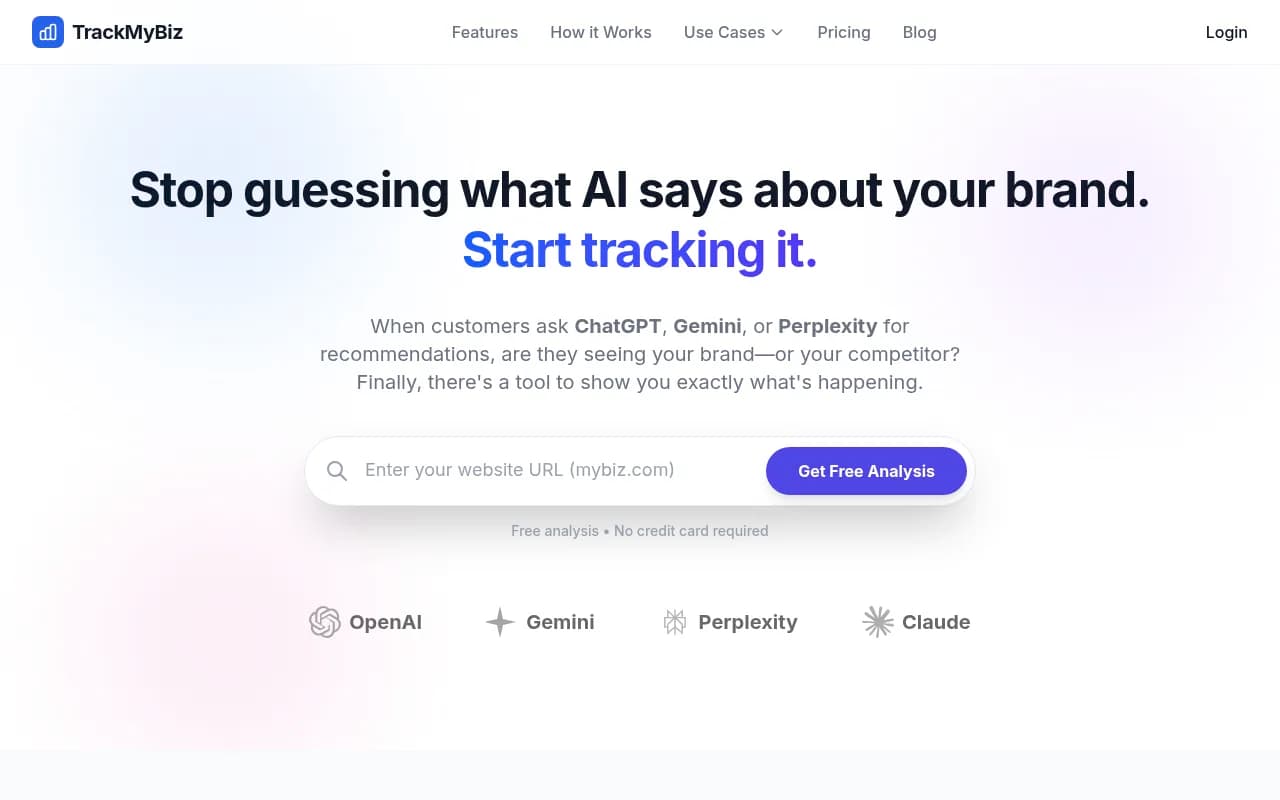
TrackMyBusiness automates AI brand monitoring across ChatGPT, Gemini, Perplexity, and Claude. See exactly when and how your brand appears in AI recommendations, catch hallucinations before they hurt your reputation, and compare your AI visibility against competitors. Built for marketers, agencies, a
Key Takeaways:
• Automated AI monitoring across 4 major LLMs (ChatGPT, Gemini, Perplexity, Claude) eliminates manual prompt testing and spreadsheet logging • Safety alerts catch AI hallucinations (wrong hours, fake pricing, false closure claims) before they cost you customers • Competitor tracking shows exactly who's getting recommended when you're not, with side-by-side visibility comparisons • Actionable source analysis reveals which websites and articles AI models cite, so you know where to focus content and PR efforts • Affordable entry point at $4.99/month makes it accessible for small businesses, though limited to 50 prompts and weekly scans on the base tier
When a potential customer asks ChatGPT "What's the best project management tool for remote teams?" or Perplexity "Which restaurants near me have the best reviews?", your brand is either in that answer or it's not. For years, businesses have obsessed over Google rankings because visibility equals revenue. Now that same battle is playing out inside AI models, and most companies have no idea whether they're winning or losing.
TrackMyBusiness launched in 2024 as one of the first dedicated AI brand monitoring platforms, positioning itself as "Search Console for AI." The tool targets small to mid-sized businesses, marketing teams, and agencies who need to understand their brand's presence in AI-generated recommendations without burning hours manually testing prompts. With pricing starting at $4.99/month, it's positioned as an accessible entry point into AI visibility tracking—significantly cheaper than enterprise platforms like Promptwatch or Profound, though with a more limited feature set.
The core problem TrackMyBusiness solves is simple but urgent: AI models are becoming primary research tools, and they don't always get facts right. A restaurant might be thriving but Claude claims it's permanently closed. A SaaS tool might have competitive pricing but ChatGPT cites an outdated article saying it's expensive. These "hallucinations" happen constantly, and unlike a bad Google review you can respond to, you often never know they're happening. Customers just... don't show up.
Automated Multi-Model Tracking
The platform monitors four major AI models: ChatGPT (OpenAI), Gemini (Google), Perplexity, and Claude (Anthropic). You define the prompts that matter to your business—"best CRM for small business," "top Italian restaurants in Austin," "most reliable web hosting"—and TrackMyBusiness runs those queries automatically on your schedule. The Basic plan runs weekly scans, Advanced runs daily, and Enterprise offers custom frequency.
What sets this apart from manually testing prompts yourself: the tool runs each query multiple times and aggregates results to identify stable trends rather than one-off flukes. LLM responses vary even with identical prompts due to temperature settings and model updates, so single tests are unreliable. TrackMyBusiness addresses this by treating AI monitoring like uptime monitoring—repeated sampling over time reveals the real pattern.
You can track up to 50 prompts on Basic, 100 on Advanced, and 1,000 on Enterprise. Each prompt can be monitored across multiple regions (1 region on Basic, 5 on Advanced, 20 on Enterprise), which matters for location-based businesses or brands with regional variations in how AI models perceive them.
Competitor Visibility Comparison
One of the platform's standout features is side-by-side competitor tracking. You specify up to 3 competitors on Basic, 10 on Advanced, or 50 on Enterprise, and TrackMyBusiness shows you exactly how often each brand appears in AI responses for your tracked prompts. This creates a leaderboard effect: when someone asks for "best email marketing tools," you see whether Mailchimp, ConvertKit, or your brand gets mentioned first, second, or not at all.
The competitor analysis goes beyond simple mention counts. You see which specific prompts each competitor dominates, what position they typically appear in (first mention vs. buried in a list), and how their visibility trends over time. If a competitor suddenly starts appearing more frequently, you get visibility into that shift before it becomes a major problem. This is particularly valuable for agencies managing multiple clients in competitive categories—you can spot emerging threats and opportunities across your entire portfolio.
Safety Engine and Hallucination Detection
This is where TrackMyBusiness differentiates itself from pure monitoring tools. The Safety Engine compares AI-generated statements about your brand against ground truth data you provide (business hours, pricing, location, key facts). When an AI model hallucinates incorrect information—claiming you're closed when you're open, citing wrong pricing, or stating you don't offer a service you actually provide—you get an immediate alert.
The platform shows you exactly which model made the error, what it said, and critically, which sources it cited. This last part is gold: if Gemini thinks your restaurant is permanently closed because it's pulling from an outdated Yelp listing or a news article about a temporary COVID closure, you know exactly where to focus your cleanup efforts. Fix the source, and the AI model's future responses improve.
Safety alerts are included in all plans and delivered via email. The system flags factual inaccuracies, negative sentiment shifts, and sudden drops in mention frequency that might indicate a problem. For businesses where AI recommendations directly drive foot traffic or sales (restaurants, local services, consumer products), this feature alone can justify the subscription cost.
Source and Citation Analysis
When AI models mention your brand, TrackMyBusiness shows you which websites, articles, reviews, and data sources they're citing. This is crucial for understanding why you're visible (or invisible). If ChatGPT consistently recommends you and cites your detailed FAQ page and recent TechCrunch review, you know that content strategy is working. If Perplexity never mentions you and only cites competitor blogs, you know you need to focus on earning citations from the sources AI models trust.
The platform doesn't just list sources—it shows you patterns. Which types of content (blog posts, reviews, documentation, social media) drive the most AI visibility? Which domains are most influential for your category? Are there high-authority sites citing your competitors but not you? This intelligence helps you prioritize content creation, PR outreach, and SEO efforts based on what actually moves the needle in AI recommendations.
Unlike some competitors that only show you a visibility score, TrackMyBusiness gives you the underlying data to understand why that score is what it is. You're not left guessing—you see the actual AI responses, the sources cited, and how those factors combine to create your overall visibility.
Sentiment Analysis
Every mention is analyzed for sentiment: positive, neutral, or negative. The platform tracks not just whether AI models mention you, but how they talk about you. A mention that says "Brand X is highly recommended for reliability and customer service" is very different from "Brand X is an option, though users report frequent bugs."
Sentiment tracking over time reveals whether your reputation in AI responses is improving or degrading. A sudden shift to negative sentiment might indicate a recent controversy, product issue, or negative review that AI models have picked up on. You can drill into specific prompts to see which queries trigger positive vs. negative mentions, helping you understand where your brand's strengths and weaknesses lie in AI's perception.
This feature is particularly valuable for reputation management. If you're actively working to improve customer satisfaction or address past issues, sentiment tracking shows whether those efforts are translating into better AI recommendations. It's a leading indicator of brand health in the AI ecosystem.
Dashboard and Reporting
The interface is designed to be simple and scannable—more like a monitoring dashboard than an analytics deep-dive tool. You see your overall AI Visibility Index (a proprietary score), mention frequency trends, competitor comparisons, and recent alerts all on one screen. The design philosophy is "show me what matters in 30 seconds," which fits the target audience of busy marketers who don't have time to dig through complex reports.
All plans include email delivery of insights, so you can stay informed without logging into the platform daily. The frequency matches your scan schedule: weekly summaries for Basic, daily for Advanced, and custom for Enterprise. Reports highlight significant changes—new competitors appearing, sudden visibility drops, safety alerts—so you're not drowning in noise.
One limitation: there's no Looker Studio integration, API access, or advanced export options on the lower tiers. If you need to pull data into custom dashboards or integrate with other tools, you'll need to contact sales about Enterprise options. For most small businesses, the built-in dashboard and email reports are sufficient, but agencies managing dozens of clients might find this restrictive.
Who Is It For
TrackMyBusiness is built for three primary audiences:
Small to mid-sized businesses (local restaurants, service providers, e-commerce brands, SaaS companies with under 100 employees) who need to understand their AI visibility without enterprise budgets or dedicated SEO teams. The $4.99-$9.99/month price point is accessible, and the simple interface doesn't require technical expertise. A restaurant owner can set up tracking for "best Italian food in [city]" in under 5 minutes and start getting weekly alerts about what AI says.
Marketing teams at growth-stage companies who are already doing SEO and content marketing but haven't yet tackled AI visibility. These teams typically manage 50-200 target keywords, have 5-10 main competitors, and need daily monitoring to catch issues quickly. The Advanced plan ($9.99/month) fits this profile perfectly—enough prompts and competitors to cover their core market, daily scans to stay current, and multi-region tracking for brands with geographic presence.
Digital marketing agencies managing multiple clients need the Enterprise tier ($89/month) to track 1,000 prompts across 50 competitors and 20 regions. At this level, you're essentially white-labeling AI monitoring as a service for your clients. The per-client cost becomes negligible when you're billing $2,000-$5,000/month for SEO and content services, and it gives you a competitive edge over agencies that aren't monitoring AI visibility at all.
Who should NOT use TrackMyBusiness: Enterprise brands with complex needs (multi-brand portfolios, dozens of markets, custom integrations) will outgrow this tool quickly. Platforms like Promptwatch, Profound, or Otterly.AI offer more sophisticated features—crawler log analysis, content gap analysis, AI content generation, API access—that large organizations need. TrackMyBusiness is intentionally simple, which is a strength for its target market but a limitation for enterprises.
Integrations and Ecosystem
Currently, TrackMyBusiness is a standalone platform with limited integrations. There's no mention of API access on the public pricing page, no browser extensions, and no mobile app. All monitoring happens server-side, and results are delivered via the web dashboard and email.
This is both a strength and a weakness. The strength: setup is genuinely under 2 minutes because there's nothing to integrate. You don't need to install tracking codes, connect Google Search Console, or configure webhooks. Just define your prompts and competitors, and you're done. The weakness: if you want to pull data into your existing marketing stack (Looker Studio, Tableau, custom dashboards), you're limited to manual exports or need to negotiate custom Enterprise features.
For most small businesses, this trade-off makes sense. The value is in the automated monitoring and alerts, not in building custom integrations. But agencies and larger teams might find the lack of API access frustrating if they're trying to scale AI monitoring across many clients.
Pricing and Value
TrackMyBusiness uses a straightforward three-tier model:
Basic ($4.99/month): 50 prompts, 3 competitors, weekly scans, 1 region, sentiment analysis, safety alerts, email delivery. This is the "dip your toe in" tier—enough to monitor your core category and top competitors without significant investment. Best for solo entrepreneurs, small local businesses, or anyone just starting to think about AI visibility.
Advanced ($9.99/month): 100 prompts, 10 competitors, daily scans, 5 regions, all Basic features. This is the sweet spot for most growing businesses. Daily scans mean you catch issues within 24 hours instead of waiting a week. 10 competitors covers your main competitive set. 5 regions works for brands with multiple locations or markets. At $10/month, it's cheaper than most SEO tools while addressing a completely different visibility channel.
Enterprise ($89/month): 1,000 prompts, 50 competitors, custom scan frequency, 20 regions, advanced analytics, priority support. This tier is for agencies or large organizations that need to monitor comprehensively. The jump from $10 to $89 is steep, but the feature expansion is massive—10x the prompts, 5x the competitors, 4x the regions. For an agency billing this as part of a broader service package, the ROI is clear.
All plans include a 30-day money-back guarantee, which reduces risk for new users. There's also a free analysis option that lets you see sample results before committing, though details on what exactly you get in the free analysis aren't specified on the site.
How does this compare to competitors? TrackMyBusiness is significantly cheaper than enterprise platforms. Promptwatch starts at $99/month, Profound and Otterly.AI are in similar ranges, and Semrush's AI monitoring features are part of higher-tier plans starting at $229/month. The trade-off: those platforms offer much deeper features—content gap analysis, AI content generation, crawler logs, API access, advanced attribution. TrackMyBusiness is purely monitoring and alerting, which is all many businesses need but not enough for sophisticated optimization efforts.
Against other budget-friendly options like Peec.ai or AthenaHQ, TrackMyBusiness is competitive on price and arguably simpler to use, but it lacks some of the prompt intelligence and citation depth those platforms offer. The Safety Engine and hallucination detection are differentiators—most competitors don't explicitly flag factual errors the way TrackMyBusiness does.
Strengths
Extremely accessible pricing makes AI monitoring available to businesses that can't afford $100-$500/month enterprise tools. At $4.99, there's almost no barrier to entry.
Safety Engine is genuinely useful for catching hallucinations before they damage your business. This isn't just vanity metrics—it's protecting revenue.
Simple, fast setup with no integrations required means you can be monitoring within minutes, not days. The interface is clean and doesn't overwhelm non-technical users.
Competitor tracking creates actionable context—knowing your visibility score is interesting, but knowing you're #4 when your main competitor is #1 tells you exactly what the problem is.
Multi-model coverage (ChatGPT, Gemini, Perplexity, Claude) gives you a complete picture rather than just monitoring one AI platform.
Limitations
No content optimization or generation features—TrackMyBusiness tells you what's wrong but doesn't help you fix it. Platforms like Promptwatch include AI writing tools and content gap analysis that actually help you improve visibility, not just track it.
Limited prompt volume on lower tiers (50 on Basic, 100 on Advanced) might not be enough for businesses with broad product lines or multiple service categories. You'll need to prioritize carefully.
No API or advanced integrations means you can't easily pull data into existing dashboards or automate workflows. This limits scalability for agencies.
Weekly scans on Basic tier mean you might not catch issues for 7 days, which could be too slow for time-sensitive reputation problems. Daily scans require the $9.99 tier.
No crawler log analysis or technical AI SEO features—you can see what AI says about you, but you can't see how AI models are actually crawling your website or diagnose indexing issues the way tools like Promptwatch can.
Bottom Line
TrackMyBusiness is the right tool if you're a small to mid-sized business that needs to start monitoring AI visibility without enterprise complexity or pricing. The Safety Engine alone—catching hallucinations before they cost you customers—can pay for the subscription many times over. Competitor tracking gives you the context to understand whether your AI visibility is actually a problem or just something to keep an eye on.
Best use case in one sentence: Small businesses and growth-stage companies that need affordable, automated monitoring of how ChatGPT, Gemini, Perplexity, and Claude talk about their brand, with alerts when AI gets facts wrong.
If you need deeper optimization capabilities—content gap analysis, AI content generation, crawler logs, API access—look at platforms like Promptwatch, Profound, or Otterly.AI. But if you just need to know what AI says about you and get alerted when it's wrong, TrackMyBusiness delivers that at a price point that makes sense for businesses of almost any size.
Tags:
Similar and alternative tools to TrackMyBusiness