Firecrawl Review 2026
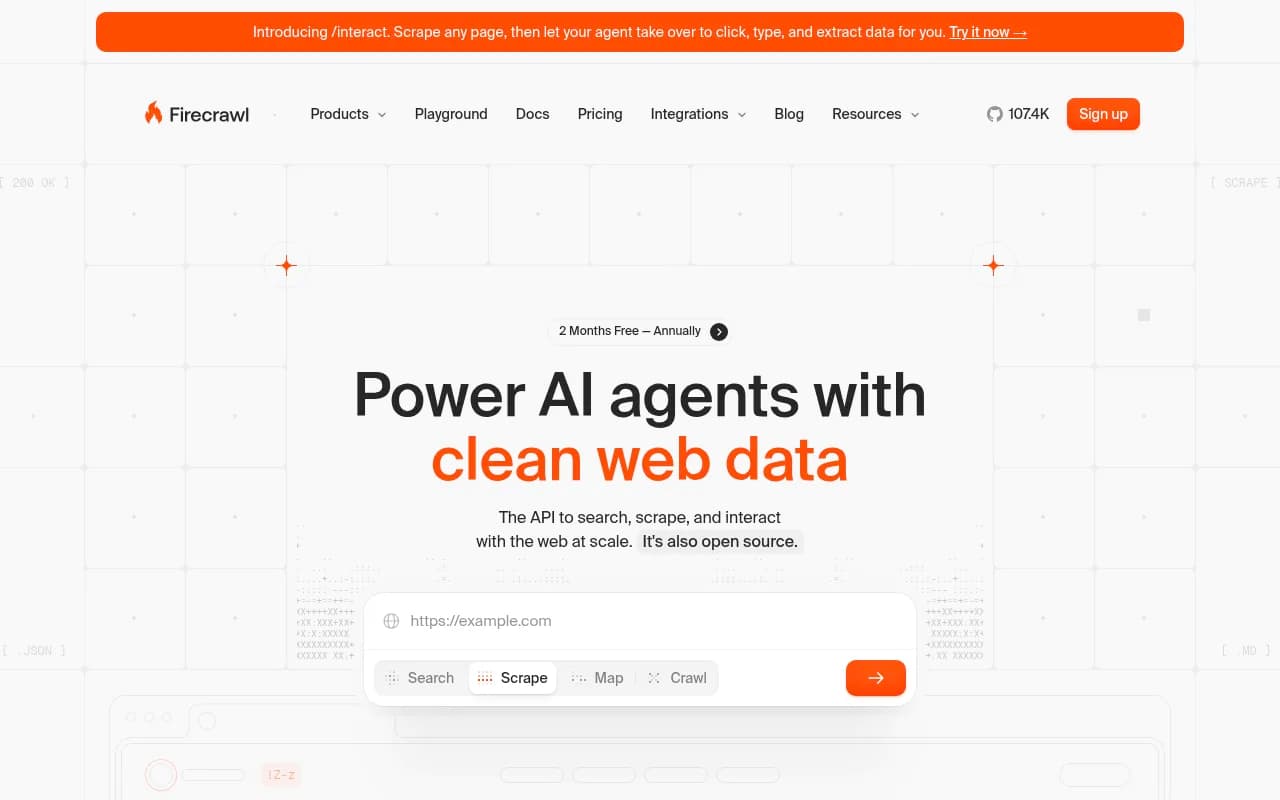
Developer-focused web crawling API that scrapes single pages, full websites, or large URL lists and returns structured data formats suitable for AI pipelines and SEO analysis.
Key takeaways
- Firecrawl is an open-source, API-first web scraping platform that converts websites into clean, LLM-ready data formats (markdown, JSON, screenshots) with minimal setup
- Backed by Y Combinator and trusted by 80,000+ companies including Shopify, Apple, Canva, and DoorDash
- Covers 96% of the web including JavaScript-heavy pages, with a P95 latency of 3.4 seconds across millions of pages
- Free tier gives 500 one-time credits; paid plans start at $16/month (Hobby) up to $333/month (Growth) billed annually
- Strong MCP and AI agent integration story -- works natively with Claude Code, Cursor, Windsurf, and OpenAI Codex
Firecrawl is a web data API built specifically for AI developers who need clean, structured content from the web without wrestling with proxies, JavaScript rendering, or anti-bot mechanisms. The company, backed by Y Combinator, has grown to serve over 80,000 companies since its launch, positioning itself as the go-to infrastructure layer for anyone building LLM applications, AI agents, or data pipelines that need real-time web content.
The core pitch is simple: you give Firecrawl a URL (or a list of them), and it returns clean markdown, structured JSON, or screenshots -- ready to feed directly into an LLM without further preprocessing. That sounds straightforward, but the engineering underneath is doing a lot of heavy lifting. Rotating proxies, smart waits for dynamic content, JavaScript execution, PDF and DOCX parsing, and anti-bot evasion are all handled server-side. You just make an API call.
The target audience is developers -- specifically AI engineers, data scientists, and anyone building on top of LLMs who needs reliable web data. It's not a no-code tool. There's no visual workflow builder or point-and-click interface (beyond a playground for testing). If you're comfortable with a REST API and a Python or Node.js SDK, you'll feel right at home. If you're not, this probably isn't your starting point.
Key features
Scrape endpoint -- single page to LLM-ready output
The /scrape endpoint is the core of Firecrawl. Pass it a URL and it returns the page content in your choice of format: markdown (the default and most popular for LLM use), raw HTML, structured JSON via schema extraction, or a screenshot. What makes this more than a basic scraper is the handling of JavaScript-rendered content. Many modern sites load content dynamically via React, Vue, or similar frameworks -- Firecrawl executes the JavaScript and waits for the content to actually appear before extracting it. The "smart wait" feature detects when a page has finished loading rather than using a fixed timeout, which speeds things up considerably on fast pages while still being reliable on slow ones.
Crawl endpoint -- full site discovery and extraction
The /crawl endpoint takes a root URL and recursively discovers and scrapes all accessible subpages. It respects robots.txt (using the FirecrawlAgent directive), handles pagination, and works even without a sitemap. For large sites, crawl jobs run asynchronously and you can poll for status or receive a webhook when complete. You can configure depth limits, URL pattern filters, and maximum page counts to keep crawls focused. This is particularly useful for building RAG knowledge bases from documentation sites or competitor websites.
Map endpoint -- URL discovery without full scraping
The /map endpoint is a lighter-weight option that returns all URLs on a site without actually scraping the content of each page. It's useful when you need to understand a site's structure, find specific pages before scraping them, or build a crawl queue programmatically. Faster and cheaper than a full crawl when you only need the URL list.
Search endpoint -- web search with content extraction
Rather than just returning search result links (like a standard search API), Firecrawl's /search endpoint returns the actual content of the top results. You get the full page text, not just a snippet. This is genuinely useful for AI agents that need to answer questions using current web information -- you can run a search and immediately have the content ready for an LLM to process, without a separate scrape step.
Interact endpoint (new) -- browser automation via AI prompts
The /interact endpoint is the newest addition and arguably the most interesting. It lets you scrape a page and then issue natural language or code-based instructions to interact with it: click buttons, fill forms, scroll, type, wait for elements, take screenshots at specific points. This bridges the gap between static scraping and full browser automation. The use cases are things like scraping content that's behind a login form, extracting data from multi-step flows, or navigating paginated tables. It's positioned as an alternative to Playwright or Puppeteer for AI-driven workflows, though it's still maturing.
Extract -- structured data with schema
Firecrawl's extract feature lets you define a JSON schema and have the API return structured data matching that schema from any page. Under the hood it uses an LLM to parse the content and map it to your schema. This is useful for product data extraction, lead enrichment, or any case where you need specific fields rather than full page content. The hosted version uses Firecrawl's own LLM infrastructure for this, so you don't need to wire up your own model.
MCP server and CLI -- native AI agent integration
Firecrawl ships an official MCP (Model Context Protocol) server that connects any MCP-compatible client to the web in seconds. The configuration is a single JSON block. Combined with the CLI (npx -y firecrawl-cli@latest init --all --browser), this means Claude Code, Cursor, Windsurf, and other AI coding tools can use Firecrawl as a web browsing skill with one command. This is a smart move -- as AI coding assistants become the primary interface for many developers, being the default web data tool in those environments is valuable real estate.
Media parsing -- PDFs, DOCX, and more
Firecrawl can parse web-hosted PDFs and DOCX files and return their content in the same clean markdown format as regular web pages. This is handled transparently -- you pass the URL of a PDF and get back text content. For research workflows, documentation ingestion, or any pipeline that needs to handle mixed content types, this removes a significant preprocessing step.
Caching and selective cache control
The hosted version includes a growing web index with selective caching. You can choose your caching patterns -- use cached versions for speed and cost savings, or force a fresh fetch when you need current data. For use cases like competitive monitoring or news aggregation where freshness matters, this control is important.
Who is it for
Firecrawl's sweet spot is AI engineers and developers building LLM-powered applications that need real-time or large-scale web data. Think: a developer building a RAG chatbot who needs to ingest a competitor's documentation site, a data scientist building a training dataset from web sources, or an AI agent that needs to look up current information to answer user questions. The API-first design means it fits naturally into existing code -- you're not adopting a new platform, you're adding a dependency.
For teams building AI products on top of Firecrawl (the "AI platforms" use case they highlight), it's a solid infrastructure choice. Companies like Lovable, Botpress, and You.com are listed as customers, suggesting it's being used as a backend data layer rather than a direct user-facing tool. At the Standard plan ($83/month billed annually for 100,000 credits), a small team can run substantial data pipelines without hitting limits.
The tool is less suited for non-technical users, SEO professionals looking for a point-and-click crawler, or anyone who needs social media data (explicitly not supported). It's also not the right choice if you need deep SEO analytics -- Firecrawl extracts content but doesn't analyze it. For competitive intelligence or content gap analysis in AI search, you'd need a separate tool on top of the raw data Firecrawl provides.
Integrations and ecosystem
Firecrawl's integration story is strong and growing fast. The official SDKs cover Python and Node.js, with the Python SDK (firecrawl-py) being the most mature. Both are actively maintained -- the GitHub repo shows multiple commits per week from the core team.
The MCP server is the most strategically important integration right now. It works with any MCP-compatible client, which currently includes Claude Code, Cursor, Windsurf, and OpenAI Codex. Setup is a single JSON config block. This positions Firecrawl as the default web browsing capability for AI coding assistants.
Beyond MCP, Firecrawl integrates with:
- Zapier -- listed as a customer, suggesting workflow automation use cases
- LangChain and LlamaIndex -- documented integrations for RAG pipelines
- Dify, Flowise, and other no-code AI builders -- via the REST API
- Webhooks -- for async crawl job completion notifications
- Looker Studio -- not directly, but data can be exported for custom reporting
The REST API is well-documented at docs.firecrawl.dev with an OpenAPI spec, making it straightforward to integrate into any language or framework. The cURL examples in the docs are clean and copy-paste ready.
There's no native browser extension, and the mobile story is nonexistent -- this is a server-side API tool, not a consumer product.
The open-source repository on GitHub has over 107,000 stars, which is a meaningful signal of developer adoption. The self-hosted version is available but lacks the proprietary Fire-engine scraper, which handles proxies and anti-bot mechanisms. For most teams, the hosted version is the practical choice.
Pricing and value
Firecrawl's pricing is credit-based, where one credit equals one scraped page (or one PDF page). The tiers are:
- Free: 500 one-time credits, no credit card required. Good for testing.
- Hobby: $16/month (billed annually) or ~$19/month monthly. 3,000 credits/month, 5 concurrent requests. Extra credits at $9 per 1,000.
- Standard: $83/month (billed annually). 100,000 credits/month, 50 concurrent requests. Extra credits at $47 per 35,000.
- Growth: $333/month (billed annually). 500,000 credits/month, 100 concurrent requests. Extra credits at $177 per 175,000.
- Scale: $599/month (billed annually). 1,000,000 credits/month, 150 concurrent requests.
- Enterprise: Custom pricing with zero-data retention, SSO, dedicated support, and SLA.
Credits do not roll over month to month (with the exception of auto-recharge packs and annual Scale/Enterprise plans). This is worth knowing if your usage is spiky.
Compared to alternatives like Apify, the pricing is competitive at lower tiers. One user on Twitter noted benchmarking Firecrawl at 50x faster than Apify for their agent use case, which suggests the value proposition goes beyond just price. Bright Data and ScrapingBee are other common comparisons -- Firecrawl tends to be simpler to set up and more LLM-focused, while those tools offer more configuration options for complex scraping scenarios.
For a solo developer or small team building an AI product, the Standard plan at $83/month covers a lot of ground. 100,000 pages per month is substantial for most applications.
Strengths and limitations
What it does well:
- Developer experience is genuinely good. The API is clean, the docs are thorough, and the SDKs work as advertised. The team ships fast -- the testimonial about getting TypeScript types added within an hour of requesting them is consistent with the commit frequency on GitHub.
- JavaScript rendering and anti-bot handling are solid. The 96% web coverage claim and P95 latency of 3.4 seconds are specific, verifiable numbers rather than vague marketing claims. For AI agent use cases where you need reliable, fast data, this matters.
- The MCP integration is ahead of competitors. Being the default web tool for Claude Code and Cursor users is a meaningful distribution advantage. Most competing scrapers haven't moved this quickly on the AI agent integration story.
- Open source with an active community. 107K+ GitHub stars and 90+ contributors means the project has real momentum. You can self-host if needed, audit the code, and contribute fixes.
Honest limitations:
- No social media support. Twitter/X, LinkedIn, Instagram, and similar platforms are explicitly out of scope. If your use case involves social data, you'll need a different tool.
- The Interact/browser automation feature is new and still maturing. It's promising, but for complex browser automation workflows, dedicated tools like Playwright or Browserbase currently offer more control and reliability.
- Credits don't roll over. For teams with variable monthly usage, this can feel wasteful. A pay-per-use option would be more flexible, and Firecrawl explicitly doesn't offer one currently.
- Self-hosted version is limited. The open-source repo lacks the proprietary Fire-engine, which handles the hard parts (proxies, anti-bot). Running Firecrawl yourself means managing your own proxy infrastructure, which defeats much of the convenience.
Bottom line
Firecrawl is the right choice for developers building AI applications that need reliable, clean web data at scale. The combination of a well-designed API, strong JavaScript rendering, native MCP support for AI coding tools, and an active open-source community makes it the most practical option in its category right now. If you're building a RAG pipeline, an AI agent that browses the web, or a data pipeline for LLM training, Firecrawl removes the infrastructure headache and lets you focus on the application layer.
Best use case in one sentence: an AI engineering team that needs to ingest web content into LLM pipelines reliably, without building and maintaining their own scraping infrastructure.
Frequently asked questions
What is Firecrawl?
Is Firecrawl free to use?
Is Firecrawl open source?
How does Firecrawl handle JavaScript-heavy websites?
What AI tools does Firecrawl integrate with?
How does Firecrawl compare to Apify or ScrapingBee?
Similar and alternative tools to Firecrawl