Key takeaways
- Webhooks push data to your systems the moment a brand mention is detected -- no polling required, no lag.
- Slack is the most practical destination for AI brand mention alerts because it's where teams already pay attention.
- Trigger-based workflows let you route different alert types to different channels, people, or automated actions.
- Alert fatigue is the biggest failure mode -- good alert design filters noise before it hits your inbox.
- Platforms like Promptwatch go beyond monitoring to help you act on what the alerts surface.
Why real-time matters for AI brand mentions
Traditional brand monitoring was forgiving. A mention on a news site or a tweet could wait a few hours before someone noticed. The damage was slow.
AI search is different. When ChatGPT recommends three project management tools and yours isn't one of them, that recommendation gets served to thousands of users in real time. It shapes buying decisions before anyone visits your website. And unlike a tweet, you can't reply to a ChatGPT response.
The window to respond -- by publishing content, updating your pages, or adjusting your messaging -- is narrow. That's why real-time alerting for AI brand mentions isn't a nice-to-have in 2026. It's the difference between knowing about a visibility drop on day one versus day nine.
But real-time alerting is only useful if it's actionable. A flood of raw notifications with no context is just noise. The goal is a system that tells you what changed, why it matters, and what to do about it -- all in the place where your team already works.
How webhooks power real-time brand mention detection
What a webhook actually does
A webhook is an HTTP callback. When something happens in one system -- say, your brand gets mentioned (or stops being mentioned) in a ChatGPT response -- that system sends a POST request to a URL you've specified. Your receiving system processes the payload and does something with it.
The alternative is polling: your system asks the monitoring platform "anything new?" every few minutes. Polling works, but it introduces latency, burns API quota, and doesn't scale well when you're tracking dozens of prompts across ten AI models. Webhooks flip the model. The monitoring platform calls you when something changes.
For AI brand mention monitoring, a webhook payload typically includes:
- The prompt or query that triggered the mention
- The AI model that generated the response (ChatGPT, Perplexity, Gemini, etc.)
- Whether your brand was mentioned, cited, or absent
- Competitor brands that appeared in the same response
- A timestamp and geographic/language context
- A sentiment signal or ranking position if available
That's the raw material. What you do with it depends on your workflow.
Webhook endpoints: where the data lands
You need a URL that can receive the webhook payload. Common destinations:
- A serverless function (AWS Lambda, Cloudflare Workers, Vercel Edge Functions) that processes the payload and routes it
- A workflow automation platform like Zapier or n8n that handles the routing visually
- Your own backend if you want full control

For most marketing and SEO teams, a no-code automation platform is the right starting point. You get the flexibility to route alerts without writing backend code, and you can iterate quickly as your alerting logic evolves.
Setting up Slack notifications for AI brand mentions
Slack is the obvious destination for real-time alerts. The average Slack user checks it constantly throughout the day. Alerts that land in Slack get seen; alerts that land in email get buried.
How Slack incoming webhooks work
Slack's incoming webhook system is straightforward. You create a Slack app, enable incoming webhooks, and generate a unique URL for a specific channel. When you POST a JSON payload to that URL, Slack delivers the message to that channel.
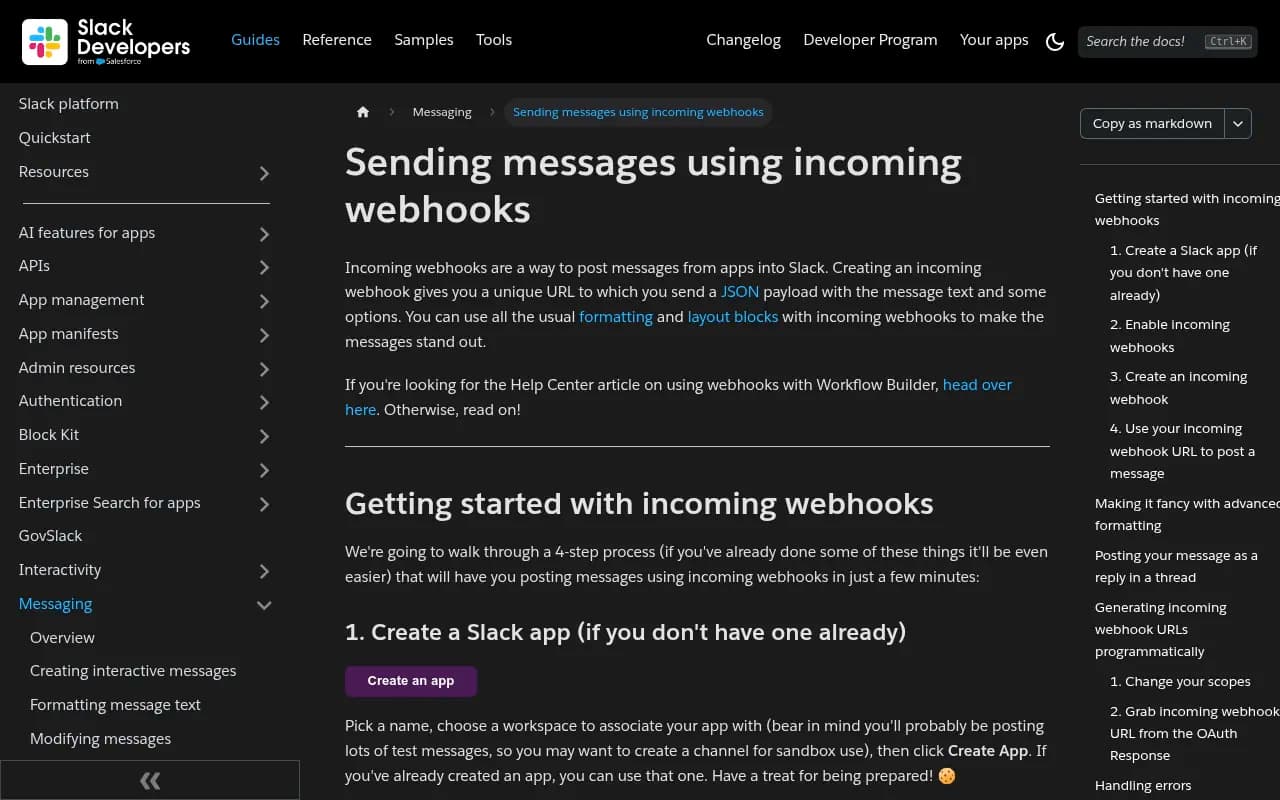
The payload structure is simple:
{
  "text": "Brand mention alert",
  "blocks": [
    {
      "type": "section",
      "text": {
        "type": "mrkdwn",
        "text": "*Your brand was dropped from ChatGPT's top 3 recommendations for 'best CRM for startups'*"
      }
    },
    {
      "type": "section",
      "fields": [
        { "type": "mrkdwn", "text": "*Model:* ChatGPT (GPT-4o)" },
        { "type": "mrkdwn", "text": "*Competitor now ranking:* Competitor X" },
        { "type": "mrkdwn", "text": "*Region:* United States" },
        { "type": "mrkdwn", "text": "*Detected:* 2 minutes ago" }
      ]
    }
  ]
}
Slack's Block Kit lets you add buttons, context sections, and formatted fields. A well-designed alert message includes enough context that the recipient knows exactly what happened and can take action without clicking through to a dashboard.
Designing alert messages that don't get ignored
The biggest mistake teams make is sending raw data. A message that says "Brand mention detected: ChatGPT, prompt ID 4821, sentiment: neutral" tells you almost nothing useful.
A good alert message answers four questions:
- What changed? (Your brand dropped out of the top 3 / appeared for a new prompt / a competitor gained a citation)
- Where? (Which AI model, which prompt, which region)
- How significant? (High-volume prompt vs. niche query)
- What's the next step? (Link to the relevant dashboard view or content gap)
Keep the message short. One key fact, two or three context fields, and one action link. That's it.
Trigger-based workflows: routing the right alert to the right person
Not every brand mention event deserves the same response. A competitor appearing in a high-volume prompt is urgent. A brand mention in a low-traffic niche query in a secondary market is interesting but not urgent. Your alerting system should reflect that distinction.
Trigger types worth building
Visibility drop alerts -- Your brand disappears from an AI response where it previously appeared. This is the most urgent trigger. Route to your SEO or content lead immediately.
Competitor gain alerts -- A competitor appears in a response where you don't. Useful for competitive intelligence. Route to product marketing or the content team.
New prompt visibility -- Your brand starts appearing in a prompt it wasn't visible for before. Good news worth tracking. Route to a wins channel.
Citation source changes -- The pages AI models are citing for your brand change. This might mean a competitor's content is outranking yours as a source. Route to SEO.
High-volume prompt changes -- Any change on a prompt with significant search volume. These warrant immediate attention regardless of direction.
Routing logic in practice
A simple routing setup using a tool like Zapier or n8n might look like this:
- Webhook from your monitoring platform arrives
- Check the
prompt_volumefield -- if above threshold, mark as high-priority - Check the
event_typefield -- visibility drop, competitor gain, new appearance, etc. - Route to the appropriate Slack channel based on priority and type
- For high-priority drops, also send a direct message to the responsible team member
IF event_type = "visibility_drop" AND prompt_volume > 1000
  → Post to #ai-visibility-urgent
  → DM to @seo-lead

IF event_type = "competitor_gain" AND competitor = "Competitor X"
  → Post to #competitive-intel

IF event_type = "new_visibility"
  → Post to #ai-visibility-wins
This keeps your main alert channel clean and ensures urgent signals don't get lost in a stream of low-priority notifications.
Alert fatigue: the failure mode no one talks about enough
Here's the honest problem with real-time alerting: if you set it up wrong, you'll get so many notifications that everyone starts ignoring them. That's worse than no alerting at all, because you get the false comfort of "we have a system" while the system is effectively off.
Alert fatigue happens when:
- You're tracking too many low-volume prompts without filtering
- You alert on every minor fluctuation instead of meaningful changes
- Multiple people receive the same alert with no clear owner
- Alerts have no context and require clicking through to understand
The fix is deliberate filtering at the source. Before a trigger fires, ask: would a human care about this right now? If the answer is "maybe, eventually," it's a weekly digest item, not a real-time alert.
A practical framework:
| Event type | Volume threshold | Alert type | Destination |
|---|---|---|---|
| Visibility drop | Any | Immediate | #ai-visibility-urgent + DM |
| Competitor gain | High-volume prompts only | Immediate | #competitive-intel |
| New visibility | Any | Daily digest | #ai-visibility-wins |
| Citation source change | High-volume prompts only | Immediate | #seo-team |
| Minor sentiment shift | N/A | Weekly report | Email digest |
The weekly digest handles everything that doesn't need immediate attention. Real-time alerts handle the things that do.
Connecting alerts to action
An alert that tells you something changed is only half the system. The other half is knowing what to do about it.
This is where most monitoring-only tools fall short. They tell you your brand dropped out of a ChatGPT recommendation. They don't tell you why, what content is missing, or what to create to fix it.
The more useful workflow connects the alert directly to a content gap analysis. When your brand disappears from a high-volume prompt, the system should surface:
- Which competitors are now appearing and what content they have that you don't
- What topics and angles the AI model seems to be pulling from
- What content you could create to close the gap
Promptwatch is built around exactly this loop. The alert is the starting point, not the end point. Answer Gap Analysis shows you which prompts competitors are visible for but you're not, and the built-in content generation tools help you create the content that fills those gaps.

For teams that want to track AI visibility without that full workflow, there are simpler monitoring tools worth knowing:
Otterly.AI



These are solid for monitoring, but they stop at the alert. You'll need to build your own workflow for the "what do we do now" part.
Building the full workflow: a practical setup
Here's a complete setup that works for most marketing teams in 2026.
Step 1: Choose your monitoring platform
Pick a platform that supports webhook exports or has a native Slack integration. Check whether it monitors the AI models that matter for your industry -- at minimum, ChatGPT, Perplexity, Google AI Overviews, and Gemini. Prompt volume data is important here; you want to prioritize alerts based on how many people are actually asking that question.
Step 2: Configure your webhook endpoint
If your monitoring platform supports direct Slack integration, use it. If not, set up a Zapier or n8n workflow as the intermediary. The webhook endpoint receives the payload, applies your routing logic, and posts to Slack.
Step 3: Design your Slack channels
Create dedicated channels rather than dumping everything into #general or #marketing:
#ai-visibility-urgent-- drops and high-priority changes#competitive-intel-- competitor gains and movements#ai-visibility-wins-- new appearances and positive changes#ai-visibility-weekly-- digest of lower-priority signals
Step 4: Define your trigger rules
Map out which events trigger immediate alerts vs. digest inclusion. Use prompt volume as your primary filter. A visibility drop on a prompt that gets 50 searches a month is not the same as a drop on a prompt that gets 50,000.
Step 5: Connect alerts to action
For each alert type, define the default next action. Visibility drop → content gap review. Competitor gain → competitive content analysis. New visibility → document what's working and replicate it.
This is the step most teams skip, and it's why their alerting systems eventually get ignored. The alert is only valuable if it triggers a response.
Tools comparison: AI brand mention alerting capabilities
| Tool | Webhook support | Slack integration | Prompt volume data | Content gap analysis | AI models tracked |
|---|---|---|---|---|---|
| Promptwatch | Yes | Yes | Yes | Yes (built-in) | 10+ |
| Otterly.AI | Limited | Yes | No | No | 5+ |
| Peec.ai | No | Yes | No | No | 4+ |
| Rankshift | No | No | Limited | No | 3+ |
| Profound | Yes | Yes | Yes | Limited | 9+ |
| n8n (DIY) | Yes | Yes | N/A | N/A | N/A |
The DIY approach with n8n or Zapier gives you maximum flexibility but requires you to build and maintain the logic yourself. Dedicated platforms handle the monitoring layer; you just need to connect the output to your workflow.
What good looks like in practice
A well-functioning AI brand mention alert system should feel like this: your brand drops out of a top-three recommendation on a high-volume ChatGPT prompt at 9 AM. By 9:05, your SEO lead has a Slack message with the prompt, the competitors now appearing, and a link to the content gap analysis. By end of day, a content brief is in progress.
That's the loop. Detect, alert, analyze, act. Most teams have the first two steps. The last two are where the actual value lives.
The technical setup -- webhooks, Slack incoming webhooks, routing logic -- is genuinely not that complicated. The harder part is the organizational design: who owns each alert type, what the default response is, and how you close the loop between a visibility change and a content decision.
Get that right, and real-time AI brand mention alerting becomes one of the most useful systems your marketing team runs.