Key takeaways
- llms.txt is infrastructure for coding agents, not a ranking tactic. Limy's analysis of 500M+ LLM bot events found search crawlers like GPTBot and ClaudeBot almost never fetch it, but IDE agents and MCP servers do.
- Serve clean markdown for every docs page (same URL plus
.md) and point to it from llms.txt. That is where most of the token savings come from. - Use llms.txt for navigation, llms-full.txt only if your docs fit in a context window, and an MCP server when agents should query or act on your docs and API directly.
- Keep AGENTS.md, CLAUDE.md and Cursor rules short and current. Stale instructions cause more failures than missing ones.
- Test with a real agent, then check your crawler logs. Nobody should trust a file because it validates.
Why docs for coding agents are a different problem
When a developer asks Cursor or Claude Code to integrate your API, the agent fetches your docs mid-task. If the page is a JavaScript-heavy HTML shell with navigation menus, cookie banners and a sidebar with 300 links, the agent burns its context window before it reaches the endpoint description. Or it never renders the page at all.
This is a different audience from consumer AI search. Promptwatch Data's Markdown in AI Search report (Feb 2026, last 7 days of citations across ChatGPT, Claude, Perplexity and Google AI Overviews) found HTML makes up 99.94% of AI search citations, while .md files are 0.05%. That is roughly 2,000 to 1. So markdown mirrors will not help your marketing pages get cited. The same report notes a big uptick in docs crawling by Claude's bot and OpenAI's bot, which power Claude Code and Codex, and these agents fetch specific docs, READMEs and API references. Its crawler log table shows plenty of requests to /docs/.../*.md paths.
So the split is clear. Marketing and editorial content: stay with HTML. Developer docs: give agents markdown.
The agent-facing file stack at a glance
It is easy to confuse these files. A Hugging Face community guide from October 2026 lays out which does what, and the short version is below.
| File or protocol | Purpose | Lives where |
|---|---|---|
| llms.txt | Index that helps agents find your docs | Site root or any subpath such as /docs/llms.txt |
| llms-full.txt | All docs content in one file | Same place as llms.txt |
| Page .md files | Clean markdown for each page | Page URL plus .md |
| MCP server | Lets agents query tools, resources and prompts | Hosted endpoint |
| AGENTS.md | Repository instructions for coding agents | Repo root |
| CLAUDE.md, GEMINI.md | Project instructions for Claude Code and Gemini CLI | Repo root |
| .cursor/rules/*.mdc | Cursor rules | Repo |
| .github/copilot-instructions.md | Copilot instructions | Repo |
| SKILL.md | Reusable agent workflows | Skill directory with references/ and scripts/ |
The first four are about your published docs. The rest are about repos. If you ship an SDK or open-source library, you need both sides.
Step 1: write a proper llms.txt
The format from llmstxt.org is deliberately simple. Jeremy Howard of Answer.AI proposed it in September 2024. The file must contain, in this order:
- An H1 with the project name. This is the only required part.
- A blockquote summary.
- Optional free-form paragraphs (no headings).
- H2 sections containing lists of links, each as
[name](url)with optional: notes. - An "Optional" H2 section for secondary links an agent can skip when it needs a shorter context.
A minimal example:
# Acme API

> REST API for sending invoices. Authentication uses bearer tokens. All endpoints return JSON.

Rate limit is 100 requests per minute per key. Sandbox base URL is https://sandbox.acme.dev.

## Getting started

- [Authentication](https://docs.acme.dev/auth.md): create and rotate API keys
- [Quickstart](https://docs.acme.dev/quickstart.md): send your first invoice in Python and Node

## API reference

- [Invoices](https://docs.acme.dev/api/invoices.md): create, list, void
- [Errors](https://docs.acme.dev/api/errors.md): error codes and retry guidance

## Optional

- [Changelog](https://docs.acme.dev/changelog.md)
- [Migration from v1](https://docs.acme.dev/migrate.md)
A few things I would push on, based on the sources:
- Link to the markdown versions, not the HTML pages. The spec says links should point to LLM-friendly content. Cloudflare's llms.txt, for example, is organised by product area with
.../index.mdlinks. - Put the facts agents trip over into the summary: auth scheme, base URLs, rate limits, versioning. Fern's guide stresses that agents need explicit parameter descriptions and error schemas to generate working code.
- Add a one-line note per link. Mintlify's examples do this and it helps an agent choose which link to open.
- Place files at the most useful path. The spec lets a file sit at any subpath and says agents should use the most specific file that applies. A
/docs/llms.txtfor docs and a separate one for your API reference is fine. - Do not put marketing copy in it. Strip anything that does not help code generation.
llms.txt or llms-full.txt?
Fern's rule of thumb is good: llms.txt for large docs sites where everything would blow the token limit, llms-full.txt for concise APIs that fit in a context window. The Hugging Face guide warns that a full export can consume context unnecessarily. If your docs are 400 pages, skip the full file or split it per product or version.
Step 2: serve markdown at page URLs
The spec says to serve a markdown version of each page at the same URL with .md appended (page.html.md) or the extension swapped (page.md). For URLs with no file name, use index.html.md or index.md.
Some platforms go further. Fern serves markdown when you append .md or send an Accept: text/markdown header, and says that together with llms.txt this cuts token consumption by over 90% versus parsing full HTML. Limy cites reports of up to 10x token reductions for companies serving markdown. Those are vendor numbers, so measure your own pages, but the direction is believable. Navigation and scripts are mostly dead weight.
Make the markdown discoverable
Agents will not find .md files by magic. The spec gives two discovery signals, usable as HTML <link> elements or an HTTP Link: header:
rel="alternate" type="text/markdown"for the markdown version of a pagerel="describedby"for the llms.txt file
The header route is handy because you can set it in CDN or server config without editing any pages:
Link: </docs/page.html.md>; rel="alternate"; type="text/markdown", </docs/llms.txt>; rel="describedby"
Fix client-side rendering first
Promptwatch's markdown report has a blunt tip: before anything else, fix pages that depend on client-side JavaScript to render. If your docs are a single-page app that returns an empty div, no llms.txt will save you. Pre-rendering services like Prerender.io exist for that.
Step 3: choose a docs platform that does this for you
Hand-maintaining llms.txt is how it goes stale. Fern's guide says stale files cause wrong code: removed endpoints and old auth flows get suggested back to developers, and assistants cache these files so old versions can linger for days or weeks. Generating from the same source as your docs removes most of that risk. Limy notes that Fern, GitBook, Vercel Docs, Supabase Docs, Yoast and Rank Math ship llms.txt by default.
| Platform | llms.txt | MCP server | Notable extras |
|---|---|---|---|
| Fern | Generates llms.txt and llms-full.txt at any path level | Auto-hosted for docs sites | Serves .md per page, ?lang=python filter, <llms-only> and <llms-ignore> tags, /.well-known/api-catalog (RFC 9727), Agent Score tool |
| Mintlify | Generates llms.txt and llms-full.txt | Hosted MCP server connecting docs and API endpoints | Markdown export, AI traffic analytics, assistant |
| GitBook | Automatic structured markdown delivery | Auto-generated MCP endpoint per published space | Analytics on which AI tools access your docs |
This comes from the vendors' own pages and GitBook's comparison, so treat the feature claims as claims. Fern's controls are the most specific I found. The <llms-only> tag lets you add implementation notes that would clutter human docs. <llms-ignore> hides CTAs. Setting noindex: true in frontmatter drops a page from the AI files and navigation while keeping the direct URL alive. Those are the kind of knobs that matter once a docs site grows.
Step 4: add an MCP server where it earns its keep
Here is the practical distinction. llms.txt helps an agent read your docs. An MCP server lets an agent call tools, search resources and fetch prompts. Fern's FAQ puts it neatly: use llms.txt to help developers write integration code faster in tools like Cursor and Copilot, and use MCP when agents interact with your API autonomously without a developer in the loop.
There is also a cheap bridge between the two. LangChain's open-source mcpdoc exposes llms.txt files to hosts like Cursor, Windsurf and Claude Desktop, and gives the user a fetch_docs tool to read URLs listed in any llms.txt. llmstxt.org mentions a similar server-llm-txt for fetching and searching llms.txt files. So a good llms.txt already works through MCP for users who set it up.
Three ways to approach your own server:
- Use your docs platform's hosted MCP. Fern, Mintlify and GitBook all auto-host one, so you skip infrastructure.
- Run a small docs-search MCP that wraps your llms.txt and markdown pages.
- Build a real API-facing MCP server for actions. That is a bigger project involving auth, tool design and versioning.
My research did not cover MCP specifics like spec version, transport or auth, so check the current spec and your client's requirements before building. One principle holds regardless: keep tool names and descriptions plain, because the agent chooses tools from those descriptions alone.
Sebastian Nilsson's piece on token usage mentions another pattern worth knowing: developers connect a docs-lookup MCP such as Context7 and tell the agent to look up a library's API for the installed version. If your library is indexed there, version-specific answers get easier.
Step 5: repo-level instructions
If you publish an SDK, CLI or starter repo, agents read the repo too. The Hugging Face guide lists the files, and its pitfalls are worth taking seriously:
- Not every agent reads AGENTS.md automatically, and agents load and prioritise it differently.
- Outdated commands and unnecessary rules cause failures and wasted effort.
Keep AGENTS.md short: how to install, test, lint, and the two or three conventions that actually matter. Link to your llms.txt from it. If you need Claude-specific or Cursor-specific behaviour, put it in CLAUDE.md or .cursor/rules/*.mdc rather than overloading one file. Copilot reads .github/copilot-instructions.md.
For repeatable workflows such as "add a webhook handler," a SKILL.md with a references/ folder and scripts/ is a cleaner home than a giant rules file.
Step 6: test it with a real agent
The Hugging Face guide says having an llms.txt does not guarantee agents will discover or use it. So test.
- Open Claude Code or Cursor, paste your llms.txt URL, and ask a question the file should answer. Limy suggests exactly this, with questions like what the product charges or which CRMs it integrates with.
- Ask the agent to complete a real task, like creating an invoice with your SDK, using only your docs. Note where it stalls.
- If it references outdated information or cannot find a documented feature, fix the file structure. Fern's advice: token count matters less than whether the assistant extracts correct information fast.
- Re-test after every breaking change. Generate separate llms.txt files per version if your docs are versioned.
A YouTube walkthrough from TechyTacos shows the same pattern from the user side: pass docs links to Claude, then set up an MCP server for Google ADK so the agent can fetch docs in real time while building.
Step 7: measure who is actually reading
Be honest about expectations. Limy found search crawlers (GPTBot, ClaudeBot, PerplexityBot, OAI-SearchBot) overwhelmingly skip /llms.txt and crawl HTML directly. Shero Commerce, writing about eCommerce, says independent studies show no citation lift and treats it as readability hygiene and brand control. A Reddit thread on r/AISearchLab frames it as housekeeping: check your server access logs. I agree with that. Ship it because it is cheap and helps agents, not because it will move rankings.
What to check:
- Server or CDN logs for requests to llms.txt and
.mdpaths, split by user agent. - Whether the agents you care about are reaching your docs at all. Promptwatch Data's AI Crawler Traffic report (Jun 8 to Sep 6, 2026) shows OpenAI at 79.8% of IP-verified AI crawler requests in the week of Aug 31 to Sep 6, down from 94.8% in early June. Its advice: if a provider is large in that mix but near zero in your logs, check robots.txt, CDN and WAF rules, because you are probably blocking it.
- Doc-platform analytics. Fern reports traffic by LLM provider and bot versus human, GitBook shows which AI tools access docs, and Mintlify has AI traffic analytics.
If you want this outside your docs vendor, Promptwatch shows IP-verified AI crawler logs through Cloudflare, Vercel, Fastly or raw server logs, plus which pages get cited. It also tracks how Codex, Claude Code and OpenCode recommend tools and SDKs, which is useful if developers are your buyers.

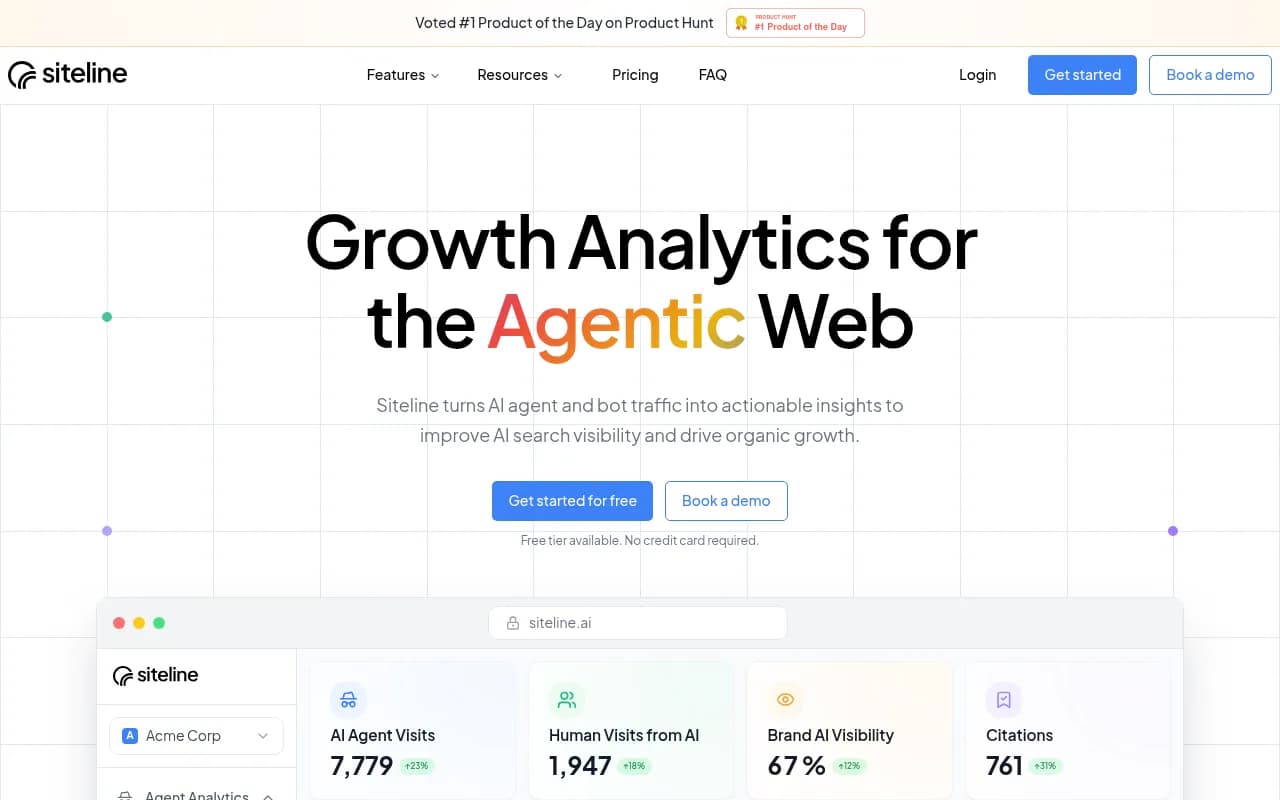
Lighter-weight options exist for agent traffic specifically. Siteline AI focuses on AI agent traffic analytics.
For a wider view of options, the GEO software directory at bestgeosoftware.com lists more tools in this category.
Common mistakes
- Publishing llms.txt that links to HTML pages full of chrome. Link to markdown.
- Letting it go stale. Regenerate on every docs build, not by hand.
- Dumping everything into llms-full.txt for a huge site.
- Writing marketing prose in the summary instead of auth, base URLs and limits.
- Adding an MCP server with vague tool descriptions, then wondering why agents never pick it.
- Treating AGENTS.md as a dumping ground for every rule you have ever had.
- Blocking AI crawlers in robots.txt or a WAF and forgetting about it.
- Expecting consumer AI search visibility from .md files. The 0.05% citation share says no.
A short checklist
| Task | Done when |
|---|---|
| Docs render without client-side JS | curl returns real content |
| llms.txt at /docs (or root) | H1, summary, H2 link lists, Optional section |
| .md for every docs page | page.md or page.html.md resolves |
| Discovery headers | Link: header with alternate and describedby |
| llms-full.txt | Only if docs fit a context window |
| MCP server | Hosted by platform or built for actions |
| AGENTS.md and friends | Short, current, links to llms.txt |
| Agent test | A real task completes using only your docs |
| Log review | You can see which agents fetch which files |
Start with the markdown pages and a clean llms.txt, run the agent test this week, and only then decide whether you need a custom MCP server.