Help Scout Review 2026
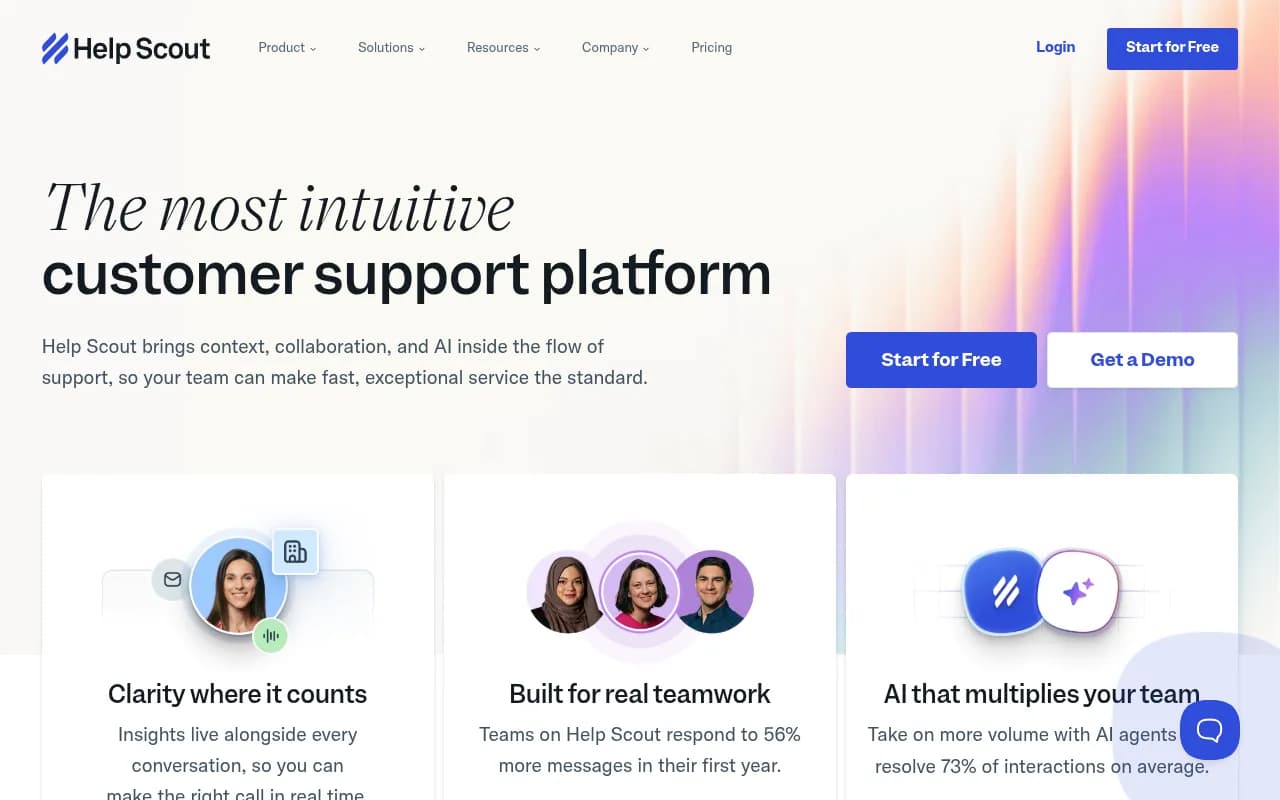
Help Scout is an intuitive customer support platform for growing teams, combining shared inboxes, live chat (Beacon), a knowledge base (Docs), AI-powered automation, and 100+ integrations — at a fraction of enterprise helpdesk costs.
Key takeaways
- Help Scout is a well-rounded customer support platform that covers shared inboxes, live chat (via Beacon), a self-service knowledge base (Docs), and AI-assisted workflows in one place
- Pricing is genuinely competitive against Zendesk and Intercom, with a free plan available and paid tiers starting around $25/user/month
- The interface is one of the cleanest in the category — new agents can be productive within hours, not days
- Best suited to small and mid-sized teams (roughly 2-50 support agents); larger enterprise teams may find reporting and customization limited compared to Zendesk
- 100+ integrations cover most common SaaS stacks, and a REST API is available for custom workflows
Help Scout is a customer support platform built for teams that want to move fast without drowning in configuration. Founded in 2011 by Nick Francis, Denny Swindle, and Jared McDaniel, the company has been bootstrapped for most of its life — a deliberate choice that shaped the product's philosophy. Where Zendesk and Freshdesk went wide with enterprise features, Help Scout went deep on usability. The result is a tool that feels like a well-organized email client rather than a ticketing system, which is exactly the point.
The platform is used by 12,000+ companies, including names like Vimeo, Gusto, Buffer, and BetterHelp. It targets the gap between "just use Gmail" and "deploy a full enterprise helpdesk." That gap is where most growing SaaS companies, e-commerce brands, and digital-first businesses live, and Help Scout has spent over a decade refining its answer to what those teams actually need.
The product has evolved considerably since its early days as a simple shared inbox. Today it includes live chat, a knowledge base builder, in-app messaging, NPS surveys, AI drafting tools, and an AI agent that Help Scout claims resolves 73% of interactions on average. That's a meaningful claim, and the platform's trajectory from email-only to full-stack support suite is worth understanding before you commit.
Key features
Shared inbox (the core product)
The shared inbox is where Help Scout started and where it still shines. Every incoming email becomes a conversation — not a ticket number — and the interface deliberately looks like email. Agents see customer history, previous conversations, and any custom data (from CRM integrations or the API) in a sidebar next to each message. Collision detection shows when a teammate is already viewing or replying to a conversation, preventing the classic "two agents reply at once" problem. You can leave internal notes, @mention teammates, and assign conversations without the customer ever seeing the back-and-forth. Multiple inboxes let different teams (support, sales, billing) each have their own queue without sharing a single chaotic inbox.
Beacon (live chat and self-service widget)
Beacon is Help Scout's embeddable widget that sits on your website or inside your app. It does several things at once: it surfaces relevant knowledge base articles before a customer even types a message, it offers live chat or email contact depending on your team's availability, and it shows customers their previous conversation history. The AI layer inside Beacon can answer questions directly from your Docs content 24/7, which is where the "73% resolution rate" figure comes from. In practice, Beacon is one of the more thoughtfully designed chat widgets in the market — it doesn't feel like a pop-up ad, and the fallback to email when agents are offline is smooth.
Docs (knowledge base)
Docs is Help Scout's built-in knowledge base builder. You can create multiple Docs sites (useful for agencies or multi-product companies), organize articles into collections and categories, and customize the look to match your brand. The editor is clean and supports images, videos, and code blocks. Articles can be surfaced inside Beacon automatically based on what page a customer is on. One limitation: Docs is fairly basic compared to dedicated knowledge base tools like Guru or Confluence. It works well for customer-facing FAQs but isn't designed for internal wikis or complex documentation structures.
AI features
Help Scout has been rolling out AI capabilities steadily. The current toolkit includes:
- AI drafts: generates a first-draft reply based on the conversation and your Docs content
- AI summarize: condenses long threads into a quick summary so agents don't have to read 40 messages
- AI assist: edits tone, translates replies, or adjusts length on demand
- AI agent: an autonomous bot that handles full conversations end-to-end, pulling from your knowledge base
The AI agent is the most significant addition. It's not a simple FAQ bot — it can handle multi-turn conversations and escalate to a human when it's not confident. The 73% resolution rate figure is an average across customers, so your mileage will vary based on how well your Docs content is maintained.
Workflows (automation)
Workflows are Help Scout's automation engine. You set conditions (e.g., "subject contains 'refund'" or "conversation is older than 24 hours and unassigned") and actions (assign to a team, add a tag, send a notification, change status). Both automatic workflows (trigger on events) and manual workflows (triggered by an agent with one click) are supported. It's not as powerful as Zendesk's triggers and automations, but it covers the 80% of use cases most teams actually need without requiring a consultant to configure.
Reporting
Help Scout's reporting covers conversation volume, response times, resolution times, team and individual agent performance, and customer happiness (CSAT). The dashboards are readable and don't require a data analyst to interpret. You can filter by inbox, tag, date range, and team. What's missing is the kind of deep custom reporting that enterprise teams expect — there's no drag-and-drop report builder, and exporting to BI tools requires the API or a third-party connector. For most small and mid-sized teams, the built-in reports are sufficient.
In-app messages and NPS
Beyond reactive support, Help Scout lets you send proactive in-app messages — welcome banners, feature announcements, NPS surveys, and modal pop-ups. These are targeted by user attributes (plan type, signup date, page visited), which makes them useful for onboarding flows and product announcements. It's not a full product tour tool like Appcues, but for teams that want basic proactive messaging without adding another tool, it works.
Saved replies and company management
Saved replies are shared templates that any agent can insert with a few keystrokes — useful for common questions about pricing, refunds, or account setup. Company management is a feature that groups contacts by their organization, so when a support agent opens a conversation from someone at Acme Corp, they can see all other conversations from Acme Corp in one place. This is particularly useful for B2B SaaS teams supporting multiple contacts at the same account.
Who is it for
Help Scout is a natural fit for SaaS companies in the 10-200 employee range that have outgrown shared Gmail inboxes but aren't ready (or willing) to pay for Zendesk's complexity. Think a 15-person startup with a 3-person support team, or a 100-person company where support, success, and sales all need their own inboxes but share a single platform. The email-first interface means agents who are used to Gmail can be productive on day one, which matters when you're onboarding new hires quickly.
E-commerce brands are another strong fit, particularly those on Shopify. The Shopify integration pulls order data directly into the conversation sidebar, so agents can see what a customer ordered, when it shipped, and whether there are any open issues — without switching tabs. For a DTC brand handling 200-500 support tickets a day, this kind of context is the difference between a 2-minute resolution and a 10-minute one.
Digital agencies managing support for multiple clients can use Help Scout's multiple inboxes and Docs sites to keep client work separated. The pricing model (per user, not per inbox) makes this more economical than tools that charge per mailbox.
Who should probably look elsewhere: Large enterprise teams (500+ agents) that need advanced SLA management, complex escalation paths, custom ticket fields, and deep analytics will find Help Scout's feature set limiting. Zendesk or Salesforce Service Cloud are better fits at that scale. Similarly, teams that need a full-featured CRM alongside their helpdesk — with deal pipelines, contact scoring, and marketing automation — will find Help Scout's customer data features too lightweight.
Integrations and ecosystem
Help Scout advertises 100+ integrations, and the list covers most of the common SaaS stack:
- CRM: Salesforce, HubSpot, Pipedrive
- E-commerce: Shopify, WooCommerce, Magento
- Communication: Slack (notifications and conversation updates), Zoom
- Developer tools: GitHub (link conversations to issues), Jira, Linear
- Analytics: Google Analytics, Segment
- Payments: Stripe, Chargebee
- Automation: Zapier, Make (formerly Integromat)
- Social: Facebook, Instagram (via Channels feature)
The REST API is well-documented and supports webhooks for real-time event notifications. Developers can pull conversation data, create and update conversations, manage customers, and trigger workflows programmatically. The API is used by teams that want to sync Help Scout data with internal dashboards or build custom integrations not covered by the native library.
There's a browser extension for Chrome that lets agents access Help Scout from Gmail, which is useful during transitions. Mobile apps for iOS and Android are available and cover the core inbox functionality, though they're not as full-featured as the web app.
Pricing and value
Help Scout's pricing is structured around users and features, with a free plan available:
- Free: 1 inbox, 1 Docs site, up to 50 contacts, basic features. Useful for very early-stage teams testing the platform.
- Standard: ~$25/user/month (billed annually). Includes multiple inboxes, Docs, Beacon, workflows, saved replies, and basic reporting. This is where most small teams land.
- Plus: ~$50/user/month (billed annually). Adds advanced reporting, custom fields, Salesforce and HubSpot integrations, and higher API rate limits.
- Pro: Custom pricing for larger teams. Includes dedicated account management, custom security options, and higher limits across the board.
Additional Docs sites cost $20/month (annual) or $24/month (monthly) beyond what's included in your plan.
Compared to Zendesk, which starts at $55/agent/month for its Suite Team plan and climbs quickly, Help Scout is meaningfully cheaper for equivalent functionality. Intercom is even more expensive and charges based on usage in ways that can surprise you at billing time. Freshdesk has a free tier and competitive pricing but a more complex interface. For teams that value simplicity and predictable pricing, Help Scout's model is one of the more honest in the category.
The free trial gives you access to the full platform for 15 days, which is enough time to import your existing conversations, set up Beacon, and run a real support workflow.
Strengths and limitations
What Help Scout does well:
- The interface is genuinely easy to use. New agents don't need training videos — the product is intuitive enough that most people figure it out by exploring. Help Scout's own NPS score being 7x higher than competitors (per their independent research claim) tracks with what you hear from users on G2 and Capterra.
- The email-first approach means conversations feel human. Customers don't get ticket numbers or robotic auto-replies unless you set those up deliberately. For brands where tone matters, this is a real differentiator.
- Beacon is one of the better-designed chat widgets available. The AI-powered self-service layer, combined with smooth escalation to live chat or email, handles a lot of volume without feeling cheap.
- Pricing is predictable. No per-resolution fees, no usage-based surprises. You pay per user and know what you're getting.
- The Shopify integration is particularly well-executed for e-commerce teams.
Where it falls short:
- Reporting is limited for teams that need granular analytics. There's no custom report builder, and connecting Help Scout data to a BI tool like Looker or Tableau requires API work or a third-party connector.
- The knowledge base (Docs) is functional but basic. Teams with complex documentation needs — multiple product lines, versioned docs, contributor workflows — will outgrow it quickly.
- Phone support is not native. Help Scout is built around email and chat. If your team handles significant call volume, you'll need a separate tool (like Aircall or Dialpad) and a custom integration.
- The AI agent, while promising, depends heavily on the quality of your Docs content. Teams with sparse or outdated knowledge bases will see much lower resolution rates than the advertised 73%.
Bottom line
Help Scout is the right choice for growing companies that want a support platform that feels like email, works like a proper helpdesk, and doesn't require a six-month implementation. It's particularly strong for SaaS teams, e-commerce brands on Shopify, and any organization where support quality and agent experience matter as much as ticket throughput.
If you're a 5-50 person team currently managing support out of a shared Gmail inbox and you're starting to feel the pain — missed messages, no visibility into who's handling what, no way to measure response times — Help Scout is one of the first tools you should evaluate. It's not the right fit for enterprise teams that need deep customization, advanced SLAs, or native phone support, but for everyone else, it hits a rare balance of capability and simplicity.
Best use case in one sentence: A SaaS or e-commerce team of 3-30 support agents that wants a clean, email-native helpdesk with live chat, a knowledge base, and AI automation — without the complexity or cost of Zendesk.
Frequently asked questions
What is Help Scout?
Is there a free plan for Help Scout?
How much does Help Scout cost?
Who is Help Scout best suited for?
How does Help Scout compare to Zendesk?
Does Help Scout have AI features?
Similar and alternative tools to Help Scout