Hunter.io Review 2026
Email finder tool that locates professional email addresses from domains and LinkedIn profiles, with built-in verification and simple cold email campaigns.
Key takeaways
- Hunter.io is one of the most widely used email prospecting tools on the market, with 6+ million users and a reputation for solid data quality
- The free plan is genuinely usable (25 monthly searches), but credits run out fast for anyone doing serious outreach
- Covers the full cold outreach workflow: find leads, verify emails, send sequences — without needing a separate tool for each step
- Not a GEO, AI visibility, or brand monitoring tool — no overlap with AI search platforms
- Best fit for sales reps, recruiters, and small agencies doing targeted outreach; less suited for large-scale B2B data operations where dedicated data providers may offer more depth
Hunter.io has been around since 2015 and has quietly become one of the default tools for anyone who needs to find a professional email address fast. Built by a small French team (originally called Email Hunter before rebranding), it started as a simple domain search tool and has since expanded into a full outreach platform covering lead discovery, email verification, and cold email sequences.
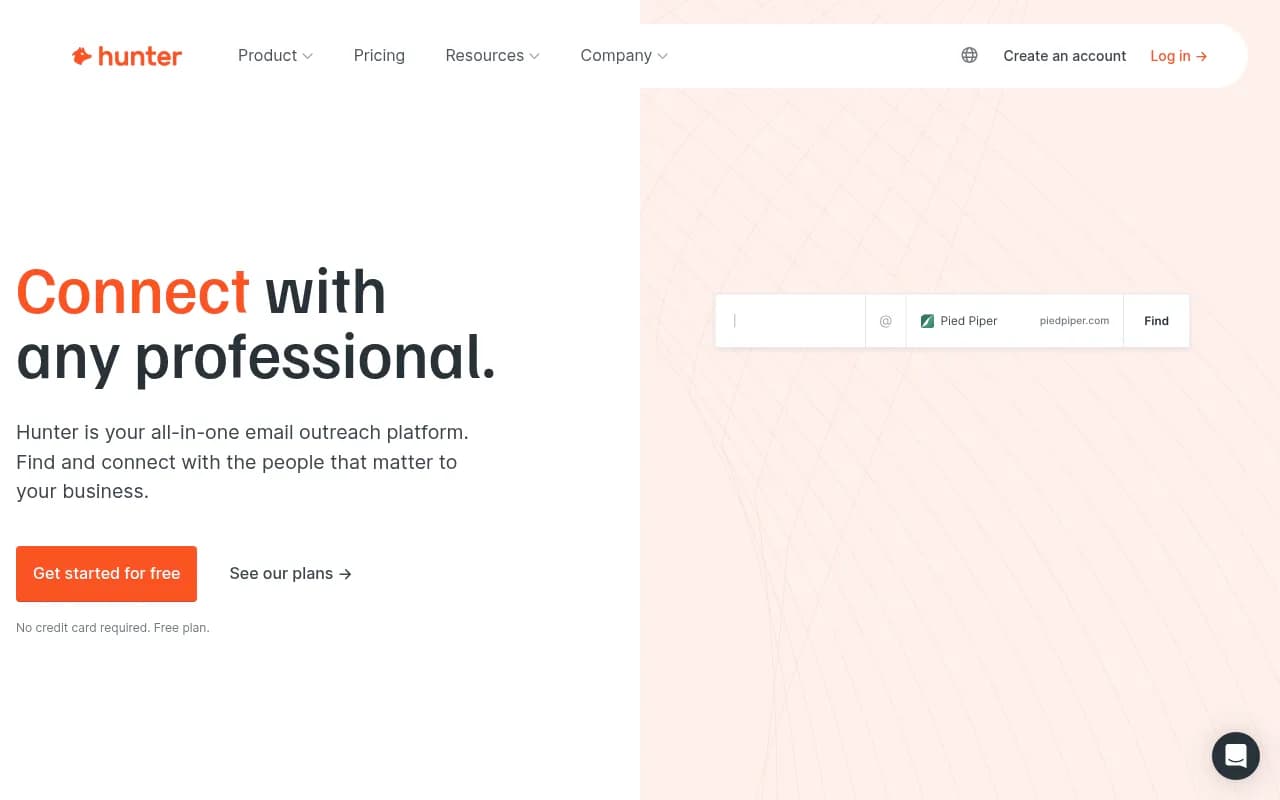
The pitch is straightforward: you need to reach someone at a company, you don't have their email, and you don't want to spend 20 minutes guessing formats and bouncing messages. Hunter solves that. Type in a domain, get a list of email addresses associated with it. Type in a name and company, get a specific person's email. Run it through the verifier before you send. Then, if you want, build a sequence and send it directly from your Gmail or Outlook account. The whole loop lives in one place.
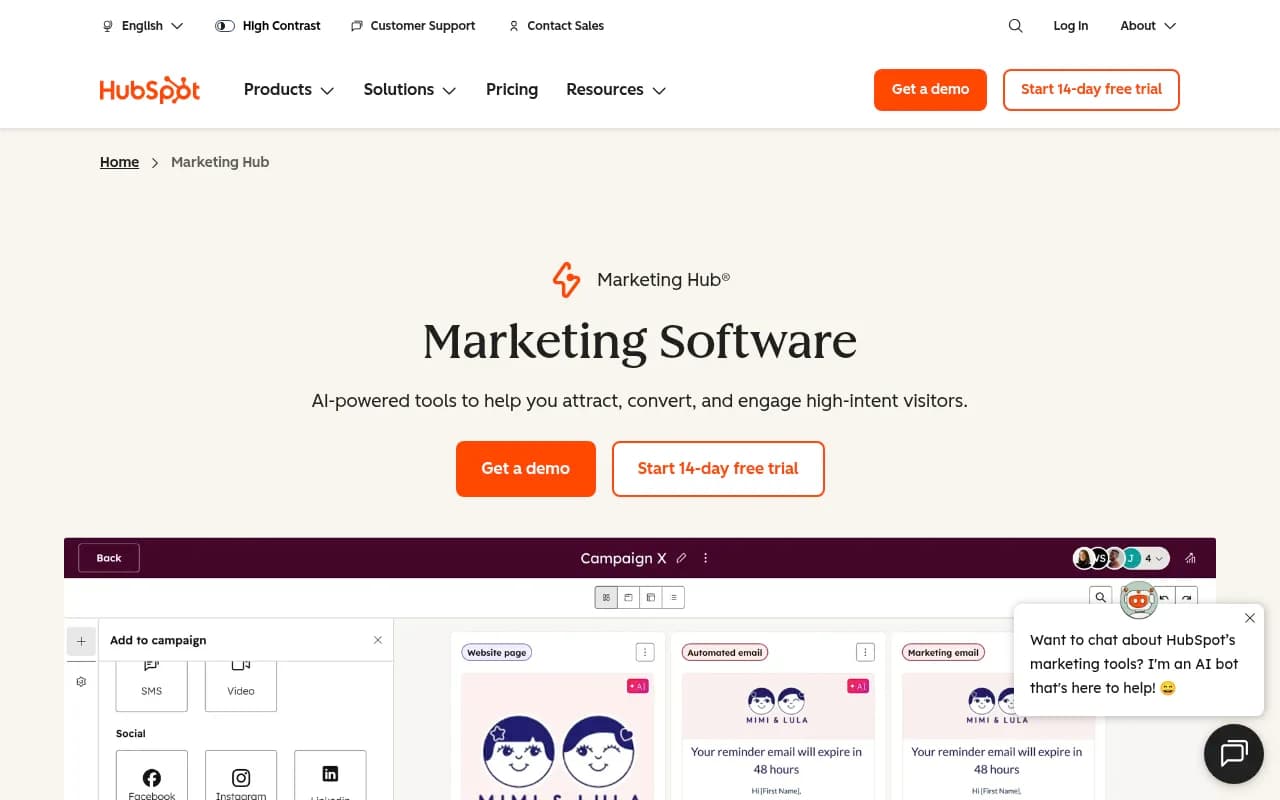
The target audience is broad but skews toward individual contributors and small teams: sales development reps at SaaS companies, recruiters sourcing candidates, PR professionals pitching journalists, and founders doing their own outreach. Larger organizations use it too, often via the API to power their own tools (SparkToro is a public example). It's not trying to be a full-stack sales intelligence platform like Apollo or ZoomInfo — it's more focused, and that focus is mostly a strength.
Key features
Domain Search is the core feature and still the most useful one. Enter any company domain and Hunter returns a list of email addresses it has found associated with that domain, along with names, job titles, LinkedIn profiles where available, and a confidence score for each address. It also shows the email pattern used by the company (e.g., {first}.{last}@company.com), which lets you construct addresses for people not yet in the database. In practice, the results vary by company size — well-known tech companies return dozens of results, while smaller or newer companies may return only a handful or none at all.
Email Finder takes a name and domain and returns the most likely email address for that specific person. This is the tool you use when you already know who you want to reach. Hunter cross-references its database and the detected email pattern to generate a result with a confidence score. It's not infallible — for common names or companies with inconsistent patterns, you'll want to run the result through the verifier — but the hit rate is genuinely good compared to manual guessing.
Email Verifier checks whether an email address is deliverable before you send to it. It runs a series of checks: syntax validation, domain/MX record checks, and an SMTP ping to the mail server. Results come back as "valid," "risky," or "invalid." The "risky" category covers catch-all domains (where the server accepts all mail regardless of whether the mailbox exists) and is worth paying attention to — sending to a lot of catch-all addresses will hurt your deliverability. You can verify individual addresses or upload a bulk list.
B2B Database (Discover) is a newer addition that lets you search for leads by company attributes: industry, company size, location, job title, and so on. This moves Hunter closer to Apollo territory, though the database depth isn't quite at that level. It's useful for building targeted prospect lists without needing a separate tool, and the results feed directly into the outreach workflow.
Email Sequences is Hunter's cold email campaign tool. You connect your Gmail, Google Workspace, or Outlook account and send sequences directly from your own inbox — which is the right approach for deliverability. You can set up multi-step sequences with delays, personalization variables, and automatic follow-ups that stop when someone replies. The interface is clean and deliberately simple. It won't replace a dedicated sales engagement platform like Outreach or Salesloft for a large SDR team, but for solo operators and small teams it covers the basics well.
Browser Extension is one of Hunter's most-used features. Install it in Chrome and it adds a Hunter panel to any website you visit, showing email addresses associated with that domain. It also works on LinkedIn profiles to surface contact information. Over 600,000 users have installed it, and it has a 4.7 rating from 12,000+ reviews — which suggests it actually works as advertised. The convenience factor here is real: you're browsing a prospect's company website and their email is one click away.
API and Data Platform give developers and data-heavy teams programmatic access to all of Hunter's core functions: domain search, email finder, email verifier, and lead enrichment. The API is well-documented and has been used by companies like SparkToro to power their own contact data features. For high-volume use cases, Hunter offers a Data Platform tier with bulk access and credit-based pricing. The API is REST-based with straightforward authentication and reasonable rate limits on paid plans.
Compliance and data sourcing is worth mentioning because it's a real differentiator in a space where some competitors scrape data in legally murky ways. Hunter publishes its data sourcing methodology and provides tools to help users stay compliant with GDPR and similar regulations. Email addresses can be removed from the database on request. This matters if you're operating in Europe or working with enterprise clients who have strict data governance requirements.
Who is it for
The clearest use case is the individual sales rep or founder who needs to find and reach specific people at specific companies. If you're doing 50-200 targeted outreach emails per month, Hunter's free or Starter plan handles it comfortably. You find the email, verify it, drop it into a sequence, and move on. The workflow is fast and the learning curve is minimal — most people are productive within an hour of signing up.
Recruiters are another strong fit. Sourcing passive candidates often means finding contact information for people who aren't actively applying anywhere. Hunter's domain search and LinkedIn extension make it easy to find work emails for engineers, designers, or executives at target companies. The volume requirements for recruiting are usually lower than sales, so the free plan or Starter tier works for most individual recruiters.
Small agencies and PR teams use Hunter for journalist outreach and link building. Finding the right editor at a publication, verifying their email, and sending a personalized pitch is exactly the workflow Hunter is built for. The browser extension is particularly useful here — you're already reading the publication's website, and Hunter surfaces the contact information without breaking your flow.
Who should probably look elsewhere: large SDR teams running thousands of outreach emails per month will find Hunter's credit system expensive at scale and the sequences feature too basic compared to Outreach, Apollo, or Salesloft. Companies that need deep firmographic data, intent signals, or phone numbers should look at Apollo.io or ZoomInfo, which offer broader data coverage. And if your primary need is bulk list building rather than targeted outreach, dedicated B2B data providers may offer better value per contact.
Integrations and ecosystem
Hunter connects to the tools most outreach workflows already use:
- CRM integrations: Native integrations with HubSpot, Salesforce, Pipedrive, and Zoho CRM. Contacts found in Hunter can be pushed directly to these CRMs without manual export/import.
- Zapier: Connects Hunter to 5,000+ apps via Zapier, covering most automation scenarios that the native integrations don't handle.
- Gmail and Google Workspace: Used directly for sending sequences, not just as an integration — emails go out from your actual inbox.
- Outlook: Same as Gmail — sequences send from your connected Outlook account.
- Google Sheets: A Sheets add-on lets you run bulk domain searches and email lookups directly from a spreadsheet, which is useful for enriching existing lists.
- API: Full REST API with endpoints for all core features. Well-documented with code examples in multiple languages. Used by companies building contact data into their own products.
- Browser extension: Chrome extension that works across any website and LinkedIn.
There's no native Slack integration or mobile app, which is a minor gap but not a dealbreaker for most users given the nature of the tool.
Pricing and value
Hunter's pricing is credit-based, where credits are consumed by searches and verifications:
- Free: 25 searches/month, 50 verifications/month, basic sequences. No credit card required. Genuinely useful for occasional use or evaluation.
- Starter: $49/month (or ~$34/month billed annually). 500 searches/month, 1,000 verifications/month. Suitable for individual contributors doing regular outreach.
- Growth: Around $149/month (or ~$104/month annually). 2,500 searches/month, 5,000 verifications/month. Fits small teams or high-volume individual users.
- Business: Higher tiers available for larger teams with more credits and additional features.
The credit system is worth understanding before you commit. A "search" on the Domain Search returns multiple results but costs one credit. An Email Finder lookup for a specific person costs one credit. Verifications cost credits too. For users who need to verify large imported lists, credits can run out faster than expected.
Compared to Apollo.io, Hunter is cheaper at the lower tiers but offers less data breadth (no phone numbers, less firmographic depth). Compared to tools like Snov.io or Voila Norbert, Hunter's data quality and verification accuracy are generally considered stronger. For what it does — finding and verifying professional emails — the pricing is reasonable, especially on annual billing.
Strengths and limitations
What Hunter does well:
- Data quality and verification accuracy: The email verifier is genuinely reliable, and the confidence scores on found emails are useful for prioritizing outreach. The catch-all detection alone saves significant deliverability headaches.
- Ease of use: The interface is clean and the workflow is intuitive. Finding an email, verifying it, and adding it to a sequence takes under two minutes once you know the tool.
- Browser extension: One of the best implementations in this category. Fast, accurate, and unobtrusive.
- API quality: Well-documented, stable, and used in production by notable companies. If you're building contact data into your own product, Hunter's API is a solid choice.
- Compliance posture: Transparent data sourcing and GDPR tooling matter more than most users realize until they need them.
Honest limitations:
- Database coverage gaps: For smaller companies, newer startups, or non-English-speaking markets, the database can be thin. You'll hit "no results" more often than you'd like.
- Sequences are basic: The cold email tool covers the fundamentals but lacks A/B testing, advanced analytics, and the kind of multi-channel capabilities (LinkedIn touches, calls) that dedicated sales engagement platforms offer. For a serious SDR team, it's not a replacement for Outreach or Apollo's sequences.
- Credit consumption: The credit model can feel restrictive for users who need to verify large imported lists or run high-volume domain searches. The math doesn't always work out favorably compared to buying a data list outright.
- No phone numbers or intent data: Hunter is email-only. If your outreach strategy includes calling or you want to prioritize leads by buying signals, you'll need a separate tool.
Bottom line
Hunter.io is the right tool for anyone who needs to find and verify professional email addresses without a lot of complexity or cost. It's particularly well-suited to individual sales reps, recruiters, and small teams who want a clean, reliable workflow from "I need to reach this person" to "email sent." The free plan is a genuine starting point, not a bait-and-switch, and the paid tiers are reasonably priced for the data quality you get.
For teams that need deeper data coverage, phone numbers, intent signals, or enterprise-grade sequencing, Apollo.io or ZoomInfo will serve better. But for targeted, quality-over-quantity email outreach, Hunter remains one of the most dependable options available in 2026.
Best use case: Finding and verifying the email address of a specific person at a specific company, then sending them a personalized cold email sequence — all without leaving one tool.
Frequently asked questions
What is Hunter.io and what does it do?
Is there a free plan for Hunter.io?
How much does Hunter.io cost?
How accurate is Hunter.io's email data?
How does Hunter.io compare to Apollo.io?
Does Hunter.io integrate with CRMs?
Similar and alternative tools to Hunter.io