Ubersuggest Review 2026
Easy-to-use keyword tool providing valuable insights including search volume, competition data, and content ideas for organic search optimization.
Key Takeaways:
- Best for budget-conscious SEOs: Lifetime plans starting at a fraction of Ahrefs/Semrush costs make this ideal for freelancers, small agencies, and bootstrapped startups
- AI-enhanced keyword research: Now tracks brand mentions in ChatGPT responses alongside traditional Google search data
- Solid core features: Keyword research, competitor analysis, site audits, backlink tracking, and rank monitoring all in one dashboard
- Limitations: Data accuracy can lag behind premium tools; fewer advanced filters and integrations than enterprise platforms
- Free tier available: Limited daily searches let you test before committing to lifetime or subscription plans
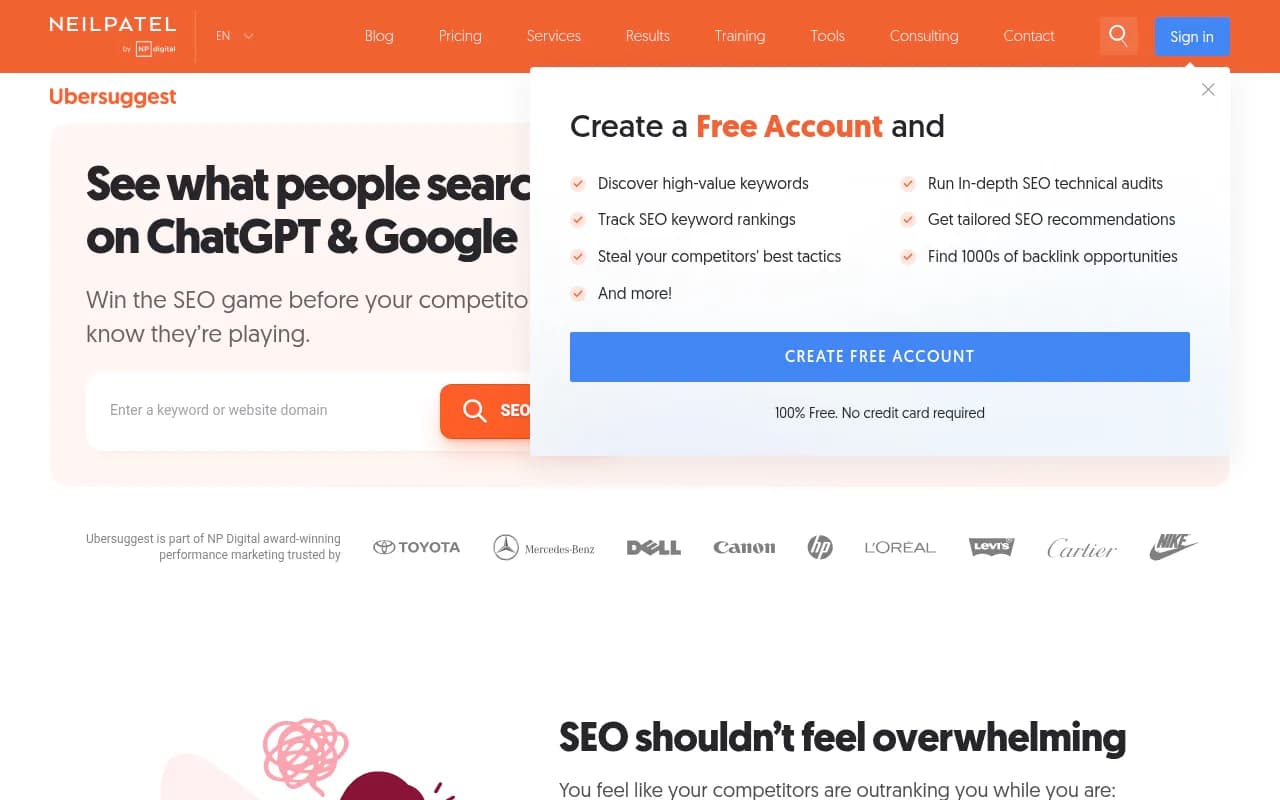
Ubersuggest has evolved from a simple keyword suggestion tool into a full-featured SEO platform that punches well above its weight class in pricing. Created by marketing veteran Neil Patel after acquiring the original Ubersuggest domain in 2017, the tool now serves over 500,000 companies including Adobe, Microsoft, Nike, and Toyota through its parent company NP Digital. What started as a free keyword research alternative has grown into a comprehensive SEO suite that directly competes with tools costing 5-10x more.
The platform targets three main audiences: solo content creators and bloggers who need keyword data without breaking the bank, small-to-midsize agencies managing multiple client sites, and in-house marketing teams at companies that can't justify $200+/month SEO subscriptions. Ubersuggest's signature move is offering lifetime access plans—pay once, own forever—which has made it particularly popular with bootstrapped SaaS founders and freelance SEO consultants who bill clients for optimization work.
AI Keyword Research with ChatGPT Tracking The 2025-2026 update added AI search visibility tracking, letting you see which brands ChatGPT mentions when users ask product recommendation questions. You enter a keyword like "project management software" and Ubersuggest shows both traditional Google search volume (say, 40,500 monthly searches) plus data on how often AI models reference specific brands in responses. This includes search intent classification (informational, commercial, transactional), keyword difficulty scores (0-100), and AI-generated keyword variations you might not have considered. The tool pulls from a database of 100M+ keywords across multiple countries and languages. Unlike tools like Promptwatch that monitor real user prompts across all major LLMs, Ubersuggest's AI tracking focuses specifically on ChatGPT brand mentions—useful for understanding if your brand appears in AI-generated recommendations, though not as comprehensive for tracking visibility across Claude, Gemini, Perplexity, and other models.
Competitor Analysis & Reverse Engineering Enter any competitor domain and Ubersuggest reveals their estimated organic traffic, top-performing pages, keywords they rank for, and recent content that's gaining traction. The backlink analysis shows their link profile including domain authority of linking sites, anchor text distribution, and new vs. lost backlinks over time. You can filter by dofollow/nofollow, identify their best link sources, and export lists of sites to target for your own outreach. The SERP analysis feature shows the top 100 results for any keyword with each site's domain score, backlinks, social shares, and estimated visits—helping you gauge if you can realistically compete. For agencies managing 10-20 client sites, the ability to track multiple competitor domains per project is particularly valuable.
Site Audit & Technical SEO The crawler checks your site for 100+ SEO and technical issues including broken links, missing meta descriptions, slow page speed, mobile usability problems, duplicate content, and crawlability errors. You get an overall site health score plus prioritized recommendations on what to fix first. The audit runs weekly automatically and emails you when new critical issues appear. It's not as granular as Screaming Frog for technical audits (no custom extraction, limited JavaScript rendering), but for most small-to-midsize sites it catches the issues that actually matter for rankings. The visual reports make it easy to show clients what needs fixing without requiring them to understand technical jargon.
Content Gap Analysis This feature compares your site against up to three competitors to identify keywords they rank for that you don't. You see the exact terms, search volumes, and difficulty scores for gaps in your content strategy. Ubersuggest then suggests content topics to create based on these gaps, including AI-generated outlines and headline ideas. For content teams planning editorial calendars, this removes the guesswork about what to write next. The tool also shows "content ideas" by analyzing top-performing articles for any keyword—you see the headlines, word counts, social shares, and backlinks of pieces that are already ranking, giving you a template for what works.
Rank Tracking & Monitoring Track unlimited keywords across desktop and mobile for your domain and competitors. You can segment by location (city, state, country-level tracking), set up automated reports, and see daily ranking changes with historical graphs. The dashboard shows visibility scores, average position, and traffic estimates based on your rankings. For agencies, you can white-label reports with your branding. The tracking updates daily, though some users report occasional delays compared to real-time tools like AccuRanker. You can also set up alerts to notify you when rankings drop below a threshold or when competitors outrank you for priority terms.
Backlink Opportunities & Outreach Ubersuggest identifies sites linking to competitors but not to you, scoring each opportunity by domain authority and relevance. You can filter by industry, location, and link type to build targeted outreach lists. The tool doesn't include email finder or outreach automation (you'll need to export and use a separate tool like Hunter.io or Pitchbox), but it does the heavy lifting of finding prospects. You also get alerts when you gain or lose backlinks, helping you spot negative SEO attacks or successful link building campaigns.
Keyword Difficulty & Predictive Analytics Every keyword gets a difficulty score (0-100) based on the domain authority of currently ranking pages, their backlink profiles, and content quality. Ubersuggest also estimates how many backlinks and domain authority you'd need to rank in the top 10, giving you a realistic picture of the effort required. The "predictive analytics" feature (somewhat overstated in marketing) essentially shows traffic potential if you rank in positions 1-10 for a given keyword, based on historical CTR data. It's useful for prioritizing which keywords to target first, though the predictions should be taken as rough estimates rather than guarantees.
Chrome Extension & WordPress Plugin The free Chrome extension shows keyword data, backlinks, and domain authority directly in Google search results as you browse. You can analyze any page without leaving your browser. The WordPress plugin (also free) provides on-page SEO recommendations as you write posts, checking keyword density, readability, meta tags, and internal linking. Both are lightweight additions that integrate Ubersuggest into your existing workflow without requiring constant tab-switching.
Who Is It For
Ubersuggest is ideal for three specific groups. First, freelance SEO consultants and solo content creators who need professional-grade data without the $99-399/month price tags of Ahrefs or Semrush. If you're a freelancer billing clients $2,000-5,000/month for SEO work, a $290 lifetime plan pays for itself in weeks. Second, small agencies (2-10 person teams) managing 5-20 client sites who need to provide keyword research, audits, and rank tracking without eating into margins. The ability to create multiple projects and white-label reports makes this viable for client work. Third, in-house marketing teams at startups or SMBs (10-100 employees) who need an all-in-one SEO platform but can't justify enterprise contracts. If you're a SaaS company tracking 50-200 keywords and doing quarterly content planning, Ubersuggest covers the essentials.
It's particularly strong for content-focused SEO—bloggers, affiliate marketers, and content agencies will find the keyword research and content gap features most valuable. The tool shines for English-language sites in competitive niches (SaaS, finance, health, e-commerce) where you need to identify low-competition long-tail keywords.
Who should NOT use Ubersuggest: Enterprise SEO teams managing 50+ sites or tracking 10,000+ keywords will find the interface and data limits restrictive. If you need advanced features like API access, custom data exports, or integration with BI tools, you'll outgrow this quickly. Technical SEOs who need deep crawl analysis, log file analysis, or JavaScript rendering should stick with Screaming Frog or Sitebulb. International brands needing hyper-local tracking in dozens of countries may find the location targeting less granular than SEMrush. And if you're doing serious link building at scale, dedicated tools like Pitchbox or BuzzStream offer more outreach automation.
Integrations & Ecosystem
Ubersuggest integrates with Google Search Console to pull real search query data directly into your dashboard, showing which keywords are actually driving traffic vs. what you're tracking. The WordPress plugin connects your site for real-time SEO recommendations. You can export data to CSV for use in Google Sheets, Excel, or BI tools, though there's no native API for custom integrations (a limitation compared to Ahrefs and Moz). The Chrome extension works across all Chromium browsers. White-label reporting lets agencies add their logo and branding to client reports. There's no Zapier integration, Slack notifications, or connections to project management tools—it's a standalone platform rather than part of a larger martech stack. Mobile apps for iOS and Android let you check rankings and keyword data on the go, though the full feature set requires desktop access.
Pricing & Value
Ubersuggest offers three pricing models. The free tier gives you 3 searches per day with limited data—enough to test the tool but not for serious work. Subscription plans start at $29/month (Individual), $49/month (Business), and $99/month (Enterprise), with annual billing discounts. The real value is in the lifetime plans: $290 (Individual), $490 (Business), or $990 (Enterprise) for permanent access with all future updates included. These one-time payments are 90% cheaper than comparable annual costs for Ahrefs ($1,188/year for the cheapest plan) or Semrush ($1,199/year). The Individual lifetime plan includes 150 searches/day, 1 website, and 300 tracked keywords. Business adds 5 websites and 900 keywords. Enterprise gives 10 websites and 1,500 keywords.
For context, Ahrefs Lite costs $99/month, Semrush Pro is $139/month (2026 pricing), and Moz Pro starts at $99/month. Ubersuggest's lifetime Individual plan costs less than three months of any competitor. The catch: data freshness and accuracy can lag behind the premium tools, and you're missing advanced features like content explorer, historical data archives, and API access. But for 80% of SEO use cases—keyword research, rank tracking, basic competitor analysis—Ubersuggest delivers at a fraction of the cost. The lifetime model is particularly smart for agencies that can amortize the cost across multiple clients.
Strengths & Limitations
Strengths: The pricing is unbeatable—lifetime access for what competitors charge in 2-3 months makes this accessible to anyone serious about SEO. The interface is genuinely beginner-friendly without being dumbed down; you can onboard a junior marketer in 30 minutes. The AI keyword suggestions and ChatGPT brand tracking add modern relevance to traditional SEO data. The Chrome extension and WordPress plugin integrate seamlessly into existing workflows. Customer support is responsive (email replies within 24 hours based on user reviews), and the platform is actively developed with new features shipping regularly. The content gap analysis and competitor research features are as good as tools costing 5x more.
Limitations: Data accuracy and freshness can lag 1-2 weeks behind Ahrefs, particularly for backlink data and ranking updates. The keyword database, while large, isn't as comprehensive for non-English languages or very niche industries. Advanced users will miss features like historical ranking data beyond 12 months, API access for custom integrations, and granular filtering options. The site audit is solid but not as thorough as dedicated crawlers like Screaming Frog for large sites (10,000+ pages). The AI tracking currently only covers ChatGPT brand mentions, not comprehensive visibility across all major LLMs like Claude, Gemini, or Perplexity—for that, you'd need a specialized tool like Promptwatch. There's no built-in link outreach automation or email finder. And while the interface is clean, power users may find the lack of customizable dashboards and saved filters frustrating.
Bottom Line
Ubersuggest is the best value in SEO software for small teams and solo practitioners who need 80% of the functionality at 10% of the cost. If you're a freelance SEO consultant, content marketer at a startup, or small agency owner, the lifetime plans are a no-brainer investment that pays for itself in weeks. You get legitimate keyword research, competitor intelligence, rank tracking, and site audits without the enterprise price tag. The AI-enhanced features keep it relevant in 2026, though the ChatGPT tracking is more of a nice-to-have than a core differentiator. Best use case in one sentence: Small-to-midsize content-focused businesses that need comprehensive SEO data without the Ahrefs/Semrush price tag and can accept slightly less fresh data in exchange for massive cost savings.
Tags:
Similar and alternative tools to Ubersuggest