UserTesting Review 2026
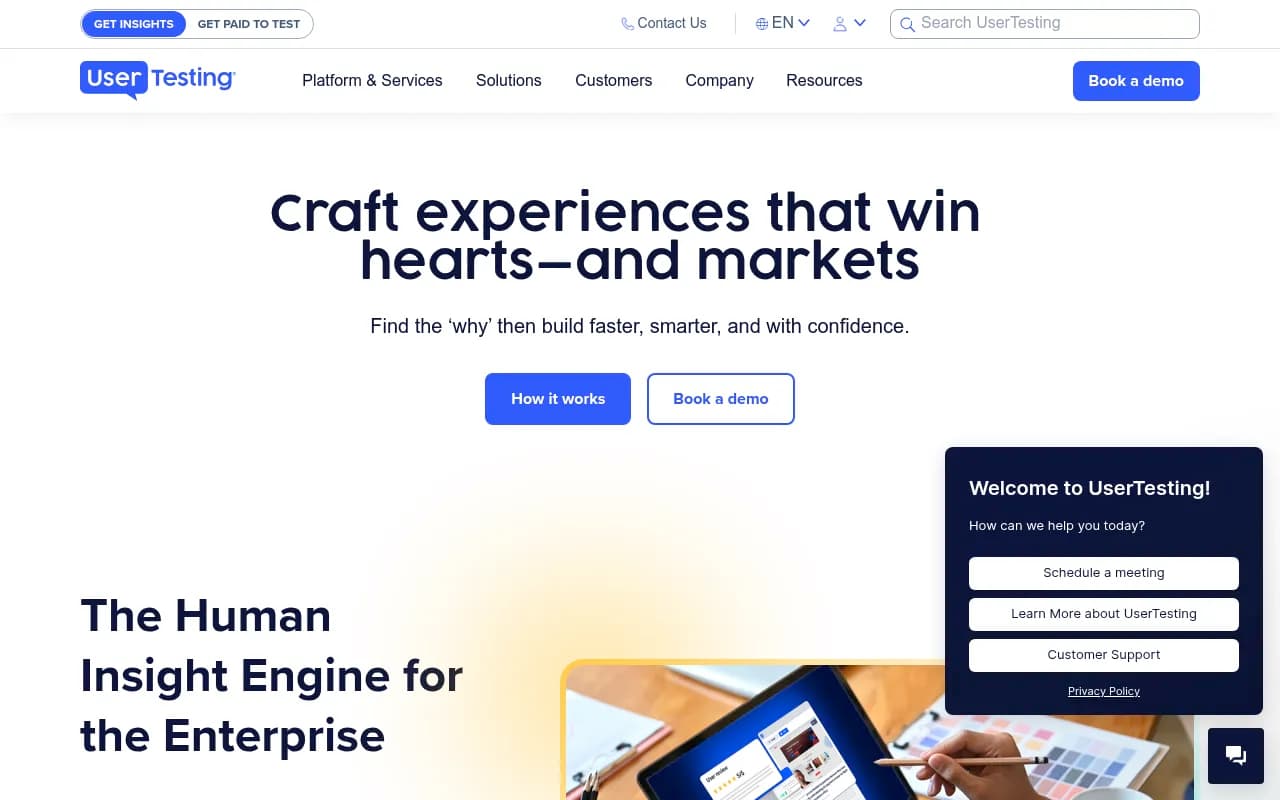
UserTesting is an enterprise-grade human insight platform that connects you with real users to test websites, apps, prototypes, and marketing materials. Used by Walmart, Microsoft, Canva, and 6,000+ brands to validate decisions, reduce risk, and improve customer experiences through video feedback, l
Summary
UserTesting is the market-leading human insight platform used by enterprise teams to validate product, design, and marketing decisions with real user feedback. Unlike traditional user research methods that take weeks and cost thousands, UserTesting gives you video recordings of real people using your product -- thinking out loud as they navigate, react, and encounter friction -- within hours. The platform is built around three core strengths: a global network of 3.5 million+ diverse participants, an AI-driven analysis engine that turns hours of video into themes and clips in seconds, and professional services that help teams scale research across the organization. It's not a lightweight feedback widget or a DIY survey tool. This is the platform that Walmart uses to test checkout flows, that Microsoft uses to validate Windows features, and that Burberry uses to optimize digital commerce experiences. If you're making decisions about customer-facing experiences and you're not talking to actual users, you're guessing.
Who built it and why it matters
UserTesting was founded in 2007 and has been publicly traded (NYSE: USER) since 2021, though it was taken private again in 2024 by Thoma Bravo. The company is headquartered in San Francisco and serves over 6,000 enterprise customers globally. The platform processes millions of user sessions annually and has become the de facto standard for human insight in large organizations. The core insight: most product and experience failures happen because teams build based on assumptions instead of evidence. UserTesting makes it fast and affordable to replace assumptions with real human feedback at every stage of development -- from early concepts to post-launch optimization. The platform has evolved from simple usability testing into a full Human Insight Engine that supports research, product, design, marketing, and CX teams with both qualitative and quantitative methods.
Core capabilities
Participant Network: UserTesting maintains a global panel of 3.5 million+ participants across 190+ countries, covering diverse demographics, industries, and use cases. You can recruit general consumers, B2B decision-makers, healthcare professionals, developers, or niche personas. The network includes both on-demand testers (available within hours) and the ability to bring your own users (BYOU) for customer-specific research. Participants are pre-screened and rated for quality. You can filter by age, income, location, device type, job title, industry, tech proficiency, and dozens of other attributes. The network is what separates UserTesting from competitors like Maze or Lookback -- you're not limited to your own user base or generic crowdsourced testers.
Unmoderated Testing: The bread and butter. You create a test plan (a series of tasks and questions), select your audience, and launch. Participants complete the test on their own time, recording their screen and voice as they think out loud. You get back video recordings showing exactly where they struggle, what confuses them, and what delights them. Tests can be run on live websites, mobile apps, prototypes (Figma, Sketch, InVision, Adobe XD), PDFs, images, or even competitor sites. Typical turnaround is 1-3 hours for the first responses. You can test checkout flows, onboarding sequences, navigation structures, landing pages, email campaigns, ad creative -- anything with a URL or uploadable file. Each test can include multiple tasks, follow-up questions, rating scales, and card sorts. The platform captures clicks, taps, scrolls, and facial expressions (if webcam is enabled).
Live Interviews: Schedule moderated 1-on-1 sessions with participants via video call. The platform includes built-in scheduling, screen sharing, recording, and note-taking tools. You can probe deeper into responses, ask follow-up questions, and explore unexpected findings in real time. Live interviews are useful for exploratory research, concept validation, and understanding complex workflows. Sessions can be up to 90 minutes. The platform automatically records and transcripts the session. You can invite stakeholders to observe live or watch the recording later.
AI-Powered Analysis: This is where UserTesting pulls ahead of older tools. The platform uses machine learning to analyze video transcripts, identify themes, extract key moments, and generate highlight reels. You can ask natural language questions like "Where did users get confused?" or "What did people say about the pricing page?" and the AI surfaces relevant clips and quotes. The Insight Summary feature generates a written report with top findings, sentiment analysis, and recommendations. This cuts analysis time from hours to minutes. The AI doesn't replace human judgment -- it accelerates the grunt work of tagging, coding, and organizing feedback so researchers can focus on interpretation and action.
Templates and Test Plans: UserTesting provides 100+ pre-built test templates for common use cases: usability testing, tree testing, first-click testing, 5-second tests, prototype testing, competitive benchmarking, message testing, and more. Templates include pre-written tasks and questions that you can customize. This is helpful for teams new to user research or anyone who wants to move fast. You can also build custom test plans from scratch and save them as templates for your team.
Integrations: UserTesting integrates with Figma, Sketch, Adobe XD, InVision, Miro, Jira, Slack, Microsoft Teams, Zoom, Google Analytics, and dozens of other tools. You can launch tests directly from Figma, push findings to Jira tickets, share clips in Slack, and embed videos in Miro boards. The API allows custom integrations and data exports. There's also a Looker Studio connector for building custom dashboards.
Collaboration and Sharing: Create highlight reels (collections of key video clips) to share with stakeholders. Add timestamps, notes, and tags to organize findings. Invite team members to watch sessions, leave comments, and vote on insights. The platform supports role-based permissions and SSO for enterprise security. You can export videos, transcripts, and reports as PDFs or CSVs.
Quantitative Add-Ons: UserTesting offers quantitative research capabilities through its UserZoom acquisition. This includes surveys, card sorting, tree testing, click testing, and preference testing with statistical analysis. You can combine qualitative video feedback with quantitative metrics (task success rate, time on task, SUS scores, NPS) in a single study. This is useful for validating findings at scale or measuring improvements over time.
Professional Services: UserTesting offers managed research services where their team of researchers designs studies, recruits participants, conducts interviews, and delivers reports. This is useful for teams without dedicated researchers or for high-stakes projects that need expert guidance. Services include research strategy consulting, training programs, and custom research projects.
Who should use UserTesting
UserTesting is built for enterprise teams -- product managers at SaaS companies with 50-500 employees, UX researchers at Fortune 500 brands, marketing teams at agencies managing multiple clients, and design teams at digital commerce companies. It's particularly strong for B2C companies (e-commerce, fintech, travel, media) and B2B SaaS companies that need to validate features with specific job roles. If you're a solo founder or a 5-person startup, UserTesting is probably overkill and too expensive. You'd be better served by Maze, Lyssna, or UsabilityHub. But if you're a 50+ person company with multiple product teams, a dedicated research function, or a need to test with hard-to-reach audiences (healthcare professionals, enterprise IT buyers, etc.), UserTesting is the gold standard. The platform scales from a single team running a few tests per month to 100+ teams running thousands of tests per year. Companies like Walmart, Microsoft, Canva, Zendesk, Wells Fargo, and Burberry use UserTesting because it's the only platform that combines speed, quality, and scale. The participant network is unmatched -- you can recruit a panel of 20 CFOs at mid-market SaaS companies or 50 Gen Z mobile gamers in Southeast Asia, and have results in 24 hours. Competitors like UserZoom, Lookback, and Validately have smaller networks or require you to bring your own participants.
Integrations and ecosystem
UserTesting integrates with Figma, Sketch, Adobe XD, InVision, Miro, Jira, Asana, Trello, Slack, Microsoft Teams, Zoom, Google Analytics, Amplitude, Mixpanel, Salesforce, HubSpot, Marketo, and more. The Figma plugin lets you launch tests on prototypes without leaving Figma. The Slack integration posts new test results to a channel. The Jira integration lets you attach video clips to tickets. The API supports custom integrations and data exports. There's a Chrome extension for capturing feedback on live sites. The platform also supports SAML SSO, SCIM provisioning, and role-based access control for enterprise IT requirements.
Pricing and value
UserTesting does not publish pricing on its website. Based on third-party reports and user discussions, pricing starts around $30,000-$50,000 per year for small teams (1-5 users, limited tests) and scales up to $100,000-$300,000+ for enterprise contracts with unlimited users and tests. Pricing is based on the number of tests per year, the number of platform seats, and access to premium features (live interviews, AI analysis, professional services). There's no free trial, but the sales team offers demos and pilot programs. Compared to traditional user research methods (recruiting agencies, in-person labs, focus groups), UserTesting is significantly cheaper and faster. A single focus group session can cost $10,000-$20,000 and take weeks to organize. With UserTesting, you can run 10 unmoderated tests with 50 participants for a fraction of that cost and get results in a day. The ROI case is strong for companies that ship frequently and need continuous feedback. Walmart reported a 13% increase in mobile revenue after using UserTesting to optimize their checkout flow. Microsoft reported a 5x increase in decision-making speed. Kimberly-Clark cut testing costs by 30x by replacing focus groups with UserTesting. The platform is expensive compared to DIY tools like Maze ($99/mo) or UsabilityHub ($89/mo), but those tools don't include participant recruitment or AI analysis.
Strengths
Participant network: The 3.5 million+ global panel is the largest in the industry. You can recruit niche audiences (enterprise buyers, healthcare professionals, developers) that are impossible to find on crowdsourced platforms. Quality is high -- participants are screened, rated, and incentivized to provide thoughtful feedback.
Speed: Launch a test in 15 minutes, get results in 1-3 hours. This is 10-100x faster than traditional research methods. The speed enables continuous testing throughout the product development cycle instead of one-off studies.
AI analysis: The machine learning tools for theme extraction, sentiment analysis, and highlight reel generation are genuinely useful. They don't replace human analysis, but they cut the grunt work by 80%. Competitors like Lookback and Validately don't have comparable AI features.
Enterprise-grade: SOC 2 Type II, GDPR, HIPAA compliance. SSO, SCIM, role-based permissions. Dedicated customer success managers. Professional services for training and managed research. This is a platform built for large organizations with security, compliance, and governance requirements.
Versatility: Supports unmoderated tests, live interviews, surveys, card sorts, tree tests, prototype tests, competitive benchmarking, and more. You can test websites, apps, prototypes, PDFs, videos, and physical products. One platform for all your research needs.
Limitations
Price: This is the most expensive user research platform on the market. Pricing starts at $30k/year and goes up from there. Small startups and solo researchers can't afford it. Even mid-sized companies may struggle to justify the cost if they only run a few tests per quarter.
Overkill for simple use cases: If you just need to run a quick 5-second test or a card sort, UserTesting is overkill. Maze, Lyssna, or UsabilityHub are faster and cheaper for lightweight studies.
Learning curve: The platform has a lot of features and options. New users can feel overwhelmed. The test builder is flexible but not as intuitive as Maze or UsabilityHub. You'll need training to get the most out of it.
Participant quality variability: While the network is large and generally high-quality, you'll occasionally get participants who rush through tests or provide low-effort feedback. The platform has quality controls (ratings, screening questions, attention checks), but no system is perfect.
Limited quantitative tools: The quantitative features (surveys, card sorts, tree tests) are solid but not as advanced as dedicated quant tools like Qualtrics or SurveyMonkey. If you need complex survey logic or advanced statistical analysis, you'll need to supplement with other tools.
Bottom line
UserTesting is the best-in-class platform for enterprise teams that need fast, high-quality user feedback at scale. If you're a product team at a 50+ person company, a UX research team at a Fortune 500 brand, or a digital agency managing multiple clients, this is the tool to use. The participant network, AI analysis, and enterprise features justify the premium price. But if you're a small startup, a solo researcher, or you only need lightweight feedback tools, look at Maze, Lyssna, or UsabilityHub instead. UserTesting is the platform you grow into, not the one you start with. Best use case: A 200-person SaaS company with 5 product teams that needs to validate features, test prototypes, and optimize conversion funnels on a weekly basis with diverse user segments.
Tags:
Frequently asked questions
What is UserTesting and what does it do?
How much does UserTesting cost?
Who uses UserTesting?
Is there a free version of UserTesting?
What makes UserTesting different from surveys or other feedback tools?
How quickly can you get results from UserTesting?
What types of things can you test with UserTesting?
Who founded UserTesting and when?
Similar and alternative tools to UserTesting