CoSchedule Review 2026
Unified calendar for planning blog and social content with an AI editor to draft copy and coordinate promotion across channels.
Key takeaways
- CoSchedule is one of the most complete marketing calendars available: social scheduling, content planning, task workflows, and a social inbox all live in one drag-and-drop interface.
- Pricing starts friendly ($29/mo for Starter) but escalates quickly. Twitter/X profiles cost an extra $16/profile/month on every tier, and features like Headline Studio Pro and the Hire Mia AI integration require separate paid plans.
- The AI suite (AI Social Writer, Campaign Builder, AI Image Generator) is genuinely useful for solo marketers and small teams, though it's not the most advanced AI you'll find in 2026.
- Support is the recurring weak spot. G2 reviews repeatedly mention poor onboarding help and slow responses, and Trustpilot sits at 3.5/5 with complaints about price hikes and cancellation friction.
- Best fit: solo consultants, small marketing teams, and agencies managing multiple client social calendars. Enterprise teams will want deeper analytics than what's on offer here.
What CoSchedule actually does
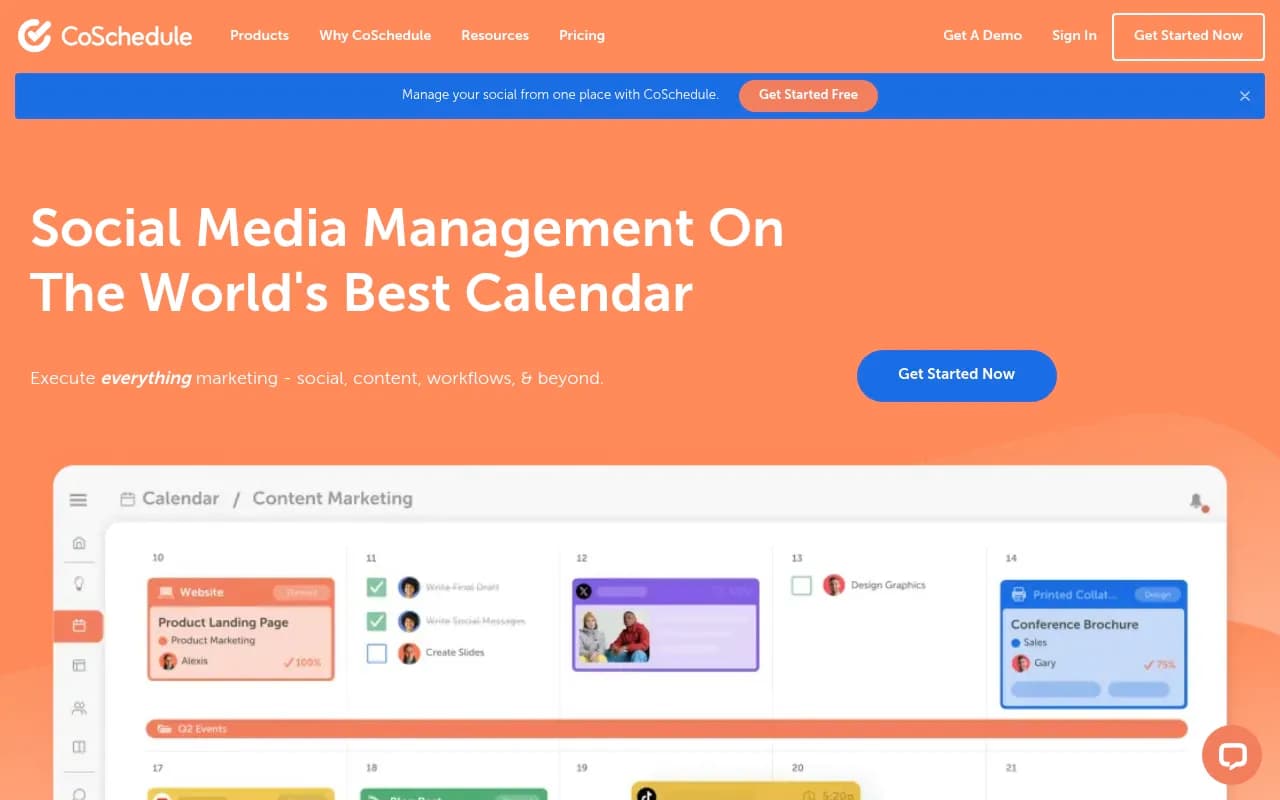
CoSchedule's pitch is simple: stop juggling five tools to run your marketing week. Everything sits on one calendar. Social posts, blog drafts, email campaigns, tasks, and events all appear as color-coded items you can drag between days, reassign, or attach to a larger campaign.
In practice, the calendar is the product. I've spent time in plenty of scheduling tools where the calendar feels like an afterthought bolted onto a publishing engine. Here it's the opposite. The drag-and-drop works smoothly, campaigns group related work across channels, and the Kanban board view (added in 2024) gives you a second lens on scheduled versus unscheduled work.
The social publishing side covers the networks most teams need: Facebook, Instagram, LinkedIn, Pinterest, TikTok, Threads, YouTube, Google Business Profile, Mastodon, and Bluesky. That last pair is unusual. Most competitors still haven't bothered with Mastodon or Bluesky, so if your audience lives there, CoSchedule is one of the few mainstream options.
The Social Inbox handles DMs, comments, and replies, with AI-suggested replies on the Professional plan and above. ReQueue, the evergreen content recycling feature, automatically resurfaces old posts in groups you define. It's a small thing, but it's the kind of automation that quietly saves hours every month.
The AI tools: helpful, not magical
CoSchedule has leaned hard into AI across its lineup. The AI Social Writer drafts posts, the AI Campaign Builder generates multi-channel campaign structures from a prompt, and an AI Image Generator creates visuals for posts and thumbnails. On the Suite tier you get AI Brand Voice Training, which tunes output to match your organization's tone.
The honest assessment: this is solid, workmanlike AI. It will get you from blank page to publishable draft faster, and the campaign builder is genuinely handy when you're staring at a quarter with no plan. But if you've used dedicated AI writing tools, nothing here will surprise you. The deeper AI functionality lives in Hire Mia, a separate product CoSchedule spun out in 2024 with an SEO Enhancer, AI Humanizer, and prompt libraries. It connects to your calendar, but it requires its own plan. That separation is worth knowing about before you assume the $29 tier includes everything.
Pricing: read the fine print
Here's where CoSchedule loses some goodwill.
- Free Calendar: $0, one user, limited to 15 scheduled or drafted posts per profile. Fine for testing, not for real work.
- Starter: $29/mo billed annually ($39 monthly). One user, three social profiles, $5/mo per extra profile.
- Professional: $49/mo billed annually ($59 monthly). Two users, five profiles, advanced inbox and analytics, approvals, and agency publishing tools. Extra seats are $29/mo each.
- Suite: Custom pricing, with the company anchoring at $69/mo to start. Unlimited users and profiles, SSO, brand voice training.
The catch that annoys everyone: Twitter/X is excluded from every base plan and billed at $16 per profile per month. For a tool whose whole value proposition is consolidating your social presence, charging extra for one of the biggest networks feels like a nickel-and-dime move, and reviewers on G2 say exactly that. Add-ons pile up too: the Actionable Marketing Institute costs $50/mo, Headline Studio Pro is a separate plan, and Hire Mia is a separate plan.
Nonprofits get 30% off, which is a genuinely good discount. All paid tiers include a 14-day trial.
Strengths
The calendar experience is the standout. If your marketing week involves coordinating blog posts, social promotion of those posts, email sends, and team tasks, having it all in one visual timeline reduces the
Frequently asked questions
How much does CoSchedule cost?
Is CoSchedule good for agencies?
What social networks does CoSchedule support?
Does CoSchedule include AI features?
What is ReQueue?
Similar and alternative tools to CoSchedule