Key takeaways
- Crawler logs don't predict citations on their own. They tell you which pages the bots can reach and how often they come back, which is the precondition for any citation.
- The useful prediction method is a join: fetches from logs, citations from a tracked prompt set, and referral visits from analytics, all keyed by URL.
- Pages that are fetched often but never cited need content work. Pages never fetched need access or discovery work. Pages with 403, 429 or 404 responses need fixes at the edge first.
- Content type sets the decay curve. Promptwatch Data shows news losing half its cited pages in about 36 days while landing pages and docs hold on far longer, so refresh cadence should follow type.
- Nobody has published a reliable crawl-to-citation lag. Measure your own, and treat any universal number with suspicion.
What "predicting a citation peak" can and can't mean
Let me be upfront: you cannot read a log file and know that your page will be cited next Tuesday. Anyone claiming a fixed lag between a crawl and a citation is guessing. I looked for first-party data on that lag and did not find any, so this guide does not invent one.
What logs do give you is leading evidence. A page that user-triggered bots start fetching more often is being pulled into answers or at least considered for them. A page that gets a 403 is invisible no matter how good it is. A page that never appears in the log cannot be cited at all. Put those signals next to your citation data over a few months and you can build a rough, honest forecast of your own: when a page's fetch curve rises, citations tend to follow on a lag you can measure for your site.
That is the whole approach. Collect, join, watch the lead-lag, then act on the gaps.
What AI crawler logs actually contain
A crawler log is a record of every request an AI bot made to your site: the bot name, the path, the status code, the method, the time and sometimes the referrer. Vercel and MERJ counted 569 million GPTBot fetches in one month and found that none executed JavaScript, which is why your analytics script never saw them (via ThriveStack's log analysis write-up). If you only look at GA4, you are blind to this traffic.
Three jobs, not one bot
Crawler names look alike but do different work, and the difference changes how you read a visit.
- Training crawlers, such as GPTBot or ClaudeBot, collect pages for model training.
- Search bots, such as OAI-SearchBot or Claude-SearchBot, index pages for an assistant's own search layer.
- User-triggered fetchers, such as ChatGPT-User or Claude-User, grab a page live while someone is asking a question.
For prediction, the third group matters most. A live fetch means a real prompt just touched your page. Promptwatch's crawler log docs make the same point: the four citation cards count user-triggered bot visits, not citations the model produced in its answers. A fetch is a strong hint, not a confirmation.
Verify before you trust the numbers
User agents are trivially spoofed. Match requests against each operator's published IP ranges or reverse DNS and separate verified from unverified traffic. Promptwatch Data does exactly this in its AI crawler traffic report: only requests whose source IP matches the operator's published ranges count. In that report, OpenAI made up 79.8% of verified AI crawler requests in the week of Aug 31 to Sep 6, 2026, down from 94.8% in Jun 8 to 14, 2026. The mix is shifting, so a baseline from last spring is already stale.
Step 1: Get a log source that doesn't hide the interesting events
Use edge logs as your primary source. Requests blocked or challenged by bot management never reach your origin, and those blocked requests are precisely the events you need to see. Origin logs will make your blocked pages look like pages nobody asked for.
Your options, roughly:
- CDN logs from Cloudflare, Fastly, CloudFront, Vercel or Netlify.
- Raw server logs, which you parse yourself.
- A platform that ingests them for you and does the bot verification.
The free Growthract crawler log analyzer parses pasted logs in the browser, which is fine for a one-off look. For ongoing work you want something that keeps history, because prediction needs weeks of data, not a snapshot.
Promptwatch handles this through its AI crawler logs: IP-verified logs from your CDN, host or the WordPress plugin, with crawl failures explained in plain language. Crawler Logs needs a Professional plan or higher, so check promptwatch.com/pricing for current details.

If you want to compare alternatives that watch AI bot traffic, a few in the catalog do some version of it.
For sites with heavy log volume and a classic technical SEO workflow, a log analyzer like JetOctopus also belongs on the list.
Step 2: Build a monthly baseline
Pull 30 days of logs and filter to the priority user agents. A reasonable monthly review looks like this:
- Extract the last 30 days of edge and origin logs, filtered to your priority AI bots.
- Verify each request against published IP ranges and split verified from unverified.
- Break out status codes by bot.
- Rank URLs by fetch count per bot.
- Compare against the previous month.
- Join the fetched URL list to your monitored citation set.
That last step is where the value is, and it is covered below. First, the baseline itself. Your own revisit frequency on priority pages is more useful than any industry average, as Jasper's guide to auditing AI crawler traffic puts it. Write down, per priority page, how often each bot returns. A page that gets visited every two days has a different profile from one visited twice a quarter.
Sanity-check your numbers against the market mix. Promptwatch's advice from the crawler traffic report: if a provider is a large share of the overall mix but near zero in your logs, you are probably blocked or unreachable for that provider. Claude is a good example. Promptwatch Data's Claude citation crawler report shows Claude-User visits growing from about 30 a day in mid-December 2025 to several thousand a day by mid-April 2026, more than 100x, while still only about 1% of tracked citation-crawler traffic. Small share, fast growth. If your logs show zero Claude-User, that is worth a robots.txt and WAF check.
Step 3: Clean the access problems first
No forecast is worth anything while bots are bouncing off your site. Filter status codes to 403, 404, 429 and the 5xx range and fix those before touching copy. ThriveStack's numbers are a useful reality check here: about 35% of ChatGPT bot fetches hit a missing page in their data, something a log shows and GA4 does not.
A quick triage table:
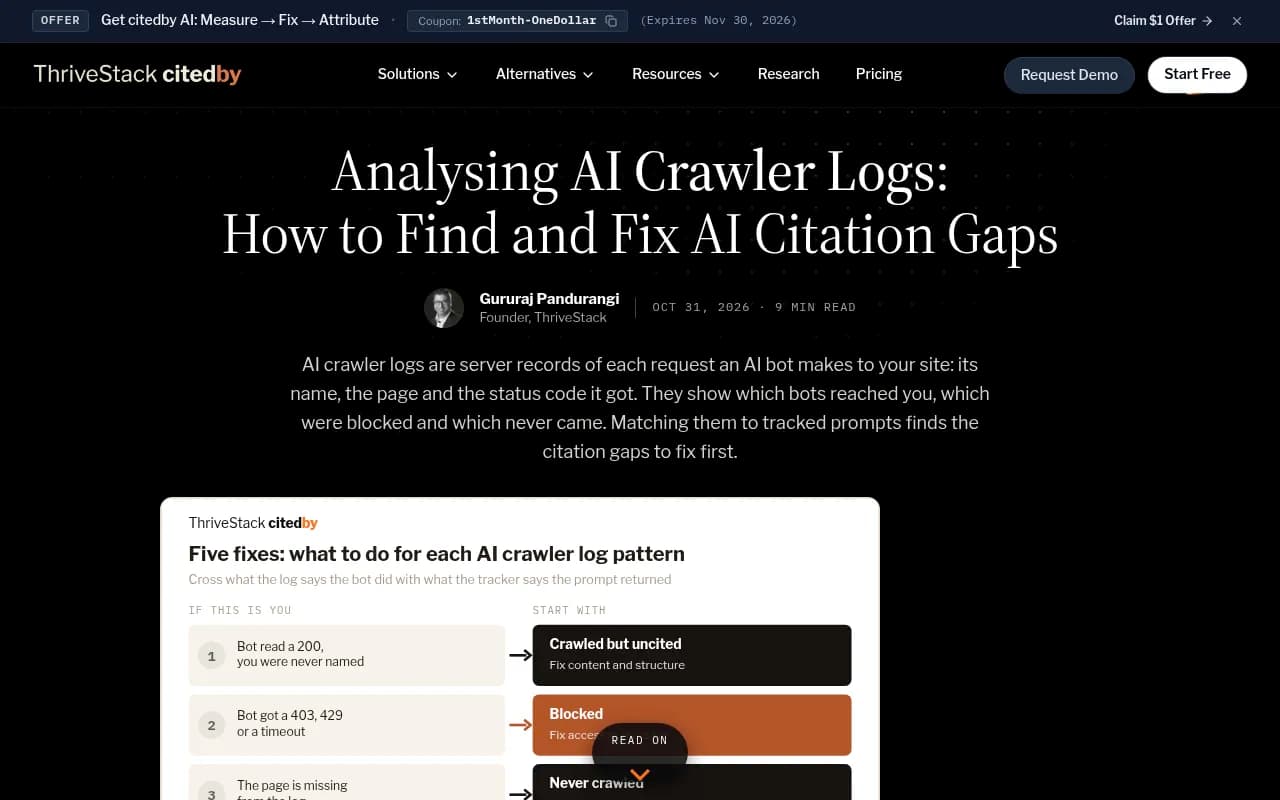
| What the log shows | What it means | First fix |
|---|---|---|
| Bot gets 200, you are never named | Crawled but uncited | Content and structure |
| 403, 429 or timeout | Blocked | Access rules at the edge |
| Page absent from the log | Never crawled | Internal links, sitemap |
| Live fetch, then a visit from chatgpt.com | Cited and clicked | Replicate across the cluster |
| Fetches fine, a rival is cited instead | Competitor wins | Rebuild the page to beat theirs |
The categories come from ThriveStack's framework. The ordering matters: access, then discovery, then content. Teams do it backwards constantly, rewriting a page that is returning a 403 to GPTBot.
Also confirm robots.txt returns a fast 200 with the rules you intend, then check whether the crawler receives a challenge or a 403 on its next content request. Robots.txt can be perfect and the WAF can still slam the door. If you need a quick check on which bots can read you, the free Agentic Readiness Check and the AI crawler URL inspector do it without setup.
Step 4: Join logs to citations
This is the step that turns a crawl report into a forecast. Join three datasets on URL:
- Crawler fetches, from your logs.
- Citations, from a scheduled prompt-monitoring set.
- Referral sessions and conversions, from analytics.
Pages that are fetched, cited and converting define the templates worth scaling. Pages fetched heavily with no citations and no referrals are where content or extractability work is failing. That is the gap the Lemniscate Growth log analysis guide calls out: crawler coverage without citation coverage is an expensive form of activity reporting.
Promptwatch's docs describe the same check from the product side: compare the Top Pages list in Crawler Logs with the Citations page. A page user-triggered bots fetch often but that rarely shows up as a citation is being read and rejected, and it is your best candidate for a content update. Fix crawl errors first, keep the most-fetched pages current (high crawl frequency shows interest, not authority), and watch the trend. The docs also note that spikes often follow a sitemap update or a content refresh, so the chart works as feedback on what you changed.
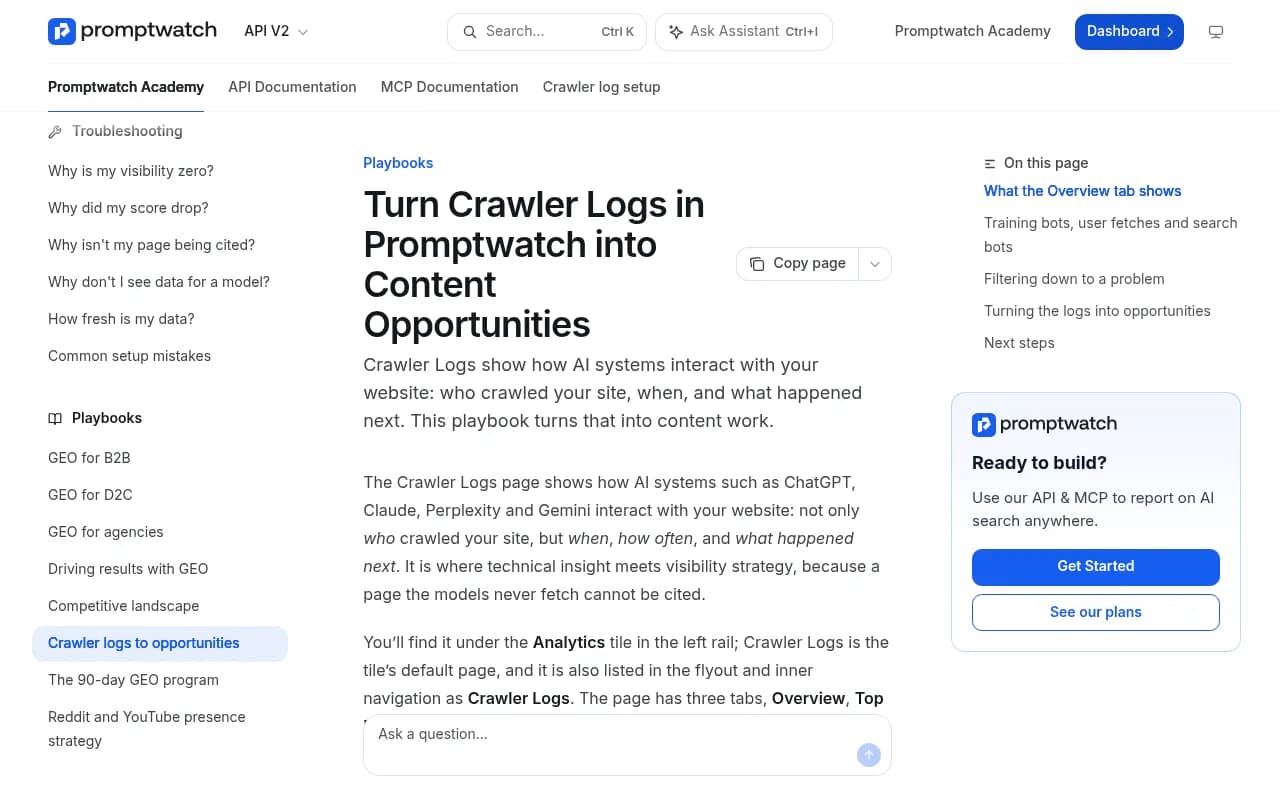
If you want the crawls and citations on a single timeline instead of two exports, that is what Promptwatch's AI Insights view is for, and the Page Tracker side of the platform shows which prompts cite a given URL. Doing it in a spreadsheet works too. A pivot with URL rows, weekly fetch counts, and weekly citation counts is all you need.
Step 5: Find your own lead-lag
Now the forecasting part, done carefully.
For each page that earned citations, line up its weekly user-triggered fetch count against its weekly citation count. Look at where the fetch line starts rising relative to where citations start rising. Do this across 20 or 30 pages in the same template and you will see whether there is a repeatable gap, say a rise in fetches that precedes a rise in citations by a couple of weeks. Or you will see nothing consistent, which is also an answer. I would not publish a rule from fewer than a dozen pages.
Things that make the signal cleaner:
- Use user-triggered fetchers, not training crawlers, as your leading indicator. They are closer to a live prompt.
- Use a fixed prompt set so citation counts are comparable week to week.
- Mark every content change, sitemap update and publishing push on the timeline. Without annotations you cannot tell cause from coincidence.
- A spike concentrated on high-value templates after a publishing push is a healthy signal. A spike on a single odd URL is probably one crawler doing something weird.
If you track prompts in a tool, the monitoring side matters as much as the logs. Several catalog tools cover the citation half of the join, and the difference between them is how much of the rest they cover.
| Tool | Citation tracking | Crawler logs | Content fix workflow |
|---|---|---|---|
| Promptwatch | Yes, across major AI engines | IP-verified, built in | Content Agent, Action Board |
| Profound | Yes | Not a core focus | Limited |
| Otterly.AI | Yes | No | No |
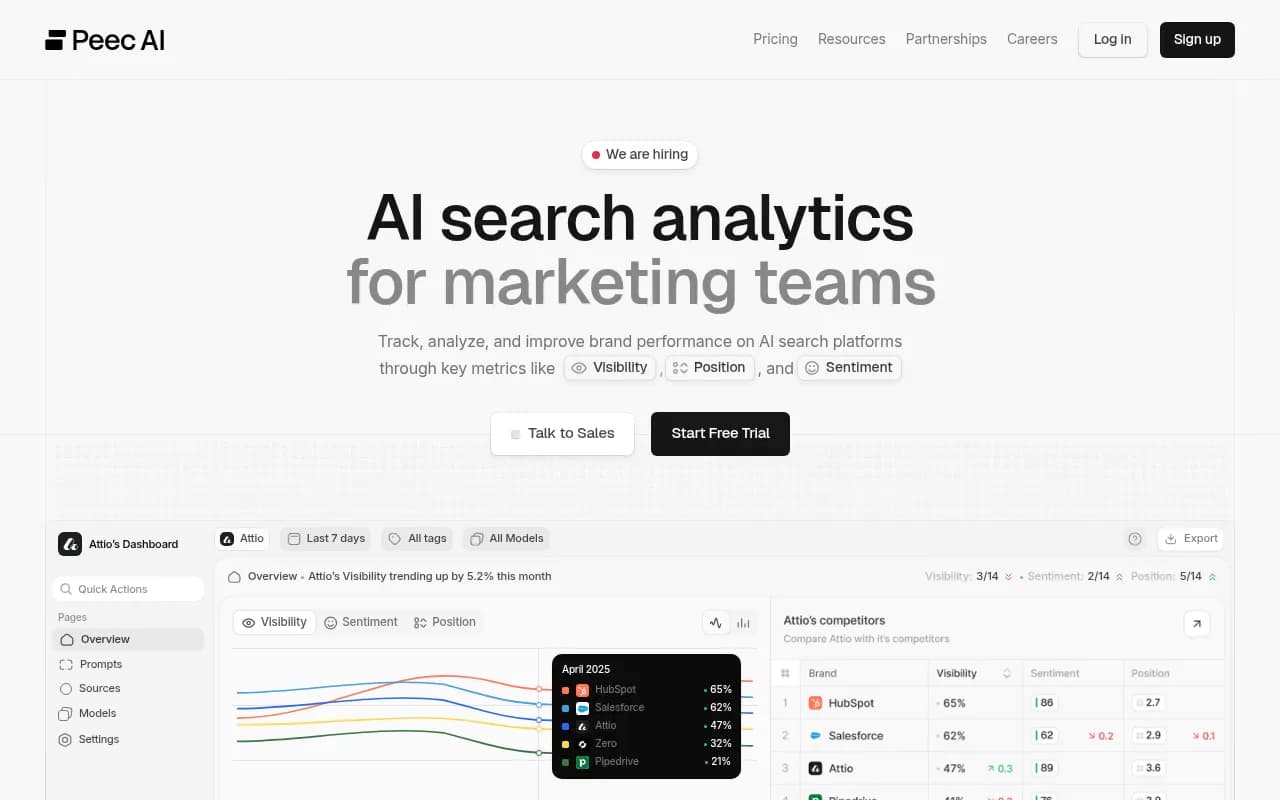
| Peec AI | Yes | No | No |
| Semrush | Yes, fixed prompt sets | No | SEO suite tools |
Treat that table as a starting point and confirm current features on each vendor's site. For wider options, the GEO software directory at bestgeosoftware.com lists more tools in the category.
Profound
Otterly.AI

Step 6: Let content type set your refresh clock
A citation peak is not permanent, so forecasting the peak means forecasting the decline too. Citation Decay in Profound defines the peak as the highest point of a page's citation share, with the peak date being the first day it got there. Promptwatch Data gives a complementary view in its content half-life report, which tracked every page ChatGPT cited on July 6, 2026 for 90 days (through Oct 4, 2026):
| Content type | Still cited at 60 days | Notes |
|---|---|---|
| Landing pages | 69% | 78% still cited at 30 days |
| Docs | 67% | 76% at 30 days; 93% were cited again after day 0 |
| Comparisons | 63% | 72% at 30 days |
| Listicles | 60% | Crosses 50% only in the final week |
| Product pages, reviews, how-tos | about 55% | Half-life of 74 to 77 days |
| News | 41% | Half-life of 36 days |
For landing pages, docs, comparisons and listicles, the window ended before they dropped much below half, so their real half-life is probably near or beyond 90 days. Read those rows as lower bounds.
What this means for planning: a news page you expect to peak is on a clock of weeks, so the follow-up piece should be queued before the first one fades. A docs page can coast for months. Schedule refreshes by type, not by a flat quarterly calendar. And remember product pages are the most cited content type in ChatGPT, at 22.4% of citations from Sep 28 to Oct 4, 2026 (Promptwatch Data), so they deserve a log watch of their own.
Step 7: Act on each pattern
Once you have the join, the actions fall out quickly.
Crawled but never cited
The bot reads the page and moves on. Add the specifics that make a passage worth quoting: ranges, conditions, timelines, named comparisons. Tighten the answer to the question the fetch implies. Check that the page's main claim is not buried under scripts, since most AI fetchers do not run JavaScript.
Blocked
Fix at the edge. Allow the verified IP ranges, loosen rate limits for user-triggered fetchers, and re-check the log a day later to see the status code change.
Never crawled
Add internal links from pages that already get fetched, add the URL to the sitemap, and consider IndexNow so the update is pushed rather than waited on.
Cited and clicked
Replicate the template. If a how-to with a comparison table earns fetches, citations and visits, build the next five the same way. This is where a content workflow helps: tools like Promptwatch's Content Agent can write and publish pages against the gaps and then track whether each one gets crawled, cited and clicked.
A rival is cited and you are not
Pull the competitor page AI is citing, compare structure and specifics, and rebuild yours to beat it on those points rather than on length.
A weekly routine that takes 30 minutes
- Open the logs for the last 7 days against the 7 before.
- Scan status codes for new 403, 429, 404 and 5xx spikes.
- Check which bots visited and whether any dropped to zero.
- List the top 10 fetched pages and look up their citation counts.
- Note any page where fetches rose for two weeks running. That is your watch list for the next citation movement.
- Log what you changed, so next month's analysis has annotations.
Pair it with visitor analytics so you can see which fetches turn into human visits. Attribution is getting harder: ChatGPT stopped sending a referrer on October 8, 2026, so tagging links with utm_source=chatgpt.com matters if you want those visits counted. The attributing AI traffic guide walks through it.
What I would not trust
- Any single crawl count as proof of authority. Frequency shows interest, not that you are winning.
- Industry-wide lag numbers. Your site, your templates, your prompt set.
- Provider totals without the crawler split. A provider's total hides which bot is doing the work, and training and answer-time fetchers mean different things.
- Share-of-mix charts read as volume. A growing segment does not necessarily mean more requests.
Where this leaves you
Logs are the cheapest early-warning system you have for AI visibility, and most teams never open them. Start with a month of verified edge logs, fix the 403s and 404s, join fetched URLs to cited URLs, and watch for pages whose fetch line climbs before the citation line does. After two or three months you will have a lead-lag specific to your own site, which is the only forecast worth acting on. For more category context and the full set of AI search research, browse Promptwatch Data.