Key takeaways
- You do not need a $1,000 enterprise platform to do GEO. Free webmaster tools, free analytics and one paid tracker cover the measurement side.
- Spend the money on one tool that tracks prompts and shows you what to fix. Spend your time on product pages, landing pages, comparisons and docs, because that is what ChatGPT cites.
- Two budget versions work: roughly $115 a month with Promptwatch Essential, or roughly $265 a month with Professional if you want built-in article generation.
- Refresh pricing and product pages often, publish durable comparison pages, and treat news and PR as short bursts.
- Check vendor pricing pages before you commit. Numbers move.
Why startups need a different GEO stack
Most GEO advice is written for companies with a six-figure marketing budget and a team of five. You have a founder, maybe one marketer, and a card with a hard limit. The generic startup-tool roundups don't help much either. They cover GitHub, Cloudflare and PostHog, which are great, but they say nothing about whether ChatGPT recommends you.
The good news is that the work splits cleanly. Roughly half of it (access, analytics, search data) can be done for free. One piece (tracking prompts across AI models) is worth paying for. And the content workflow is mostly process, not software.
One warning before the tools. Early-stage teams love to buy things. The Averi team claims the average early-stage company runs 12 to 15 marketing tools, and I believe it. A $200 stack you open every week beats a $2,000 one you log into twice. Keep this stack small on purpose.
What actually gets cited (so you know what to build)
Before picking tools, look at what AI systems cite. According to Promptwatch Data on ChatGPT citation share by content type (Sep 28 to Oct 4, 2026), product pages are the most cited type at 22.4% of classified citations, and landing pages follow at 16.8%. That means roughly 39% of citations go to pages describing what a company sells. Listicles get 13.6%, how-tos 8.7%, comparisons 5.9% and news 5.7%.
For commercial prompts like "best CRM for small businesses", it is even more skewed. Product pages take 26.0%, landing pages 20.6%, listicles 15.0% and comparisons 7.9%. Those four types are almost 70% of commercial citations.
For a startup this is oddly encouraging. The pages you already have to build, your product page, pricing page and a few landing pages, are the main citation surface. You do not need a 300-post blog to start showing up. You need complete, factual pages and a handful of comparison pages.
There is also the shelf-life question. Promptwatch's content half-life data tracked pages ChatGPT cited on July 6, 2026 for 90 days. After 30 days, ChatGPT still cited 78% of landing pages and 76% of docs. Comparisons held at 72%. Product pages, reviews and how-tos had a half-life of 74 to 77 days. News was the outlier: half of pages were gone after 36 days.
That shapes the workflow. Build durable assets, refresh the ones that decay, and don't bet your content budget on news-style posts.
The stack at a glance
| Layer | Tool | Cost | Job |
|---|---|---|---|
| Search data | Google Search Console, Bing Webmaster Tools | Free | Find which queries and pages already earn impressions |
| Site analytics | Google Analytics or PostHog | Free tier | Measure traffic and conversions |
| Behavior | Microsoft Clarity | Free | Heatmaps and recordings on pages AI sends people to |
| Crawl access | Cloudflare free plan, robots.txt checks | Free | Make sure AI crawlers can read your site |
| AI visibility tracker | Promptwatch Essential or Professional | $95 or $245 per month | Track prompts, citations, gaps and AI traffic |
| Drafting | Claude or ChatGPT | Roughly $20 per month | First drafts and rewrites |
| Automation (optional) | Zapier or n8n | Free tier | Weekly reports and alerts |
The free layer
Search Console and Bing Webmaster Tools
These two are non-negotiable. Search Console shows the queries and pages that already get impressions. That is your best list of prompts to track, because people ask AI the same questions they type into Google, just longer.
Bing matters more than many founders assume. Several AI products lean on Bing's index, and Bing Webmaster Tools is free.
Submit your sitemap to both, then leave them alone for a week while data accumulates.
Analytics that can spot AI traffic
Google Analytics works if you already have it. You can build a segment for referrals from chatgpt.com, perplexity.ai, gemini.google.com and similar sources. It is a bit fiddly, and some AI visits arrive with no referrer at all, so expect an undercount.
If you are a product-led startup, PostHog's free tier (the Storyflow roundup lists it as free up to 1 million events a month) is a reasonable alternative, and you get session replay too.
Microsoft Clarity adds free heatmaps and recordings. Worth installing just to see what an AI-referred visitor does on your pricing page.
Crawler access
This one is boring and it is where startups quietly lose. If your robots.txt, CDN or WAF blocks AI crawlers, nothing else in this guide matters.
Promptwatch's AI crawler traffic report (IP-verified requests, Jun 8 to Sep 6, 2026) shows OpenAI at 79.8% of verified AI crawler requests in the week of Aug 31 to Sep 6, down from 94.8% in early June. The practical advice from that data: check your rules for every major crawler, and if a provider is big in the overall mix but near zero in your logs, you are probably blocked.
Free starting points: open your robots.txt and read it with fresh eyes, check your Cloudflare bot settings if you use the free plan, and run the free Agentic Readiness Check and AI Crawler URL Inspector from Promptwatch's free tools. Add a basic llms.txt if you like, though I would not expect it to move anything on its own.
The one paid tool: an AI visibility tracker
Here is where I would spend. Free tools tell you about Google. They don't tell you whether ChatGPT, Gemini, Perplexity and AI Overviews mention you, which sources they cite, or which competitor shows up instead.
There are two kinds of products here. Prompt trackers answer "was my brand mentioned?" and stop. Fuller platforms also show why, and help fix it. For a startup with no spare hours, the second kind matters more, because your bottleneck is time, not data.
Promptwatch is the one I would pick for this stack. It tracks the real interfaces of ChatGPT, Google AI Overviews, AI Mode, Gemini, Perplexity, Copilot and others, and it includes content gap analysis, a site audit and an Action Board with prioritized to-dos. That last part is what makes it workable for a one-person team: you open it, see the top actions, and do them.
Which plan fits a startup
| Plan | Price | Prompts | Notable for this stack |
|---|---|---|---|
| Explore | Free | 10, ChatGPT only | Good for a first look before you commit |
| Essential | $95/mo | 50 | All AI models, country tracking, site audit, 360 Insights, content gap analysis, 500 Agent Credits, MCP and API |
| Professional | $245/mo | 150 | Adds 5 AEO articles, Knowledge Base, 1,500 Agent Credits, 25M crawler logs, custom reports |
| Business | $579/mo | 350 | Automated Content Agent; over this budget |
Confirm current pricing at promptwatch.com/pricing, since plans change. There is a 7-day free trial on the monthly Essential and Professional plans.
My honest take: start on Essential. Fifty prompts is enough for a startup with one product and a few use cases. Move to Professional only when you are publishing steadily and want the article generation and Knowledge Base inside the same tool.
Picking your 50 prompts
Don't invent prompts from nothing. Build the list from three places:
- Your Search Console queries with the most impressions
- Comparison prompts, such as "[competitor] alternatives" and "[you] vs [competitor]"
- Problem prompts your customers would ask before they know your category
Keep a mix of branded and unbranded. Branded prompts tell you what AI says about you. Unbranded ones tell you whether you get discovered at all. For a young company, the unbranded number will be humbling, and that is fine. It is the baseline.
Cheaper trackers, and what you give up
Plenty of cheaper tools exist. Otterly.AI and Peec AI are basic prompt trackers, and they do the monitoring job at lower entry prices.
Otterly.AI

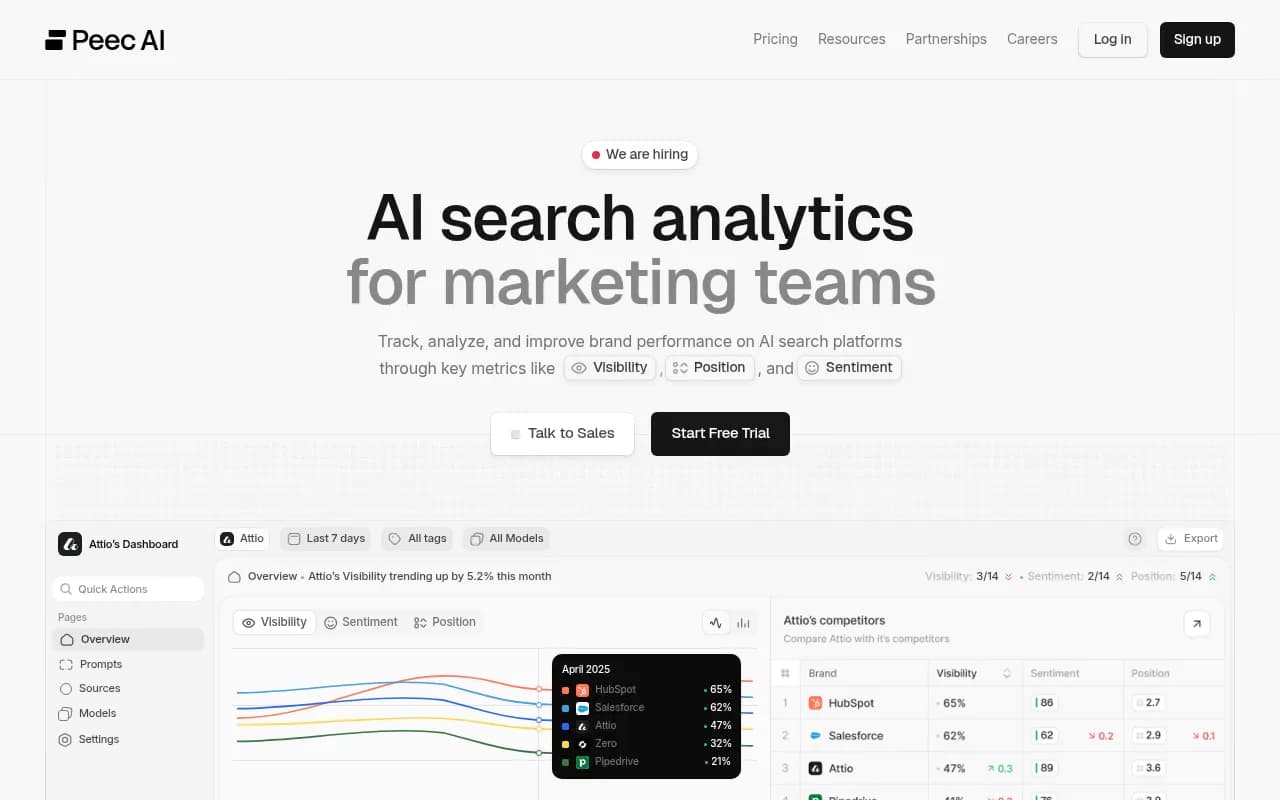
If all you need is a weekly mention count, they might be enough. What you give up is usually the diagnostic side: crawler logs, AI-referred visitor analytics, and content gap analysis. For a team that cannot afford to guess, I would pay the extra for those. If you want to compare more options, the GEO software directory at bestgeosoftware.com lists the field.
The content workflow
This is the part that costs time instead of money. Here is a weekly loop that works for one or two people.
Step 1: Find the gap
Open the content gap view and the Action Board in your tracker. Look for prompts where competitors get cited and you do not. Pick one to three gaps per week. No more. A smaller list you finish beats a longer one you abandon.
Step 2: Decide which page type fits
Map each gap to the page type that earns citations for that intent, using the Promptwatch Data numbers above:
| Prompt type | Page to publish or fix | Why |
|---|---|---|
| Commercial, e.g. "best X for small teams" | Product page, landing page, comparison page | Almost 70% of commercial citations go to product, landing, listicle and comparison pages |
| Informational, e.g. "how to do X" | How-to or docs page | How-tos (10.7%) and docs (8.5%) earn more here than across all prompts |
| Branded, e.g. "is [you] any good" | Product page, reviews, FAQ | Reviews rise to 5.6% and FAQ to 4.8% on branded prompts |
Note the review angle. Branded prompts pull reviews up, so a profile on a trusted review site is worth an afternoon.
Step 3: Draft with an assistant, edit like a human
Use Claude or ChatGPT for the first draft. Feed it your real product facts, pricing, and customer quotes. Then edit hard. The failure mode I see most is a founder pasting a generic draft and publishing it, which produces a page that says nothing a competitor's page doesn't.
What makes a page citable is specifics: prices, limits, integrations, who it is for and who it is not for. Put those in plain text, not buried in images or tabs that don't render.
If you are on Promptwatch Professional, you can generate articles from a brief inside the tool, using your Knowledge Base and Brand Book so the facts stay consistent. That saves a copy-paste step. It does not replace the editing.
Step 4: Publish, then check the crawl
Publish the page, make sure it is in your sitemap, and then check that AI crawlers actually visited it. A page that nobody crawled can't be cited. Your tracker's crawler logs (or your CDN logs, if you are on the free route) will show this within days.
Step 5: Refresh on a schedule
The half-life data says product pages, reviews and how-tos fade by about half in 74 to 77 days. So put a 60-day refresh on your product, pricing and comparison pages. Update prices, add new features, fix stale screenshots. Landing pages and docs last longer, so check them quarterly.
Skip the news-cycle treadmill. News pages lose half their citations within 36 days, and almost a quarter are never cited again after the first day. Use news and PR for short bursts around a launch, not as the base of the plan.
Two budgets, with numbers
These are ballpark figures. Assistant subscription prices vary, so check them.
| Item | Lean version | Fuller version |
|---|---|---|
| Free layer (Search Console, Bing, GA or PostHog, Clarity, Cloudflare) | $0 | $0 |
| Promptwatch | Essential, $95 | Professional, $245 |
| AI assistant for drafting | About $20 | About $20 |
| Automation, optional | $0 (free tier) | $0 (free tier) |
| Total | About $115 | About $265 |
Both stay under $300. The lean version leaves about $185 of headroom, which you could spend on a design tool, a freelance editor for your five most important pages, or a review-site listing fee. I would take the editor.
The fuller version is for a team that will publish several pages a month and wants drafting inside the same system.
A 30-day plan
Week 1. Set up Search Console and Bing, install analytics, audit robots.txt and your CDN rules. Run the free AI visibility report to see where you stand.
Week 2. Start the Promptwatch trial. Load 30 to 50 prompts from your Search Console data and competitor comparisons. Let it collect a few days of data.
Week 3. Fix the top three site audit and crawler issues. Rewrite your product and pricing pages so every fact is complete and visible as text.
Week 4. Publish one comparison page and one how-to. Set a calendar reminder for the 60-day refresh. Pull your first AI-traffic numbers.
Expect your first month to be mostly baseline and cleanup. Visible movement tends to come later, and not every prompt will budge.
What to skip
- Enterprise GEO suites priced for Fortune 500 teams. You will pay for seats and prompts you won't use.
- Tools that promise to "rank you in ChatGPT" with no data on how. If you can't see what changed and why, you can't repeat it.
- Bulk article generators that push out hundreds of thin pages. The citation data favors complete product, landing and comparison pages over volume.
- A fourth analytics tool. Pick one.
Where to start today
Spend 20 minutes on your robots.txt and your pricing page. If crawlers can read them and the page states your price, plan and limits in plain text, you are ahead of a surprising number of startups. Then open a tracker, add your first prompts, and see who gets cited instead of you. That list is your content plan.