Bing Webmaster Tools Review 2026
Microsoft's free platform for monitoring site health, indexing, keyword research, and backlink data specifically for Bing and Yahoo search results.
Key takeaways
- Completely free -- no paid tiers, no usage limits for core features, backed by Microsoft
- Covers the full Bing/Yahoo search ecosystem with indexing tools, keyword research, backlink analysis, and site auditing
- Best suited for site owners and SEO professionals who want to complement Google Search Console with Bing-specific data
- Bing's market share is small compared to Google, so the ROI of time invested here depends heavily on your audience
- API access and a WordPress plugin make it practical for developers and larger sites with automated workflows
Bing Webmaster Tools is Microsoft's free platform for managing and optimizing a website's presence in Bing search results. It's the Bing equivalent of Google Search Console -- a dashboard where you verify site ownership, monitor crawl health, submit sitemaps, track keyword performance, and diagnose technical SEO issues. Microsoft has been running this product for well over a decade, and while it's never been the flashiest tool in any SEO stack, it's gotten meaningfully more capable over the years, particularly with the addition of a built-in site audit tool and keyword research features that used to require third-party subscriptions.
The target audience is broad: anyone with a website who cares about organic search traffic. That includes solo bloggers, in-house SEO teams at mid-size companies, and digital agencies managing multiple client properties. Because it's free and covers a search engine that still accounts for a meaningful share of desktop search traffic in the US and UK (Bing sits around 6-8% globally, but higher in certain demographics and enterprise environments), most SEO professionals treat it as a standard part of their setup alongside Google Search Console, not a replacement for it.
One thing worth noting upfront: Microsoft has been quietly rebranding some of the tooling under a "SEO/GEO" label, which appears to be an acknowledgment that generative AI search (Bing's Copilot integration, AI-powered answers) is changing how content gets discovered. Whether that label reflects real GEO functionality or is mostly marketing language is worth examining as you dig into the features.
Key features
Search performance reporting
The core dashboard shows impressions, clicks, click-through rate, and average position for your site across Bing search results. You can filter by date range, page, query, and country. The data is comparable to what Google Search Console provides, though the volume of data points is naturally lower given Bing's smaller index share. One practical advantage: Bing tends to show more keyword data without the "(not provided)" obfuscation that Google applies, so you sometimes get cleaner query-level data here.
Keyword research
The built-in keyword research tool lets you enter a seed term and get back related queries with search volume estimates and trend data specific to Bing's index. This is genuinely useful -- most free keyword tools pull from Google's data, so Bing's tool gives you a different lens on search demand. The volume numbers are Bing-specific, which means they're lower than what you'd see in Ahrefs or Semrush, but they're directionally accurate for prioritizing content for Bing's audience.
Backlink analysis
Bing Webmaster Tools includes a backlink explorer that shows referring domains, referring pages, and anchor text distribution for your site. The data comes from Bing's own crawl, so it won't match Ahrefs or Majestic exactly, but it's a free way to get a second opinion on your link profile. You can filter by domain authority and anchor text, and export the data for further analysis. For smaller sites that can't justify a paid backlink tool, this is a reasonable starting point.
Site Scan (technical SEO audit)
Site Scan is an on-demand crawler that checks your site for common technical issues: broken links, missing meta descriptions, duplicate title tags, missing alt text, slow page load indicators, and similar problems. You can run it manually or schedule recurring scans. The results are organized by severity and page count, so you can prioritize fixes. It's not as deep as Screaming Frog or Sitebulb -- it won't give you the same level of crawl configuration or custom extraction -- but for a free tool it covers the basics well.
URL submission and indexing
You can submit individual URLs or sitemaps directly to Bing's index through the dashboard. There's also a URL Submission API that lets you programmatically notify Bing when content is updated, which is useful for large sites with frequent content changes. The WordPress plugin automates this process for WordPress-based sites, submitting new and updated URLs to Bing's index without manual intervention. This is one area where Bing Webmaster Tools is genuinely ahead of some expectations -- the API is well-documented and the WordPress integration is actively maintained.
SEO/GEO reports
The SEO/GEO report section aggregates technical errors found across your site from crawl data. It categorizes issues by type and shows which pages are affected. The "GEO" label here seems to refer to Bing's awareness of AI-generated search results and how your content might appear in those contexts, though the actual GEO-specific guidance is still fairly surface-level compared to dedicated AI visibility platforms.
Mobile friendliness test
A standalone tool (accessible from the main dashboard) that checks whether a specific URL renders correctly on mobile devices. It shows a preview of how Bing's crawler sees the page on mobile and flags any issues. This is a quick diagnostic rather than a comprehensive mobile audit.
Diagnostic tools
Beyond Site Scan, there are individual diagnostic tools for checking how Bing crawls a specific URL, viewing the cached version of a page, and testing robots.txt rules. The Fetch as Bingbot tool is particularly useful for debugging crawl issues -- you can see exactly what Bing's crawler sees when it visits a page, which helps diagnose JavaScript rendering problems or blocked resources.
API access
The Bing Webmaster API gives developers programmatic access to most of the data and actions available in the dashboard: crawl stats, keyword data, backlink data, URL submission, and more. The documentation is hosted on Microsoft Docs and is reasonably comprehensive. For agencies or developers building custom reporting pipelines, this is a practical option.
Who is it for
The most obvious use case is any SEO professional or site owner who already uses Google Search Console and wants equivalent coverage for Bing. If you're doing thorough SEO work, ignoring Bing entirely means leaving a data gap -- even if Bing drives 5-10% of your organic traffic, that's real visitors. In-house SEO teams at B2B companies and enterprise software firms tend to find Bing more relevant than consumer brands do, because Bing's user base skews toward Windows desktop users in corporate environments.
Digital agencies managing SEO for multiple clients will find the multi-site management useful. You can add multiple sites under one account and switch between them from a single dashboard. The API makes it practical to pull Bing data into custom client reports alongside Google Search Console data. Agencies that already have Semrush or Ahrefs for deep analysis can use Bing Webmaster Tools as a free supplement for Bing-specific indexing and crawl data.
Developers and technical SEO specialists will appreciate the URL Submission API and the Fetch as Bingbot tool. If you're running a large news site or e-commerce catalog with thousands of pages updated daily, the API-based URL submission is a meaningful time saver compared to waiting for Bing's crawler to discover changes organically.
Who shouldn't prioritize this tool: if your site's audience is predominantly mobile-first, younger demographics, or outside the US/UK/Western Europe, Bing's market share may be low enough that the time investment isn't worth it. Similarly, if you're looking for a comprehensive SEO platform with rank tracking, competitor analysis, and content optimization, Bing Webmaster Tools isn't that -- it's a site management and diagnostic tool, not a full SEO suite.
Integrations and ecosystem
WordPress plugin: The official Bing URL Submission Plugin for WordPress automates URL submission to Bing's index whenever you publish or update content. It's available in the WordPress plugin directory and is straightforward to configure with an API key from your Webmaster Tools account.
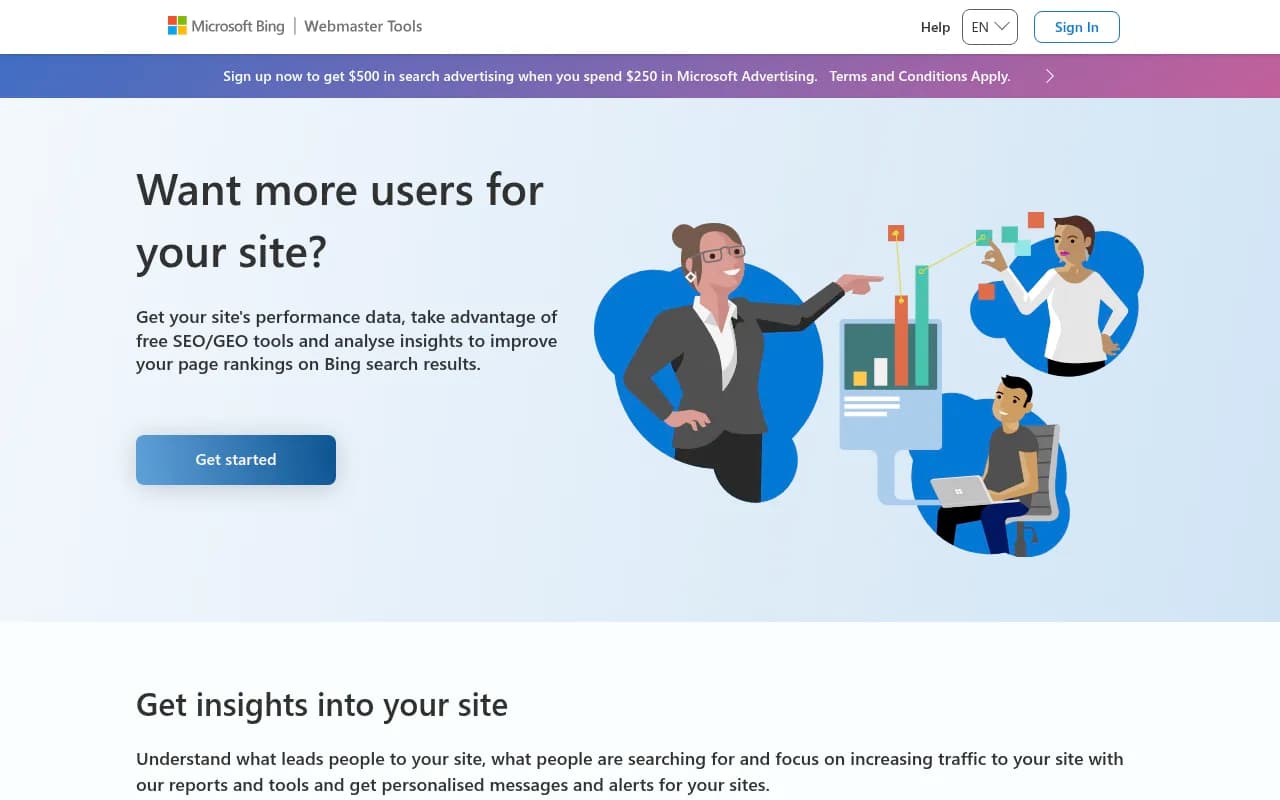
Microsoft Advertising: There's a direct connection to Microsoft's ad platform, and Bing Webmaster Tools occasionally surfaces offers for Microsoft Advertising credits (the current promotion offers $500 in ad credit when you spend $250). The integration is mostly promotional rather than functional -- you can't manage ad campaigns from within Webmaster Tools.
Bing Webmaster API: The REST API covers most dashboard functionality and is documented at docs.microsoft.com. Authentication uses OAuth 2.0. There's no official SDK, but the API is straightforward enough that most developers can work with it directly.
Import from Google Search Console: Bing Webmaster Tools supports importing your site verification and sitemap data directly from Google Search Console, which makes initial setup faster if you're already verified on Google.
No native Looker Studio connector: Unlike Google Search Console, there's no official Looker Studio (formerly Data Studio) connector for Bing Webmaster Tools data. You'd need to use the API and build a custom connector or use a third-party tool to get Bing data into a BI dashboard.
Mobile app: There's no dedicated mobile app for Bing Webmaster Tools. The web interface is functional on mobile browsers but isn't optimized for it.
Pricing and value
Bing Webmaster Tools is completely free. There are no paid tiers, no feature limits behind a paywall, and no usage caps on the core functionality. You sign up with a Microsoft account, verify your site, and get access to everything: keyword research, backlink analysis, site audits, URL submission, and the API.
This makes the value proposition simple: if you have a website and care about Bing traffic, there's no reason not to use it. The only cost is setup time (typically 15-30 minutes for a new site) and ongoing attention.
For context, the paid alternatives that cover similar ground -- Semrush, Ahrefs, Moz -- start at $99-$129/month and are primarily Google-focused. Bing Webmaster Tools doesn't compete with those platforms on depth or breadth, but for Bing-specific data it's the primary source and it's free.
Strengths and limitations
What it does well:
- Completely free with no meaningful feature restrictions -- you get keyword data, backlink analysis, and site auditing without paying anything
- First-party Bing data -- crawl stats, indexing status, and keyword performance come directly from Bing's systems, which no third-party tool can replicate
- URL Submission API -- the programmatic indexing notification system is well-implemented and genuinely useful for large or frequently updated sites
- Google Search Console import -- reduces setup friction significantly for sites already verified on Google
- Keyword research with Bing-specific volumes -- a different data source than the Google-centric tools most SEOs use, which can surface different insights
Honest limitations:
- Bing's market share limits the ROI -- for most sites, Bing drives a fraction of Google's traffic, so the data here has less impact on overall strategy
- Site Scan depth is limited -- it covers common issues but can't match the configurability of Screaming Frog, Sitebulb, or even some free alternatives like Ahrefs Webmaster Tools
- No rank tracking -- there's no position tracking over time for specific keywords the way Semrush or Ahrefs provide; you get average position in the performance report but not historical rank tracking per keyword
- GEO features are surface-level -- the "SEO/GEO" branding suggests AI search optimization, but the actual tools for understanding how your content appears in Bing's AI-powered answers (Copilot, generative search results) are minimal compared to dedicated AI visibility platforms like Promptwatch, which tracks brand and content visibility across 10+ AI models with content gap analysis and citation tracking
Bottom line
Bing Webmaster Tools earns its place in any serious SEO workflow simply because it's free and provides first-party data that no other tool can replicate. Set it up, connect your sitemap, and let it run in the background -- the keyword and crawl data it surfaces for Bing's index is worth having even if Bing isn't your primary traffic source.
The best use case in one sentence: it's the essential free baseline for any site owner who wants to ensure their content is properly indexed and performing in Bing search, used alongside Google Search Console rather than instead of it.
Frequently asked questions
What is Bing Webmaster Tools?
Is Bing Webmaster Tools free?
How do I get started with Bing Webmaster Tools?
Does Bing Webmaster Tools have an API?
How does Bing Webmaster Tools compare to Google Search Console?
Is there a WordPress plugin for Bing Webmaster Tools?
Similar and alternative tools to Bing Webmaster Tools