LinkedIn Sales Navigator Review 2026
LinkedIn's premium sales tool for finding and engaging prospects with advanced filters, real-time job change alerts, CRM sync, and InMail messaging.
Key takeaways
- The most data-rich B2B prospecting tool available, with direct access to LinkedIn's 1 billion+ member database and real-time behavioral signals
- AI features like Account IQ, Lead IQ, and Message Assist (Advanced/Advanced Plus plans) meaningfully reduce research and outreach prep time
- CRM sync, embedded profiles, and ROI reporting are locked behind the Advanced Plus tier, which makes the full value proposition expensive for smaller teams
- Three pricing tiers (Core, Advanced, Advanced Plus) create a meaningful feature gap -- many of the best capabilities require upgrading beyond the entry plan
- Strong fit for B2B sales teams at mid-market and enterprise companies; less compelling for solo sellers or teams without a structured outbound motion
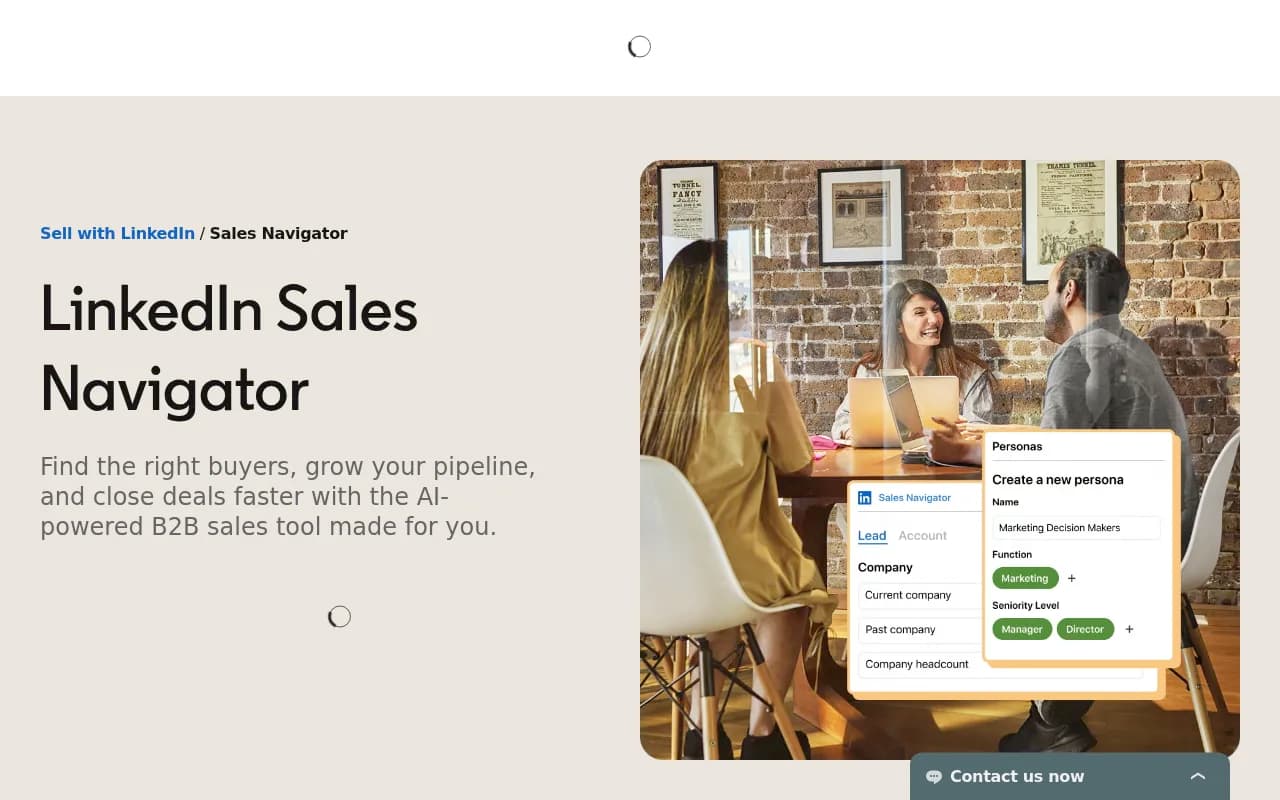
LinkedIn Sales Navigator is LinkedIn's dedicated sales intelligence and prospecting platform, built on top of the world's largest professional network. Where a standard LinkedIn account gives you search and messaging, Sales Navigator layers on advanced filters, AI-driven insights, real-time alerts, CRM integrations, and a purpose-built interface for managing a book of business. It's been around in various forms since 2014, and LinkedIn (owned by Microsoft since 2016) has steadily expanded it from a glorified search tool into something closer to a full sales intelligence platform.
The target audience is B2B sellers -- account executives, SDRs, sales managers, and revenue operations teams at companies that sell to other businesses. It's particularly well-suited to anyone whose deals involve multiple stakeholders, long sales cycles, or outbound prospecting into named accounts. If your job involves finding the right person at the right company and getting them to take a meeting, Sales Navigator is built around that exact workflow.
The platform has three tiers: Core (individual sellers), Advanced (small teams), and Advanced Plus (larger teams needing deep CRM integration). LinkedIn has been pushing AI features hard since 2023, and the 2024-2025 additions -- Account IQ, Lead IQ, Message Assist, Sales Assistant -- represent a genuine shift toward AI-assisted selling rather than just data access.
Key features
Advanced Search with 50+ filters This is the foundation of the product. You can filter LinkedIn's 1 billion+ member database by job function, seniority level, years at current company, years in current role, company headcount, industry, geography, technology used, and more. The search is meaningfully more powerful than what's available on free LinkedIn or even LinkedIn Premium. You can save searches and get notified when new people match your criteria -- useful for ongoing prospecting into a specific segment. Compared to tools like ZoomInfo or Apollo, the data here is self-reported and kept current by members themselves, which means job titles and company affiliations tend to be more accurate than scraped databases.
Real-time alerts When you save a lead or account, Sales Navigator monitors it and notifies you of relevant changes: job changes, promotions, company news, new LinkedIn posts, and content engagement. The job change alert is particularly valuable -- it's a well-documented buying signal, since new executives often evaluate and switch vendors in their first 90 days. On Advanced and Advanced Plus plans, you also get alerts when a decision-maker engages with your LinkedIn content or ads, and shared activity alerts when teammates interact with accounts you're both tracking.
InMail messaging Sales Navigator Core includes 50 InMail credits per month, which lets you message LinkedIn members you're not connected to. InMail response rates are higher than cold email for many sellers, partly because the context (a professional network) primes recipients differently. LinkedIn claims response rates up to 5x higher than cold outreach, though that figure is self-reported and will vary significantly by industry, message quality, and target persona. Unused InMail credits roll over, which is a nice touch.
Account IQ and Lead IQ (Advanced/Advanced Plus) These are the AI-powered research features added in 2023-2024. Account IQ generates a one-click summary of a target company -- strategic priorities, recent news, potential pain points, and how your product might align. Lead IQ does the same for individual prospects, surfacing background, interests, and motivations. Both are designed to cut down the 20-30 minutes of pre-call research that most AEs do manually. In practice, the quality depends on how much public information exists about the company or person, but for mid-market and enterprise accounts with active LinkedIn presences, these summaries are genuinely useful starting points.
Message Assist (Advanced/Advanced Plus, public beta) An AI drafting tool that generates personalized outreach messages based on a prospect's LinkedIn activity, job changes, and company context. It's currently in public beta and available in select languages. The drafts aren't meant to be sent verbatim -- they're starting points that sellers can edit -- but they do reduce the blank-page problem for high-volume outreach. This is a direct response to tools like Lavender and Clay that have built outreach personalization features.
TeamLink and TeamLink Extend (Advanced/Advanced Plus) TeamLink shows you which of your colleagues have first-degree connections to prospects you're trying to reach, enabling warm introductions. TeamLink Extend expands this to colleagues who don't have Sales Navigator licenses -- they opt in via email, and their connections become visible to the sales team. Canada Post's sales team credited TeamLink with a deal worth over 2x the initial investment after using it to break into a previously inaccessible account. For enterprise sales teams, this is one of the more underrated features.
CRM integration and embedded experiences (Advanced Plus) The deepest CRM functionality is gated behind Advanced Plus. This includes bidirectional sync with Salesforce, HubSpot Smart CRM, Microsoft Dynamics 365, and Oracle Sales; lead/contact creation directly from Sales Navigator into your CRM; embedded profiles that surface LinkedIn data inside your CRM without tab-switching; and ROI reporting that connects Sales Navigator activity to closed deals. A Forrester study (October 2023) found that CRM integration features save roughly 65 hours per user annually. The embedded experience also works inside Gong, which is useful for teams doing call review alongside account research.
Relationship Map (Advanced/Advanced Plus) A visual org chart for target accounts that shows key decision-makers, their relationships, and your team's engagement history with each. For complex enterprise deals with multiple stakeholders, this is genuinely useful for mapping buying committees and identifying gaps in coverage. It's one of the features that distinguishes Sales Navigator from simpler prospecting tools.
Smart Links (Advanced/Advanced Plus) Lets you package content (decks, case studies, links) into a trackable link you can share with prospects. You see who opened it, how long they spent on each page, and whether they forwarded it. It's a lightweight version of what tools like Seismic or Highspot do, but useful for sellers who don't have a dedicated sales enablement platform.
Mobile apps (iOS and Android) Full-featured mobile apps that give access to leads, accounts, alerts, and InMail. Useful for sellers who want to act on job change alerts or prep for meetings while away from their desk.
Who is it for
The clearest fit is B2B account executives and SDRs at companies selling to mid-market or enterprise buyers, particularly in industries where LinkedIn is the primary professional network -- technology, financial services, professional services, healthcare IT, and manufacturing. A team of 5-20 AEs running outbound prospecting into named accounts will get the most out of the Advanced or Advanced Plus plan. The CRM integration features make the most sense for teams already using Salesforce or HubSpot as their system of record.
Sales managers and revenue operations teams also get value from the reporting and admin features on Advanced and Advanced Plus -- usage reporting, team seat management, and the ability to see how the team is engaging with target accounts. If you're running a structured outbound program and want visibility into whether your reps are actually using the tool, that matters.
Solo sellers or very small teams (1-2 people) can get real value from Core, especially if they're doing high-volume outbound or prospecting into a well-defined ICP. The 50 InMail credits and advanced search alone justify the cost for many individual contributors. That said, the most compelling features -- Account IQ, Lead IQ, TeamLink, Message Assist -- all require upgrading, which means the Core plan can feel limited once you've used the higher tiers.
Who should probably look elsewhere: companies selling to consumers (B2C), very early-stage startups without a defined ICP or outbound motion, and teams that primarily rely on inbound leads. Also, if your buyers aren't active on LinkedIn -- certain industries like construction, agriculture, or local services -- the data quality and engagement signals will be weaker.
Integrations and ecosystem
The integration story is one of Sales Navigator's stronger points, though the best integrations require Advanced Plus.
CRM integrations: Salesforce, HubSpot Smart CRM, Microsoft Dynamics 365, Oracle Sales. Bidirectional sync, embedded profiles, and lead/contact creation are all available on Advanced Plus. The Salesforce integration in particular is mature and widely used.
Sales engagement tools: Outreach is listed as a SNAP (Sales Navigator Application Platform) partner, along with other tools in the 15+ partner ecosystem.
Business intelligence: Microsoft Power BI and Tableau integrations for custom reporting on Sales Navigator data.
Conversation intelligence: Gong integration for embedded experiences -- Account IQ and Relationship Map inside Gong's interface.
Compliance partners: Global Relay, Smarsh, and Theta Lake for financial services organizations that need message archiving and compliance monitoring. These are available on any plan.
Calendar sync: Connects with your calendar to surface relevant insights before scheduled meetings.
Mobile: iOS and Android apps with full feature access.
API: LinkedIn does offer API access for enterprise customers, though it's not a self-serve developer API -- it requires working with LinkedIn directly or through SNAP partners.
Pricing and value
Sales Navigator has three tiers, with pricing that reflects its enterprise positioning:
-
Core: $99.99/month per license (billed monthly) or $1,079.88/year ($89.99/month equivalent, ~10% savings). Includes advanced search, 50 InMail credits/month, lead and account alerts, custom lists, notes, and mobile apps. No AI features, no team collaboration, no CRM integration.
-
Advanced: Pricing not publicly listed -- requires contacting sales. Adds Account IQ, Lead IQ, Message Assist, TeamLink, TeamLink Extend, Smart Links, Buyer Intent, Account Hub, and team seat management. Designed for teams of 2+.
-
Advanced Plus: Pricing not publicly listed -- requires contacting sales. Adds full CRM integration (bidirectional sync, embedded profiles, lead/contact creation), ROI reporting, Enterprise License Management (SSO, SCIM), and Success Plans. Designed for teams of 10+.
The Core plan pricing is publicly available; Advanced and Advanced Plus require a demo or sales conversation. This is a common enterprise software pattern, but it makes it harder to evaluate total cost without engaging with sales.
For context, ZoomInfo's entry plans start around $15,000/year for a small team, while Apollo.io has a free tier and paid plans starting around $49/month per user. Sales Navigator Core at ~$100/month per user sits in the middle of the market for individual licenses, but the team plans can get expensive quickly at scale.
The Forrester study (October 2023) found Sales Navigator paid for itself in under 6 months for the companies studied, and saved 65 hours per user annually through reduced tool-switching. Those numbers are LinkedIn-commissioned research, so take them with appropriate skepticism, but the underlying logic -- that closing one additional deal per quarter more than covers the cost -- holds for most B2B sales contexts.
A free trial is available for Core. Advanced and Advanced Plus require a demo request.
Strengths and limitations
What it does well:
- The data quality is genuinely hard to match. LinkedIn's 1 billion+ member database is self-maintained by professionals, which means job titles, company affiliations, and career histories are more current than most scraped databases. For B2B prospecting, this is a meaningful advantage over tools that rely on web scraping.
- Real-time job change alerts are one of the highest-signal prospecting triggers available. Knowing the moment a champion moves to a new company, or a new VP of Sales joins a target account, is actionable in a way that most data providers can't match.
- The TeamLink feature is underrated. Warm introductions close at dramatically higher rates than cold outreach, and TeamLink systematically surfaces introduction paths that would otherwise require manual coordination.
- The CRM integration on Advanced Plus is genuinely deep -- not just a data export, but embedded experiences that reduce context-switching and keep data in sync bidirectionally.
- Account IQ and Lead IQ save real time on pre-call research. Not perfect, but good enough to replace a significant portion of manual research for most accounts.
Honest limitations:
- The feature tiering is aggressive. Many of the most compelling features -- Account IQ, Lead IQ, Message Assist, TeamLink, Smart Links -- are locked behind Advanced or Advanced Plus. The Core plan, while useful, can feel like a teaser for the full product.
- Advanced and Advanced Plus pricing is opaque. You can't evaluate total cost without talking to sales, which is a friction point for teams trying to compare options.
- InMail quality varies. 50 credits/month sounds like a lot until you're running high-volume outbound. And InMail response rates, while generally better than cold email, depend heavily on message quality and target persona -- LinkedIn's 5x claim is an average that masks wide variance.
- The platform is LinkedIn-native, which means it's only as good as LinkedIn's data coverage for your specific market. For industries or geographies where LinkedIn penetration is lower, the value proposition weakens.
- Message Assist is still in public beta, and AI-generated outreach messages have a well-documented problem: they can feel generic even when personalized, and prospects are increasingly good at recognizing AI-drafted messages.
Bottom line
LinkedIn Sales Navigator is the default choice for B2B sales teams that rely on outbound prospecting and need the most accurate, real-time professional data available. The combination of LinkedIn's network, job change alerts, AI-powered research features, and deep CRM integration is genuinely difficult to replicate with other tools. The Core plan works for individual sellers; the Advanced and Advanced Plus plans are where the product becomes a team-level system.
The best use case in one sentence: a 10-20 person enterprise sales team running structured outbound into named accounts, using Salesforce or HubSpot, that needs accurate contact data, buying signals, and warm introduction paths at scale.
Frequently asked questions
What is LinkedIn Sales Navigator?
How much does LinkedIn Sales Navigator cost?
What's the difference between Core, Advanced, and Advanced Plus?
Which CRMs does Sales Navigator integrate with?
Is LinkedIn Sales Navigator worth it for small teams?
How does Sales Navigator compare to tools like ZoomInfo or Apollo?
Similar and alternative tools to LinkedIn Sales Navigator