Yoast SEO Review 2026
Popular WordPress SEO plugin providing real-time content analysis, readability checks, and technical SEO optimization for better search rankings.
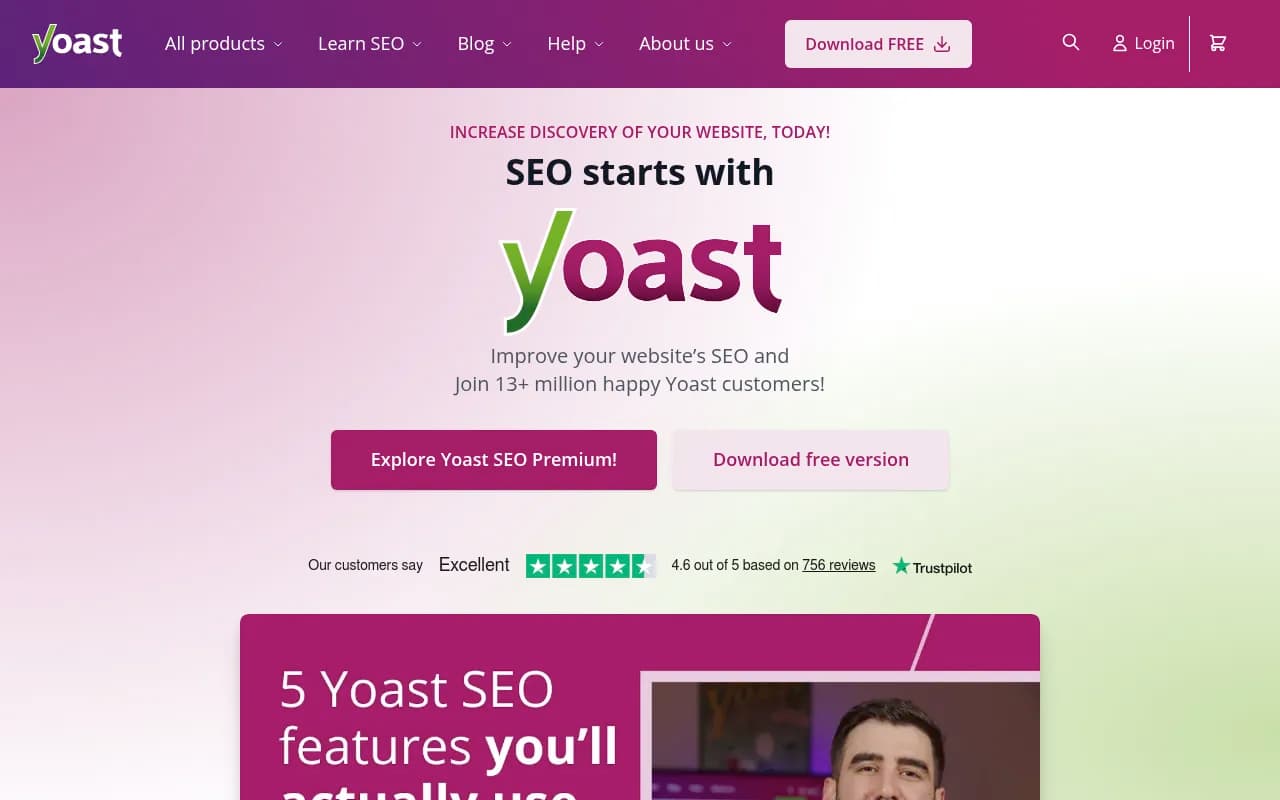
Summary: Is Yoast SEO Worth It in 2026?
• Best for: WordPress site owners (bloggers, small businesses, WooCommerce stores, agencies) who want comprehensive SEO guidance without hiring an expert • Standout strength: Real-time content analysis with traffic light system makes SEO accessible to beginners while offering depth for advanced users • Key limitation: WordPress-only (though Shopify version now available); some advanced features require Premium ($118.80/year) • Bottom line: If you run a WordPress site and want to improve search rankings, Yoast SEO is the industry standard for good reason -- the free version alone covers 80% of what most sites need
Yoast SEO has been the dominant WordPress SEO plugin since its launch in 2010, now powering over 13 million active installations. Founded by Joost de Valk (the "Yoast" name is a play on his first name), the company has grown from a one-person operation to a team of 100+ employees based in the Netherlands. In 2021, Yoast was acquired by Newfold Digital, giving it resources to expand into new platforms like Shopify while maintaining its WordPress dominance.
The plugin's core mission is democratizing SEO -- making search optimization accessible to anyone who can write content, not just technical specialists. This philosophy shows in every feature: instead of requiring users to understand meta tags, schema markup, or XML sitemaps, Yoast handles the technical complexity automatically while providing plain-English guidance on content quality.
Real-Time Content Analysis Yoast's signature feature is its traffic light system that appears in the WordPress editor as you write. Enter a focus keyphrase (the main term you want to rank for), and Yoast analyzes your content in real-time, showing red/orange/green indicators for dozens of SEO factors. It checks whether your keyphrase appears in the title, first paragraph, subheadings, meta description, URL slug, and image alt text. It measures keyphrase density to prevent keyword stuffing. It evaluates title and meta description length to ensure they won't get cut off in search results. The analysis updates instantly as you type, making it feel like having an SEO consultant looking over your shoulder. For beginners, this immediate feedback is invaluable -- you learn SEO principles by doing, not by reading documentation. The free version provides comprehensive analysis; Premium adds AI-powered suggestions to automatically generate optimized titles and descriptions.
Readability Checks Beyond SEO, Yoast includes a separate readability analysis based on the Flesch Reading Ease score. It flags overly long sentences (20+ words), paragraphs that are too dense (150+ words), excessive use of passive voice, lack of transition words, and subheading distribution. This feature recognizes that Google increasingly rewards content that humans actually want to read. The readability score uses the same traffic light system as SEO analysis, making it easy to spot issues. While some users find the readability suggestions overly prescriptive (especially for technical or academic content), they're generally solid guidelines for web writing. You can adjust the analysis settings or ignore specific checks if they don't fit your content style.
Technical SEO Automation Yoast handles the technical SEO foundation automatically, which is crucial for users who don't want to touch code. It generates XML sitemaps for your content, automatically submitting them to search engines so new pages get indexed quickly. It adds canonical URLs to prevent duplicate content issues. It implements proper schema markup (structured data) so search engines understand your content type -- articles, products, FAQs, recipes, etc. It manages robots.txt and .htaccess files. It creates breadcrumb navigation for better site structure. All of this happens in the background without user intervention. For WooCommerce stores specifically, Yoast adds product schema with price, availability, and review data, helping products appear in Google Shopping results with rich snippets.
Internal Linking Suggestions (Premium) One of Premium's most valuable features is automatic internal linking suggestions. As you write, Yoast scans your existing content and suggests relevant posts/pages to link to, showing you the anchor text and context. This solves a major problem for content-heavy sites: older posts becoming "orphaned" with no internal links pointing to them, causing them to lose ranking power. The suggestions are surprisingly accurate, using semantic analysis to find topically related content, not just keyword matches. You can click to insert links directly from the suggestion panel. Premium also shows "orphaned content" reports, highlighting posts with few or no internal links so you can strategically add them to your content strategy.
Redirect Manager (Premium) When you change a post's URL slug, Yoast Premium automatically creates a 301 redirect from the old URL to the new one, preserving any link equity and preventing 404 errors. This is a massive time-saver for sites that regularly update content or restructure their URL architecture. The redirect manager also lets you manually create redirects in bulk, import redirects from CSV files, and see redirect statistics (how many times each redirect was triggered). For agencies managing client sites, this feature alone justifies the Premium cost -- manual redirect management via .htaccess or separate plugins is error-prone and time-consuming.
AI-Powered Optimization Yoast recently integrated AI features directly into Premium at no extra cost (unlike competitors who charge separately for AI). The AI can generate optimized meta titles and descriptions based on your content, suggest related keyphrases to target, and even help brainstorm content ideas. The AI suggestions are contextual -- they understand your content and brand voice, not just generic templates. This is particularly useful for eCommerce sites with hundreds of product pages that need unique meta descriptions. The AI features require an internet connection and use Yoast's own AI models, not third-party APIs, which means better privacy and integration.
Yoast SEO Academy Premium subscriptions include full access to Yoast SEO Academy, a library of video courses covering keyword research, content SEO, technical SEO, site structure, and eCommerce SEO. The courses are taught by Yoast's in-house SEO experts and are genuinely educational, not just product tutorials. For beginners, the "SEO for beginners" course provides a solid foundation. For advanced users, courses on structured data and JavaScript SEO offer deep technical knowledge. The Academy alone is worth $200+ if purchased separately, making it a significant Premium value-add.
WooCommerce SEO Bundle For online stores, Yoast offers a WooCommerce SEO bundle ($178.80/year) that includes Premium plus WooCommerce-specific features. It adds product schema markup for rich results in Google Shopping, optimizes product page titles and descriptions with AI, provides SEO analysis tailored to product pages (checking for price, availability, product images), and includes video SEO for product videos. The bundle also includes Local SEO (for stores with physical locations), News SEO (for publishers), and Video SEO plugins. For serious eCommerce operations, this bundle is comprehensive -- you won't need additional SEO plugins.
Yoast SEO AI+ (New in 2026) Yoast's newest offering is SEO AI+ ($358.80/year), which bundles everything in WooCommerce SEO plus "AI Brand Insights" -- a beta feature that tracks how your brand appears in AI search engines like ChatGPT, Claude, Perplexity, and Gemini. This addresses the emerging challenge of AI search visibility (sometimes called AEO - AI Engine Optimization). The feature monitors when AI models mention your brand, tracks sentiment, and provides optimization suggestions to improve your brand's presence in AI responses. This is a forward-looking bet on AI search becoming a major traffic source alongside traditional Google search. For brands investing in AI visibility, tools like Promptwatch offer more comprehensive AI search monitoring, but Yoast's integration makes it convenient for WordPress users who want basic tracking without managing multiple tools.
Shopify Version Yoast SEO for Shopify ($19/month, 14-day free trial) brings the core Yoast experience to Shopify stores. It provides real-time SEO analysis for product pages, collections, and blog posts, generates optimized meta tags, adds product schema for Google Shopping, and includes access to Yoast SEO Academy. The Shopify version is more limited than the WordPress plugin (no redirect manager, fewer integrations) but covers the essentials for eCommerce SEO. It's functional in 27 languages, making it suitable for international stores.
Who Should Use Yoast SEO
Yoast SEO is ideal for WordPress site owners who want comprehensive SEO guidance without hiring an agency. Specific personas include: Solo bloggers and content creators who need to learn SEO while building their audience. Small business owners (consultants, local services, B2B companies) managing their own WordPress sites with 10-100 pages. WooCommerce store owners with 50-5000 products who need product schema and automated optimization. Marketing teams at mid-size companies (10-500 employees) who publish regular content and need workflow efficiency. SEO agencies managing 5-50 client sites who need reliable technical SEO and client-friendly reporting. WordPress developers building sites for clients who want to hand off a fully optimized site.
Yoast is less suitable for: Enterprise sites with complex technical SEO needs (custom schema, advanced crawl management) -- tools like Screaming Frog or Botify are better. Sites not on WordPress or Shopify. Users who want AI-first content creation (Yoast's AI is optimization-focused, not content generation). Advanced SEO professionals who need granular control over every technical detail -- Yoast's automation can feel limiting.
Integrations and Ecosystem
Yoast integrates deeply with WordPress core and popular plugins. It works seamlessly with Gutenberg (block editor), Classic Editor, Elementor, Divi, and other page builders. For eCommerce, it integrates with WooCommerce, Easy Digital Downloads, and WP eCommerce. It connects to Google Search Console to show search performance data directly in WordPress. It supports Zapier for workflow automation. The Yoast SEO Google Docs Add-on (included with Premium) lets you write and optimize content in Google Docs before publishing to WordPress, useful for teams with editorial workflows. Yoast also offers a REST API for developers building custom integrations.
Pricing Breakdown
Yoast SEO Free: $0. Includes real-time SEO and readability analysis, XML sitemaps, canonical URLs, basic schema markup, breadcrumbs, and social media previews. This covers 80% of what most small sites need.
Yoast SEO Premium: $118.80/year (€118.80 or £118.80 depending on region, excluding VAT). Adds AI-powered optimization, internal linking suggestions, redirect manager, multiple focus keyphrases, content insights, 24/7 support, and full Yoast SEO Academy access. Best for serious bloggers, small businesses, and agencies.
Yoast WooCommerce SEO: $178.80/year. Includes everything in Premium plus WooCommerce-specific features, Local SEO, News SEO, and Video SEO. Best for online stores.
Yoast SEO AI+: $358.80/year. Includes everything in WooCommerce SEO plus AI Brand Insights for tracking brand mentions in AI search engines. Best for brands investing in AI visibility.
Yoast SEO for Shopify: $19/month ($228/year), 14-day free trial. Separate product for Shopify stores.
All paid plans are per-site licenses. Multi-site discounts are available at checkout (5 sites, 10 sites, etc.). Renewals are at the same price -- no surprise increases.
Compared to Competitors
Vs. Rank Math: Rank Math is Yoast's main competitor, offering more features in its free version (schema markup options, 404 monitoring, local SEO). Rank Math feels more technical and feature-dense, which appeals to advanced users but can overwhelm beginners. Yoast's strength is its user-friendly interface and educational approach -- you learn SEO by using it. Rank Math is better for users who want maximum control; Yoast is better for users who want guidance.
Vs. All in One SEO: AIOSEO is older than Yoast but less popular (3M+ installs vs. 13M+). It offers similar core features with a slightly different interface. AIOSEO's setup wizard is more comprehensive, but Yoast's real-time analysis is more intuitive. Pricing is comparable. Choose AIOSEO if you prefer its interface; otherwise, Yoast's larger user base means better community support.
Vs. SEOPress: SEOPress is a newer plugin focused on being lightweight and white-label friendly (no branding). It's popular with agencies who want to rebrand the plugin for clients. Feature-wise, it's comparable to Yoast Premium but lacks the educational resources and Academy. Choose SEOPress if white-labeling matters; choose Yoast if you value learning resources.
Strengths
Industry-standard plugin with 15+ years of development and a massive user base providing extensive community support and documentation. Real-time content analysis with traffic light system makes SEO accessible to beginners while offering depth for advanced users. Automatic technical SEO (sitemaps, schema, canonicals) means you don't need to understand the underlying code. Premium features (internal linking, redirects, AI optimization) provide genuine workflow efficiency, not just nice-to-haves. Yoast SEO Academy offers professional-level SEO education included with Premium, worth hundreds of dollars if purchased separately.
Limitations
WordPress-only (though Shopify version now available) -- if you use another CMS, you need a different solution. Some advanced users find Yoast's automation limiting -- you can't customize every technical detail without editing code. The free version lacks some essential features for serious sites (redirect management, internal linking suggestions), pushing users toward Premium. Yoast's SEO analysis can be overly prescriptive -- the traffic light system sometimes flags issues that don't actually hurt rankings (like exact keyphrase density). The interface can feel cluttered with upsells and notifications, especially in the free version.
Bottom Line
Yoast SEO remains the gold standard for WordPress SEO in 2026 because it balances power with accessibility. If you're running a WordPress site and want to improve search rankings without becoming an SEO expert, start with Yoast SEO Free -- it covers the fundamentals and costs nothing. Upgrade to Premium ($118.80/year) when you need workflow efficiency (redirects, internal linking) or want to learn SEO properly through the Academy. For WooCommerce stores, the WooCommerce SEO bundle ($178.80/year) is comprehensive and worth the investment. The new AI+ plan ($358.80/year) is forward-looking but only necessary if AI search visibility is a strategic priority for your brand. Best use case in one sentence: WordPress site owners who want comprehensive, beginner-friendly SEO guidance with the option to scale into advanced features as they grow.
Tags:
Similar and alternative tools to Yoast SEO