Visualping Review 2026
Watches competitor pages, pricing pages, and news sources for visual or content changes, then sends instant alerts via email, Slack, or other channels.
Key takeaways
- Visualping is the leading webpage change detection tool, rated #1 on G2 in Website Change Monitoring, Website Screenshot, and Regulatory Change Management categories
- Works for both personal use (price drops, job alerts, back-in-stock notifications) and enterprise use cases (compliance, competitive intelligence, security monitoring)
- Free tier available; paid plans start at $10/month for personal use and $100/month for business use
- AI-powered change summaries help filter noise and surface only the changes that actually matter
- Strong breadth of notification channels: email, SMS, Slack, MS Teams, webhooks, API, and Google Sheets
- No-code setup with a Chrome extension makes it accessible to non-technical users, though power users can go deep with the API
Visualping is a website change detection and monitoring platform that does exactly what it says: it watches any webpage and tells you when something changes. The concept is simple, but the execution has made it the dominant tool in its category. Over 2 million users rely on it, and the company claims adoption across 85% of Fortune 500 companies -- a figure that's plausible given the breadth of use cases it covers, from compliance teams at financial institutions to SEO managers at media companies.
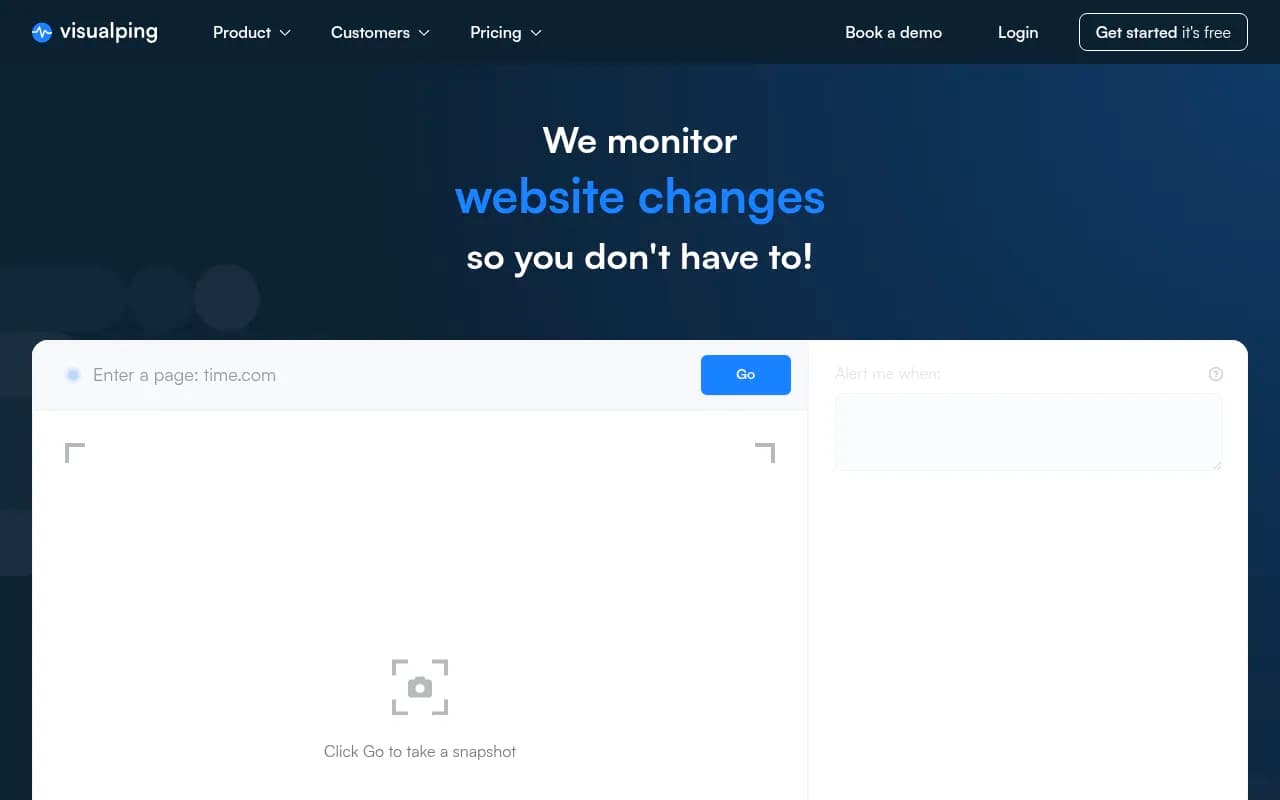
The tool was built around a genuinely common problem. Manually checking competitor pricing pages, regulatory websites, or your own site for unauthorized changes is tedious and error-prone. Visualping automates that entirely. You point it at a URL, tell it what to watch for (a specific area of the page, a keyword, a visual region), set a check frequency, and it handles the rest. When something changes, you get an alert with a before-and-after screenshot showing exactly what moved.
The target audience is wide. On the personal side, it's people hunting for concert tickets, monitoring job boards, or waiting for a product to come back in stock. On the business side, it's compliance officers tracking regulatory updates, competitive intelligence teams watching rival pricing, SEO managers catching accidental on-page changes, and security teams monitoring for site defacement. That breadth is both a strength and a slight weakness -- the product tries to serve everyone, which means some enterprise-specific features feel less developed than dedicated tools in those niches.
Key features
Visual change detection with before-and-after screenshots
The core mechanic is a screenshot comparison engine. Visualping takes periodic snapshots of a webpage and diffs them against the previous version. Changed areas are highlighted in the alert, so you can see at a glance what moved. You can monitor the full page or draw a selection box around a specific region -- useful when you only care about a price field or a stock status indicator and don't want to be notified every time an ad rotates.
- Supports visual (screenshot), text, and source code monitoring modes
- Region selection lets you isolate specific page elements
- "Block noisy elements" feature lets you exclude areas that change constantly (like ad banners or live counters) to reduce false positives
AI-powered change summaries and importance filtering
Visualping has added AI to the change detection workflow. When a change is detected, an AI layer summarizes what changed in plain language and flags whether it's likely to be important. This is genuinely useful for high-volume monitoring setups where you're watching dozens of pages and don't want to manually review every minor update.
- AI summaries appear in alert emails and the dashboard
- "Important Alerts" filtering is available across all plans, including free
- Reduces alert fatigue, which is one of the biggest practical problems with any monitoring tool
Flexible check frequency
You can set how often Visualping checks a page, ranging from every 5 minutes up to once a week. Higher frequency checks are gated behind paid plans, which is standard for the category.
- Free plan checks are limited to longer intervals
- Business plans support more frequent checks, down to 5-minute intervals for critical pages
- Check frequency is configurable per monitored page, not just globally
Multi-channel notifications
Alerts go out via email, SMS, Slack, Microsoft Teams, webhooks, and API. There's also a Google Sheets integration that logs changes as new rows -- useful for teams that want a running audit trail without building a custom integration.
- Slack and MS Teams integrations work via webhook, so setup is straightforward
- SMS alerts are available on paid plans
- The API allows programmatic access to check results and change history
- Webhook support means you can pipe alerts into virtually any workflow tool (Zapier, Make, etc.)
Chrome extension
The browser extension is one of the more practical additions. Instead of copying and pasting URLs into the Visualping dashboard, you can start monitoring any page you're currently viewing with one click. You can also draw a selection region directly in the browser, which is more intuitive than doing it in the web app.
- Available in the Chrome Web Store
- One-click monitoring from any tab
- Supports region selection directly in the browser
Team collaboration and dashboard
The business plans add multi-user support, shared dashboards, and team management features. You can invite colleagues, assign pages to team members, and review change history centrally.
- Centralized dashboard shows all monitored pages and their status
- Change history is stored and browsable per page
- Team members can be added with different permission levels
- Useful for compliance teams that need an audit trail of what changed and when
Visualping Button (embeddable widget)
This is a less-discussed feature that's actually clever for content publishers. You can embed a "Notify me" button on your own website, letting visitors subscribe to change alerts for your pages. Visualping claims this increases return traffic by 4x when a change is detected. It's a reverse use of the core technology -- instead of you watching others, you let others watch you.
Broad use case coverage
The platform explicitly supports eight distinct business use cases: investment management, law firm regulatory tracking, competitor monitoring, compliance, SEO monitoring, security/defacement detection, regression monitoring, and SaaS data extraction. Each has slightly different configuration needs, and Visualping handles most of them reasonably well without requiring separate tools.
Who is it for
The clearest fit is compliance and legal teams at mid-to-large companies. Tracking regulatory websites, government portals, and legal databases manually is genuinely painful, and Visualping's ability to monitor any public URL -- regardless of whether the site has an API or RSS feed -- makes it practical for sources that don't offer structured data. Law firms tracking patent filings, financial institutions monitoring regulatory guidance, and compliance officers watching third-party vendor sites are all natural users.
Competitive intelligence teams are another strong fit. Marketing strategists at companies with 10-200 employees who need to track competitor pricing pages, product announcements, and job postings will find Visualping covers most of what they need without requiring a dedicated CI platform. It's not as deep as purpose-built competitive intelligence tools, but it's significantly cheaper and easier to set up.
SEO managers at agencies or in-house teams also get real value here. Catching accidental on-page changes before they affect rankings -- someone deletes a canonical tag, a CMS update strips structured data, a redirect breaks -- is a legitimate use case that Visualping handles well. The Fox SEO Manager testimonial on the site ("Essential to tracking different teams' updates on our site that impact SEO") reflects a real workflow.
Who should probably look elsewhere: security teams that need deep defacement monitoring with forensic capabilities, or enterprises that need full API-driven monitoring with SLA guarantees and dedicated support. Visualping's security monitoring is functional but not as specialized as dedicated uptime or security monitoring platforms. Similarly, if you need to monitor pages behind authentication at scale, you'll hit friction.
Integrations and ecosystem
Visualping's integration story is solid for a tool in this category. The main channels are:
- Email: Default notification method, works on all plans
- Slack: Webhook-based integration, straightforward to configure
- Microsoft Teams: Also webhook-based
- SMS: Available on paid plans
- Google Sheets: Logs changes as rows, useful for audit trails and reporting
- Webhooks: Generic outbound webhooks let you connect to Zapier, Make, n8n, or any custom endpoint
- API: REST API for programmatic access to monitoring results and change history
- Chrome Extension: Browser-based monitoring setup
The API is available on business plans and is documented well enough for developers to build custom workflows. There's no native Zapier app listed in the Zapier directory as a first-party integration, but the webhook support covers most of the same ground.
There's no mobile app mentioned on the site, which is a gap for users who want to manage monitoring on the go. The Chrome extension is desktop-only by nature.
Pricing and value
Visualping uses a tiered pricing model with personal and business tracks:
Free plan: Available with limited checks and longer check intervals. Good for casual personal use (monitoring a few pages for price drops or job postings).
Personal plans: $10 to $50/month (self-serve). Covers individual users with more pages, more frequent checks, and SMS alerts. Suited for power users who need reliable monitoring for personal or small-scale professional use.
Business plans: $100 to $250/month (self-serve). Adds team features, higher page limits, more frequent checks, API access, and integrations like Slack and MS Teams. Aimed at small-to-mid-size teams.
Enterprise/custom: Available via sales for larger organizations with specific requirements.
All plans include AI change summaries and Important Alerts filtering, which is a good call -- making the AI features universally available rather than gating them behind premium tiers.
Compared to alternatives like Distill.io (which has a free tier and paid plans starting around $15/month) or Wachete (similar price range), Visualping is competitive. For the enterprise compliance and competitive intelligence use cases, it's significantly cheaper than dedicated platforms like Crayon or Klue, though those tools offer much deeper analysis.
The free tier is genuinely usable for personal use cases, not just a trial. That's part of why the user base has grown to 2 million.
Strengths and limitations
What it does well:
- Ease of setup: No-code, no technical knowledge required. The Chrome extension makes starting a new monitor a 30-second task. This is genuinely one of the easiest tools in its category to get running.
- Breadth of use cases: The same tool works for a compliance officer tracking regulatory updates and a student waiting for grades to post. That flexibility is rare.
- AI noise reduction: The AI importance filtering is practical, not just a marketing feature. For teams monitoring many pages, it meaningfully reduces the time spent reviewing irrelevant alerts.
- Visual diff quality: The before-and-after screenshot comparison with highlighted changes is clear and actionable. You don't have to interpret raw HTML diffs.
- G2 recognition: Being #1 in three G2 categories reflects genuine user satisfaction, not just marketing positioning.
Honest limitations:
- Authenticated pages: Monitoring pages behind login is possible but requires more setup and isn't always reliable. If your main use case involves monitoring your own CMS or internal tools, you'll hit friction.
- Check frequency on lower plans: The free and entry-level personal plans check pages infrequently. If you need near-real-time monitoring (say, for stock availability or ticket drops), you need a higher-tier plan.
- Not a full competitive intelligence platform: Visualping tells you what changed on a competitor's page, but it doesn't analyze trends, score competitive threats, or integrate with CRM data. Teams that need that layer will need a separate tool alongside it.
- No mobile app: Managing monitors on mobile requires using the web app in a browser, which works but isn't optimized for the experience.
Bottom line
Visualping is the most accessible and broadly useful webpage change detection tool available in 2026. It's the right choice for compliance teams, SEO managers, competitive intelligence analysts, and anyone who needs to know when a specific webpage changes -- without writing code or maintaining infrastructure.
Best use case in one sentence: compliance and legal teams that need to track regulatory websites, government portals, and third-party vendor pages without building custom scraping infrastructure.
Tags:
Frequently asked questions
What is Visualping?
Is there a free plan?
How much does Visualping cost for business use?
What kinds of changes can Visualping detect?
Who uses Visualping?
How does Visualping compare to alternatives like Distill.io or changedetection.io?
Similar and alternative tools to Visualping