Vyond Review 2026
Lets businesses create professional animated videos for training, marketing, and communication with customizable templates, characters, and AI tools.
Key takeaways
- Vyond is one of the most established business-focused animated video platforms on the market, with a strong foothold in L&D, HR, and corporate training departments at large enterprises.
- The AI layer (Vyond Go) genuinely speeds up video creation -- turning a document, URL, or text prompt into a full video in seconds -- though the output still benefits from manual polish.
- Pricing starts at $100/user/month (billed annually at $1,199/year), which is on the higher end for individual users but reasonable for enterprise teams with volume needs.
- The platform shines for instructional designers and L&D teams who need consistent, on-brand content at scale; it's less suited for solo creators or small businesses who want quick social clips.
- Competitors like Synthesia and Animaker exist, but Vyond's enterprise security posture and depth of animation customization are hard to match at this price point.
Vyond started life as GoAnimate back in 2007, a web-based tool that let anyone make cartoon-style videos without touching animation software. It rebranded to Vyond in 2018 and has spent the years since moving firmly upmarket -- today it positions itself as an enterprise video creation platform, and that's not just marketing. The company claims 65% of the Fortune 500 use it, with logos from Amazon, Microsoft, Disney, Google, and Fidelity on its homepage. That's a real customer base, not aspirational branding.
The core problem Vyond solves is the gap between "we need a video" and "we have a video production team." Most corporate L&D, HR, and marketing teams don't have animators or video editors on staff. They have subject matter experts, instructional designers, and PowerPoint decks. Vyond lets those people make professional-looking animated videos without outsourcing to an agency or waiting months for production. The recent AI additions have pushed this further -- you can now go from a Word document or a webpage URL to a finished video in under a minute.
The target audience is pretty specific: L&D professionals, instructional designers, HR teams, and internal communications managers at mid-size to large companies. This isn't a tool for YouTubers or social media managers looking for quick clips, though it does have marketing templates. It's built for people who need to produce training modules, compliance videos, onboarding content, and explainers at scale, with consistent branding, and ideally without involving IT or a creative agency every time.
Key features
Vyond Go (text/doc/URL to video) This is the headline AI feature and it works better than you'd expect. You paste in a URL, upload a document (PDF, Word, PowerPoint), or type a text prompt, and Vyond Go generates a complete video with scenes, narration, characters, and transitions. The output isn't perfect -- the AI makes choices about scene structure and character placement that you'll often want to adjust -- but it gives you a solid 70-80% complete draft in seconds. For explainer videos and training content, that's a meaningful time saving. The tool also supports preset modes for specific video types like product launches, event promos, and explainers, which helps the AI make better structural decisions.
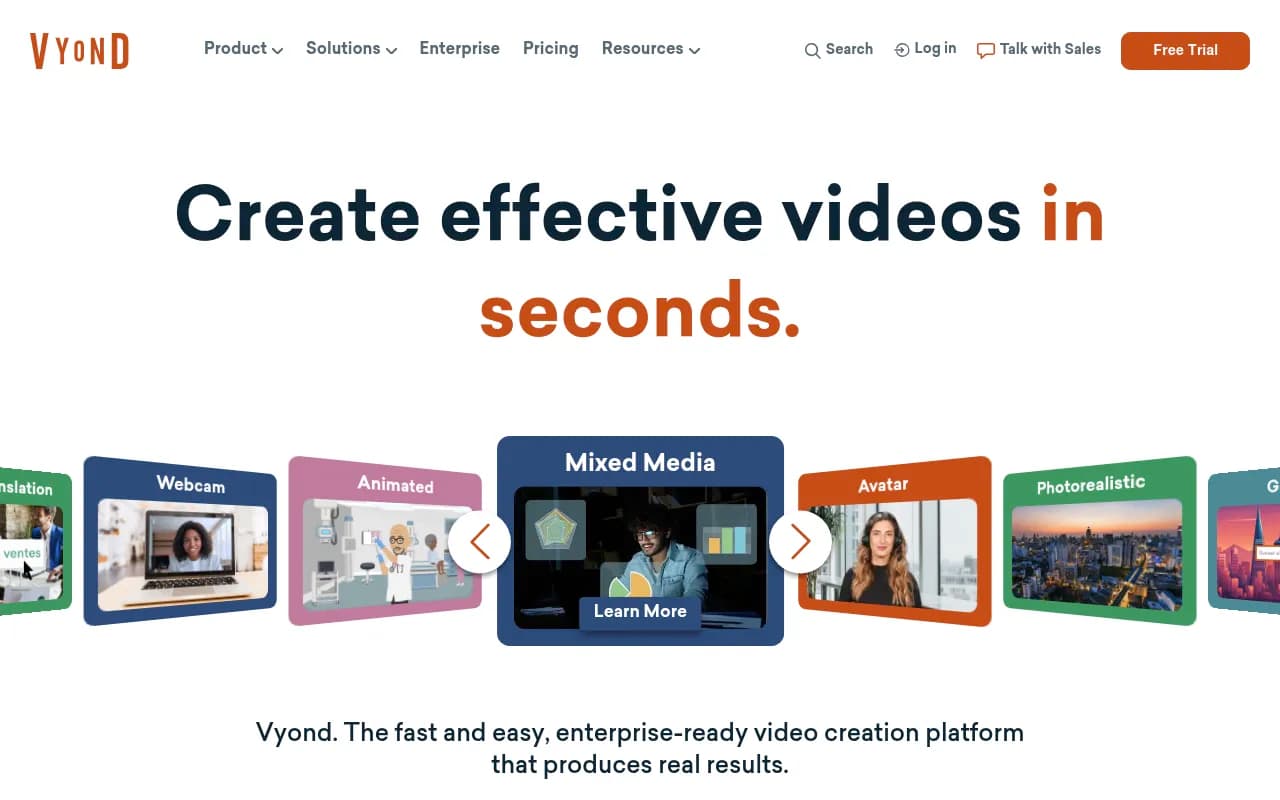
AnyStyle video output Vyond supports multiple visual styles in a single platform: traditional animation, photorealistic rendering, Gen AI-generated visuals, screen recording, webcam recording, mobile capture, and mixed media. This is genuinely useful for teams that need different video types for different contexts -- a photorealistic style for executive communications, animated characters for compliance training, screen recordings for software tutorials. Most competitors lock you into one visual style per tool or require separate subscriptions.
AI avatars Vyond's avatar library gives you a range of digital presenters you can use as on-screen hosts. These aren't the ultra-realistic deepfake-style avatars you get from Synthesia -- they're more stylized and clearly AI-generated, which some enterprise compliance teams actually prefer because it avoids the uncanny valley problem. You can select avatars by appearance, personality, and style, and pair them with AI-generated voiceovers. Custom avatar creation (based on a real person) appears to be available at higher tiers.
Template library The template library covers eLearning, presentations, storytelling, marketing, HR, and social media categories. Templates come pre-built with characters, props, backgrounds, and scene structures -- you swap in your content and adjust styling. The depth here is real: templates aren't just slide layouts, they're full animated sequences with character actions and transitions already set up. For teams that need to produce a lot of content quickly, starting from a template rather than a blank canvas cuts production time significantly.
Instant video translation Vyond can translate completed videos into other languages, including re-syncing the audio. This is a feature that enterprise teams with global workforces actually need -- producing separate versions of a compliance training video for different regional offices is expensive and time-consuming without it. The quality of AI translation has improved enough that this is now a practical workflow rather than a novelty.
Character and scene customization The animation editor lets you customize characters (skin tone, clothing, expressions, actions), backgrounds, props, and text. You can build characters that match your workforce demographics, which matters for training content where representation affects engagement. The timeline-based editor is more capable than most browser-based tools -- you can control animation timing, layer elements, and sync narration to specific scenes.
Enterprise security and compliance Vyond holds SOC 2 Type II certification and supports SSO, SCIM provisioning, and custom data retention policies. For enterprise IT and security teams, this matters a lot. Many competitors in the animated video space are consumer-grade tools that can't pass enterprise security reviews. Vyond's security posture is one of the reasons it's embedded in large organizations like Fidelity and Roche.
Collaboration and brand management Teams can share assets, templates, and brand kits across users. Brand kits let you lock in colors, fonts, and logo placement so every video that comes out of the platform looks consistent. For large L&D teams where multiple instructional designers are producing content, this prevents the visual inconsistency that plagues self-service video tools.
Who is it for
The clearest fit for Vyond is the instructional designer or L&D specialist at a company with 500+ employees. Think someone at a financial services firm who needs to produce quarterly compliance training videos, or an HR team at a retailer that onboards thousands of seasonal workers and needs consistent video content across locations. These users need professional output, brand consistency, enterprise security, and the ability to produce content without a video production background. Vyond was built for exactly this workflow.
Corporate communications and internal comms teams are another strong fit. If you're producing CEO update videos, policy change announcements, or department-wide training, Vyond's avatar and mixed-media features let you create polished content without scheduling a video shoot. The Whole Foods and Indeed testimonials on the site are representative -- these are teams that need volume and consistency, not cinematic quality.
Marketing teams at mid-size B2B companies can use Vyond for explainer videos, product demos, and social content, though this is a secondary use case. The tool is heavier than what most social media managers want, and the animation style reads as "corporate training" to most viewers. If your primary need is social video or consumer-facing content, tools like Canva's video features or even Animaker might feel more natural.
Solo creators, freelancers, and small businesses should think carefully before committing. At $100/user/month (annual billing), Vyond is priced for teams that can spread the cost across multiple users and projects. A freelance instructional designer who uses it for client work might find the value there, but a small business owner making occasional marketing videos probably won't get enough use to justify the price.
Integrations and ecosystem
Vyond integrates with major LMS platforms, which is essential for its L&D audience. Content can be exported in SCORM format for upload to platforms like Cornerstone, Workday Learning, SAP SuccessFactors, and similar enterprise LMS tools. This is a non-negotiable for instructional designers -- if a video tool can't produce SCORM-compatible output, it's not in the running for training content.
The platform supports SSO via SAML 2.0 and SCIM for user provisioning, which means enterprise IT teams can manage Vyond accounts through their existing identity providers (Okta, Azure AD, etc.). This is standard enterprise table stakes but worth noting because many video tools don't support it.
Export options include MP4 video, GIF, and SCORM packages. There's no native Slack or Teams integration for sharing videos directly, though exported MP4s obviously work anywhere. Vyond doesn't appear to have a public API for custom integrations, which is a gap for teams that want to build automated video production workflows.
The mobile capture feature lets users record video on a smartphone and incorporate it into Vyond projects, which is useful for adding real-world footage to otherwise animated content. There's no dedicated mobile app for editing -- the platform is browser-based and desktop-focused.
Pricing and value
Vyond's pricing is structured around per-user annual subscriptions:
- Professional: $100/user/month, billed annually at $1,199/year. Includes 10,000 AI credits per user per month, access to the full template library, AI avatars, Vyond Go, and standard export options.
- Enterprise: Custom pricing. Adds SSO, SCIM, advanced security controls, dedicated support, custom brand kits, and volume discounts.
There's a free trial available, which lets you explore the platform before committing. There's no permanent free tier -- Vyond is a paid product.
Compared to competitors: Synthesia starts at around $22/month for a basic plan but charges per video minute at higher tiers. Animaker has a free tier and paid plans from around $20/month. Adobe Express includes some video features in the Creative Cloud subscription. Vyond is more expensive than most of these, but the comparison isn't quite apples-to-apples -- Vyond's animation depth, enterprise security, and SCORM export put it in a different category than consumer-grade tools.
For an L&D team producing 20+ videos per year with enterprise security requirements, Vyond's pricing is defensible. For a small team making occasional videos, it's hard to justify against cheaper alternatives.
Strengths and limitations
What Vyond does well:
- The enterprise security posture (SOC 2 Type II, SSO, SCIM) is genuinely rare in this category and opens doors that consumer tools can't.
- AnyStyle's multi-format output means one platform covers animated, photorealistic, screen recording, and mixed-media needs -- reducing the number of tools a team needs to manage.
- Vyond Go's document-to-video and URL-to-video features are practical and fast, not just demo-ware. They produce usable drafts that save real time.
- The SCORM export and LMS compatibility make it a natural fit for L&D workflows without workarounds.
- The template library is deep and genuinely covers the use cases L&D and HR teams face most often.
Where it falls short:
- No public API means you can't build automated video production pipelines or integrate Vyond into custom workflows. For teams that want to trigger video creation from other systems, this is a real gap.
- The animation style, even with photorealistic options, still reads as "corporate" to most viewers. If you need consumer-facing video that feels native to social platforms, Vyond isn't the right tool.
- At $100/user/month, the per-seat pricing adds up quickly for larger teams. Enterprise pricing helps, but smaller organizations may find the cost hard to absorb.
- The editor, while capable, has a learning curve. New users typically need a few hours of practice before they're producing content efficiently. The AI features help, but the full editor is not as intuitive as simpler tools like Canva.
Bottom line
Vyond is the right choice for L&D teams, instructional designers, and corporate communications professionals at mid-to-large enterprises who need to produce animated training and explainer videos at scale, with enterprise-grade security and LMS compatibility. The AI features genuinely accelerate production, and the multi-style output means one platform can cover most internal video needs.
Best use case in one sentence: an instructional designer at a 1,000-person company who needs to produce 30 compliance training videos per year, consistently branded, SCORM-ready, and approved by IT security.
Frequently asked questions
What is Vyond used for?
How much does Vyond cost?
What is Vyond Go?
Does Vyond support SCORM export for LMS platforms?
How does Vyond compare to Synthesia?
Is Vyond suitable for small businesses or solo creators?
Similar and alternative tools to Vyond