Wix Review 2026
Wix is a cloud-based website builder for small businesses, freelancers, and creatives. Features drag-and-drop editing, 2,000+ templates, AI site generation with Aria, built-in eCommerce, scheduling, CRM, and marketing tools -- all in one platform.
Key takeaways
- Wix is one of the most feature-complete website builders available, combining drag-and-drop editing, AI-assisted site generation, eCommerce, CRM, scheduling, and marketing tools in a single platform.
- The free plan is genuinely usable for getting started, but you'll need a paid plan ($17/mo and up) to connect a custom domain and remove Wix branding.
- Best suited to small business owners, freelancers, creatives, and early-stage startups who want a professional site without hiring a developer.
- The editor's total design freedom is a double-edged sword: it's powerful but can produce poorly structured sites if you're not careful, and it's harder to migrate away from Wix than from WordPress.
- Not the right choice for developers who want full code control, or for large enterprises with complex custom requirements.
Wix launched in 2006 out of Israel and has grown into one of the most widely used website creation platforms in the world, with over 250 million registered users and more than 15,000 new sites published daily. The company went public on Nasdaq in 2021 and has continued investing heavily in AI tooling, developer infrastructure, and business management features. What started as a simple drag-and-drop builder has become something closer to an all-in-one business platform.
The core pitch is straightforward: you should be able to build a professional website without writing a single line of code, and you should be able to run your business from the same dashboard where you built it. That means payments, CRM, email marketing, scheduling, and analytics all live alongside the editor. For a lot of small business owners, that's genuinely appealing. You don't have to stitch together five different tools.
The target audience is broad by design. Wix works for a freelance photographer building a portfolio, a yoga instructor setting up online booking, a small retailer launching an online store, and a restaurant taking reservations. It also has a separate product called Wix Studio aimed at professional web designers and agencies who need more control and multi-site management. This review focuses primarily on the main Wix platform.
Key features
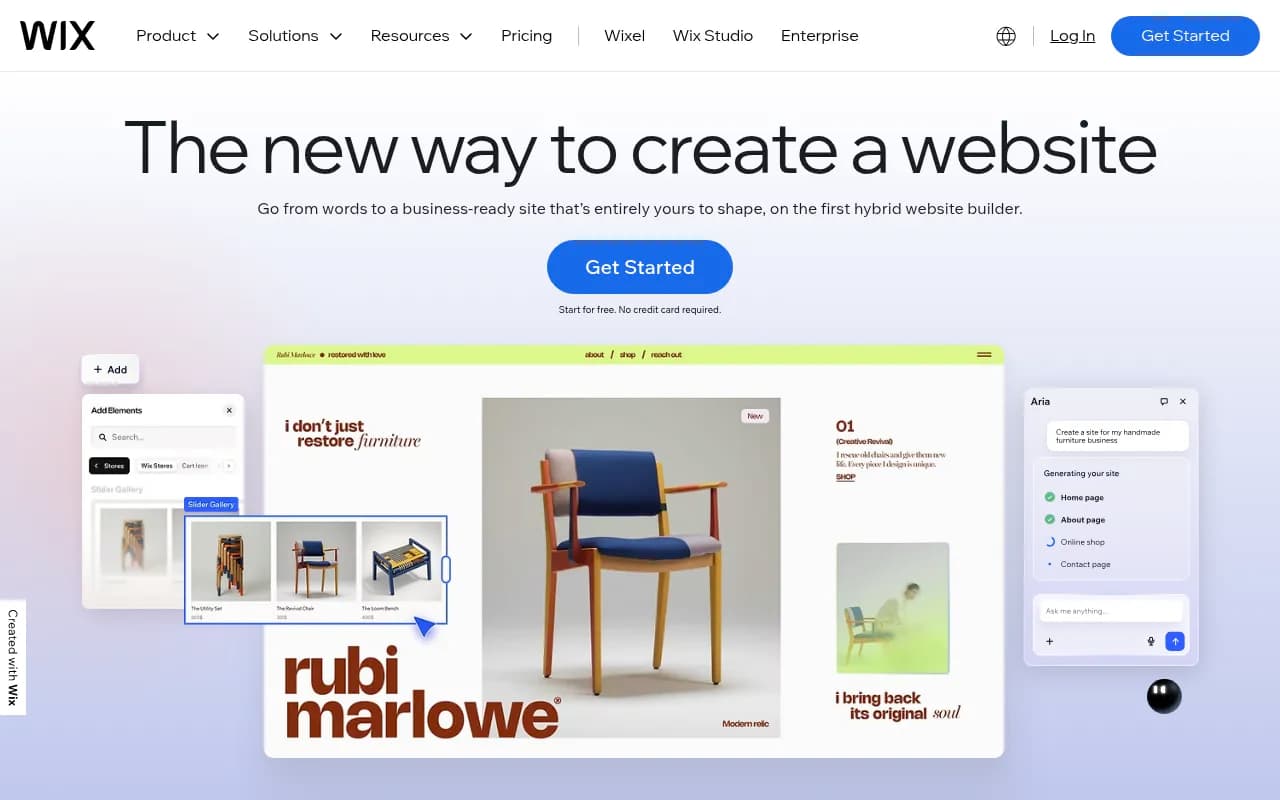
AI website builder (Wix AI and Aria) Wix's AI site generation has matured considerably. You describe your business in a conversational interface, and Wix generates a complete, customizable site with relevant pages, copy, and layout. The AI assistant, called Aria, doesn't just build the initial site -- it stays available inside the editor to help you generate sections, rewrite copy, create images, and answer questions about your site. In practice, the generated sites are a solid starting point rather than a finished product, but they're meaningfully better than what most competitors produce. Aria can handle complex requests like "add a best-sellers section to my homepage" and execute them directly.
Drag-and-drop editor with pixel-level control Unlike Squarespace or Webflow's grid-constrained editors, Wix lets you place any element anywhere on the canvas. You can layer elements, set precise pixel positions, and build layouts that wouldn't be possible in a more structured editor. This is genuinely powerful for designers. The tradeoff is that it's easier to accidentally create a site that looks broken on mobile if you're not paying attention. Wix does provide a separate mobile editor view, and it auto-adapts layouts, but you often need to manually tweak the mobile version.
2,000+ templates The template library covers virtually every industry category: restaurants, portfolios, online stores, blogs, events, landing pages, fitness studios, law firms, and more. Templates are fully customizable and professionally designed. One important limitation: you can't switch templates after you've started editing a site. If you pick the wrong one and build on it for a week, you're stuck with it or starting over. This is a known frustration among Wix users.
eCommerce Wix's eCommerce functionality is solid for small to mid-sized stores. You get product catalog management, inventory tracking, multiple payment gateways (Wix Payments, PayPal, Stripe, and others), abandoned cart recovery, discount codes, and shipping integrations. The Core plan ($29/mo) unlocks basic eCommerce, while the Business plan ($39/mo) adds subscriptions and more advanced features. It's not Shopify for a high-volume merchant, but for a store doing a few hundred orders a month, it handles the job well.
Scheduling and bookings The Wix Bookings app lets service businesses accept appointments, manage staff calendars, set availability, and take payments. It works for personal trainers, tutors, salons, consultants, and similar businesses. You can embed a booking widget directly into your site. The scheduling features are more capable than what most website builders offer natively, though dedicated tools like Calendly or Acuity have more advanced workflow options.
Built-in marketing tools Wix includes email marketing (with AI-generated campaigns), social media post creation, Google and Facebook/Instagram ad management, and a basic CRM. The email marketing tool lets you build campaigns, set up automations, and track open rates without leaving the Wix dashboard. It's not Mailchimp, but for a small business sending a few campaigns a month, it's sufficient. The ad management integration is convenient for running basic Google or Meta campaigns without switching platforms.
SEO tools Wix has invested significantly in SEO over the past few years, partly in response to years of criticism about poor SEO performance. The platform now includes an SEO setup checklist, customizable meta tags, structured data markup, canonical URLs, automatic sitemap generation, and integration with Google Search Console and Semrush. There's also an AI meta tag generator. Wix has published a Google case study showing competitive crawl and indexing performance. It's no longer accurate to say Wix is bad for SEO -- it's genuinely capable for most use cases. Notably, Wix has also added AI visibility features, letting you see how your site appears in LLM responses like ChatGPT.
App Market The Wix App Market has hundreds of first-party and third-party apps covering everything from live chat to loyalty programs to restaurant ordering systems. Popular integrations include Google Analytics, Facebook Pixel, Zapier, Tidio, and OpenTable. The quality varies -- some third-party apps feel dated or poorly maintained -- but the breadth is impressive. You can extend Wix's functionality significantly without touching code.
Infrastructure and hosting Wix handles hosting on multi-cloud infrastructure with a claimed 99.99% uptime. Sites are served via a global CDN, and Wix handles SSL certificates, DDoS protection, and automatic backups. You don't manage any of this yourself. For most users, that's a feature, not a limitation.
Who is it for
Wix is genuinely well-suited to small business owners who need a professional web presence without a developer budget. Think: a local bakery that wants online ordering, a freelance graphic designer building a portfolio, a personal trainer offering online booking, or a small nonprofit publishing event listings. These users benefit from Wix's all-in-one approach -- they don't want to manage separate tools for their website, email marketing, and appointment scheduling.
It also works well for early-stage startups that need to launch quickly and iterate. The AI builder and template library mean you can have something live in a day, and the editor gives you enough flexibility to keep refining it. Wix Studio, the agency-focused version, is a better fit for web design professionals managing multiple client sites, with features like reusable design systems, client handoff tools, and workspace collaboration.
Industries where Wix particularly shines include creative services (photographers, illustrators, musicians), hospitality (restaurants, event venues), health and wellness (gyms, therapists, coaches), and local services (salons, tutors, contractors). The vertical-specific templates and built-in business tools map well to these use cases.
Who should look elsewhere: developers who want full server-side control or a headless CMS setup should look at WordPress, Webflow, or a custom stack. Large enterprises with complex integrations, custom authentication, or high-volume eCommerce (thousands of SKUs, complex fulfillment) will hit Wix's limits. And if you're building something you might want to migrate later, know that Wix doesn't make it easy to export your site content to another platform.
Integrations and ecosystem
Wix's integration story is reasonably strong. The App Market includes direct integrations with Google Analytics, Google Search Console, Facebook Pixel, Semrush, Mailchimp, Zapier, HubSpot, Tidio, Printful, ShipStation, and dozens more. Zapier connectivity means you can connect Wix form submissions, new orders, or new contacts to virtually any other tool in your stack.
Wix also has a developer platform (dev.wix.com) with APIs for building custom apps, extending site functionality with Velo (Wix's JavaScript development environment), and creating headless implementations. Velo is a real differentiator for users who want some code control without leaving the Wix ecosystem -- you can write JavaScript to add custom logic, connect to external APIs, and build database-driven pages.
The Wix mobile app (iOS and Android) lets you manage your site, respond to customer inquiries, track orders, and view analytics from your phone. It's a genuine business management app, not just a stripped-down preview tool.
There's a GitHub organization (github.com/wix) with open-source projects and tooling, primarily aimed at developers building on the Wix platform.
Pricing and value
Wix has a free plan that lets you build and publish a site, but it comes with a Wix-branded subdomain (yoursite.wixsite.com) and Wix ads on your pages. It's fine for experimenting, not for a real business.
Paid plans (billed annually):
- Light -- $17/month: Custom domain, 2GB storage, basic analytics, no eCommerce
- Core -- $29/month: 50GB storage, eCommerce basics, accept payments, 5 hours of video
- Business -- $39/month: Subscriptions, loyalty programs, advanced shipping, 100GB storage
- Business Elite -- $159/month: Unlimited storage, priority support, advanced eCommerce, enterprise features
A custom domain is free for the first year with any annual plan purchase. The Light plan is competitive with Squarespace's Personal plan ($16/mo) and Weebly's Pro plan. The Core plan at $29/mo is where Wix becomes genuinely useful for a business, and it compares favorably to Squarespace Business ($23/mo) and Shopify Basic ($39/mo) when you factor in the breadth of included features.
For agencies and professional designers, Wix Studio has its own pricing structure separate from the consumer plans.
The free trial is effectively the free plan itself -- you can build indefinitely for free and only pay when you want to go live with a custom domain or unlock business features.
Strengths and limitations
What Wix does well:
- Design freedom: The freeform canvas editor gives more layout flexibility than almost any other no-code builder. You're not fighting a grid system.
- All-in-one business tools: Having scheduling, payments, CRM, email marketing, and eCommerce in one dashboard genuinely reduces tool sprawl for small businesses.
- AI integration: Aria and the AI site generator are among the more capable implementations in the website builder space. The AI doesn't just generate a site and disappear -- it stays useful throughout the editing process.
- Template quality and quantity: 2,000+ templates with genuine design quality across a wide range of industries.
- Infrastructure: Hosting, SSL, CDN, and security are handled automatically and reliably. You don't think about servers.
Limitations:
- Template lock-in: You can't switch templates after building. This is a real frustration and a meaningful limitation compared to WordPress or Squarespace.
- Mobile editing: The freeform editor means mobile layouts often need manual adjustment. Wix has improved this, but it's still more work than builders with responsive-by-default systems.
- Export and portability: Wix doesn't offer a clean way to export your site to another platform. If you outgrow Wix, migrating is painful. This is a deliberate platform decision, but it's worth knowing upfront.
- Performance at scale: For high-traffic sites or complex eCommerce operations, Wix can feel constrained. The platform is optimized for small to mid-sized sites, not enterprise-scale traffic.
Bottom line
Wix is the right choice for small business owners, freelancers, and early-stage founders who want a professional, feature-rich website without hiring a developer or managing hosting infrastructure. The combination of genuine design flexibility, solid AI tooling, and built-in business features (booking, payments, email marketing, CRM) makes it one of the most complete self-serve platforms available in 2026.
The best use case in one sentence: a small service business or creative professional who wants to build, launch, and run their entire online presence from a single platform without touching code.
Frequently asked questions
Is Wix really free to use?
How much does Wix cost?
Can I build an online store with Wix?
Is Wix good for SEO?
Can I switch templates after building my Wix site?
How does Wix compare to Squarespace or WordPress?
Similar and alternative tools to Wix