Campaign Monitor Review 2026
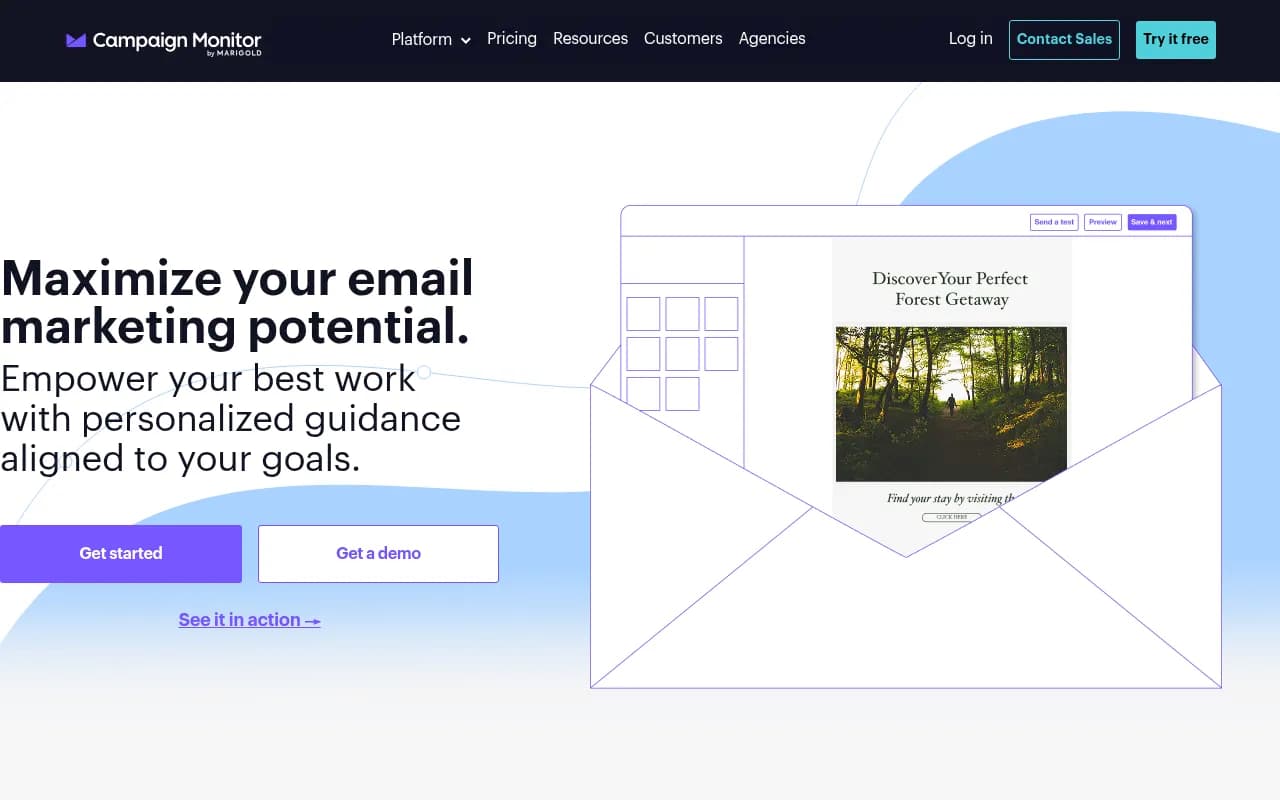
Campaign Monitor is an email marketing platform trusted by 250,000+ businesses worldwide. It offers a drag-and-drop builder, marketing automation, audience segmentation, AI tools, and a new website builder — designed for marketers who care about design quality and deliverability.
Key takeaways
- Campaign Monitor is a mature, design-focused email marketing platform with a strong drag-and-drop builder, solid automation, and a growing AI feature set
- Pricing is competitive at entry level but scales quickly -- the Pay As You Go option suits low-volume senders well
- Best fit for small-to-mid-size marketing teams, agencies managing multiple client accounts, and media/publishing brands that prioritize email aesthetics
- Not the right choice if you need deep CRM functionality, advanced e-commerce automation, or a generous free tier -- Mailchimp and Klaviyo are stronger there
- No connection to AI search visibility or GEO -- this is a pure email marketing tool
Campaign Monitor has been around since 2004, which in email marketing years makes it practically ancient. Founded in Sydney, Australia by Ben Richardson and Dave Greiner, it was one of the first platforms to take email design seriously at a time when most tools produced HTML tables that looked like they were built in 1998. That design-first philosophy has stuck. Today the platform serves over 250,000 businesses globally, with notable customers including Nike, iHeartMedia, the World Health Organization, and Dezeen.
The company was acquired by Marigold (formerly CM Group) in 2019, which also owns Sailthru, Liveclicker, and Cheetah Digital. That acquisition brought more enterprise resources but also raised questions about where Campaign Monitor fits in a crowded portfolio. For most users, the day-to-day experience hasn't changed dramatically -- it's still the same clean interface and template-focused approach that built its reputation.
The target audience is fairly clear: marketing teams at small-to-mid-size companies, digital agencies managing email for multiple clients, and content-driven brands like newsletters, media outlets, and nonprofits. It's not trying to be Salesforce Marketing Cloud. It's trying to be the email tool that a two-person marketing team can actually use without a six-week onboarding process.
Key features
Drag-and-drop email builder
This is where Campaign Monitor has always been strongest. The builder is genuinely good -- clean, fast, and flexible without being overwhelming. You can start from one of their pre-built templates (there are hundreds, organized by industry and use case) or build from scratch. Sections snap into place, spacing controls are precise, and the mobile preview is accurate. One feature that stands out for agency and team use is template locking: designers can lock specific sections so that non-designers on the team can only edit the content areas they're supposed to touch. This prevents brand drift without requiring a separate approval workflow.
Marketing automation (Journey Designer)
Campaign Monitor's visual automation builder is called the Journey Designer. It uses a drag-and-drop canvas to build multi-step email sequences triggered by subscriber actions, dates, or list membership. You can branch journeys based on whether someone opened an email, clicked a link, or met a custom condition. It handles the standard use cases well: welcome sequences, re-engagement campaigns, birthday emails, post-purchase follow-ups. Where it falls short compared to Klaviyo or ActiveCampaign is in the depth of conditional logic and the ability to trigger automations from external events (like website behavior or purchase data) without a third-party integration.
Audience segmentation
Segmentation in Campaign Monitor works off subscriber data, custom fields, and engagement history. You can build segments based on opens, clicks, location, custom field values, and list membership. The recently announced Segment Mapper (part of the AI features rollout) is designed to make building complex segments faster by suggesting audience groupings based on your data. In practice, the segmentation is solid for most use cases but lacks the behavioral depth of e-commerce-focused tools like Klaviyo, which can segment on purchase history, product views, and predicted lifetime value natively.
AI Email Booster and AI features
Campaign Monitor has been rolling out AI capabilities under the "Marketing Monitor" umbrella. The AI Email Booster helps with subject line optimization and send-time recommendations. Segment Mapper uses AI to suggest audience segments. These are useful additions, though they're not dramatically different from what Mailchimp and others have been offering for a couple of years. The features are gated behind higher-tier plans, which is worth noting if you're evaluating on price.
Transactional email
Campaign Monitor handles transactional emails (order confirmations, password resets, receipts) through its platform, with the same template builder and analytics available for campaign emails. This is a meaningful advantage over tools that treat transactional email as an afterthought or require a separate product. You get unified reporting across campaign and transactional sends, which makes it easier to see the full picture of your email program.
Analytics and reporting
The reporting dashboard covers opens, clicks, bounces, unsubscribes, and spam complaints at the campaign level. You also get link-level click maps, which show exactly which links in your email got clicked and how often. For automated journeys, you can see performance at each step. There's a real-time view during sends, which is genuinely useful for high-stakes campaigns. What's missing is deeper revenue attribution -- unless you're using an e-commerce integration, connecting email performance to actual sales requires manual work or a third-party analytics setup.
Website Builder
This is a newer addition. Campaign Monitor now lets you build a basic website directly in the platform, with the same drag-and-drop approach as the email builder. It's designed to connect your website to your email lists, so a signup form on your site feeds directly into your Campaign Monitor audience. It's not going to replace a proper CMS for most businesses, but for a newsletter creator or small brand that just needs a landing page and a signup form, it's a convenient option that removes one integration from the stack.
Agency and multi-client management
Campaign Monitor has always had strong agency features. You can manage multiple client accounts from a single login, set client-specific branding, and control what each client can see and do. Billing can be handled at the agency level or passed through to clients. This is one area where Campaign Monitor genuinely outperforms many competitors -- the multi-account management is clean and doesn't feel bolted on.
Who is it for
Campaign Monitor fits best for marketing teams of two to fifteen people at companies that send regular newsletters, promotional campaigns, or event-driven emails. Think a media brand sending a daily newsletter to 50,000 subscribers, a nonprofit running quarterly fundraising campaigns, or a B2B SaaS company sending product update emails to a segmented customer list. The tool is approachable enough that a solo marketer can run it without help, but has enough depth for a small team to build a real email program.
Digital agencies managing email marketing for multiple clients are another strong fit. The client management features, template locking, and white-labeling options make it practical to run 10-20 client accounts without things getting chaotic. Agencies that have tried to do this in Mailchimp often find the multi-account experience frustrating -- Campaign Monitor handles it more gracefully.
Who should probably look elsewhere: e-commerce brands that need deep purchase-triggered automation and product recommendation emails (Klaviyo is the better call), enterprise marketing teams that need CRM-level contact management and sales alignment (HubSpot or Salesforce Marketing Cloud), and anyone who needs a genuinely useful free tier to get started (Mailchimp's free plan is more functional than Campaign Monitor's).
Integrations and ecosystem
Campaign Monitor integrates with a solid range of tools. On the CRM side, there are native integrations with Salesforce and HubSpot. E-commerce connections include Shopify and WooCommerce, though these are less deep than what Klaviyo offers. For forms and landing pages, there are integrations with Unbounce and Typeform. Zapier support opens up connections to hundreds of other tools.
The platform has a public API that's reasonably well-documented, which is useful for developers who need to sync subscriber data from a custom application or trigger emails programmatically. The GitHub organization (github.com/campaignmonitor) has open-source libraries for several languages including PHP, Ruby, Python, and .NET, which makes API integration more accessible for development teams.
There's no native mobile app for campaign management, which is a gap if you need to monitor sends or check reports on the go. The web interface is mobile-responsive but not optimized for mobile workflows.
Pricing and value
Campaign Monitor offers two pricing structures: monthly plans and Pay As You Go.
Monthly plans are based on the number of subscribers:
- Lite: Starts around $11/month for up to 500 subscribers. Covers basic email sending, templates, and reporting. Automation and advanced segmentation are limited.
- Essentials: Starts around $19/month for 500 subscribers. Adds unlimited emails, time zone sending, and countdown timers.
- Premier: Starts around $149/month for 500 subscribers. Adds advanced segmentation, send-time optimization, and priority support.
Prices scale with list size, and the jump from small to medium lists can be significant. At 25,000 subscribers, you're looking at roughly $199/month on Essentials and $699/month on Premier.
The Pay As You Go option charges per email sent (around $0.01 per email) plus a monthly account fee. This works well for infrequent senders -- a nonprofit that sends one campaign per quarter, for example -- but becomes expensive at higher volumes.
AI features (AI Email Booster, Segment Mapper) are available on higher-tier plans and through the Marketing Monitor add-on, which adds to the cost.
Compared to Mailchimp, Campaign Monitor is similarly priced at entry level but tends to be more expensive at scale. Compared to Klaviyo, it's cheaper but offers less e-commerce depth. For agencies, the value proposition is strong because the multi-client management features are included rather than requiring an enterprise upgrade.
There's a free trial available -- you can build and preview campaigns without paying, but sending requires a paid plan.
Strengths and limitations
Where it genuinely excels:
- The email builder is one of the best in the market for design quality and ease of use. Template locking for teams is a feature that sounds minor but saves real headaches.
- Agency account management is well-implemented -- multi-client workflows are cleaner here than in most competitors.
- Transactional email is handled natively with the same tools and reporting as campaign email, which simplifies the stack.
- Deliverability has historically been strong, with good sender reputation management and list hygiene tools.
Honest limitations:
- Automation depth is behind ActiveCampaign and Klaviyo. Complex behavioral triggers and multi-branch logic require workarounds or third-party tools.
- The free tier is essentially non-functional for actual sending -- you can design but not deliver without paying. Mailchimp's free plan lets you send to up to 500 contacts, which is more useful for early-stage testing.
- E-commerce features are surface-level. If your email program is built around purchase behavior, abandoned cart sequences, and product recommendations, Klaviyo is a significantly better fit.
- Reporting lacks revenue attribution out of the box. You can see who clicked, but connecting that to actual sales requires integration work.
Bottom line
Campaign Monitor is a reliable, well-designed email marketing platform that has earned its reputation over two decades. It's the right choice for marketing teams and agencies that prioritize design quality, need clean multi-client management, and want a tool that doesn't require a technical background to use effectively. The automation and segmentation are good enough for most email programs, and the new AI features are a welcome addition even if they're not yet class-leading.
If your email program is primarily newsletter-driven, event-based, or B2B-focused, Campaign Monitor is worth serious consideration. If you're running a high-volume e-commerce operation and need purchase-triggered automation at scale, look at Klaviyo first.
Tags:
Frequently asked questions
What is Campaign Monitor?
How much does Campaign Monitor cost?
Is there a free plan for Campaign Monitor?
How does Campaign Monitor compare to Mailchimp?
Is Campaign Monitor good for e-commerce?
Does Campaign Monitor have AI features?
Similar and alternative tools to Campaign Monitor