Canto Review 2026
Digital asset management (DAM) platform with AI tagging, smart search, and brand portal features to help marketing teams organize and distribute content.
Key takeaways
- Canto is a mature, well-regarded DAM platform used by mid-market and enterprise brands like Sony Europe, thyssenkrupp, and Kodiak -- it's genuinely good at organizing and distributing large volumes of brand content
- The Canto XI update brings real AI capabilities: visual search, smart tagging, and content intelligence that go beyond basic metadata management
- Pricing is custom/quote-based, which makes it harder to evaluate quickly -- expect mid-market to enterprise price points
- Strong integration ecosystem (Adobe CC, Slack, WordPress, Figma, Hootsuite, and more) makes it practical for teams already using these tools
- Not a fit for solo creators or small teams on tight budgets; the platform is built for organizations managing thousands of assets across multiple teams or regions
Canto has been in the digital asset management space for long enough to have earned genuine credibility. The platform, now powered by what the company calls Canto XI, positions itself as an "intelligent content hub" -- a single place where marketing and creative teams can store, find, and distribute brand assets without the usual chaos of shared drives, email threads, and Dropbox folders that most mid-sized companies eventually outgrow.
The target audience is pretty clear: marketing teams at established companies, typically 50 to 5,000 employees, who are producing enough content that finding the right asset has become a real problem. Sony Europe, Beaphar, and thyssenkrupp are among the named customers, which gives you a sense of the company profile Canto is built for. These aren't scrappy startups -- they're organizations with real content operations, multiple stakeholders, and a genuine need for governance and control over brand materials.
Canto was founded in 1990 (originally as Canto Software) and has gone through several iterations over the decades. The current cloud-based platform is a far cry from the early desktop software roots. The company is headquartered in San Francisco with a significant European presence, which explains the strong customer base in Germany and across the EU. In recent years, Canto has leaned hard into AI, with the Canto XI release bringing AI-powered search and tagging to the forefront of the product.
Key features
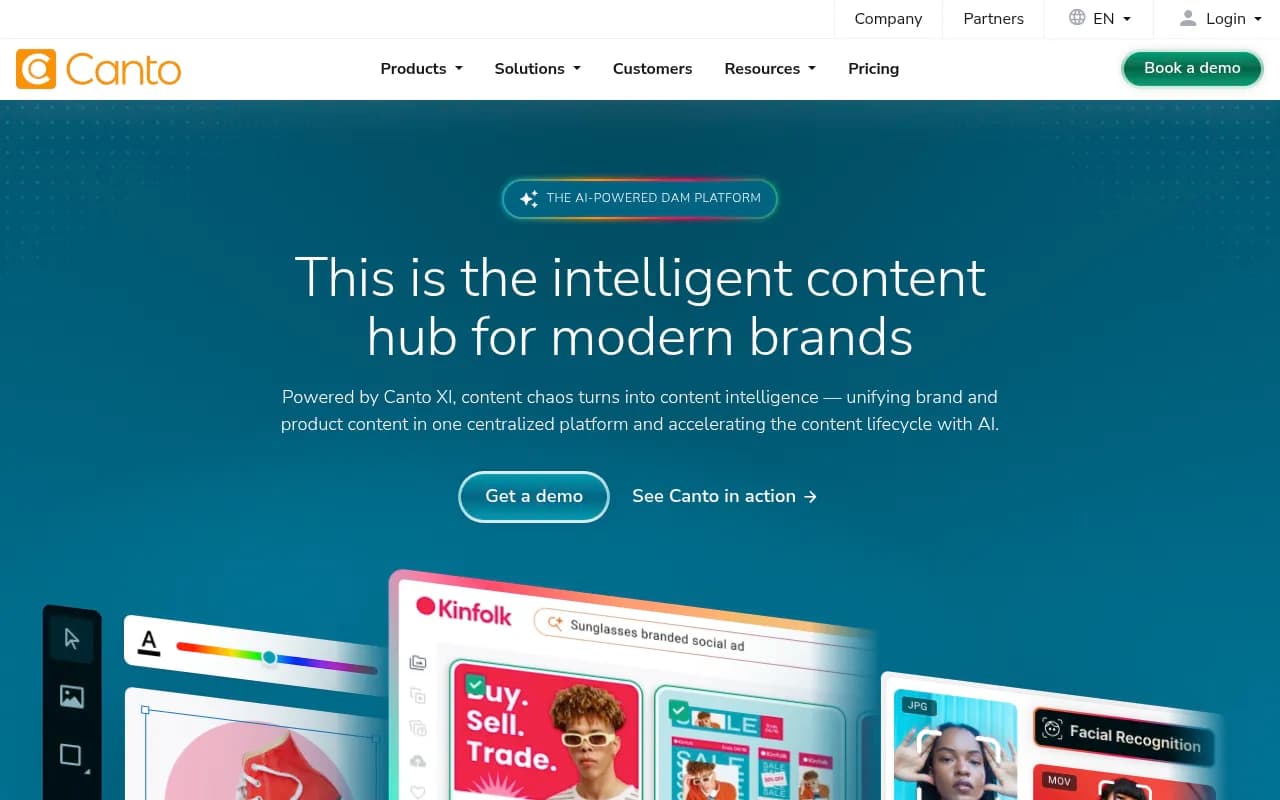
AI-powered visual search This is probably the most practically useful AI feature Canto has shipped. Rather than relying purely on manually entered metadata or tags, Canto's visual search lets users find assets by describing what they're looking for in natural language -- "woman in red jacket outdoors" or "product shot on white background." The system analyzes image content and returns relevant results even when no one bothered to tag the asset properly. For teams managing tens of thousands of images, this is a genuine time-saver. It's not magic -- results can be inconsistent with unusual or abstract imagery -- but it works well enough that teams report meaningful reductions in time spent hunting for files.
Smart AI tagging When assets are uploaded, Canto's AI automatically generates tags based on image content, detected objects, colors, and scene types. This reduces the manual metadata work that makes DAM adoption painful in the first place. Teams can review and edit auto-generated tags, and the system learns from corrections over time. The quality of auto-tagging is solid for photography and product imagery; it's less reliable for illustrations, diagrams, or highly stylized creative work.
Centralized content hub The core of the platform is a structured repository where assets are organized into albums, folders, and portals. Admins can set up a hierarchy that mirrors how the organization actually works -- by brand, region, campaign, or product line. Permissions are granular: you can give external agencies upload-only access, give regional teams view-and-download rights for specific folders, and keep sensitive or unreleased assets locked down. This kind of access control is where Canto earns its keep for larger organizations.
Brand portals Canto lets you create public-facing or partner-facing brand portals -- essentially curated, branded microsites where external stakeholders (press, agencies, retailers, distributors) can browse and download approved assets without needing a full Canto account. These portals are customizable with your brand colors and logo, and you can control exactly which assets are visible. For companies that regularly share press kits, product imagery, or brand guidelines with outside parties, this feature alone can justify the subscription.
Streamlined distribution and sharing Beyond portals, Canto offers shareable links, collections, and direct integrations for pushing assets to downstream tools. You can share a curated collection with a client via a link, set expiration dates on shared access, and track who downloaded what. The distribution analytics -- showing which assets were accessed, by whom, and how often -- give marketing teams actual data on which content is being used versus sitting idle.
Collaboration tools Teams can annotate assets, leave comments, and manage approval workflows directly inside Canto. This is particularly useful for creative review cycles where multiple stakeholders need to sign off on imagery before it goes live. The workflow isn't as sophisticated as dedicated project management tools, but it covers the basics well enough that many teams don't need a separate tool for asset approvals.
Canto DAM for Products This is a newer capability that bridges DAM and PIM (Product Information Management). It lets teams connect product data -- specs, descriptions, SKUs -- directly to related digital assets. For e-commerce and retail brands managing large product catalogs, this means product images, videos, and documents stay linked to the right product records. It's not a full PIM replacement, but it reduces the disconnect between marketing assets and product data that plagues many catalog-heavy businesses.
Version control and asset lifecycle management Canto tracks version history for assets, so teams can see previous iterations, restore older versions, and understand how a piece of content evolved. Expiration dates can be set on assets (useful for licensed imagery with time-limited rights), and expired assets are automatically flagged or hidden. This kind of rights management is a real operational need for companies using stock photography or licensed content.
Metadata and custom fields Beyond AI-generated tags, Canto supports custom metadata schemas. Teams can define fields specific to their workflow -- campaign name, product line, usage rights, photographer credit -- and make them required on upload. This enforces data quality without relying entirely on AI, which matters for compliance-heavy industries or organizations with strict brand governance requirements.
Who is it for
Canto is built for marketing and creative teams at mid-market and enterprise companies -- think a 200-person consumer goods brand with a marketing team of 15, or a global manufacturer with regional marketing teams across multiple countries. The platform makes the most sense when you're managing thousands of assets, have multiple people who need to find and use those assets, and have external stakeholders (agencies, press, retailers) who need controlled access to brand materials.
E-commerce and retail brands get particular value from the DAM for Products feature, which connects product imagery to product data in a way that generic DAM platforms don't. Manufacturing and B2B companies with complex product catalogs -- like thyssenkrupp -- also fit well, since they often have large libraries of technical imagery, spec sheets, and marketing materials that need to be organized and shared across regions.
Who shouldn't use Canto: solo creators, freelancers, or small teams with fewer than a few hundred assets. The platform's depth is overkill for simple use cases, and the pricing reflects enterprise expectations. If you're a 10-person startup looking to organize your Figma files and a few hundred product photos, something like Brandfolder (now part of Smartsheet) or even a well-organized Google Drive will serve you better and cost far less. Canto is also not the right fit for teams that primarily need video production or editing capabilities -- it stores and distributes video, but it's not a video production platform.
Integrations and ecosystem
Canto's integration list is one of its genuine strengths. The platform connects with:
- Adobe Creative Cloud (Photoshop, Illustrator, InDesign) -- designers can access and push assets directly from within Adobe apps
- Figma -- useful for design teams working in browser-based tools
- Microsoft 365 (Outlook, PowerPoint, Teams) -- lets non-designers access brand assets without leaving Microsoft tools
- Slack -- share assets and receive notifications in Slack channels
- WordPress -- publish assets directly to WordPress sites
- Hootsuite -- push approved social content directly to scheduling
- Drupal -- CMS integration for web teams
- Box -- for teams using Box as a secondary storage layer
- Akeneo -- PIM integration for product-heavy organizations
- Chrome extension -- lets users access Canto assets while browsing the web
Canto also offers an API for custom integrations, which enterprise customers use to connect Canto to proprietary systems, e-commerce platforms, or internal tools. The API documentation is reasonably comprehensive, though developer experience varies depending on how complex the integration needs to be.
There's no native mobile app for asset management in the field (a gap some competitors have addressed), though the web interface is mobile-responsive.
Pricing and value
Canto doesn't publish pricing on its website -- you need to request a demo or contact sales to get a quote. Based on third-party sources and user reports, Canto's pricing starts somewhere in the range of $500-$800/month for smaller implementations and scales up significantly for enterprise deployments with large storage needs, many users, or advanced features.
There is a free trial available (Canto's website links to a signup page), which is useful for evaluation, though the trial may have limitations on storage and users.
The lack of transparent pricing is a real friction point for buyers doing initial research. Competitors like Bynder and Brandfolder are similarly opaque, but some newer DAM tools have moved toward published pricing tiers. For a mid-sized marketing team, expect to budget $6,000-$15,000+ annually depending on storage, users, and features.
Whether that's good value depends on what you're comparing it to. Against the cost of disorganized content operations -- time wasted searching for assets, brand inconsistency from using outdated files, licensing violations from expired imagery -- a well-implemented DAM pays for itself. Canto's customer Beaphar reported 20-25% efficiency gains for their marketing and design team, which is a meaningful number if you can actually measure it.
Strengths and limitations
What Canto does well:
- The AI visual search is genuinely useful and works better than keyword-only search for image-heavy libraries
- Brand portals are polished and make sharing with external stakeholders feel professional rather than cobbled-together
- The integration ecosystem is broad and covers the tools most marketing teams actually use
- Version control and rights management features address real compliance needs that smaller DAM tools often skip
- Customer support and onboarding are consistently praised in user reviews -- implementation help matters a lot for DAM adoption
Where it falls short:
- Pricing opacity makes it hard to evaluate without going through a sales process, which slows down decision-making
- No published mobile app for field teams who need to capture and upload assets on the go
- The workflow and approval features are functional but not deep -- teams with complex multi-stage review processes may find them limiting compared to dedicated workflow tools
- Some users report that the initial setup and taxonomy planning requires significant time investment; the platform is only as good as the organizational structure you build into it
Bottom line
Canto is a solid, mature DAM platform that earns its reputation among mid-market and enterprise marketing teams. If your organization is managing thousands of digital assets, has multiple internal and external stakeholders who need controlled access, and is serious about brand consistency and content governance, Canto is worth evaluating seriously.
The best use case in one sentence: a marketing team at a 200-1,000 person company that has outgrown shared drives and needs a centralized, searchable, permission-controlled home for all brand and product content -- with the ability to share polished portals with agencies, press, and retail partners.
Tags:
Frequently asked questions
What is Canto?
Who is Canto best suited for?
How much does Canto cost?
Does Canto offer a free trial?
What integrations does Canto support?
How does Canto compare to alternatives like Bynder or Brandfolder?
Similar and alternative tools to Canto