Kit (formerly ConvertKit) Review 2026
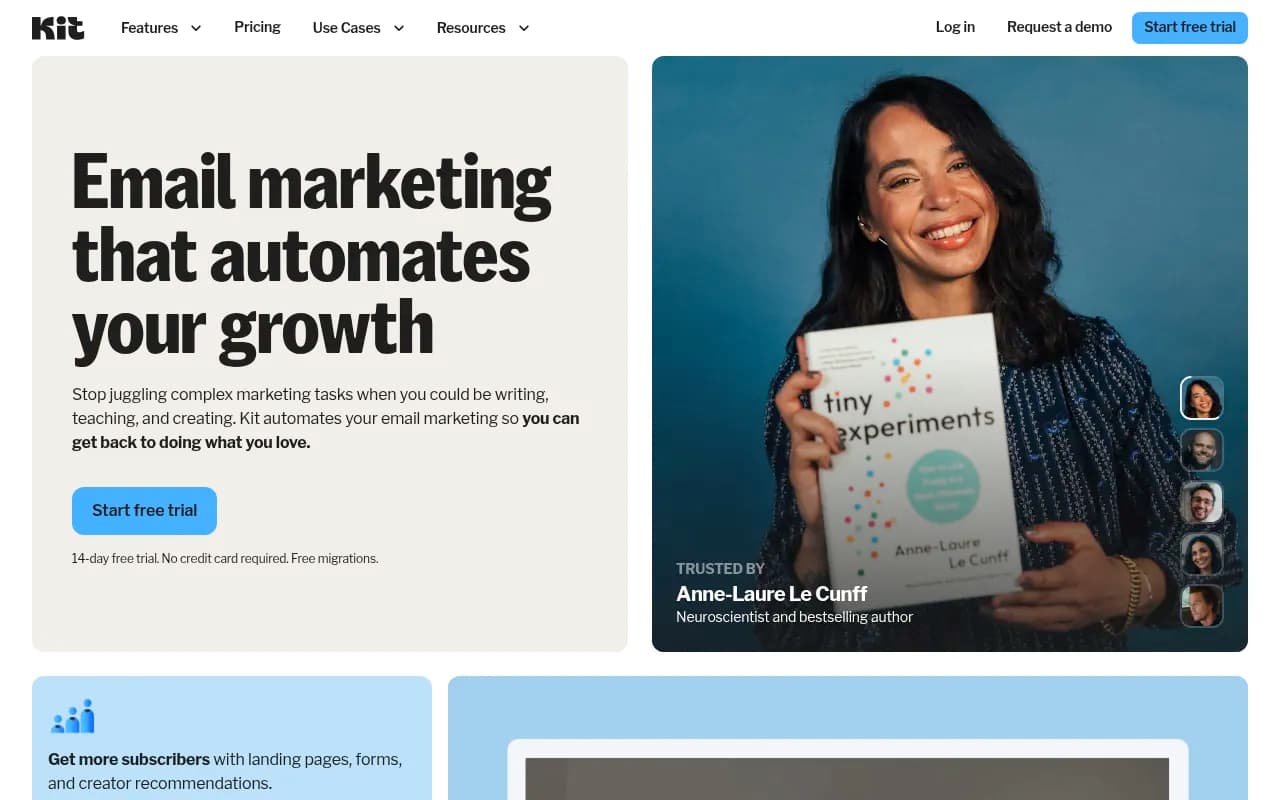
Kit (formerly ConvertKit) is a creator-focused email marketing platform with visual automations, landing pages, segmentation, and built-in commerce tools. Trusted by James Clear, Tim Ferriss, and 587M+ subscribers served. Free plan available, paid from $39/mo.
Key takeaways
- Kit (formerly ConvertKit) is the go-to email marketing platform for individual creators, authors, and solopreneurs who want automation without enterprise complexity
- The free plan supports up to 1,000 subscribers with basic sending and landing pages -- genuinely useful for getting started
- Visual automations, a Recommendations network, and built-in commerce tools (digital products, memberships) set it apart from generic email tools
- Pricing scales with subscriber count, which can get expensive fast for large lists -- worth modeling your growth trajectory before committing
- Not a great fit for e-commerce brands, B2B SaaS teams, or anyone needing advanced CRM-style contact management
Kit, formerly known as ConvertKit, is an email marketing platform built specifically for creators: writers, podcasters, YouTubers, course sellers, and anyone who makes a living sharing knowledge online. Founded in 2013 by Nathan Barry -- himself an author and designer -- the company rebranded to Kit in 2024, signaling a broader ambition beyond just email into a full creator business operating system. It's still bootstrapped, which is unusual for a company of this scale, and that independence shows in how the product is built: there's no pressure to bolt on enterprise features nobody asked for.
The platform has served over 587 million subscribers across its user base and counts some genuinely impressive names among its customers: James Clear (Atomic Habits), Tim Ferriss, Ali Abdaal, Ryan Holiday, Andrew Huberman, and Matthew McConaughey all use it. That's not just marketing -- it reflects a real product-market fit with the creator economy. When someone like Ryan Holiday says "email is more central to me than any publication," and he's using Kit to send it, that means something.
The core pitch is simple: stop wrestling with complicated marketing software and get back to creating. Kit handles the list growth, the automation sequences, the segmentation, and even the monetization layer, so a solo creator doesn't need a marketing team to run a professional email operation.
Key features
Visual automation builder
Kit's automation builder is a drag-and-drop canvas where you map out subscriber journeys visually. You can trigger sequences based on tags, form submissions, purchases, link clicks, or custom events. The logic is genuinely flexible -- you can branch paths based on whether someone opened an email, clicked a specific link, or has a particular tag applied. Compared to Mailchimp's automation builder, which can feel clunky and limited on lower tiers, Kit's is cleaner and more intuitive. The downside is that complex multi-branch automations can get visually messy at scale, but for most creator use cases, it's more than sufficient.
Sequences (email drip campaigns)
Sequences are pre-written email series that go out on a schedule after a trigger event -- a new subscriber, a purchase, a webinar signup. You write them once, and they run forever. This is the "build once, benefit forever" promise Kit leans into heavily. You can set delays in days, hours, or specific times, and exclude subscribers who've already received certain content. It's not the most sophisticated drip system on the market (ActiveCampaign has more conditional logic), but it covers 90% of what a creator actually needs.
Segmentation and tagging
Rather than using lists (like Mailchimp does), Kit uses a tag-based system where every subscriber exists once in your account and can have multiple tags applied. This means you're not paying for the same subscriber multiple times across different lists, and you can create highly targeted segments by combining tag conditions. A subscriber tagged "bought course A" and "interested in topic B" can get a completely different email than someone tagged "free subscriber." In practice, this is one of Kit's genuine strengths -- the data model is just cleaner than list-based systems.
Landing pages and opt-in forms
Kit includes a landing page builder with a decent set of templates. They're not as design-flexible as Leadpages or Unbounce, but they're fast to set up and convert well for simple lead capture. Opt-in forms can be embedded on external sites or hosted on Kit's domain. The forms support incentive delivery (send a freebie on signup), custom redirect URLs, and basic A/B testing on subject lines. Nisha Vora, one of Kit's most prominent users, credits Kit landing pages with adding 100,000 subscribers to her list.
Recommendations network
This is one of Kit's most distinctive features and something competitors don't really have. When a subscriber signs up for your newsletter, Kit can show them a "you might also like" screen recommending other Kit creators. You can both recommend others and be recommended. Creator Dan Go attributes 22,000 subscribers to this feature alone. It's essentially a built-in growth loop that benefits from network effects -- the more creators use Kit, the more valuable the Recommendations feature becomes. Beehiiv has a similar feature called Boosts, but Kit's version is free and doesn't require paying per subscriber acquired.
Commerce and monetization
Kit has a built-in commerce layer that lets creators sell digital products, paid newsletters, and memberships directly through the platform. You can set up a product, connect Stripe, and start selling without needing a separate tool like Gumroad or Teachable. The fee structure is 0% transaction fees on paid plans (Kit takes a cut on the free plan). This is genuinely useful for creators who want to keep their stack simple. It's not as feature-rich as a dedicated commerce platform -- no upsells, no affiliate management, no complex checkout flows -- but for a simple digital product or paid newsletter, it works.
Kit Ads (sponsorship marketplace)
Kit has a built-in sponsorship marketplace called Kit Ads where brands can find and pay creators to include sponsored content in their newsletters. For creators with engaged lists, this is a real revenue stream that doesn't require cold-pitching advertisers. The platform handles the matching, the contracts, and the payments. It's a meaningful differentiator -- most email platforms don't touch monetization at all, let alone build a two-sided marketplace for it.
Deliverability
Kit claims a 99.8% delivery rate and average open rates above 40%. These numbers are hard to verify independently, but Kit's reputation for deliverability is strong in the creator community. The platform sends plain-text-style emails by default (which tend to land in primary inboxes rather than promotions tabs), and it actively monitors sender reputation. For creators whose entire business depends on emails actually reaching subscribers, this matters more than almost any other feature.
Kit App Store
Kit has an app store with integrations for Shopify, Canva, Circle, Thinkific, Transistor.fm, Linktree, SavvyCal, Senja, and others. These aren't just Zapier-style webhooks -- many are native integrations that pull data directly into Kit workflows. The Canva integration, for example, lets you access your Canva library from within Kit's email editor. It's a thoughtful ecosystem for the creator stack.
Who is it for
Kit is built for individual creators and small creator teams -- specifically people who make money from their audience through courses, books, coaching, newsletters, or digital products. Think a productivity YouTuber with 50,000 subscribers launching their first online course, or a nonfiction author building a list ahead of a book launch, or a coach running a paid newsletter alongside a one-on-one practice. These are the people Kit was designed for, and it shows in every product decision.
The sweet spot is probably 1,000 to 100,000 subscribers, where the automation and segmentation features add real value but the pricing is still manageable. Solo operators and small teams of two to five people will find Kit's interface approachable without needing dedicated marketing ops support. The platform is also well-suited to bloggers and content creators who monetize through affiliate marketing and want to segment their list by interest area to improve click-through rates.
Who should probably look elsewhere: B2B SaaS companies that need CRM-style contact scoring, lead routing, and deep sales integrations would be better served by ActiveCampaign or HubSpot. E-commerce brands running complex abandoned cart flows and product recommendation emails will find Klaviyo more capable. And anyone who needs a highly designed, visually rich newsletter (think a media company or brand publication) might find Kit's email editor limiting compared to Beehiiv or even Mailchimp's drag-and-drop builder.
Integrations and ecosystem
Kit's native integrations cover the most common creator tools. Shopify, Teachable, Thinkific, and Podia connect for e-commerce and course triggers. Circle connects for community events. Transistor.fm embeds podcast players directly in emails. SavvyCal handles booking links. Linktree syncs contact lists.
Beyond native integrations, Kit connects to Zapier and Make (formerly Integromat), which opens up connections to thousands of other tools. The Kit API is well-documented and supports subscriber management, tagging, form submissions, and sequence enrollment -- enough for a developer to build custom workflows without too much friction.
There's no dedicated mobile app for managing your account, which is a gap. You can view basic stats on mobile via the browser, but composing and scheduling emails is a desktop experience. Kit also doesn't have a browser extension.
Pricing and value
Kit's pricing is subscriber-count based, with three tiers:
- Free plan: Up to 1,000 subscribers. Includes unlimited landing pages, forms, and email broadcasts. No sequences or automations. Kit takes a 9% transaction fee on commerce sales.
- Creator plan: Starts at $39/month for up to 1,000 subscribers. Includes visual automations, sequences, third-party integrations, and free migrations from other platforms. Transaction fees drop to 3.5% + 30 cents.
- Creator Pro plan: Starts at $79/month for up to 1,000 subscribers. Adds advanced reporting, subscriber scoring, newsletter referral system, and priority support. Transaction fees are 0%.
Pricing scales with subscriber count. At 10,000 subscribers, Creator is around $99/month and Creator Pro is around $166/month. At 50,000 subscribers, you're looking at roughly $259/month for Creator. Annual billing saves around 17%.
Compared to Beehiiv (which has a free plan and a $42/month Growth plan), Kit is slightly more expensive at comparable subscriber counts but offers more automation depth. Compared to Mailchimp, Kit is competitive on price and significantly better for creator-specific use cases. ActiveCampaign is more expensive and more complex. For a solo creator who's serious about email, Kit's pricing is reasonable -- but it's worth noting that costs can climb quickly as your list grows.
Strengths and limitations
What Kit does well:
- The tag-based subscriber model is genuinely superior to list-based systems for creators managing multiple content topics and products
- The Recommendations network is a unique growth feature with real, documented results -- 22,000 subscribers for Dan Go is not a small number
- Deliverability is consistently strong, and the default plain-text email style helps with inbox placement
- The built-in commerce layer means creators can sell digital products without adding another tool to their stack
- Kit Ads gives creators a passive revenue channel that most email platforms simply don't offer
Where it falls short:
- The email editor is functional but not particularly flexible for visually designed newsletters -- if you want pixel-perfect layouts, you'll be fighting the tool
- No mobile app is a real gap in 2026, especially for creators who manage their business on the go
- Advanced reporting is locked behind the Pro plan, which means Creator plan users have limited visibility into what's actually working
- The automation builder, while good, lacks some of the conditional logic depth that ActiveCampaign offers -- things like lead scoring, predictive sending, and CRM-style deal pipelines are absent
Bottom line
Kit is the right tool for creators who are serious about email but don't want to become email marketing specialists. If you're a writer, podcaster, course creator, or coach building a direct relationship with your audience, Kit's combination of clean automations, smart segmentation, built-in commerce, and the Recommendations growth network makes it one of the strongest choices in the market in 2026.
Best use case in one sentence: a solo creator or small creator team with 1,000 to 100,000 subscribers who wants to automate their email marketing, sell digital products, and grow their list without hiring a marketing team.
Frequently asked questions
What is Kit (formerly ConvertKit)?
Is there a free plan?
How much does Kit cost?
How does Kit compare to Mailchimp or Beehiiv?
What is the Kit Recommendations feature?
Can I sell products directly through Kit?
Similar and alternative tools to Kit (formerly ConvertKit)