Lusha Review 2026
Contact data platform focused on direct dials and email addresses, with a Chrome extension for LinkedIn prospecting and CRM enrichment integrations.
Key takeaways
- Lusha is a B2B contact data and sales intelligence platform built for SDRs, BDRs, and GTM teams who need verified phone numbers and email addresses fast
- Phone number accuracy is a genuine differentiator -- multiple customers report 80-90% accuracy on direct dials, which is meaningfully better than many competitors
- The platform has expanded well beyond a simple Chrome extension: it now includes a Workspace, buying signals, API access, and pre-built automation workflows ("Plays")
- Pricing is accessible compared to ZoomInfo or Apollo, with a free tier available and paid plans starting around $22-39/user/month
- Coverage outside North America (particularly Europe) is a known weak point for some competitors, and Lusha's GDPR compliance gives it an edge for European GTM teams
- Not a full sales engagement platform -- if you need sequences, cadences, or email sending built in, you'll need to pair it with another tool
Lusha started life as a simple LinkedIn Chrome extension that revealed contact details while you browsed. That was the whole pitch: hover over a profile, get a phone number. Simple, fast, useful. The company has grown considerably since then, and the product in 2026 looks quite different. It's now positioning itself as a full GTM data platform -- contact enrichment, buying signals, a prospect workspace, API access, and pre-built automation workflows. Whether that expansion has made it better or just more complicated depends on what you actually need.
The core audience is still sales teams: SDRs cold-calling into enterprise accounts, BDRs building outbound lists, RevOps managers trying to keep CRM data clean. But Lusha has also picked up marketing teams who need enriched contact data for campaigns, and operations teams who want automated enrichment pipelines rather than manual CSV uploads. Customers include Snowflake, Google, Autodesk, Zendesk, and Amplitude -- which tells you this isn't just a startup tool.
Founded in Israel and now operating globally, Lusha has raised significant funding and built out a compliance infrastructure that matters for European customers in particular. The GDPR certification from ePrivacyseal GmbH and CCPA validation from TrustArc aren't just badges -- they're the reason companies like Zesty switched from ZoomInfo and RocketReach specifically for European coverage.
Key features
Chrome extension for LinkedIn prospecting
This is still where most people start with Lusha. Install the extension, browse LinkedIn, and contact details appear in a sidebar: direct dial, mobile number, email address. One click sends the contact to your CRM. It works on LinkedIn profiles and company pages, and also on a handful of other supported sites. The extension is genuinely fast -- there's no waiting around for data to load. The main limitation is that it consumes credits, so heavy users on lower-tier plans can burn through their monthly allowance quickly.
Lusha Workspace
The Workspace is Lusha's attempt to be more than a data lookup tool. It brings together your CRM data, Lusha-enriched contacts, and buying signals into a single interface where you can prioritize accounts and route leads. Think of it as a lightweight prospecting hub: you can build lists, apply filters, review signals, and decide where to focus. It's not a replacement for Salesforce or HubSpot, but it reduces the need to jump between tabs when you're building a prospecting list from scratch.
Buying signals
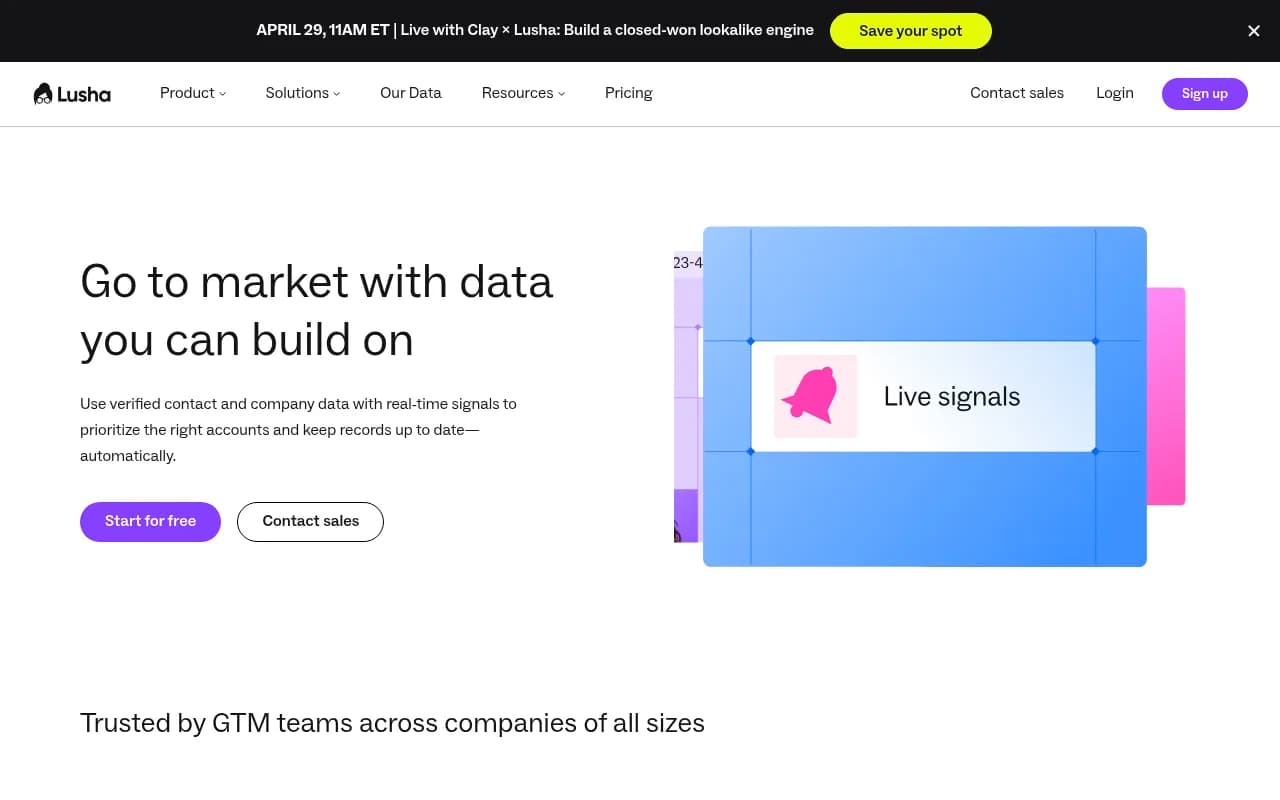
This is one of the newer additions and arguably the most interesting. Lusha Signals surfaces real-time data about account activity -- things like headcount growth, funding rounds, technology changes, and job postings -- that indicate when a company might be in a buying window. The Salesforce auto-update Play, for example, uses these signals to keep account records current without manual research. For teams doing account-based selling, this kind of intent data can meaningfully improve prioritization.
CRM enrichment and integrations
Lusha connects directly to Salesforce and HubSpot for two-way enrichment. You can push enriched contacts from Lusha into your CRM, or pull existing CRM records into Lusha for bulk enrichment. The auto-enrich workflow for HubSpot is particularly useful: incomplete contacts get filled in automatically as they enter the system, without anyone running a CSV export. This is the kind of thing RevOps teams actually care about.
Lusha Plays
Plays are pre-built automation workflows that combine Lusha with tools like n8n, Workato, Zapier, Make, Salesforce, HubSpot, and Intercom. Examples include job-change reactivation (automatically re-engage contacts who've moved to new companies), Intercom-to-Salesforce enrichment (enrich every demo request before it hits your CRM), and inbound lead qualification. These aren't just templates -- they're documented, step-by-step workflows with the integrations already mapped out. For teams that want automation without building from scratch, this is a real time-saver.
API and webhooks
The Lusha API lets you build enrichment directly into your own systems. You can enrich contacts programmatically, receive account updates via webhooks, and keep data in sync across tools. The API is RESTful and reasonably well-documented. This is primarily for RevOps or engineering teams who want to build custom enrichment pipelines rather than rely on the UI.
Bulk enrichment
Upload a CSV of contacts or companies and Lusha will enrich them in bulk -- filling in missing phone numbers, emails, job titles, and company data. This is useful for cleaning up legacy CRM data or enriching a list from a trade show or webinar. The accuracy here is generally good, though coverage varies by geography and seniority level.
Compliance infrastructure
Lusha has invested more in compliance than most competitors at this price point. GDPR certification, CCPA validation, SOC 2 Type II, and ISO 31700 (privacy by design) certification. For companies selling into regulated industries or European markets, this matters. It's also why Lusha shows up in comparisons where ZoomInfo gets disqualified on compliance grounds.
Who is it for
The clearest use case is an SDR or BDR at a B2B SaaS company who spends significant time on LinkedIn prospecting and cold calling. If you're working a list of 50-200 target accounts, need direct dials to reach decision-makers, and want those contacts to flow into Salesforce or HubSpot without manual data entry, Lusha fits well. The Chrome extension makes the workflow fast, the CRM integrations keep things clean, and the credit-based pricing is predictable enough to budget around.
RevOps and sales operations teams at companies with 50-500 employees are another strong fit. The bulk enrichment, API access, and automation Plays address the "our CRM data is a mess" problem that plagues most growing sales orgs. If you're managing enrichment across multiple reps and need it to happen automatically rather than on request, the Workspace and integrations are worth the investment.
European-focused GTM teams deserve a specific mention. Lusha's GDPR compliance and European data coverage have made it a go-to for companies that found ZoomInfo's European data thin or its compliance posture insufficient. The Zesty case study (85% contact accuracy for European ICP) is representative of this use case.
Who should look elsewhere: if you need a full sales engagement platform with built-in email sequencing, call recording, and conversation intelligence, Lusha isn't that. It's a data layer, not an execution layer. You'd pair it with Outreach, Salesloft, or Apollo for the full stack. Similarly, if your prospecting is entirely inbound and you don't do outbound at all, the value proposition is much weaker.
Integrations and ecosystem
Lusha's integration list covers the main CRM and automation tools:
- Salesforce: bidirectional sync, auto-enrichment, signal-based account updates
- HubSpot: contact enrichment, auto-fill for incomplete records
- Zapier: connect Lusha to hundreds of other tools via Zaps
- Make (formerly Integromat): automation workflows
- Workato: enterprise-grade automation
- n8n: open-source automation for technical teams
- Intercom: enrich chat leads before they hit your CRM
- Outreach and Salesloft: push enriched contacts directly into sequences (via integrations)
The Chrome extension works on LinkedIn and a handful of other sites. There's no native mobile app -- the product is desktop-first, which makes sense given that prospecting workflows are typically done at a desk.
The API is available on higher-tier plans and supports contact enrichment, company enrichment, and webhook-based updates. Documentation is available through the Lusha developer portal. It's not the most feature-rich API in the category (Apollo's API, for example, has broader search capabilities), but it covers the core enrichment use cases.
Pricing and value
Lusha uses a credit-based model where each contact reveal or enrichment consumes credits. The plan structure:
- Free: Limited credits per month, basic features, Chrome extension access. Good for testing the product or very light individual use.
- Starter: Entry-level paid plan for individuals or small teams. Specific credit limits apply.
- Pro: Approximately $22.45/user/month billed annually (around $39/month on monthly billing). Includes more credits, CRM integrations, and team features.
- Premium: Approximately $52.45/user/month billed annually. Adds bulk enrichment, more credits, and advanced features.
- Scale: Custom pricing for larger organizations. Includes API access, advanced integrations, and dedicated support.
Compared to ZoomInfo (which typically runs $15,000-25,000+ per year for a team) or even Apollo (which has a free tier but charges significantly for phone credits), Lusha is meaningfully more affordable. The credit model can be frustrating if you're doing high-volume prospecting -- credits go fast -- but for teams doing targeted outbound rather than spray-and-pray, it's manageable.
The free tier is genuinely usable for individual contributors who need occasional contact lookups. It's not a full-featured trial, but it's enough to validate whether the data quality works for your market.
Strengths and limitations
What Lusha does well:
- Phone number accuracy: This is the headline claim and it holds up. Multiple independent customer reports cite 80-90% accuracy on direct dials, which is better than most competitors in this price range. For phone-first sales teams, this is the whole game.
- European data coverage and compliance: GDPR certification and solid European contact data make Lusha a practical choice for companies that found ZoomInfo or RocketReach lacking in this area.
- Ease of use: The Chrome extension is genuinely fast and requires almost no training. New reps can be productive within an hour.
- Automation depth: The Plays library and native integrations with Salesforce, HubSpot, Workato, and n8n go beyond what most data vendors offer. This isn't just a lookup tool anymore.
- Pricing accessibility: Compared to enterprise-tier competitors, Lusha's per-user pricing is approachable for smaller teams and startups.
Honest limitations:
- No built-in sequencing or outreach: Lusha is a data layer, not an execution layer. You still need Outreach, Salesloft, Apollo, or similar to actually run campaigns. Apollo, for comparison, combines data and sequencing in one product, which some teams prefer.
- Credit consumption on free/lower tiers: The credit model means heavy prospectors can exhaust their monthly allowance faster than expected. Bulk operations in particular can be credit-intensive.
- Database depth outside core markets: While European coverage is better than many competitors, coverage in APAC and LATAM is thinner. Teams prospecting heavily in Southeast Asia or Latin America may find gaps.
- Buying signals are still maturing: The Signals feature is newer and not as deep as dedicated intent data providers like Bombora or G2 Buyer Intent. It's useful for basic account prioritization but won't replace a full intent data stack for enterprise ABM programs.
Bottom line
Lusha is a solid, well-priced B2B contact data platform that punches above its weight on phone number accuracy and European compliance. It's the right tool for SDR and BDR teams at B2B SaaS companies who need direct dials fast, want their CRM enriched automatically, and don't want to pay ZoomInfo prices to get there.
Best use case in one sentence: a 5-50 person sales team doing outbound prospecting into mid-market and enterprise accounts, primarily via phone and email, who needs verified contact data flowing cleanly into Salesforce or HubSpot without manual effort.
Tags:
Frequently asked questions
What is Lusha?
How much does Lusha cost?
Is Lusha GDPR compliant?
How accurate is Lusha's contact data?
Does Lusha integrate with Salesforce and HubSpot?
How does Lusha compare to ZoomInfo or Apollo?
Similar and alternative tools to Lusha